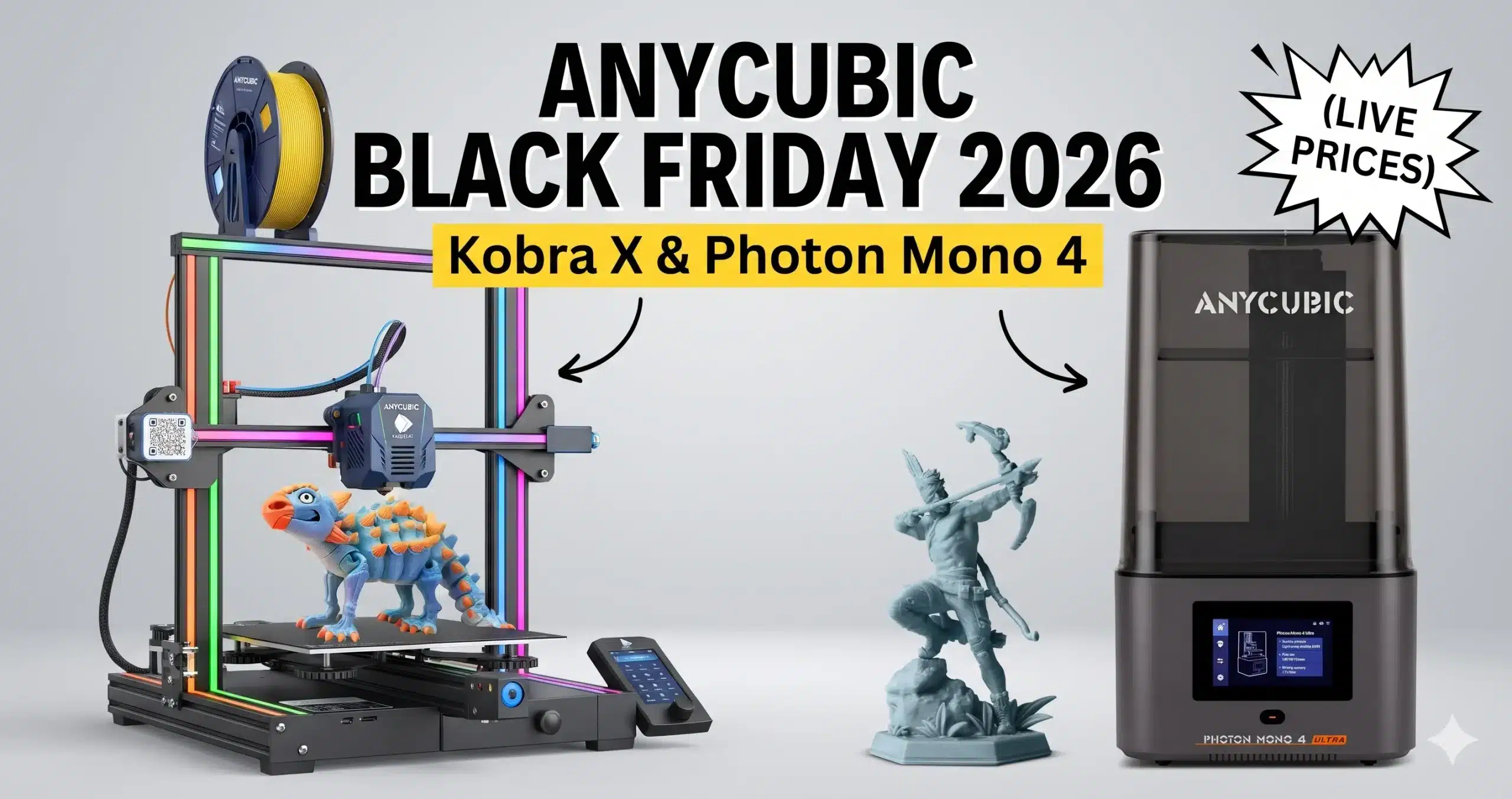
Anycubic’s early Black Friday prices are already live on Amazon. The 4-color Kobra X is $299.99, the Photon Mono 4 resin printer is down to $189.99, and the large Photon P1 Max is $899.99. Every printer in this list was discounted when we last checked.
Below are seven deals: three FDM printers (all multicolor) and four resin printers. For each one we show the live price, who it’s right for and whether to buy now or wait. Then we cover what most deal posts skip: what multicolor printing really involves, what resin printing costs once you add supplies, and how to fix the problems most new owners hit in their first week. Our picks are based on Anycubic’s specs, Amazon ratings and Amazon pricing. We left out duplicate listings and models that overlap on price.
Quick verdict: The best deal is the Kobra X at $299.99. It prints 4 colors out of the box and has a 260 mm build volume. For resin, the Photon Mono 4 at $189.99 is the cheapest way in, with 540 ratings and a 10K screen. For multicolor in an enclosure with a built-in filament dryer, get the Kobra S1 ACE 2 Pro Combo at $509.99. For the biggest prints, the Kobra S1 Max Combo (FDM) and Photon P1 Max (resin) are the large-format picks.
Anycubic Deals at a Glance
| Product | Type | Price | Was | Stock |
|---|---|---|---|---|
| Kobra X | FDM, 4-color | $299.99 | $359.99 | In stock |
| Photon Mono 4 | Resin, 10K | $189.99 | $239.99 | In stock |
| Photon Mono 4 Ultra | Resin, 10K | $279.99 | $329.99 | In stock |
| Kobra S1 ACE 2 Pro Combo | FDM, enclosed, 4-color | $509.99 | $629.99 | In stock |
| Photon Mono M7 Pro | Resin, 14K | $479.99 | $569.99 | Low stock |
| Kobra S1 Max Combo | FDM, large, enclosed | $799.99 | $899.99 | In stock |
| Photon P1 Max | Resin, large | $899.99 | $1,129.99 | In stock |
Which Anycubic Should You Buy? Pick by What You’ll Print
Multicolor decor, toys and gifts on a budget
Kobra X. Four colors with no add-ons, so you can print two-tone signs, ornaments and figurines without painting.
Multicolor with less fuss
Kobra S1 ACE 2 Pro Combo. The enclosure keeps temperatures steady, and the ACE 2 Pro dries filament as it feeds.
Large props, helmets and big decor
Kobra S1 Max Combo. At 350 mm per side, it holds about 2.4× more than the Kobra X.
Miniatures and jewelry on a tight budget
Photon Mono 4. A 10K screen at the lowest price here, and the most-reviewed printer in the list.
Miniatures, but faster
Photon Mono 4 Ultra. Same screen and build size as the Mono 4, but much faster, with print detection.
Busts, squads of minis and tall models
Photon Mono M7 Pro. Nearly 3× the room of the Mono 4, with a 14K screen and resin heating.
Statues, cosplay and batches
Photon P1 Max. An 18.3 L build volume and a heated tank for the largest resin prints here.
Build Size Compared
We calculated each printer’s build volume from Anycubic’s listed dimensions:
| Printer | Type | Build size | Volume | Price |
|---|---|---|---|---|
| Photon Mono 4 | Resin | 6.04 × 3.42 × 6.49 in | ~2.2 L | $189.99 |
| Photon Mono 4 Ultra | Resin | 6.04 × 3.42 × 6.49 in | ~2.2 L | $279.99 |
| Photon Mono M7 Pro | Resin | 8.78 × 4.95 × 9.05 in | ~6.4 L | $479.99 |
| Photon P1 Max | Resin | 11.24 × 8.43 × 11.81 in | ~18.3 L | $899.99 |
| Kobra X | FDM | 260 × 260 × 260 mm | ~17.6 L | $299.99 |
| Kobra S1 Max Combo | FDM | 350 × 350 × 350 mm | ~42.9 L | $799.99 |
What the numbers show:
- The Mono 4 and Mono 4 Ultra have the same build size and the same 10K screen. The Ultra’s extra cost buys speed (120 mm/h vs 70 mm/h) and print detection, not bigger or sharper prints.
- The P1 Max holds almost 3× more than the M7 Pro, which makes it the only resin printer here for full-size statues or helmet parts in one piece.
- The Kobra S1 Max holds about 2.4× more than the Kobra X. Only pay for that space if you’ll actually print large parts.
1. Anycubic Kobra X

$299.99$359.99Save $60 (17%)
The Kobra X prints in 4 colors with no extra unit to buy, at speeds up to 600 mm/s. Its 260 × 260 × 260 mm build volume is larger than most budget printers. Anycubic designed it for beginners and families, with one-click printing. For more detail, see our Kobra X review and how it compares in Kobra X vs Elegoo Centauri Carbon.
Why it stands out
Multicolor printing at this price is rare. Most competitors charge extra for a separate color unit.Keep in mind
The listing doesn’t mention an enclosure, so it’s best for PLA and PETG rather than ABS or ASA.2. Anycubic Photon Mono 4

$189.99$239.99Save $50 (21%)
The Photon Mono 4 has a 7-inch 10K mono LCD and Anycubic’s LighTurbo light source, printing at up to 70 mm/h. It has more ratings than any other printer in this list and is the cheapest way to get a 10K screen. Our Photon Mono 4 guide covers it in more depth.
Why it stands out
A 10K screen at an entry-level price, so miniatures and jewelry come out with fine detail.Keep in mind
It’s the slowest printer here, and the build area is small (about 2.2 L).3. Anycubic Photon Mono 4 Ultra 10K

$279.99$329.99Save $50 (15%)
The Mono 4 Ultra keeps the Mono 4’s 7-inch 10K screen and build size, but a COB light source raises speed to 120 mm/h. It also adds intelligent detection to catch failed prints. It’s the highest-rated printer in this list.
Why it stands out
About 70% faster than the Mono 4, plus print detection, so you waste less time and resin on failures.Keep in mind
It doesn’t give you bigger or sharper prints than the Mono 4. The extra cost buys speed and convenience.4. Anycubic Kobra S1 ACE 2 Pro Combo

$509.99$629.99Save $120 (19%)
The Kobra S1 is an enclosed high-speed printer, and this combo adds the ACE 2 Pro: a 4-color filament unit that also works as a filament dryer box. The enclosure helps with materials that warp in open air, and the dryer keeps filament from absorbing moisture. Read our ACE 2 Pro filament dryer review and ACE 2 Pro vs ACE Pro comparison.
Why it stands out
Enclosure, multicolor and filament drying in one package.Keep in mind
At 3.9★ it’s the lowest-rated printer here. Read recent reviews before buying, and keep the box until the return window closes.5. Anycubic Photon Mono M7 Pro 14K

$479.99$569.99Save $90 (16%)
The M7 Pro has a 10.1-inch 14K mono LCD and a COB LighTurbo 3.0 light source, and prints at up to 170 mm/h, the fastest here. Heating temperature control keeps resin warm in cold rooms. Its 8.78 × 4.95 × 9.05 in build area is nearly 3× the Mono 4’s. If you’re also considering Elegoo, see Photon Mono M7 Pro vs Elegoo Saturn 4 Ultra.
Why it stands out
A sharper screen, bigger plate and higher speed than the Mono 4 series, with resin heating built in.Keep in mind
It costs more than twice as much as the Mono 4, so only buy it if you need the extra space.6. Anycubic Kobra S1 Max Combo

$799.99$899.99Save $100 (11%)
The Kobra S1 Max is a large, fully enclosed CoreXY printer with a 350 × 350 × 350 mm build volume, speeds up to 600 mm/s and 65°C active chamber heating. It prints 4 colors natively and up to 16 with extra units. The heated chamber suits engineering filaments that need steady warmth.
Why it stands out
The biggest build volume here, plus an actively heated chamber, which is uncommon at this price.Keep in mind
It’s new, with only 18 ratings so far, and it’s a large machine, so measure your space first.7. Anycubic Photon P1 Max

$899.99$1,129.99Save $230 (20%)
The P1 Max is a large-format resin printer with an 18.3 L build volume (11.24 × 8.43 × 11.81 in), auto leveling, AI print inspection and a 1.9 L smart heated resin tank that warms resin up to 35°C. It’s built for full-size statues, cosplay pieces and batch printing.
Why it stands out
The largest resin printer here, nearly 3× the M7 Pro, with a heated tank so big prints stay reliable.Keep in mind
Large resin prints use a lot of resin and need a big wash-and-cure setup. Budget for both.Kobra X vs Kobra S1 ACE 2 Pro: Which Multicolor Printer?
| Kobra X | Kobra S1 ACE 2 Pro Combo | |
|---|---|---|
| Price | $299.99 | $509.99 |
| Colors | 4, built in | 4 natively, via ACE 2 Pro |
| Enclosure | Not mentioned in listing | Yes |
| Filament drying | Not mentioned in listing | Yes, ACE 2 Pro dryer box |
| Build volume | 260 × 260 × 260 mm | Not listed on Amazon |
| Rating | 4.2★ (178) | 3.9★ (117) |
| Best for | Beginners, PLA decor and gifts | Humid rooms, PETG and warp-prone materials |
Our take: If you’ll mostly print decor in PLA, get the Kobra X and keep the difference for filament. Choose the Kobra S1 combo if you live somewhere humid, want to print ABS or ASA, or want the noise and fumes contained.
Multicolor Printing: What to Know Before You Buy
All three Kobra printers here print in color, which is the main reason to choose Anycubic for FDM this year. Before you buy, it helps to know how it works in practice:
- Color changes create waste. Every time the printer switches color, it purges the old filament. A print with many color changes per layer can waste a lot of filament, sometimes as much as the model itself. Our guide to low-waste multicolor 3D printers explains which designs waste least.
- Multicolor prints take longer. Each color swap adds time, so a 4-color print takes noticeably longer than the same model in one color.
- Design for fewer swaps. Models where color changes by height (like a sign with raised lettering) print much faster and waste less than models with colors mixed on every layer.
- Use similar filaments. Mixing brands or types in one print can cause adhesion and flow problems. Start with the same brand of PLA in every slot.
- Keep filament dry. Damp filament causes stringing and weak prints. This is where the ACE 2 Pro’s drying function on the Kobra S1 combo helps most. See how to store 3D printer filament.
Combo vs Printer-Only Listings
Anycubic often sells the same printer in several listings at different prices. A “Combo” includes the color unit (ACE Pro or ACE 2 Pro) needed for multicolor. A printer-only listing doesn’t, so it can only print one color until you buy the unit separately. Always check the title before buying. Every link in this article goes to the listing named in its heading.
Resin or FDM: The Honest Difference
Choose resin (the Photon printers) for miniatures, figurines, jewelry and small decor with smooth surfaces and fine detail. Every print needs washing and UV curing, and you’ll need gloves and good ventilation.
Choose FDM (the Kobra printers) for larger decor, multicolor gifts, household parts and functional prints. There’s no liquid resin to handle, each print costs less, and you just remove the part from the bed when it’s done.
For a deeper comparison, read resin vs filament 3D printing.
What It Really Costs to Start Resin Printing
- Resin: standard or water-washable resin is fine for beginners.
- Isopropyl alcohol (IPA) for washing prints, or water if you use water-washable resin.
- Nitrile gloves and safety glasses. Never touch liquid resin with bare hands.
- A UV curing light or wash-and-cure station. See our Anycubic Wash & Cure Max 3 review.
- Paper towels, a silicone mat and a plastic scraper.
Expect roughly $40–$80 extra for a small printer like the Mono 4. Large printers like the P1 Max need more resin and a bigger wash setup, so budget more.
Resin Safety Checklist
- Print in a room with good airflow, not a closed bedroom.
- Keep printers and resin away from children and pets.
- Wear nitrile gloves whenever you touch resin, the vat or uncured prints. Our 3D printing safety gear guide lists what to get.
- Never pour liquid resin or used IPA down the drain. Cure leftovers in sunlight until solid, then dispose of them.
- Keep resin warm. Cold rooms cause failed prints, which is why the M7 Pro’s heating and the P1 Max’s heated tank are useful.
First-Week Problems and How to Fix Them
New owner? Start with our first 3D printer 30-day checklist. For resin failures not covered here, see why resin prints fail and how to fix them.
| Problem | Printer type | Most common fix |
|---|---|---|
| First layer won’t stick | FDM | Wash the build plate with dish soap and water to remove finger oils, then re-run auto leveling. |
| Stringing or rough surfaces | FDM | Dry the filament. Moisture is the usual cause, especially in humid climates. |
| Colors bleed into each other | FDM (multicolor) | Increase the purge amount in the slicer, or use a purge tower. |
| Print stuck to the vat film, not the plate | Resin | Increase bottom-layer exposure time and check the plate is clean and level. |
| Layers splitting apart | Resin | Warm the resin and room. Cold resin is thick and peels badly. |
| Supports breaking mid-print | Resin | Use heavier supports and tilt the model so less area peels each layer. |
Holiday Decor You Can Print With These
Multicolor FDM (Kobra series)
Two-tone ornaments, name signs, Christmas village houses, cookie cutters, gift tags, coasters and planters, all without painting.
Resin (Photon series)
Detailed ornaments, nativity figurines, miniature village pieces, ring dishes and small sculptures you can paint as gifts.
Before You Buy: Quick Checklist
- Measure your space. The Kobra S1 Max and Photon P1 Max are large machines, so check the product dimensions on Amazon.
- Plan for ventilation if you choose resin.
- Check whether the price needs Prime. Many of these deals are Prime-exclusive.
- Check the return window. Amazon usually extends returns for holiday purchases into January. Confirm the window on the product page.
- Budget for supplies: filament for FDM, or resin, IPA and gloves for resin.
How to Spot a Real Anycubic Black Friday Deal
- Watch the price on this page. It updates from Amazon, so you’ll see whether a “Black Friday” price is really lower.
- Watch for Prime-only pricing. Without Prime, you may pay more.
- Pick the right listing. Check “Combo” vs printer-only in the title.
- Trust the “30-day low” label. When Amazon shows it, the price really is the lowest in the past month.
More Black Friday 3D Printing Deals
- Best 3D Printer Black Friday Deals (all brands)
- 18 Best Black Friday 3D Printer Deals
- Elegoo Black Friday Deals 2026
- Creality Black Friday Deals
- Bambu Lab Black Friday Deals
- Best Resin 3D Printer Black Friday Deals
- Black Friday Filament Deals
- Best Multicolor 3D Printers Under $400
FAQ
When is Black Friday 2026?
Black Friday is Friday, November 27, 2026, and Cyber Monday is November 30. Anycubic’s early deals are already live on Amazon.
Which Anycubic printer is best for beginners?
For FDM, the Kobra X. It’s built for one-click printing and prints 4 colors out of the box. For resin, the Photon Mono 4, which has a 10K screen and the most ratings of any printer in this list.
Is the Photon Mono 4 Ultra worth more than the Mono 4?
Only if you print often. Both have the same 10K screen and build size. The Ultra is faster (120 mm/h vs 70 mm/h) and adds print detection.
Should I buy the Kobra X or the Kobra S1 ACE 2 Pro Combo?
The Kobra X for most PLA decor and gifts, since it costs much less. The Kobra S1 combo if you need an enclosure or filament drying for humid rooms or materials like ABS and ASA.
How much filament does multicolor printing waste?
It depends on how many color changes the model needs. Models where colors change by height waste little, while models with several colors on every layer can waste as much filament as the print itself.
Do I need Prime to get these prices?
For many of them, yes. Amazon marks many Anycubic deals as “Exclusive Prime price,” so non-members may see a higher price at checkout.
What else do I need for a resin printer?
Resin, isopropyl alcohol or a wash-and-cure station, nitrile gloves, paper towels and good ventilation. Plan on roughly $40–$80 extra for a small printer, and more for large ones.
3DPrintedDecor.com earns a commission from qualifying Amazon purchases made through our links, at no extra cost to you. Amazon is our only affiliate program. We don’t accept paid placements or free products, and commissions don’t decide which products we recommend. Our picks are based on manufacturer specs, Amazon ratings and Amazon pricing. Product prices and availability are accurate as of Nov 14, 2026, 19:05 UTC and are subject to change. Any price and availability information displayed on Amazon at the time of purchase will apply to the purchase of the product.
Free 3D printing temperature cheat sheet
Nozzle and bed temperatures for common filaments, in one page.
Keep reading
 3D Printed Home DecorBlack Friday 3D Printer Deals 2026: 18 Printers Sorted by PriceNov 24, 2025
 3D Printed Home DecorLive Black Friday 3D Printer Offers 2025 – Updated Hourly – Save Up to $400!Nov 26, 2025
 Budget PrintersBlack Friday 3D Printer Deals Reddit – What 500+ Users Are Actually Buying (2025)Nov 27, 2025
 3D Printed Home DecorBest Cyber Monday 3D Printer Deals 2025: Save Up to 45% on Bambu Lab, Creality & ANYCUBIC (Live Deals)Dec 1, 2025
 Budget PrintersWhy 87% of Small Businesses Waste Money on Wrong 3D Printers (2025 Buying Guide)Dec 16, 2025
 Resin PrintersELEGOO Jupiter SE Review: 7 Game-Changing Features for Serious Creators!Jan 10, 2025