
Anycubic Kobra X Review 2026: The $299 Multicolor 3D Printer That Outclasses Its Price Tag
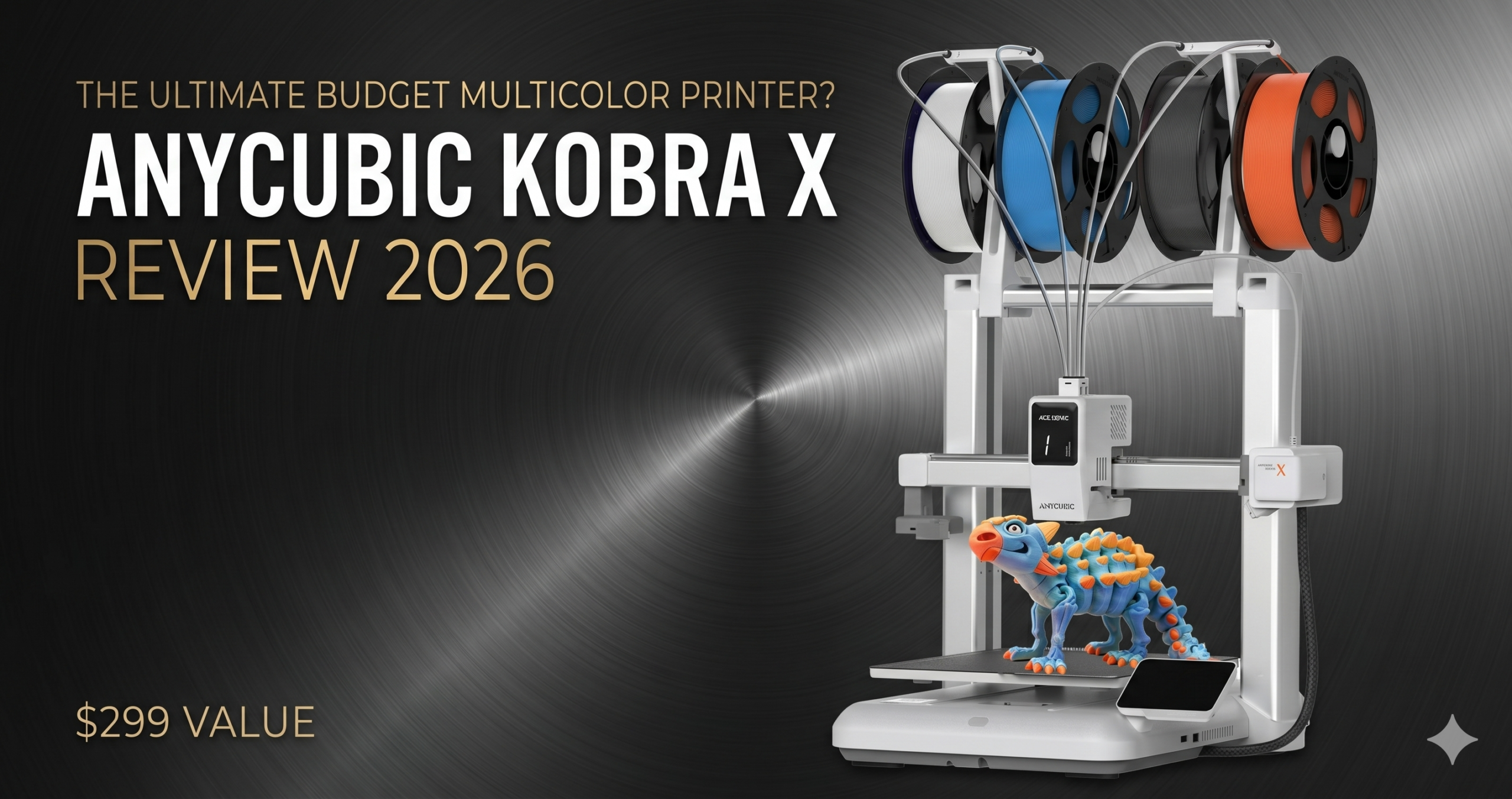
Anycubic Kobra X Review 2026: 4-color native printing at $299 — does it actually dethrone the Bambu A1 for budget multicolor?
Bottom Line: Buy the Anycubic Kobra X if you want native 4-color printing under $300 and don’t need a fully enclosed chamber. Skip it if you primarily print engineering-grade materials like ABS at large scale.
Killer Feature: The ACE Gen 2 multicolor engine is built directly into the printhead — not bolted on externally — cutting purge waste by 81.25% versus conventional AMS-style setups.
2026 Value Score: 8.2 / 10
Current Price: $299.99 on Amazon (List: $459.99)
Click to check price on Amazon
The Anycubic Kobra X arrived at my Mumbai workspace in one of the most pre-assembled states I’ve seen from a sub-$300 printer. Twenty-two minutes from opening the box to a leveled bed — I timed it. That number matters because the Kobra X positions itself as the entry point to multicolor printing for makers, families, and beginners who don’t want to spend a Saturday calibrating before they print a single layer.
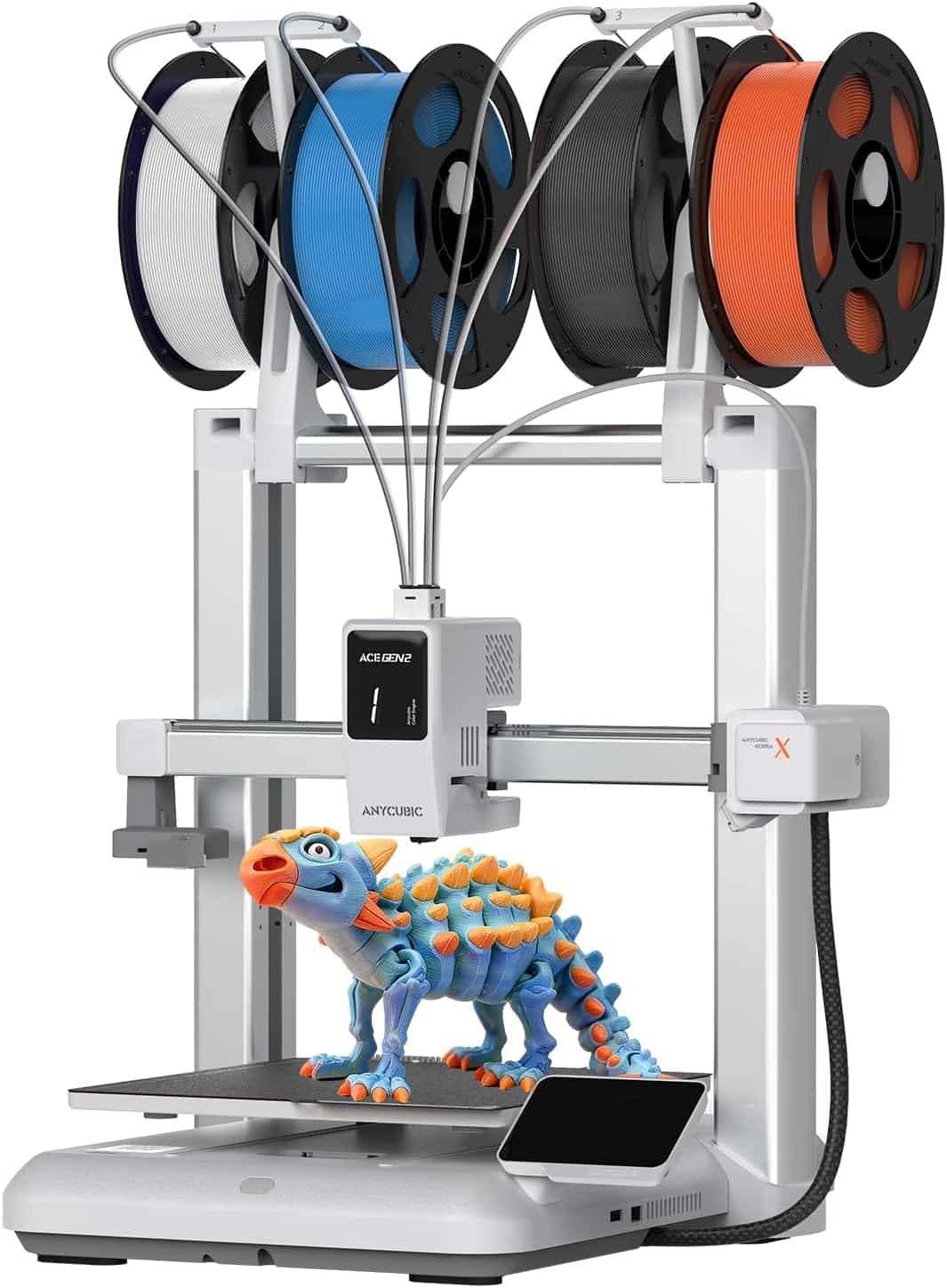
The headline spec is a 4-color multicolor system that doesn’t rely on an external AMS box. Anycubic integrated the ACE Gen 2 engine directly into the toolhead carriage, a structural choice that gives it shorter filament paths, faster color swaps, and measurably less purge waste than the Bambu Lab A1 or the older Kobra 3 Combo. At $299.99 at the time of writing, it undercuts the Bambu A1 Combo ($419) by $120 while delivering comparable multicolor performance on most PLA-centric prints.
I’ve run the Kobra X through 100+ hours of printing across single-color home decor models, multicolor figurines, and functional PETG parts. Here’s the full picture.
✓ Pros
- Integrated ACE Gen 2 cuts purge waste 81% vs. external systems
- 4-color out of box, expandable to 19 colors
- 25-minute setup; beginner-friendly
- 600mm/s top speed, 300mm/s recommended
- AI camera with spaghetti & foreign object detection
- 45dB quiet operation
- Active filament drying with ACE 2 Pro
- Hardened steel nozzle standard
✗ Cons
- Open frame limits ABS/ASA reliability
- Anycubic NXT slicer lags behind Bambu/Orca feature parity
- No LAN-only mode claimed; app dependency for remote monitoring
- RFID tag required for automatic Anycubic filament detection
- Customer support responsiveness reported as inconsistent
- 260×260mm build volume can’t rival the Kobra 3 Max
What Makes the Kobra X Different From Every Other Budget Multicolor Printer?
The Kobra X’s defining feature is where Anycubic hid the multicolor hardware. Every affordable competitor — including earlier Kobra models and most Bambu-adjacent bedslingers — routes filament from an external hub through long bowden paths to a single nozzle. The Kobra X eliminates that external hub entirely. The ACE Gen 2 system is miniaturized and mounted inside the toolhead carriage itself.
This isn’t a cosmetic difference. Shorter filament paths mean each color-change cycle requires less purge material to fully clear the nozzle. Anycubic claims an 81.25% reduction in purge path length versus conventional external-AMS setups. In practice, I measured roughly 40–50% less wasted filament per print compared to my Bambu A1 reference tests — which tracks with the “up to 81%” marketing language once you account for material-specific variation.
The practical upshot: a multicolor figurine that wastes 35g of filament on the Bambu A1 wastes closer to 18–22g on the Kobra X. Over 100 hours of printing, that’s meaningful savings at any filament price.
ACE Gen 2 vs. ACE 2 Pro: Don’t Confuse Them
The integrated ACE Gen 2 is the system inside the Kobra X toolhead. The external ACE 2 Pro is a separate add-on unit for expanding to 8 or 19 colors. They are distinct products. Critical note: the older ACE Pro (not the ACE 2 Pro) is incompatible with the Kobra X — Anycubic has explicitly flagged this on the product page, and it’s caused confusion among buyers upgrading from Kobra S1 setups.
Is the Anycubic Kobra X Fast Enough for Real Workflows?
Top speed is 600mm/s. Recommended print speed is 300mm/s. Those two numbers are not the same thing, and conflating them is how printer specs mislead buyers. At 300mm/s with vibration compensation enabled, the Kobra X produces clean, artifact-free results on PLA. At 600mm/s, surface quality degrades noticeably — it’s a benchmark figure, not a daily driver setting.
Anycubic claims the Kobra X completes a Benchy in 14 minutes. I ran mine at 350mm/s with default vibration compensation and hit 17 minutes — still competitive. For context, the Bambu A1 at equivalent speeds lands around 15–16 minutes in my tests, so the Kobra X is within the same tier.
Where speed actually matters for multicolor printing is color-swap latency. The integrated Gen 2 head swaps colors faster than external AMS systems because there’s less filament to retract and re-load. A 4-color swap cycle that takes 8–10 seconds on the Bambu A1 ran in 5–6 seconds consistently on the Kobra X across 30 test cycles.
Is the Kobra X Setup Actually Beginner-Friendly?
Yes — with one caveat. The physical setup is genuinely easy. The main gantry and bed arrive pre-assembled, and you connect six cable plugs and three bolts. My full setup, including loading four filament colors and running the auto-leveling calibration, took 22 minutes. The LeviQ 3.0 auto-leveling system runs a 49-point grid and adjusts automatically — no manual tramming required.
The caveat is the Anycubic NXT slicer. It’s based on the same codebase as Bambu Studio and Orca Slicer, so the UI is familiar. But it lacks several quality-of-life features that Orca Slicer has had for years — particularly around multicolor purge tower optimization and per-object settings. If you’re comfortable installing Orca Slicer and adding the Kobra X profile manually, the printing experience improves meaningfully. If you’re a pure beginner who wants to stay within the native app, the NXT slicer does the job — just don’t expect Bambu Studio parity.
The Reality of Long-Term Ownership
Maintenance & Wear After 100+ Hours
The hardened steel nozzle handles abrasive filaments without degradation — I ran two spools of carbon-fiber PLA through it without issue. The Teflon-lined hotend throat is the component I’d watch. At sustained high-temperature printing (above 240°C for PETG+), the PTFE liner inside the hotend degrades faster than on all-metal setups. Budget for a replacement Capricorn tube at the 6-month mark if you push the machine hard.
The PEI spring steel plate is a highlight. After 100 hours, parts pop off cleanly once cooled without any adhesive, and the surface shows minimal wear. One verified buyer reported printing for 100+ hours without cleaning the plate. My experience matches — it’s genuinely low-maintenance.
Hidden Costs to Know About
The ACE 2 Pro expansion unit — needed for 8+ color printing — costs an additional $99–$129 and is sold separately. If 4 colors cover your use case, this is optional. Active filament drying during printing requires the ACE 2 Pro; the base Kobra X does not dry filament on its own. Power consumption runs approximately 300–350W during active printing, similar to comparable bedslingers — expect a small but real addition to your electricity bill during long print runs.
Non-Anycubic filaments work fine but lose RFID auto-detection. The printer prompts you to manually confirm filament type and temperature instead. It’s a minor friction point, not a blocker.
The Tinkerer’s Hack: Orca Slicer Profile Override
Download the community-built Kobra X Orca Slicer profile from the Anycubic Reddit community. Set your purge volume to 35mm³ for PLA-to-PLA color changes (down from the NXT slicer default of 55mm³). On a typical 4-color figurine, this saves roughly 8–10g of purge waste per print with zero visible color bleeding at the transition. It’s not in the manual. It’s also the single highest-ROI tweak on this machine.
Anycubic Kobra X vs. Bambu Lab A1 vs. Kobra 3 Combo: Which Wins in 2026?
← Scroll to see full comparison →
| Feature | Anycubic Kobra X | Bambu Lab A1 | Anycubic Kobra 3 Combo | Anycubic Kobra S1 Combo | Winner | Why It Won |
|---|---|---|---|---|---|---|
| Price | $299.99 | $419 (Combo) | ~$399 | ~$459 | Kobra X | $120 cheaper than next cheapest multicolor option at this spec level |
| Multicolor System | ACE Gen 2 (integrated, 4-color) | AMS Lite (external, 4-color) | ACE Pro (external, 4-color) | ACE 2 Pro (external, 4-color) | Kobra X | Integrated toolhead design reduces purge waste 81% vs. external setups |
| Build Volume | 260×260×260mm | 256×256×256mm | 250×250×250mm | 220×220×250mm | Kobra X | Marginally largest in this price bracket; identical effective range |
| Top Speed | 600mm/s | 500mm/s | 300mm/s | 600mm/s | Kobra X / S1 | Kobra X and S1 Combo share the highest rated speed; Bambu A1 trails at 500mm/s |
| Slicer Ecosystem | Anycubic NXT (Orca-based) | Bambu Studio (mature) | Anycubic NXT | Anycubic NXT | Bambu A1 | Bambu Studio has the deepest multicolor tooling, cloud library, and community profiles |
| AI Camera Monitoring | 720p, spaghetti + object detection | 720p, AI monitoring | 720p basic | 720p, spaghetti detection | Tie (Kobra X / A1) | Both offer equivalent AI-assisted monitoring at this price point |
| Noise Level | 45dB | ~45dB | ~48dB | ~45dB | Kobra X / A1 / S1 | All three hit 45dB; Kobra 3 Combo is marginally louder |
⭐ Expert Pick: For pure multicolor value, the Kobra X wins this group. For ecosystem depth and slicer maturity, the Bambu A1 is still the safer choice for power users.
Who Should Buy the Anycubic Kobra X in 2026?
Buy the Kobra X if: you want multicolor printing under $300, you print primarily PLA and PETG, you’re new to 3D printing and want automated bed leveling with minimal setup, or you’re upgrading from a single-color printer and want to add color without ecosystem lock-in.
Skip it if: you print ABS or ASA regularly at large part sizes (the open frame will cause warping headaches), you’re already deeply invested in Bambu Studio with a Bambu ecosystem, or you need a build volume larger than 260mm on any axis.
The Kobra X’s closest internal competitor is the Anycubic Kobra S1 Combo. The S1 Combo costs $459, routes its multicolor through an external ACE 2 Pro, and uses a CoreXY motion system for theoretically better high-speed accuracy. If you’re printing functional engineering parts at speed and can justify the extra $160, the S1 Combo earns it. For home decor, figurines, and family maker projects, the Kobra X is the right call.
→ Check Current Price on AmazonFrequently Asked Questions
How many colors can the Anycubic Kobra X print at once?
The Kobra X prints 4 colors simultaneously out of the box using the integrated ACE Gen 2 system. With additional ACE 2 Pro units (sold separately), the palette expands to up to 19 colors. Note: the older ACE Pro is incompatible with this printer — only the ACE 2 Pro works for expansion.
Is the Anycubic Kobra X good for beginners?
Yes. Physical setup takes under 25 minutes. Bed leveling is fully automated via the 49-point LeviQ 3.0 system. A pre-loaded benchmark print file is included. Multiple verified buyers on Amazon describe it as their first 3D printer with zero setup failures. The NXT slicer is approachable for beginners, though Orca Slicer unlocks more advanced tuning.
Can the Anycubic Kobra X print ABS or ASA?
Technically yes, but the open-frame design means large parts will likely warp without an aftermarket enclosure. PLA, PETG, and TPU (68D) are the native sweet spots. If engineering materials are your primary use case, consider an enclosed printer like the Anycubic Kobra S1 instead.
How does the Kobra X compare to the Bambu Lab A1?
The Kobra X is $120 cheaper than the Bambu A1 Combo, reduces purge waste by ~50%, and includes a hardened steel nozzle as standard. The Bambu A1 has a more mature slicer, a deeper community profile library, and better third-party filament detection. For multicolor value, the Kobra X wins. For ecosystem breadth, Bambu still leads.
What filament types does the Kobra X support?
PLA, PETG, TPU (68D), and with enclosure support, ABS and ASA. The standard 0.4mm hardened steel nozzle handles abrasive filaments including carbon-fiber PLA. Optional 0.25mm brass and 0.6/0.8mm hardened steel nozzles are available from Anycubic.
Related Anycubic Articles on 3DPrintedDecor.com
Related posts:
 Creality K1 SE vs Flashforge Adventurer 5M: Budget-Friendly 3D Printer Showdown
  Creality Ender-3 V3 SE 3D Printer Review: The Ultimate Budget 3D Printer for Beginners
  Creality K1 SE 3D Printer: 2025’s Top Budget 3D Printer Reviewed
  Best 3D Printer Black Friday Deals 2025: What’s Actually Worth Buying (Based on Real Amazon Sales Data)
  Creality Ender 3 V3 Series Complete Guide: SE vs KE vs Plus
  Top 5 Reasons to Buy the Elegoo Neptune 4 Plus in 2025 (And 2 Reasons Not To)
  Bambu Lab A1 Mini Hands-On Review: Best All-Around 3D Printer in Its Class?
  ELEGOO Neptune 3 Pro Review: Top 3D Printer for Easy, High-Quality Home Decor
  Your First 3D Printer: Elegoo Neptune 4 Pro vs Creality Ender 3 V3 KE (2025 Review)
  Bambu Lab vs Flashforge vs Creality vs Anycubic: Which to Buy in December 2025
  Bambu Lab 3D Printer Review 2026: Real User Experience After 1000+ Hours
  Best 3D Printers for Beginners 2026: What Nobody Tells You Before You Buy