
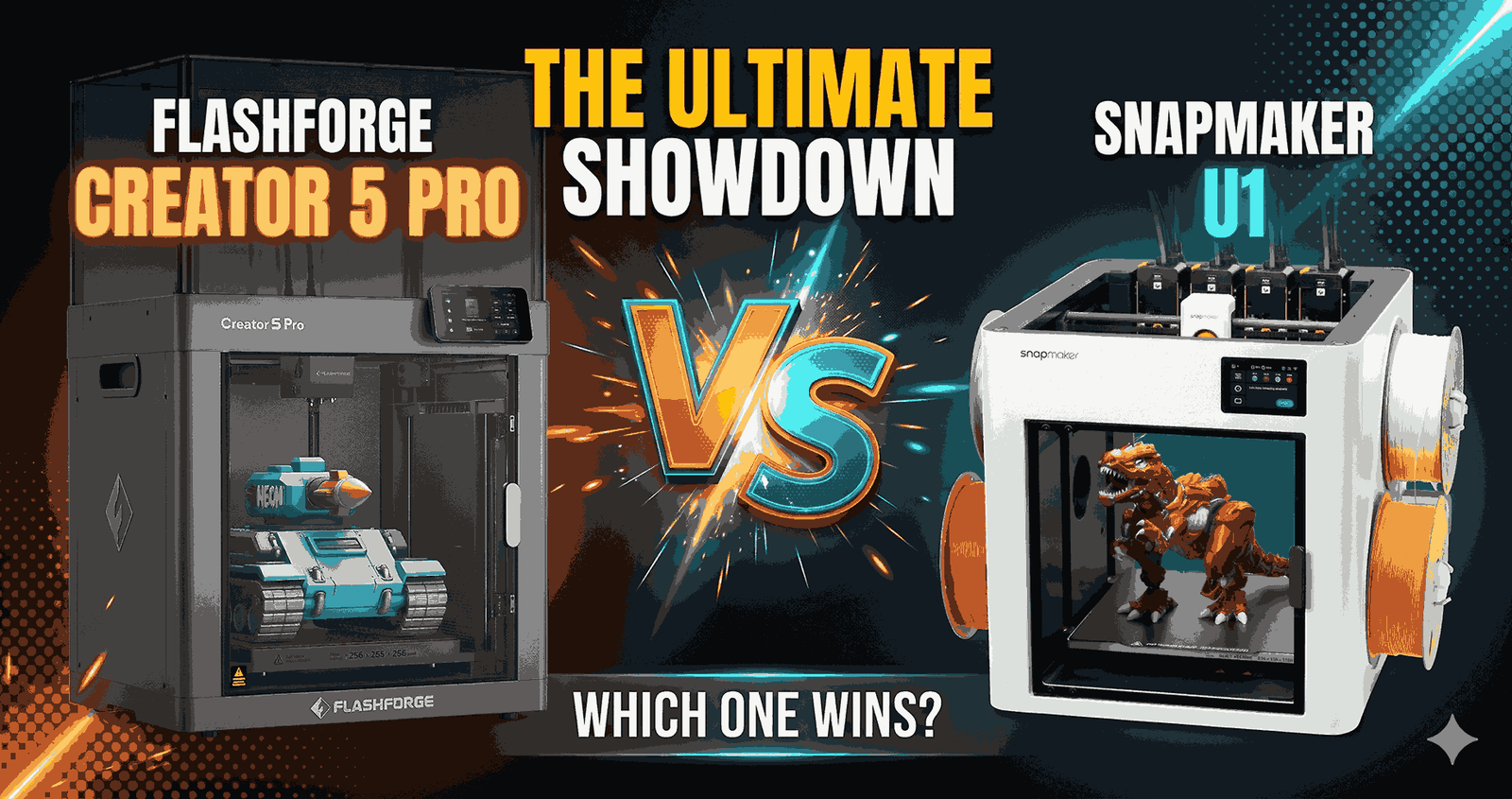
Buy the Snapmaker U1 if you want fast multi-color printing for $749 and mostly print PLA, PETG and TPU. Buy the Flashforge Creator 5 Pro if you need an enclosed, heated chamber for ABS, ASA or carbon-fiber nylon, and you can spend $100 more.
Both printers solve the same problem. Normal multi-color printers purge a lot of filament every time they change color. These two carry four toolheads and swap the whole head instead.
We have not tested either printer. This comparison is built from the manufacturers’ spec pages, Amazon listing data checked on October 25, 2026, and verified buyer reviews, and we say where each claim comes from.
The Short Verdict
- The bottom line: Buy the U1 for most people. Skip it for ABS and nylon unless you also buy the top cover. Buy the Creator 5 Pro only if an enclosed chamber matters to you.
- Killer feature, U1: A 5-second tool change that buyers say leaves almost no purge waste.
- Killer feature, Creator 5 Pro: An enclosure that actively heats to 65°C and filters the air with HEPA 13 and carbon.
- 2026 Value Score (our score): Snapmaker U1 9/10. Flashforge Creator 5 Pro 7.5/10.
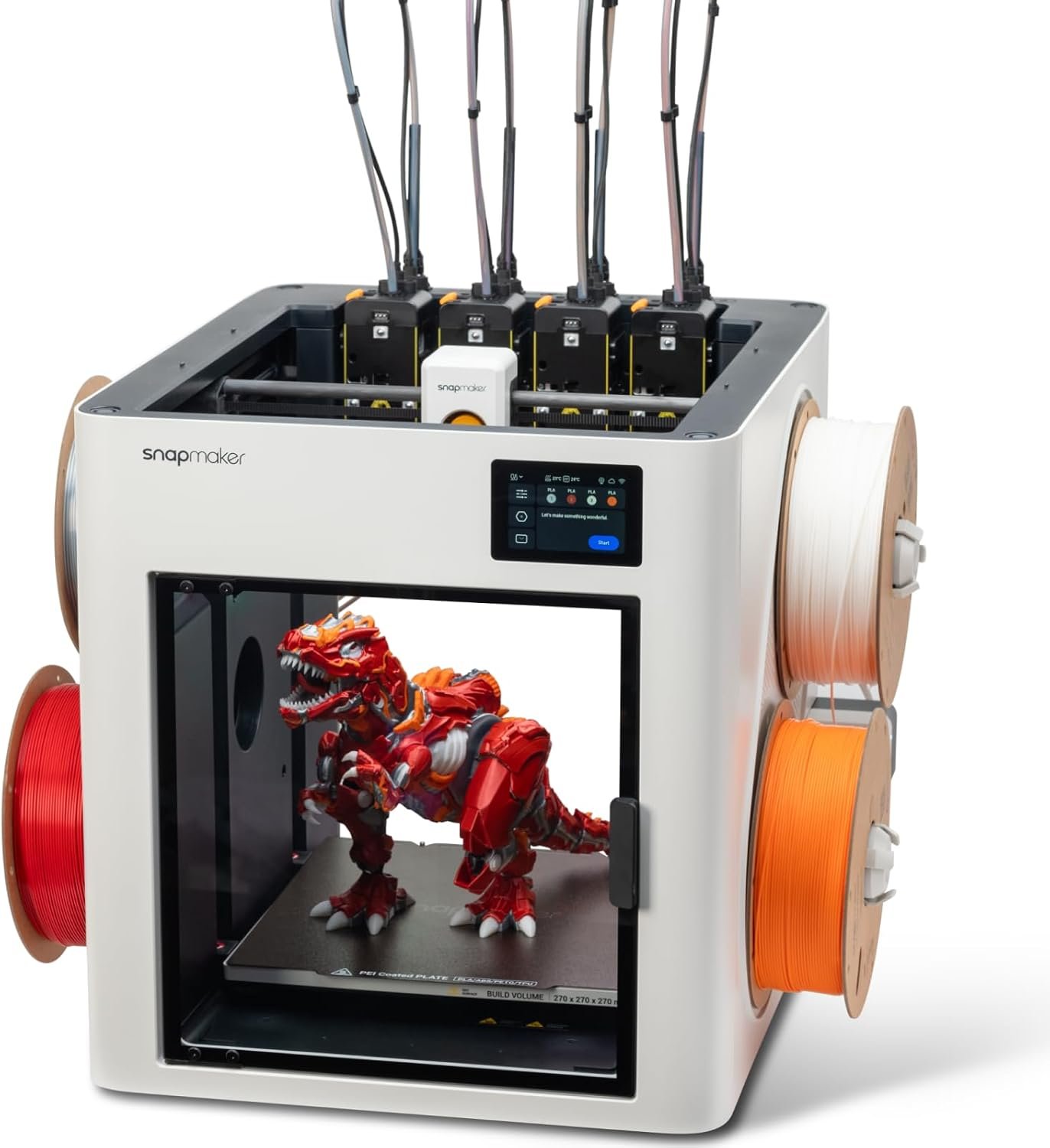 ↗ Check Snapmaker U1 — $749 on Amazon
✓ Check Amazon for Prime delivery and return terms · Price checked Oct 25, 2026
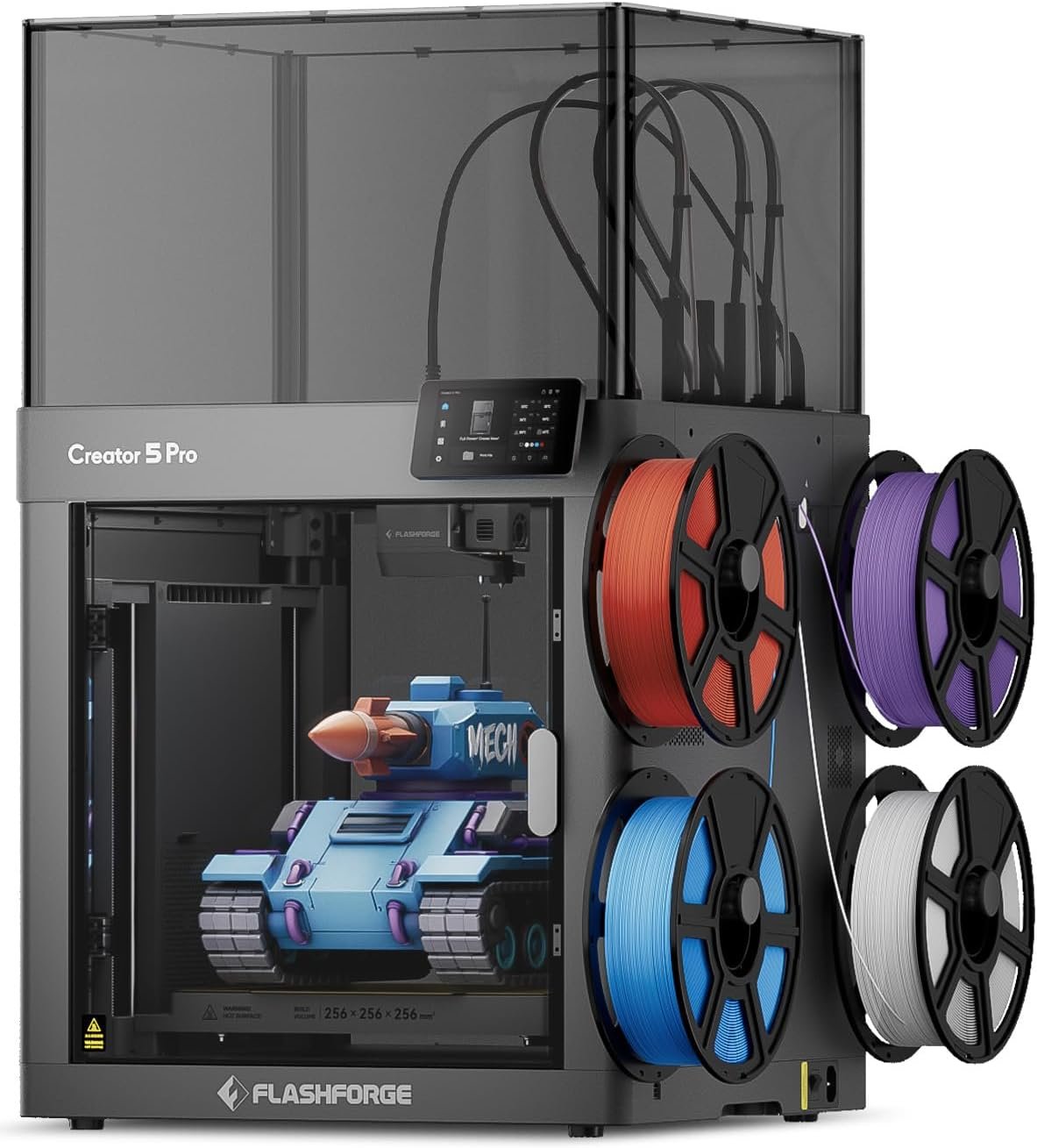 ↗ Check Flashforge Creator 5 Pro — $849 on Amazon
✓ Check Amazon for Prime delivery and return terms · Price checked Oct 25, 2026
Which Is Better: Flashforge Creator 5 Pro or Snapmaker U1?
The Snapmaker U1 is the better buy for most people. It costs $749 against $849, it has the higher Amazon rating (4.6 stars from 238 reviews against 4.0 from 1,001), and it prints a slightly larger 270 mm cube. The Creator 5 Pro wins on enclosure, filtration and temperature ceiling.
That split decides everything. If you print PLA and PETG in a normal room, the extra $100 for the Creator buys you things you will not use. If you print ABS, ASA or nylon, the U1 needs an add-on to match what the Creator does out of the box.
How Do the Specs Compare Side by Side?
The U1 leads on price, build volume, tool-change time and buyer rating. The Creator 5 Pro leads on chamber, filtration and heat. The table below uses spec-sheet numbers, not measured results.
| Feature | Creator 5 Pro | Snapmaker U1 | Winner | Why it won |
|---|---|---|---|---|
| Price (Oct 25, 2026) | $849.00 | $749.00 (list $849) | Snapmaker U1 | $100 cheaper, and 12% under its own list price. |
| Build volume | 256 × 256 × 256 mm | 270 × 270 × 270 mm | Snapmaker U1 | About 17% more volume, which matters for larger single parts. |
| Enclosure | Fully enclosed, chamber heats to 65°C | Open frame, top cover sold as an option | Creator 5 Pro | ABS, ASA and nylon warp less when the chamber is warm. |
| Max nozzle / bed temperature | 320°C / 120°C | 300°C / 100°C | Creator 5 Pro | Higher ceiling for engineering filaments. |
| Tool change time | 7 seconds (FlashSwap) | 5 seconds (SnapSwap) | Snapmaker U1 | Two seconds saved per swap, about 40 minutes on a 1,200-change print if the claims hold. |
| Stated speed | 300 mm/s print, 600 mm/s travel | 500 mm/s toolhead, 20,000 mm/s² acceleration | Tie | Amazon’s “600 mm/s” for the Creator is travel speed. The numbers are not measured on the same test. |
| Filament loading | Manual, into each toolhead | Spools read automatically, per one buyer | Snapmaker U1 | Fewer steps when you change spools. |
| Air filtration | HEPA 13 plus activated carbon | None listed | Creator 5 Pro | Matters if the printer sits in a living space. |
| Amazon rating | 4.0 stars (1,001 reviews) | 4.6 stars (238 reviews) | Snapmaker U1 | Higher score, but from fewer buyers. |
| Amazon best-seller rank | #12 in 3D Printers | #5 in 3D Printers | Snapmaker U1 | Sells better right now. |
| Time on sale | Since August 6, 2026 | Since April 27, 2026 | Snapmaker U1 | About six months of buyer feedback against under three. |
Sources: the Snapmaker U1 spec page, the Flashforge Creator 5 Pro page and the Amazon listings. Prices and ratings change.
✓ Check Amazon for Prime delivery and return terms · Price checked Oct 25, 2026
✓ Check Amazon for Prime delivery and return terms · Price checked Oct 25, 2026
How Do the Two Toolchangers Actually Differ?
Both machines hold four toolheads, each with its own filament. Instead of pulling filament out and pushing a new color in, the printer swaps the whole head. That removes most of the purge waste and most of the waiting.
Snapmaker says the U1 changes tools in 5 seconds with filaments preloaded and preheated, and that the lock has been tested through over a million swaps. Flashforge says the Creator 5 Pro does it in 7 seconds. Both figures are manufacturer claims.
One U1 buyer printed a four-color spider with more than 1,200 color changes in about 10 hours. They say the same print would have taken around 28 hours on a Bambu Lab A1, and that the only waste was a small wipe tower. That is one person’s result, but it shows the size of the effect.
Both printers cap you at four filaments at once. If you want more colors, read our guide to the best multi-material 3D printers.
Can Either Printer Handle ABS, ASA and Nylon?
The Creator 5 Pro can, out of the box. It is enclosed, the chamber heats to 65°C, and Flashforge lists ABS, ASA, HIPS and several carbon-fiber nylons for it. The U1 can too, but only with its optional top cover.
This is where the Amazon listing is easy to misread. The U1 listing says it is compatible with ABS, ASA, PA and PC. Snapmaker’s own spec page says those need the top cover, and carbon-fiber or glass-fiber filaments also need the cover plus a hardened steel nozzle.
Snapmaker does not show a price for the cover on its spec page. Check the current price before you count the U1 as a budget ABS printer. If you are new to these plastics, our PLA vs ABS vs PETG guide explains why enclosure matters, and our HEPA vs activated carbon explainer covers what the Creator’s HEPA and carbon system does and does not remove.
How Much Filament Will a Toolchanger Really Save?
A toolchanger saves a large share of the purge waste that a single-nozzle multi-color printer produces, but “5X less waste” is a manufacturer figure, not a test result. Your savings depend on how many color changes your models have and how big the models are.
One U1 buyer says their previous AMS printer took about twice as long and made a comparable amount of waste on the same prints. On the U1, the waste bin held only leftovers from the first flow calibration. Another buyer expects the printer to pay for itself in filament over time.
Do the math for your own use. If you print a handful of multi-color models a month, the saving is nice but will not cover the price gap to a cheaper printer. If you print multi-color every week, it adds up.
Our multi-color printers under $1,100 guide compares the cheaper ways to get multi-color if you are not sure a toolchanger is worth it.
What Are Real Buyers Saying About Each Printer?
Snapmaker U1 buyers
Buyers mostly talk about setup speed and waste. One got printing within an hour of delivery and says the quick-start guide saved them time. The printer shipped with sample PLA and recognized the spools on its own.
The built-in model library in Snapmaker Orca gets praise, although one buyer calls it small. Another reports that the printer recovered from a brief power cut mid-print and finished the job.
Flashforge Creator 5 Pro buyers
The Creator’s buyers split more. We read two five-star reviews. One buyer, a long-time printer owner, chose it over a friend’s Bambu Lab P2S because multi-color jobs on that machine took too long and wasted too much filament, and now prints nylon and PA-CF on it.
The other buyer had two units fail out of the box before the third worked, then logged 71 hours in four days without a failure and ordered a second printer. They advise updating the firmware and recalibrating first, and both reviewers note that the printer shakes while it runs.
The Reality of Long-Term Ownership
We have not run either printer for months, so this section covers what the spec sheets and buyers tell us to expect. Treat it as a checklist of questions, not a verdict from hands-on use.
Maintenance and wear
Four toolheads means four nozzles to clean and replace. The Creator’s nozzles are removable and come in 0.25, 0.4, 0.6 and 0.8 mm sizes. The U1 ships with a 0.4 mm stainless steel nozzle, and one buyer ordered 0.6 mm nozzles from Snapmaker.
Abrasive filaments wear stainless nozzles quickly. The U1 needs the hardened steel nozzle and the top cover for carbon-fiber filament, according to Snapmaker.
Hidden costs
Neither printer includes a filament dryer. Flashforge lists a separate dry box, and our Creality Space Pi review covers dryers worth buying. Nylon in particular should be dried first.
Add the U1 top cover if you want enclosed printing. Power also differs on paper: the Creator lists 1,200 W against 400 W at 120 V for the U1, but those are peak ratings, not what a normal print draws.
The tinkerer’s hack
- Creator 5 Pro: run PTFE tubing from your filament dryer straight to the side filament intakes and skip the spool holders. A buyer does this so a failed print can never be blamed on the filament.
- U1: in Snapmaker Orca, select a part of a model and press 1 to 4 to repaint it with the filament in that slot.
- Creator 5 Pro: give it a solid base with clearance on every side. The shaking is normal and the calibration compensates for it.
Pros and Cons: Creator 5 Pro vs Snapmaker U1
Snapmaker U1
- $100 cheaper
- 270 mm build cube
- 5-second tool change
- 4.6 stars on Amazon
- Orca-based slicer with a model library
Cons
- Open frame by default
- ABS, nylon and fiber filaments need extra parts
- No filtration listed
Flashforge Creator 5 Pro
- Fully enclosed, chamber heats to 65°C
- HEPA 13 and carbon filtration
- 320°C nozzle and 120°C bed
- Wide list of engineering filaments
Cons
- $849, with no dryer included
- 4.0 stars with some defect reports
- Manual filament loading
↗ Check Snapmaker U1 — $749 on Amazon✓ Check Amazon for Prime delivery and return terms · Price checked Oct 25, 2026
↗ Check Flashforge Creator 5 Pro — $849 on Amazon✓ Check Amazon for Prime delivery and return terms · Price checked Oct 25, 2026
Who Should Buy Which Printer?
Pick the Snapmaker U1 if you mainly print PLA, PETG and TPU, want the lowest price in this class, or like a larger build cube. It is also the easier choice if you have never owned a multi-color printer.
Pick the Creator 5 Pro if you print ABS, ASA or nylon regularly, keep the printer in a room where you breathe the air, or run a small workshop that needs engineering parts.
If neither fits, compare them with other options: our Snapmaker U1 vs Creality K2 Pro Combo sets the U1 against the Creality K2 Pro Combo, our Flashforge Creator 5 vs Bambu Lab P1S Combo puts the Creator against Bambu Lab’s P1S Combo, and our Bambu Lab P2S vs Creality K2 Pro compares the K2 Pro with the P2S.
Our Snapmaker U1 review goes deeper on the U1, and our Bambu Studio vs Orca Slicer comparison covers the slicer both printers use as a base.
Should You Buy Now or Wait for Black Friday?
Black Friday is November 27, 2026 and Cyber Monday is November 30. Amazon has not announced its sale dates, and recent years suggest a start around November 19. No price drop is guaranteed for either printer.
The U1 is already $100 under its list price. If you need a printer now, buy it now. If you can wait, watch our Black Friday 3D printer deals page for the sale prices.
Flashforge Creator 5 Pro vs Snapmaker U1 FAQ
Is the Snapmaker U1 enclosed?
No. The U1 is an open-frame printer. Snapmaker sells an optional top cover that you need for ABS, ASA, PA and PC, and it lists a built-in 2 MP camera inside the build area.
Can the Flashforge Creator 5 Pro print ABS and nylon?
Yes. It is fully enclosed and Flashforge says the chamber heats to 65°C. Its listed materials include ABS, ASA, PA-CF and PAHT-CF, and it has a 320°C nozzle.
Is the Creator 5 Pro really a 600 mm/s printer?
Not for printing. Flashforge lists a maximum print speed of 300 mm/s and a maximum travel speed of 600 mm/s. The Amazon title quotes 600 mm/s.
Do I need an AMS-style box with either printer?
No. Both have four toolheads, and each head takes its own filament. That limits you to four colors or materials at a time.
Which printer is better for beginners?
The U1 is the easier pick on price and buyer feedback. Buyers describe quick setup and good print quality, and it costs $100 less. The Creator 5 Pro suits users who already want to print engineering filaments.
How much does the Snapmaker U1 cost compared with the Creator 5 Pro?
On October 25, 2026, the U1 was $749, against a list price of $849, and the Creator 5 Pro was $849. Amazon prices change, so check the current listing.
Are these printers worth it over a Bambu Lab A1 or P1S?
It depends on how much multi-color you print. Toolchangers cut purge waste and print time on color-heavy models. If you print one or two colors, a cheaper printer is the better value.
Final Verdict: Snapmaker U1 or Creator 5 Pro?
For most buyers the Snapmaker U1 is the better deal in 2026. It is cheaper, has the better rating, and does the main job of fast multi-color printing very well.
Choose the Creator 5 Pro when the enclosure is the point. If you are not sure, the U1 is the lower-risk first purchase.
↗ Check Snapmaker U1 — $749 on Amazon✓ Check Amazon for Prime delivery and return terms · Price checked Oct 25, 2026
↗ Check Flashforge Creator 5 Pro — $849 on Amazon✓ Check Amazon for Prime delivery and return terms · Price checked Oct 25, 2026
How we wrote this: We have not tested either printer, and our ratings are our own editorial scores, not an average of buyer reviews. Specs come from the Snapmaker U1 spec page and the Flashforge Creator 5 Pro page. Prices, ratings and buyer comments come from the Amazon listings, checked October 25, 2026.
Affiliate disclosure: This article contains Amazon affiliate links. As an Amazon Associate I earn from qualifying purchases, at no extra cost to you.
Related posts:
 Bambu Lab A1 vs Elegoo Centauri Carbon: Don’t Buy Until You Read This
  Snapmaker U1 vs Creality K2 Pro Combo: Real 2026 Test
  Compare 3D Printers: Ultimate Tool To Find Your Perfect 3D Printer
  Anycubic Kobra S1 Combo vs QIDI PLUS4 3D Printer : Which One Wins for 3D-Printed Decor?
  Bambu Lab P1S vs Creality K1C vs Qidi Tech Plus 4: Is an Enclosed Printer Worth It for ASA/NYLON/PC?
  Ultimate Flashforge 3D Printer Guide 2025: Compare All Models
  ELEGOO Centauri Carbon vs FLASHFORGE AD5X: Which Multi-Color 3D Printer Should You Buy in 2025?
  Creality K2 Plus Combo vs Snapmaker Artisan: Which $1,300 Printer Actually Wins in 2026?
  Snapmaker U1 Review 2026: Is the 4-Toolhead Printer Worth $899?
  Bambu Lab A1 Combo vs P2S 2026: Real-World Test
  5 Small 3D Printers for Beginners: Honest 2026 Guide
  Creality K1 SE vs Creality K1C 3D Printer: Which One Is Better