
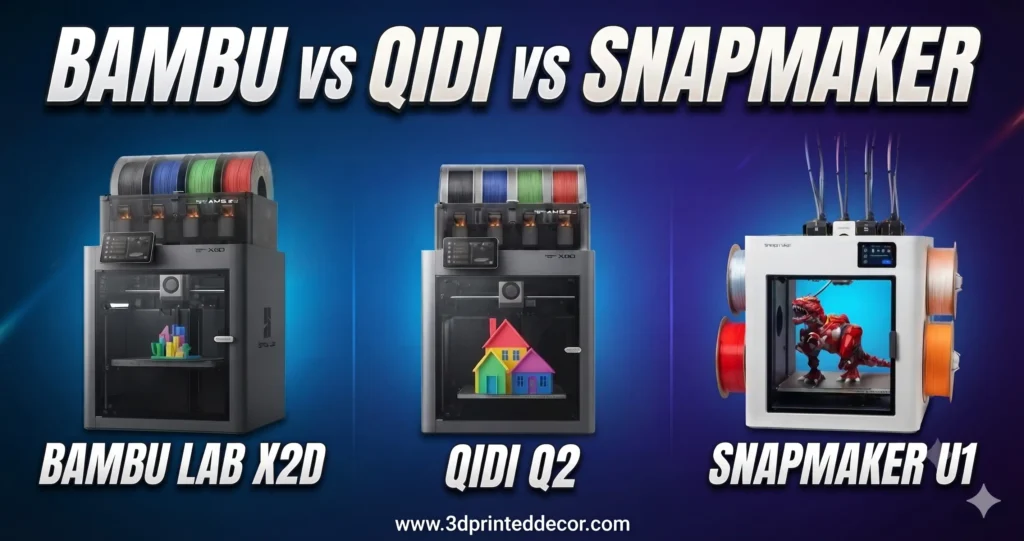
As an Amazon Associate, 3DPrintedDecor earns from qualifying purchases. The Bambu Lab X2D isn’t sold on Amazon, so we link to Bambu’s store without an affiliate tag and earn nothing if you buy it there. Amazon and Bambu store prices were checked on November 1, 2026. All prices change often, especially around Black Friday.
This comparison started with a real question in our Reddit community. A first-time buyer, an architect who keeps reef aquariums, had narrowed it down to these three printers and asked which was worth the money.
His needs are common ones: mostly single-color PETG parts, some overhangs and internal channels that need supports, an enclosed printer for an apartment with cats, a little TPU for gaskets, and some curiosity about multicolor. The three printers he picked solve those needs in three completely different ways, and that’s the most important thing to understand before comparing prices.
We haven’t tested these printers ourselves. This comparison is built from manufacturer specs, independent reviews (CNC Kitchen, Tom’s Hardware, Fauxhammer and others, all linked at the end), and what owners report on Reddit, including people who own two or all three of these printers. Where reviewers found a problem, we say so, including for the printers we earn a commission on.
The Short Answer
Bambu Lab X2D
Best all-rounder for “mostly one material, plus clean supports”Two nozzles let you print breakaway supports in a second material with far less waste than a single-nozzle printer, in a heated, filtered enclosure. The second nozzle is slower and less precise than the main one.
QIDI Q2
Best value for single-color and engineering filamentsA heated, filtered printer that runs hotter than the other two, at the lowest price. Reviewers liked the printer itself but not its multicolor QIDI Box, so plan around single-color printing.
Snapmaker U1
Best for frequent 2–4 material and color printsFour separate toolheads switch materials with very little waste. But the base printer has an open top, so you’ll want the official top cover for fumes, which adds to the price.
Specs That Matter, Side by Side
| Bambu Lab X2D | QIDI Q2 | Snapmaker U1 | |
|---|---|---|---|
| How it switches materials | 2 nozzles (main + auxiliary) | 1 nozzle + QIDI Box changer | 4 independent toolheads |
| Build volume | 256 × 256 × 260 mm (235.5 mm wide using both nozzles) | 270 × 270 × 256 mm | 270 × 270 × 270 mm |
| Max nozzle temp | 300°C | 370°C | 300°C |
| Chamber heating | Active, up to 65°C | Active, up to 65°C | None (open top; cover available) |
| Air filtration | G3 + H12 HEPA + carbon | Pre-filter + HEPA + carbon | Only with official top cover (G3 + H12 HEPA + carbon) |
| Multicolor add-on | AMS 2 Pro (4 spools, dries filament) | QIDI Box (4 spools, dries filament) | Built in (4 heads) |
| Firmware / ecosystem | Bambu Studio, MakerWorld; more closed | Klipper-based; local control, Ethernet | Klipper-based; Snapmaker app |
| Price (printer only) | $649 list (Bambu store) | $499 on Amazon | $799 on Amazon |
| Price as most people buy it | $789 Combo with AMS 2 Pro (on sale; typically $899) | $649 Combo on Amazon (with Box) | $948 with official top cover ($799 + $149) |
Specs from manufacturer listings and the reviews cited at the end. Prices as of November 1, 2026. The X2D printer-only price is Bambu’s list price; one buyer in our community also found the Combo at $759 with a coupon.
The Big Difference: How Each Printer Handles a Second Material
This decides more about your experience than speed or build volume. Whenever a print uses two materials or colors, the printer has to get the second filament to the nozzle. There are three ways to do it.
One nozzle + a filament changer (QIDI Q2 with Box, and the AMS on most Bambu printers)
The changer pulls one filament back and loads another into the same nozzle. The old color still in the nozzle has to be pushed out first, so every swap creates purge waste. That’s fine for a few color changes, but a print that switches materials on every layer, like support interfaces, can waste a lot of filament and add a lot of time.
Two nozzles (Bambu X2D)
Each nozzle holds its own material, so switching between your main filament and your support material needs little purging. The trade-off on the X2D: the second (auxiliary) nozzle is fed through a long tube, is limited to 200 mm/s (the main nozzle goes up to 1,000 mm/s), and Bambu says its print quality is slightly lower. That suits support material well. In CNC Kitchen’s testing, though, prints that leaned heavily on the second nozzle took much longer and strung more.
Four toolheads (Snapmaker U1)
Four complete toolheads park at the back, and the printer swaps between them in about five seconds. Each holds its own filament, so purge waste is very low; Tom’s Hardware found it much less wasteful than purge-based systems. The trade-offs are four toolheads to maintain and a hard limit of four materials.
| If you mostly print… | Best fit | Why |
|---|---|---|
| One color, rarely switching | QIDI Q2 (no Box) | You don’t pay for multi-material hardware you won’t use |
| One material + breakaway supports | Bambu X2D | The second nozzle handles support material with little purging |
| 2–4 colors or materials, often | Snapmaker U1 | Lowest waste per swap, up to four materials |
| Lots of colors (5+) | None of these is ideal | An AMS-style system with extra units handles more colors, with more purge waste |
You May Not Need Soluble Supports: The PLA Interface Trick
Many buyers assume they need water-soluble filament (PVA) for clean supports. For PETG parts there’s an easier, cheaper option: print the thin layer where the support touches your part in PLA. PETG and PLA barely stick to each other, so the supports peel away cleanly and leave a smooth surface. CNC Kitchen used exactly this, PETG parts on PLA supports, in its X2D testing, with good results.
Any of these three printers can do it; they differ in how wasteful it is. The X2D and U1 do it with little purging. The Q2 has to swap filament through the Box at every interface layer.
How to set it up
- Load your main filament (PETG) and PLA into two slots, nozzles or toolheads.
- In your slicer’s support settings (Bambu Studio and OrcaSlicer-based slicers have these), set the support base to PETG and the support interface to PLA. Printing only the interface in PLA keeps the swaps, and the PLA used, to a minimum.
- Because the materials don’t bond, you can reduce or remove the gap between the support and your part (often called top Z distance) for a smoother underside. Start with your slicer’s preset for multi-material supports, if it has one.
- Do a small test print first. Interface settings vary by printer and filament brand.
When soluble supports are still worth it: for enclosed internal channels you can’t reach to peel supports out, soluble filament is the cleaner option. The Snapmaker U1 lists PVA as officially supported. Soluble filaments absorb moisture very quickly, so they need dry storage (see our filament storage guide). Often the simpler fix is to redesign the channel so it doesn’t need support at all; the design tips below explain how.
Apartments, Pets and Fumes: Enclosure vs Filtration
An enclosure on its own doesn’t remove fumes or particles. It just contains them until you open the door. What cleans the air is a filter, ideally HEPA for particles plus activated carbon for odors and VOCs. Here’s how the three compare:
- Bambu X2D: three-stage filtration (G3 pre-filter, H12 HEPA and activated carbon). CNC Kitchen noted two caveats: the chamber isn’t sealed, and in heating mode the exhaust filter doesn’t run (air is recirculated through the carbon and HEPA filter instead). He could still smell ABS and ASA during printing.
- QIDI Q2: pre-filter, HEPA and activated carbon. One detail matters: reviewers recommend opening the top when printing PLA, since a closed enclosure caused a PLA feed jam in testing. When the lid’s open, the filtration can’t do as much.
- Snapmaker U1: open top as standard, so no filtration. Snapmaker’s official top cover ($149, from Snapmaker’s store) adds G3, H12 HEPA and coconut-shell carbon filtration, which works in its internal circulation mode. Fauxhammer describes the covered U1 as “almost fully enclosed, but not perfectly sealed.” The cheaper BIQU PopCap cover on Amazon has no filtration.
AMS 2 Pro vs QIDI Box vs the U1’s Toolheads
Bambu AMS 2 Pro (included in the X2D Combo): holds four spools and doubles as a dry box that heats to 65°C. It’s the most mature system of the three. One X2D quirk: the AMS has a single outlet, so it automatically feeds only one of the two nozzles. The second nozzle needs its own external spool, a second AMS, or Bambu’s Filament Track Switch accessory.
QIDI Box (included in the Q2 Combo): four spools with active drying, and it can expand to multiple units. Reviewers weren’t impressed yet. Tom’s Hardware found heavy friction in the filament path and inconsistent color swaps, and saw the same issues on a second Box. Another reviewer reported a failed unload. Tom’s verdict was to buy the Q2 for single-color printing and treat the Box as a filament dryer for now. QIDI may improve it with updates, so check recent owner reports before you buy the Combo.
Snapmaker U1’s four toolheads: no separate box needed. Each head holds a spool, and swaps take about five seconds with little purging. Fauxhammer found Snapmaker’s optional Snapdryer boxes disappointing for feeding filament, so you may want your own dry storage.
What about TPU (flexible filament)?
On the X2D, run TPU through the main (left) nozzle only. Bambu doesn’t recommend standard TPU on the auxiliary nozzle, and the X2D has a TPU assist module that CNC Kitchen found worked well with softer TPUs. The Q2 printed TPU fine from an external spool, but a hard TPU jammed in the Box. The U1 lists TPU among its supported materials, so you can dedicate one toolhead to it.
Ecosystem and Support: Which Brand Is Easiest to Live With?
- Bambu Lab has the largest community, a polished slicer (Bambu Studio) and the huge MakerWorld model library built into its printers. It’s also the most closed ecosystem, which some users dislike. In our community’s regret thread, Bambu was the most common brand people switched to, but one X1C owner described a long series of support tickets. See what owners regret buying for both sides.
- QIDI builds on open-source Klipper firmware, with local control, Ethernet and SSH access, which tinkerers appreciate. The community is smaller than Bambu’s, so you’ll find fewer ready-made answers.
- Snapmaker also runs Klipper-based firmware. The U1 is a newer platform; VoxelMatters called its software ecosystem less mature than established competitors’, and Snapmaker had to fix early issues like a camera problem on Tom’s Hardware’s review unit.
What Owners Who Have Used Them Say
Reviews test a printer for a few weeks. Owners live with it for months. In a separate discussion on r/3dprinter, where another first-time buyer was choosing between the U1, P2S and X2D, several people who own these printers, some of them more than one, shared what they’ve found. These are individual, unverified experiences, but they fill in details the spec sheets don’t:
- The U1 wins when a print switches colors a lot. An owner who uses both a P2S and a U1 heavily said the U1 is “hands down the winner” for prints with many filament swaps, while the Bambu is generally faster for single-color work and better with engineering filaments. Another estimated the U1 was 30–40% faster for multicolor prints. A third, after two months of use, emptied the U1’s waste bin for the first time and found it wasn’t even full.
- The X2D is the “workhorse” pick. Several owners described the same split: the U1 for multicolor fun, the X2D for single-color parts and engineering filaments. One owner with two P1S printers said that if he rebuilt his setup, he’d have one of each.
- Bambu’s software is more polished. The owner with both printers rated Bambu Studio “much better” than Snapmaker’s slicer and said Bambu’s integration is better too. He also found swapping nozzle sizes much more involved on the U1, so he stopped doing it and mostly sticks with the 0.4 mm nozzle.
- Not everyone is happy with the newer Bambus. An owner in a very humid climate who has had a U1, X2D and P2S felt Bambu cut corners on its newer models. He called the P2S’s enclosure “as sealed as a sieve” and said the X2D took him the longest to tune out fine surface artifacts (VFAs). He considers the H2D a more dependable Bambu workhorse.
- Not everyone is happy with the U1 either. One owner of two U1s said both were constantly breaking and that Snapmaker’s support was very poor, and switched to buying only Bambu. That same owner also complained that Bambu’s support skims emails and once sent the wrong part.
- “Easy” only lasts until something breaks. As one P1S owner put it, these modern printers are very user friendly “until they’re not.” A mechanical fault can range from cleaning and lubricating to taking off every panel to replace parts of the motion system.
- Single-nozzle printers aren’t obsolete. When one commenter said buying a one-nozzle printer in 2026 makes no sense, a print farm owner replied that their 20 single-nozzle machines print 99% of their products.
- Some buyers weigh openness. A few commenters noted that Bambu’s closed approach clashes with the open-source roots of 3D printing, which matters to some buyers more than others.
Buying outside the US, or living somewhere humid?
- Check local warranty support before you buy. If a brand doesn’t sell officially in your country, a defective unit can mean shipping it abroad or relying on an importer. Ask the manufacturer’s official support or community channels (Snapmaker, for example, has an official Discord) how warranty claims work where you live, and get the answer before you pay. In our community’s regret thread, slow support was one of the two most common regrets.
- Budget for a dryer if your spools sit in the open. The U1’s four spools are exposed by default. The humid-climate owner above feeds his U1 from a sealed filament dryer through PTFE tubes, so the filament never touches room air, and says that in his climate a dryer isn’t optional. The AMS 2 Pro has drying built in, a real advantage for the Bambus. Even so, he couldn’t keep soluble PVA dry enough in his AMS 2 Pro and had to add a separate dryer.
- Soluble supports are the hardest case. The same owner said PVA in his humid air became unusable within about 15 minutes in the open. If you need soluble supports in a humid climate, plan to print them straight from a dryer. See our filament storage guide for setups at every budget.
Worked Example: Which One for Aquarium and Home Projects?
Back to the reader who started this. His list was mostly black PETG parts for reef tanks (feeders, pump guards, frag racks, probe holders), some overhangs and channels, enclosed for an apartment with cats, occasional TPU gaskets, and maybe some multicolor figurines later.
For that list, the X2D is the strongest fit: heated and filtered, a second nozzle for PLA-interface supports on PETG parts, and TPU through the main nozzle. The Q2 is the budget alternative if he’s happy to print mostly single-color parts and design around supports. The U1 makes more sense if multicolor becomes a priority, and only with the official cover for his apartment. One thing to check whatever he buys: large frag racks may need the full build width, and the X2D loses about 20 mm of width in dual-nozzle mode.
If you’re printing for aquariums
- PETG is the common choice for parts in water. Many reef keepers stick to plain, reputable filament rather than specialty blends with additives.
- Print submerged parts solid or with very high infill and thick walls, so they don’t trap water and debris inside.
- Use plastic or titanium hardware in saltwater. Regular steel screws and inserts corrode.
- Expect algae to cling to layer lines on parts in the light. Smoother orientations and easy-to-remove designs make cleaning simpler.
Second example: an architecture student in a humid country
The second buyer, an architecture student in Peru, wanted a printer for scale models (mostly PLA, with transparent PETG for windows), small desk pieces of his own design, and maybe some paid printing for classmates. He’d fallen for the U1’s toolchanger, but Snapmaker doesn’t sell officially in Peru, the climate is humid and dusty all year, and his university labs all run Bambu printers.
For him, the X2D Combo is the safer choice, and it’s what several owners who focused on his warranty and humidity concerns recommended: local availability and repair knowledge, a familiar slicer, filament kept enclosed and dried in the AMS 2 Pro, and a heated chamber if he ever needs one. The U1 would make more sense if he could confirm warranty support in Peru and budget for dryers to feed it, especially if multicolor models became a big part of his work.
Two tips for architectural models whichever printer you choose. Transparent PETG tends to print clearest when it’s dry, printed slower and a little hotter, with solid walls rather than infill. It still won’t look as clear as acrylic, so for perfectly clear windows, laser-cut or hand-cut acrylic sheet is often the better tool. And for side income, a reliable single-color printer that runs all day often earns more than a multicolor showpiece, as the print farm owner above pointed out.
Coming From CAD? 6 Design-for-Printing Rules
If you already model in 3D (as an architect, engineer or designer), designing for printing is mostly learning a few constraints. These make the biggest difference whichever printer you choose:
- Keep overhangs at 45° or steeper from horizontal. Most printers handle these without supports.
- Chamfer bottom edges instead of filleting them. A fillet on the bottom creates an overhang; a 45° chamfer prints cleanly.
- Use teardrop-shaped horizontal holes and channels. A pointed top lets the printer bridge without supports, which is ideal for channels you can’t clean out later.
- Leave 0.2–0.3 mm of clearance on parts that fit together, then print a small tolerance test on your printer to fine-tune it.
- Orient parts for strength. Prints are weakest between layers, so lay hinges, clips and brackets out so the force doesn’t pull layers apart.
- Split complex parts. Two simple pieces that print flat often beat one piece that needs supports everywhere.
Prices and Where to Buy
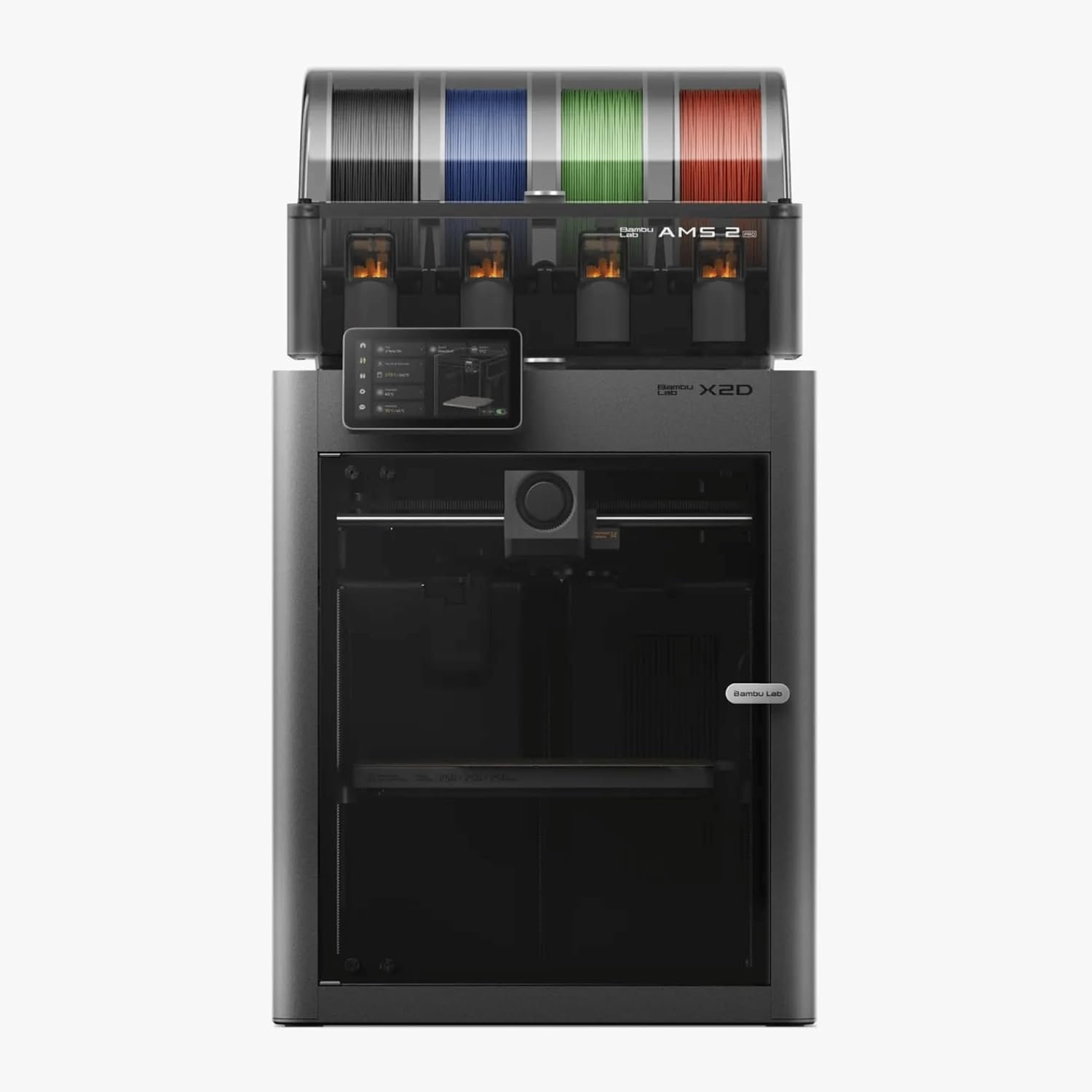
Bambu Lab X2D Combo
- Two nozzles for clean multi-material supports
- 65°C active heating + HEPA/carbon filtration
- Mature AMS 2 Pro and MakerWorld ecosystem
- Auxiliary nozzle is slower, less precise and strings more
- AMS feeds only one nozzle automatically
- About 20 mm narrower in dual-nozzle mode
The Combo includes the AMS 2 Pro; the printer alone lists at $649. Not sold on Amazon at the time of writing. Compare it with Bambu’s single-nozzle P2S in our P2S vs X2D comparison.
See it on Bambu’s store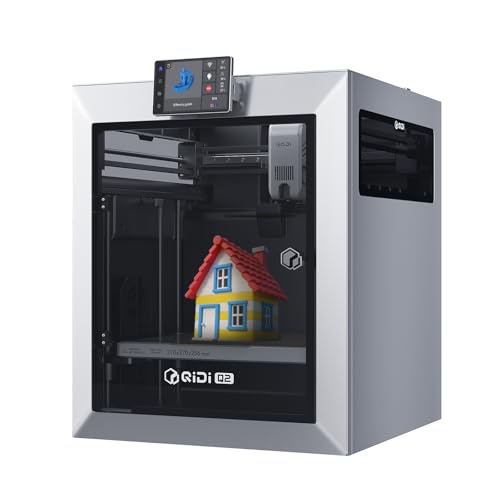
QIDI Q2 (printer only)
- Lowest price with active heating and HEPA/carbon
- 370°C nozzle for engineering filaments
- Open Klipper firmware, Ethernet
- Single nozzle, so supports in a second material mean purge waste
- Reviewers saw flow artifacts on stock fast profiles
- Open the lid for PLA
The pick if you’ll mostly print one color and want to save money. Compare the Q2 with its cheaper sibling in our QIDI Q2 vs Q2C comparison.
Check price on Amazon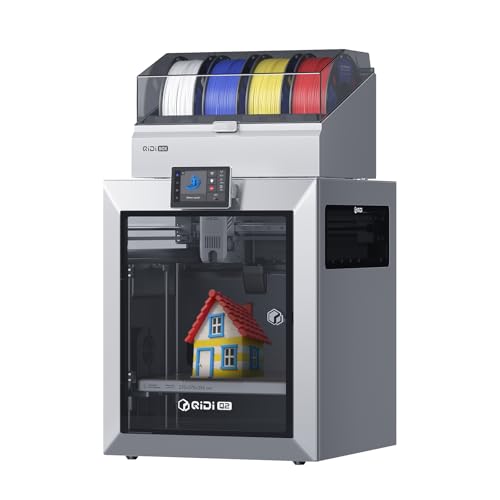
QIDI Q2 Combo (with QIDI Box)
The same printer plus the four-spool QIDI Box. Given reviewers’ problems with the Box, we’d only choose the Combo if you want the Box as a heated dryer, or if recent owner reports show its feeding issues have been fixed. Otherwise, the printer-only version saves $150.
Check price on Amazon
Snapmaker U1
- Four toolheads with very low purge waste
- Largest build volume of the three (270 mm cube)
- Supports PETG, TPU and PVA
- Open top; filtration needs the $149 official cover
- No active chamber heating
- Four toolheads to maintain; software less mature
The pick if multi-material and multicolor printing is the main event. Read our Snapmaker U1 review and our Creator 5 Pro vs U1 comparison.
Check price on Amazon Official top cover (Snapmaker store)
BIQU PopCap Top Cover for Snapmaker U1
A cheaper third-party polycarbonate cover with a magnetic hatch that keeps heat in, blocks drafts and dust, and reduces noise. It has no built-in filtration, so it’s only worth considering if you mostly print PLA and PETG and fumes aren’t a concern. For an apartment, pets or ABS, the official cover’s HEPA and carbon filter is the better choice.
Check price on AmazonAn alternative on Amazon: Bambu Lab P2S Combo

Bambu Lab P2S Combo
If you want Bambu’s ecosystem and AMS 2 Pro but would rather buy on Amazon, the P2S Combo is the closest option. Be clear about what you give up versus the X2D: it has a single nozzle (so supports in a second material mean purging) and lacks the X2D’s active chamber heating and HEPA filtration. CNC Kitchen felt the X2D makes the P2S hard to justify at list prices, where the X2D costs about $100 more. With the X2D Combo on sale at $789 when we checked, the gap was only $10, which makes the X2D the better buy unless you specifically want to order through Amazon. Choose the P2S if you’ll mostly print PLA and PETG in one color, want multicolor occasionally, and prefer Amazon’s returns and delivery.
Check price on AmazonFrequently Asked Questions
Is the Bambu X2D worth the extra money over the QIDI Q2?
If you’ll regularly print supports or details in a second material, yes. The X2D’s second nozzle does it with far less purge waste than the Q2’s single nozzle, and its AMS 2 Pro is more reliable than the QIDI Box in reviews. If you’ll mostly print one material in one color, the Q2 costs less and offers similar heating and filtration, plus a hotter 370°C nozzle.
Is the AMS 2 Pro better than the QIDI Box?
In current reviews, yes. Both hold four spools and dry filament, but Tom’s Hardware found heavy friction and inconsistent color swaps with the QIDI Box, on two separate units, and recommended treating it as a dryer for now. The AMS 2 Pro is the more mature system. QIDI may improve the Box with updates, so check recent owner reports.
Which printer is best for water-soluble supports?
The Snapmaker U1 officially supports PVA and can dedicate a toolhead to it with little purge waste. The X2D can also print support material on its second nozzle. For PETG parts, though, a PLA support interface usually works just as well and costs less, because PETG and PLA barely stick to each other.
Does the Snapmaker U1 need an enclosure?
For PLA and PETG in a well-ventilated room, it can run open. For fume control in an apartment or around pets, or for ABS, ASA, nylon and PC, use Snapmaker’s official top cover, which adds HEPA and carbon filtration. The cheaper BIQU PopCap cover has no filtration.
Can these printers print TPU?
Yes, with limits. On the X2D, use the main nozzle only. On the Q2, feed TPU from an external spool rather than through the QIDI Box. The U1 lists TPU as supported and can dedicate a toolhead to it.
Do I need a filament dryer with the Snapmaker U1?
In a dry climate printing PLA, often not at first. In a humid climate, or with PETG, TPU or soluble supports, plan on one. The U1’s spools sit in the open by default, and owners in humid climates feed it from sealed filament dryers through PTFE tubes. The Bambu X2D Combo’s AMS 2 Pro keeps spools enclosed and can dry them, which is a real advantage in humid places.
Sources
- CNC Kitchen: Bambu Lab X2D Review
- Makers101: Bambu Lab X2D specs and pricing
- Tom’s Hardware: QIDI Q2 Combo review
- JC Print Farm: QIDI Q2 review
- JC Print Farm: Snapmaker U1 review roundup
- Fauxhammer: Snapmaker U1 Top Cover review
- Snapmaker: Top Cover for Snapmaker U1
- r/3DPrinterComparison: “Help selecting a first 3D printer” (the reader question)
- r/3dprinter: “Need help choosing my first 3D printer (Snapmaker U1 vs Bambu Lab P2S vs X2D AMS Combo)” (owner comments)
- Value Added Resource: Amazon 2026 holiday return window
Specs and findings come from the manufacturers and the independent reviews listed above; 3DPrintedDecor has not tested these printers. Amazon prices were checked November 1, 2026; Bambu Lab and Snapmaker store prices are list prices at the time of writing. Prices and availability change often.
Related posts:
 Adventurer 5M VS 5M Pro – Which 3D Printer Should You Choose?
  Bambu Lab A1 Mini vs Flashforge Adventurer 5M Pro – Which One Should You Buy?
  Creality K1 SE vs Creality K1C 3D Printer: Which One Is Better
  Creality Ender 3 V3 SE vs FLASHFORGE Adventurer 5M: Which Budget 3D Printer is Better?
  Bambu A1 Mini: Is the AMS Lite Worth $150? (Real Answer)
  Creality K2 Plus Combo vs Anycubic Kobra 3 Combo Review: Battle of the Multi-Color 3D Printers
  Kobra S1 Combo vs K1C: Best Sub-$700 Printer? (Tested)
  Creality K1 SE vs ELEGOO Neptune 4 Pro: Which 3D Printer Should You Choose in 2025?
  Bambu Lab A1 Mini vs FLASHFORGE Adventurer 5M for Stunning Home Decor in 2025
  Anycubic M7 vs M7 Pro: In-Depth Review 2025 – Which Resin Printer is Right for You?
  Bambu Lab P2S vs P1S vs X1C: Test Reveals the Clear Winner in Noise, Speed & Quality (2025 Update)
  Flashforge Creator 5 Pro vs Snapmaker U1: Which Four-Toolhead Printer Should You Buy in 2026?