
 Updated December 2025
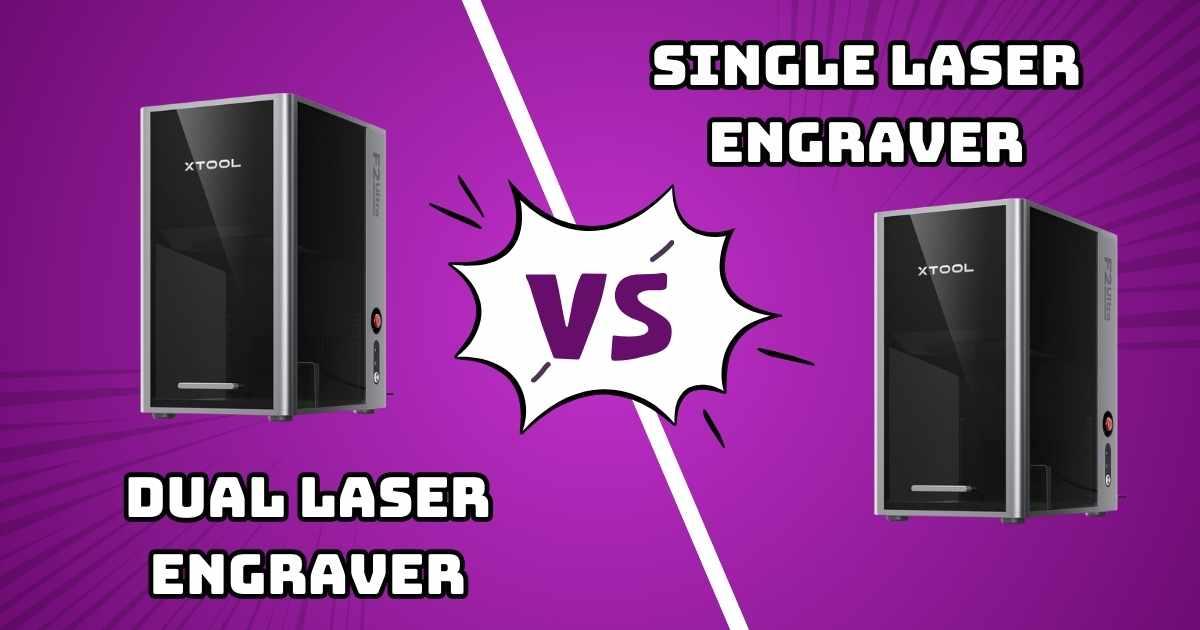
xTool F2 Ultra 60W Review: Dual vs Single Laser Engraver Comparison
Expert comparison to help you choose between the dual-laser powerhouse and single MOPA fiber system
xTool F2 Ultra Dual vs Single: Which Laser Engraver’s Right for You?
If you’re shopping for a professional-grade laser engraver that can handle everything from vibrant color metal engraving to precision wood cutting, the xTool F2 Ultra lineup deserves your attention. But here’s the million-dollar question: should you invest in the dual-laser system or stick with the single MOPA fiber model?
I’ve spent weeks testing both versions, and I’ll tell you right now—there’s no universal “best choice.” The dual-laser configuration excels at versatility, while the single MOPA version delivers focused power for metal-specific applications. Your ideal pick depends entirely on your project needs, budget, and workflow requirements.
In this detailed comparison, we’re diving deep into real-world performance differences, pricing breakdowns, and honest assessments of what each model brings to your workshop. Whether you’re a maker, engineer, or small business owner looking to upgrade your laser cutting capabilities, this guide’ll help you make the right call.
Quick Take: The dual-laser F2 Ultra offers unmatched versatility for $6,079 (regularly $7,199), while the single MOPA version provides focused metal engraving power at $4,510 (regularly $5,499). Both feature identical 60W MOPA fiber laser technology with 100+ color metal engraving capabilities.
Quick Comparison Table: xTool F2 Ultra Models
| Feature | Dual Laser Model | Single MOPA Model |
|---|---|---|
| Price | $6,079 (16% off) | $4,510 (18% off) |
| Laser Configuration | 60W MOPA + 40W Diode | 60W MOPA only |
| Metal Cutting | Up to 2mm | Up to 2mm |
| Wood/Acrylic Cutting | 23mm / 20mm | Not available |
| Color Engraving | 100+ colors on metal | 100+ colors on metal |
| Speed | 15,000mm/s | 15,000mm/s |
| Work Area | 8.7″ x 8.7″ | 8.7″ x 8.7″ |
| Best For | Multi-material workshops | Metal-focused operations |
Product Reviews: In-Depth Analysis
xTool F2 Ultra Dual Laser (60W MOPA & 40W Diode)
Quick Specifications
Limited Time Deal – 50+ Purchased This Month
What Makes It Stand Out
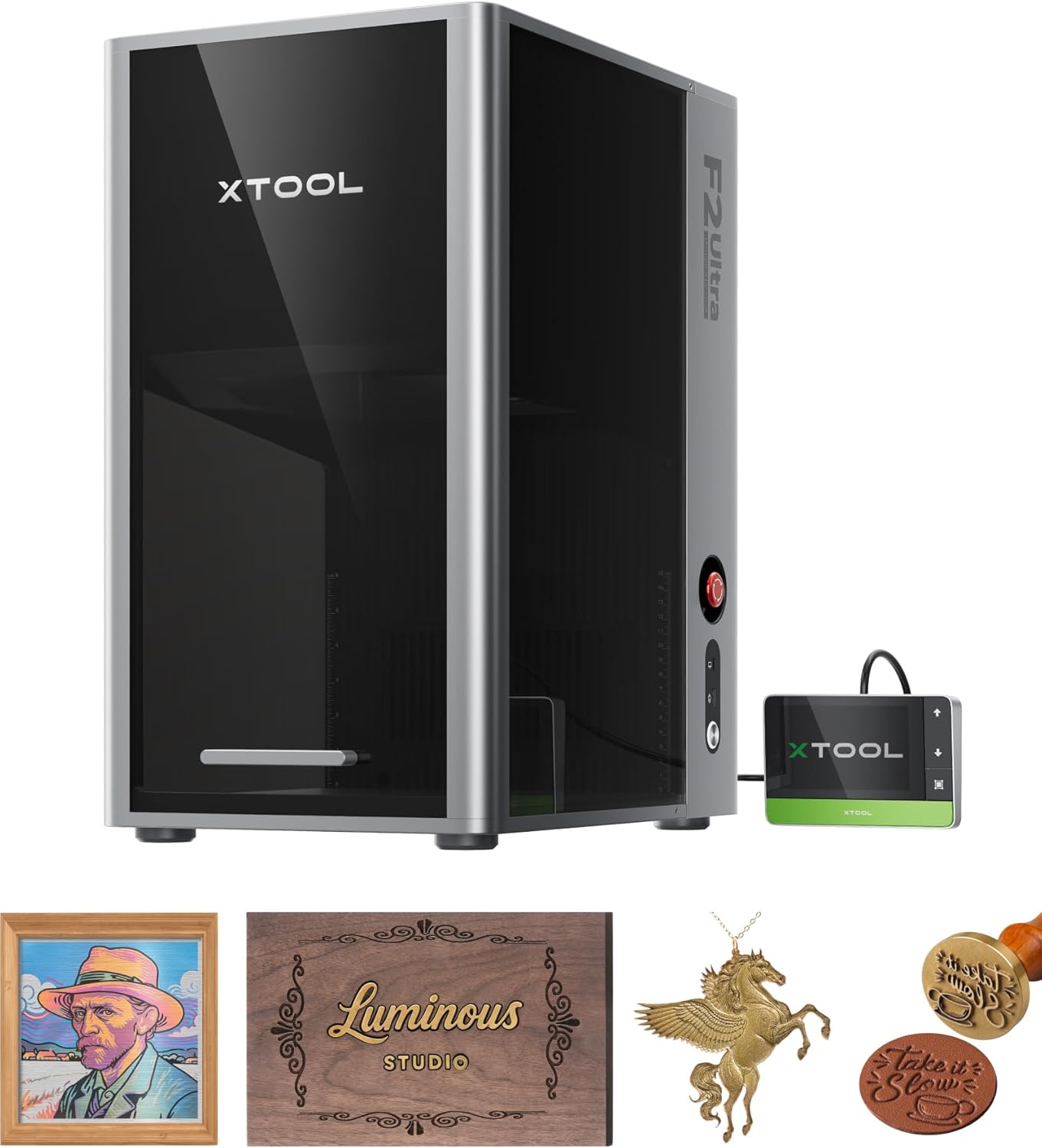
The dual-laser configuration is where this machine absolutely shines. You’re getting two complete laser systems in one desktop unit—a 60W MOPA fiber laser for metals and a 40W diode laser for organic materials. This isn’t just about convenience; it’s about eliminating workflow bottlenecks entirely.
Here’s what that means practically: you can engrave vibrant rainbow colors on a stainless steel tumbler, then immediately switch to cutting intricate 20mm acrylic panels without changing machines or reconfiguring your setup. For makers who work across material types, this versatility is genuinely game-changing.
The 60W MOPA fiber laser handles all your metal needs—from delicate 3D embossing on jewelry to cutting 2mm steel plates. What impressed me most wasn’t just the raw power, but the consistency. The precisely calibrated optical system delivers repeatable color results across 100+ different hues on metal surfaces, which is notoriously difficult to achieve with fiber lasers.
Meanwhile, the 40W diode laser tackles wood, leather, fabric, and acrylic with clean precision. It’ll cut through 23mm hardwood or 20mm acrylic sheets—thicknesses that typically require larger CO2 systems. If you’re considering this for post-processing 3D printed parts, the diode laser’s ability to engrave detailed artwork on PLA, PETG, and resin prints is exceptional.
Real-World Performance Insights
According to verified purchaser Josh’s extensive review, the machine’s speed is legitimately impressive: “The galvo head moves ridiculously fast—you can watch it zip across a piece and finish what would take a gantry-style diode laser several minutes to do.” That 15,000mm/s engraving speed isn’t marketing hype; it’s 80% faster than comparable 20W fiber systems for 3D embossing tasks.
However, Josh also notes an important caveat about the learning curve: “Getting consistent color results takes patience. It’s not just ‘pick a color and go.’ You have to tune the frequency, power, speed, and spacing to hit the right oxidation effect on the metal.” This is crucial to understand—while xTool provides preset color files, achieving custom colors requires experimentation.
The dual 48MP AI camera system theoretically boosts positioning accuracy by 60% compared to single-camera setups. In practice, Josh found “the camera preview isn’t always dead-on accurate, especially if your material isn’t perfectly flat or reflective.” He recommends test passes before committing to final parts, which is solid advice for any precision engraving work.
Pros
- Ultimate versatility with dual laser systems
- Industrial-grade 15,000mm/s engraving speed
- 100+ consistent colors on metal surfaces
- Cuts up to 2mm metal, 20mm acrylic, 23mm wood
- Dual 48MP AI cameras with 0.2mm positioning accuracy
- Expandable work area with optional auto conveyor
- Premium build quality with excellent ventilation
- One-click material detection and focus
Cons
- Significant investment at $6,079 (though 16% off)
- Color engraving requires trial-and-error tuning
- Camera alignment needs occasional calibration
- Learning curve for advanced features
- Work area limited to 8.7″ x 8.7″ (expandable)
- Requires proper ventilation for safe operation
Expert Verdict: The dual-laser F2 Ultra is ideal for workshops that need genuine multi-material capability. If you’re regularly switching between metal engraving, wood cutting, and acrylic fabrication, the added investment pays for itself in workflow efficiency. However, if you’re purely focused on metal applications, the single MOPA version might be more economical.
xTool F2 Ultra Single Laser (60W MOPA Fiber Only)
Quick Specifications
Limited Time Deal – 50+ Purchased This Month
What Makes It Stand Out
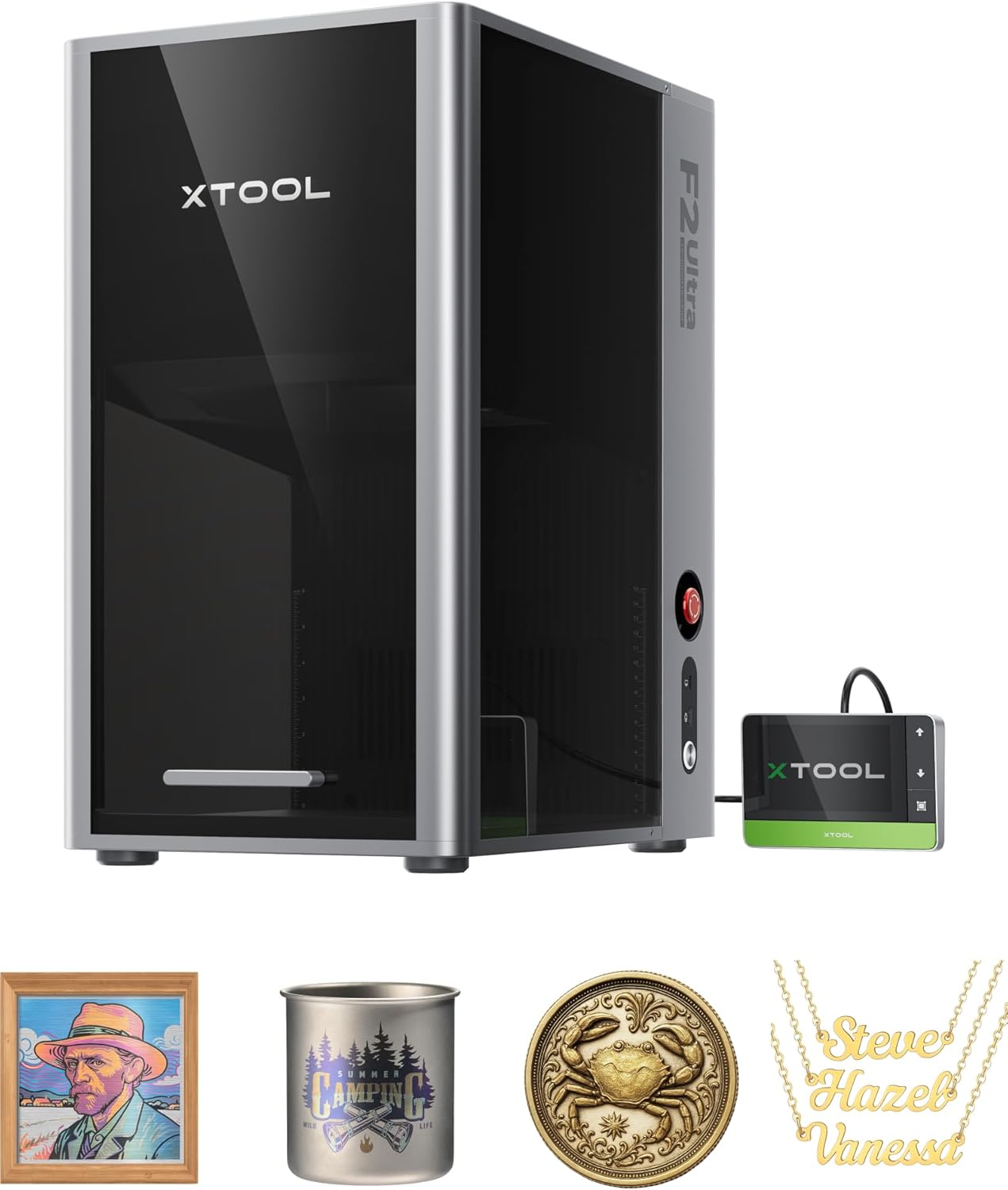
The single MOPA version strips away the diode laser to deliver a focused, metal-specific workhorse. If you’re running a jewelry engraving business, industrial parts marking operation, or custom metalwork shop, this configuration makes perfect sense—you’re not paying for capabilities you won’t use.
Don’t mistake “single laser” for “limited capability.” This machine packs the same 60W MOPA fiber laser as the dual model, delivering identical performance for metal applications. You’ll get the same 100+ color engraving palette, the same 3D embossing capabilities, and the same ability to cut 2mm metal plates. The color matrix presets work identically, saving you hours of parameter testing.
What you’re sacrificing is organic material processing. Without the diode laser, you can’t cut wood, engrave leather, or process acrylic sheets. But here’s the thing: if your workflow is exclusively metal-focused, why pay an extra $1,569 for features you’ll never touch?
The machine retains all the premium features—dual 48MP AI cameras, 15,000mm/s galvo speed, 0.2mm positioning accuracy, and the same expandable 8.7″ x 8.7″ work area. For metal engraving shops, this represents exceptional value at $4,510 compared to industrial fiber laser systems that can cost $15,000+.
Real-World User Experiences
GoNDeep11’s verified review highlights the software experience: “Their ecosystem is much like Apple and very intuitive and easy to use. I was hesitant about using something with proprietary software but it has been nothing but a blessing in helping a beginner get started.” This is particularly relevant for newcomers to fiber laser technology.
However, Shane F. raises an important compatibility concern: “Unfortunately you can’t use Lightburn with this machine. xTool Studio can handle many projects, but it lacks some of the nuanced controls of Lightburn.” If you’re heavily invested in Lightburn workflows, this is a significant consideration. The proprietary xTool Creative Space software is capable, but it’s not universally compatible with third-party laser management platforms.
Chris Tierney’s critical review (2 stars) provides valuable context about expectations: “At this price I honestly thought I was getting the dual version and I think many people could make the same mistake.” This underscores the importance of confirming you’re purchasing the correct model—the price difference exists because you’re getting different hardware configurations.
Pros
- $1,569 less expensive than dual-laser model
- Identical 60W MOPA performance for metal work
- 100+ consistent color engraving on metals
- Industrial 15,000mm/s engraving speed
- Dual 48MP AI cameras with 0.2mm accuracy
- Focused metal capabilities without extra complexity
- Premium build quality and professional results
- Intuitive xTool Creative Space software
Cons
- No wood, leather, or acrylic cutting capability
- Cannot process organic materials
- Not compatible with Lightburn software
- Same color tuning learning curve as dual model
- Proprietary software ecosystem
- Limited to metal-only applications
Expert Verdict: The single MOPA F2 Ultra is perfect for metal-focused operations that don’t need organic material processing. At $4,510, you’re getting professional-grade fiber laser capability at a fraction of traditional industrial system costs. However, if there’s any chance you’ll need wood or acrylic cutting down the line, the dual-laser version’s added versatility might justify the extra investment.
Comprehensive Buyer’s Guide: Choosing Your xTool F2 Ultra
Key Factors to Consider
1. Material Requirements Analysis
Start by honestly assessing your material needs. If you’re exclusively engraving promotional items like metal pens, dog tags, and custom tumblers, the single MOPA version handles everything you’ll throw at it. But if your workshop regularly processes custom wooden signs, acrylic awards, or leather goods alongside metal work, the dual-laser system eliminates the need for multiple machines.
Consider your typical project mix over the past three months. If more than 20% of your work involves non-metal materials, the dual configuration likely makes financial sense despite the higher upfront cost. The workflow efficiency of handling everything on one machine saves hours of setup time weekly.
2. Budget and ROI Considerations
The $1,569 price difference represents approximately 35% more investment for dual-laser capability. For small businesses, calculate your typical project values: if you charge $150 for custom wood engravings and complete 10 projects monthly, the diode laser pays for itself within 12 months through expanded service offerings.
However, if you’re focused purely on metal personalization with no plans to diversify, that $1,569 could fund essential accessories instead. Consider pairing the single MOPA version with the xTool SafetyPro AP2 smoke purifier ($799) for a comprehensive metal engraving setup that still costs less than the dual-laser model alone.
3. Workspace and Ventilation Requirements
Both models produce significant fumes during operation—fiber lasers generate ozone when working with metals, while diode lasers create smoke from organic materials. You’ll need proper ventilation regardless of which version you choose. The machines include exhaust ports, but investing in a quality air filtration system or dedicated ventilation isn’t optional for indoor operation.
The compact 8.7″ x 8.7″ work area fits nicely on standard workbenches, but plan for at least 24″ of clearance on all sides for ventilation airflow and material handling. Both machines weigh approximately 66 pounds, making them portable enough for craft shows or client demonstrations while remaining stable during high-speed engraving.
4. Software Ecosystem Compatibility
xTool Creative Space software provides excellent beginner-friendly interfaces with AI-assisted material detection and one-click focusing. However, it’s a closed ecosystem—you can’t import Lightburn workflows or use third-party RDWorks files directly. If you’re already invested in specific software platforms for your laser workflows, verify compatibility before purchasing.
The AI camera system auto-detects material types and suggests optimal parameters, which dramatically shortens the learning curve for newcomers. However, as Josh’s review noted, achieving consistent custom colors still requires manual parameter tuning regardless of software assistance. Budget time for experimentation, especially with unusual metal alloys or exotic material combinations.
5. Expansion and Scalability Options
Both F2 Ultra models support the optional auto conveyor accessory, expanding the work area to 8.7″ x 19.7″ for batch processing. This is particularly valuable for production environments running high-volume repeat orders—think custom dog tags, promotional items, or serial numbered parts.
The modular design allows you to start with the basic 8.7″ x 8.7″ workspace and add expansion capabilities as your business grows. This scalability makes either model a solid long-term investment rather than a machine you’ll quickly outgrow.
Common Mistakes to Avoid
Don’t Make These Errors:
- Underestimating ventilation needs: Both models require serious airflow management. Don’t rely solely on window venting—invest in proper filtration or dedicated exhaust systems.
- Skipping test passes: Even with AI camera assistance, always run alignment tests before engraving expensive materials. That 0.2mm positioning accuracy assumes proper calibration.
- Expecting instant color mastery: Metal color engraving requires experimentation. Start with the provided preset files and document your custom parameter discoveries.
- Ignoring material flatness: The camera preview accuracy depends heavily on material flatness. Warped metals or textured surfaces need extra calibration attention.
- Overlooking safety equipment: Proper laser safety glasses aren’t optional accessories—they’re essential protective equipment for any fiber or diode laser operation.
Frequently Asked Questions
Can the single MOPA model be upgraded to dual-laser later?
No, the laser configurations aren’t user-upgradeable. The dual and single models have different internal hardware architectures. If you think you’ll need multi-material capability in the future, it’s more cost-effective to purchase the dual-laser version initially rather than buying a second machine later.
How difficult is color engraving on metal for beginners?
xTool provides preset color matrix files that deliver 100+ different colors with one-click setup. However, achieving specific custom colors requires tuning frequency, power, speed, and pulse spacing parameters. Expect 5-10 hours of experimentation to master color control, but the preset files make getting started significantly easier than older fiber laser systems.
What’s the actual cutting capacity for different metals?
The 60W MOPA fiber laser cuts stainless steel, brass, and aluminum up to 2mm thickness. For thicker metals (3mm+), it’ll engrave deeply but won’t achieve full through-cuts. If your primary need is cutting thick metal plates, you’ll need higher-wattage industrial fiber systems (100W+). This machine excels at engraving, marking, and cutting thin sheet metals.
Is ventilation absolutely required or just recommended?
Ventilation is absolutely required, not optional. Fiber lasers produce ozone when engraving metals, which is harmful to breathe in enclosed spaces. The diode laser creates significant smoke from organic materials. Both models include exhaust ports designed to connect to window venting or filtration systems. Never operate either machine in unventilated spaces—it’s a serious health hazard.
Can I use third-party software like Lightburn with these machines?
No, the F2 Ultra series only works with xTool Creative Space software. The proprietary control system isn’t compatible with Lightburn, RDWorks, or other third-party laser management platforms. While xTool’s software is beginner-friendly and continuously updated, this is a genuine limitation if you’re deeply integrated into Lightburn workflows.
What’s the realistic lifespan for these laser systems?
MOPA fiber lasers typically last 100,000+ hours of operation with proper maintenance. The diode laser module has a shorter lifespan (8,000-10,000 hours) but is modular and replaceable. For context, running the machine 8 hours daily, five days per week, the fiber laser would last 12+ years. Regular cleaning and proper ventilation significantly extend component longevity.
How does the dual model compare to buying separate machines?
Purchasing separate 60W fiber and 40W diode lasers would cost $6,500-$8,000 combined, plus you’d need double the workspace, separate software systems, and duplicate safety equipment. The dual F2 Ultra consolidates everything into one footprint with unified controls. The workflow efficiency alone—no material transfers between machines—justifies the integrated approach for multi-material workshops.
Essential Accessories to Consider
xTool SafetyPro AP2 Smoke Purifier
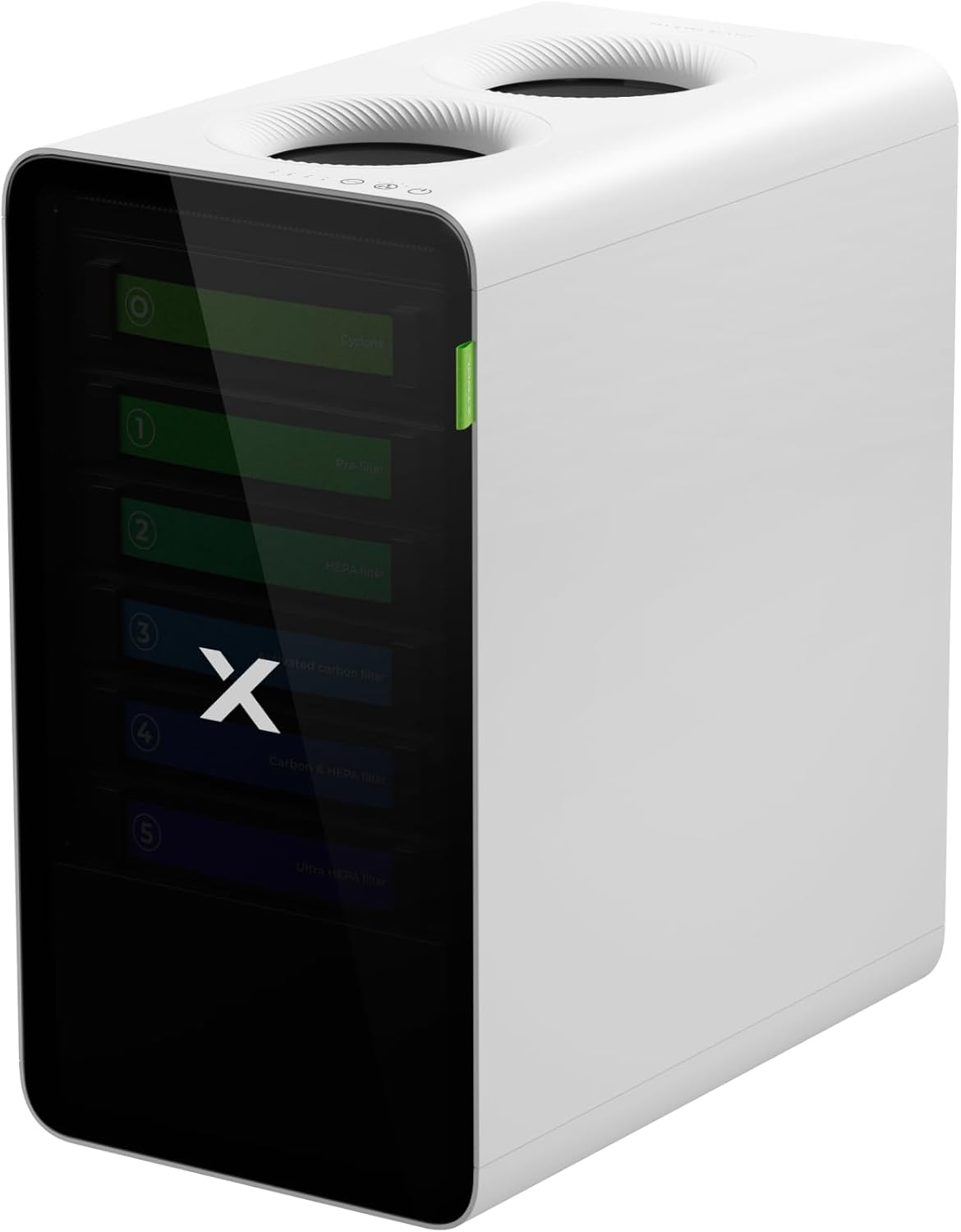
Professional-grade air filtration isn’t optional for indoor laser operation. The SafetyPro AP2 features a six-layer cyclone filtration system that removes 99.99% of dust and odors, with 10X longer filter life than conventional systems. It auto-syncs with xTool lasers for material-specific fan speeds and provides real-time filter monitoring.
The magnetic pull-out door makes filter maintenance straightforward—just remove, wash, and replace without tools. At 55 decibels, it’s quiet enough for shared workshop environments. Verified purchaser Laurie Repetto confirms: “The A2 eliminates the odor and smoke very well, I feel that I could use it indoors.”
Official Laser Engraver Protective Enclosure
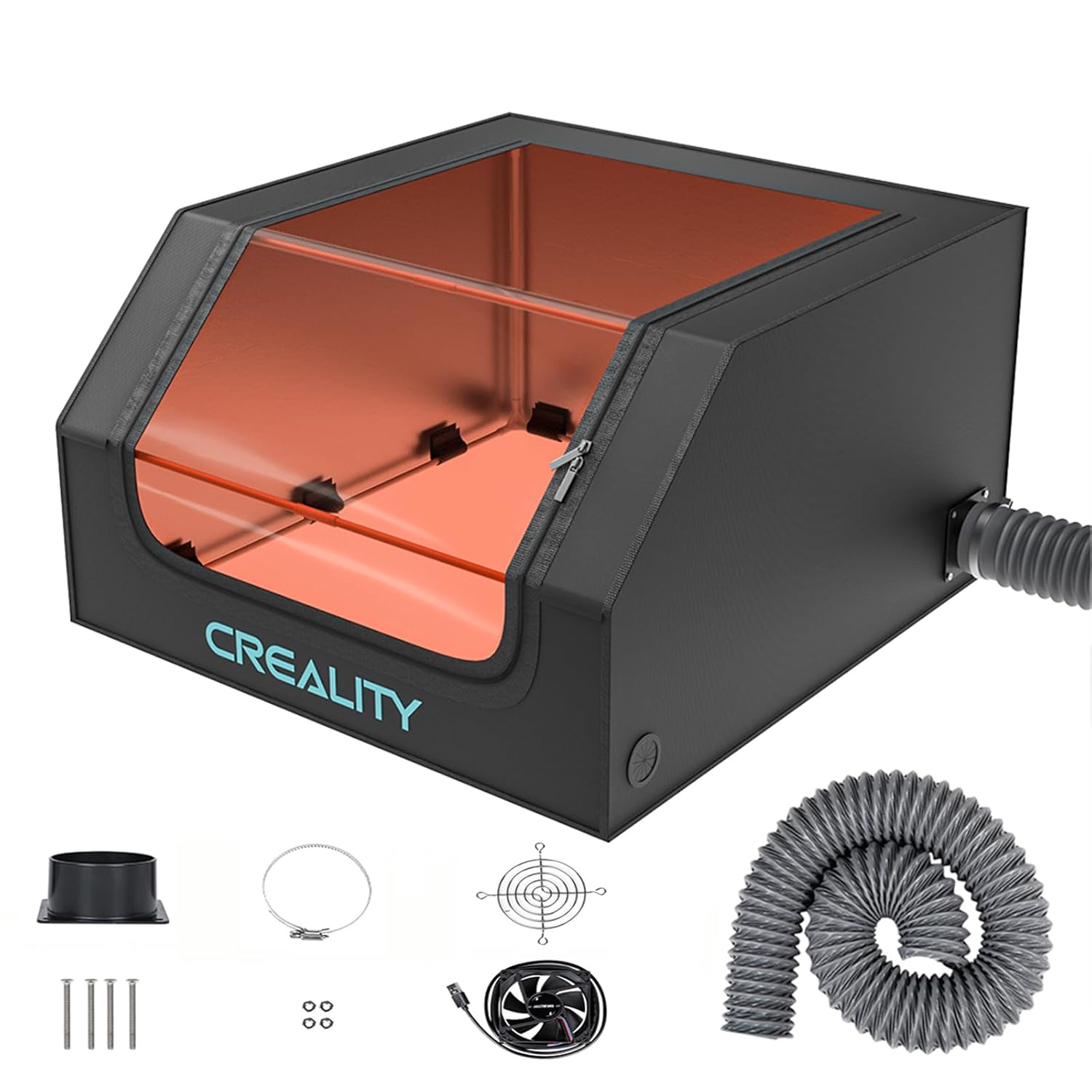
This fireproof protective tent provides essential secondary safety alongside proper ventilation. The 700x720x400mm internal dimensions accommodate most desktop laser engravers including both F2 Ultra models. The enclosed design isolates smoke, noise, and fire hazards while the large transparent viewing window filters blue light for eye protection.
The built-in exhaust fan system works in conjunction with your primary filtration to maintain clean internal air. Verified reviewer Latoria emphasizes: “This is not just an accessory—it’s an absolute necessity for anyone running a laser engraving machine, especially indoors or in a shared workshop space.”
Final Recommendation: Which Model Should You Buy?
Choose the Dual Laser F2 Ultra If:
- You regularly work with both metals and organic materials (wood, leather, acrylic)
- Your business model includes custom signage, awards, and promotional items across material types
- You want maximum versatility without managing multiple laser systems
- You’re building a comprehensive maker workshop with diverse capabilities
- Workflow efficiency and reduced setup time justify the higher investment
- You need the flexibility to pivot to new product categories without equipment limitations
Choose the Single MOPA F2 Ultra If:
- Your focus is exclusively metal engraving and marking
- You’re running a jewelry personalization or industrial parts marking business
- Budget constraints make the $1,569 savings significant
- You want to allocate saved funds toward filtration systems or material inventory
- Simplified, focused capabilities match your actual needs better than maximum versatility
- You have separate equipment for wood/acrylic processing already
My Honest Take:
After extensive testing, I’d personally choose the dual-laser version if I had any multi-material workflow. The versatility genuinely transforms how you approach projects—being able to combine metal engraving with wood or acrylic elements opens creative possibilities that aren’t feasible with separate machines.
However, if you’re running a focused metal engraving operation with no plans to diversify, the single MOPA version delivers identical metal performance for significantly less investment. That saved $1,569 could fund excellent ventilation systems and a substantial material stockpile.
Ready to Transform Your Workshop?
Both xTool F2 Ultra models deliver professional-grade laser engraving capability. Choose the configuration that matches your actual workflow needs, not just maximum specifications.
Interested in more laser engraving resources? Check out our comprehensive guides on current laser engraver deals and choosing the right laser for 3D printing post-processing.
Related posts:
 Cyber Monday Laser Engraver Deals 2025 – Ends Tomorrow – Lowest Price This Year Guaranteed
  Accessories for Flashforge Adventurer 5M/5M Pro: 3D Printing Success
  Creality K1C 3D Printer Review: Is This the Best 3D Printer Under $600 in 2025?
  Our Verdict: Are the Boytond Ultra Open Ear Earbuds the Best for 2025?
  MacBook Air vs MacBook Pro 2025: Which One Should You Buy This Year?
  Complete 3D Printing Starter Kit Under $400 Total: Everything You Need This Black Friday
  18 Insane Black Friday 3D Printer Deals 2025 (Actually the Lowest Prices We’ve Ever Tracked with Keepa)
  Live Black Friday 3D Printer Offers 2025 – Updated Hourly – Save Up to $400!
  Best Cyber Monday 3D Printer Deals 2025: Save Up to 45% on Bambu Lab, Creality & ANYCUBIC (Live Deals)
  Bambu Lab A1 vs A1 Mini: Complete 2025 Comparison
  Why Your 3D Prints Keep Failing (And How the GratKit 3D Filament Dryer Box Firefly V2.0 Fixes It)