
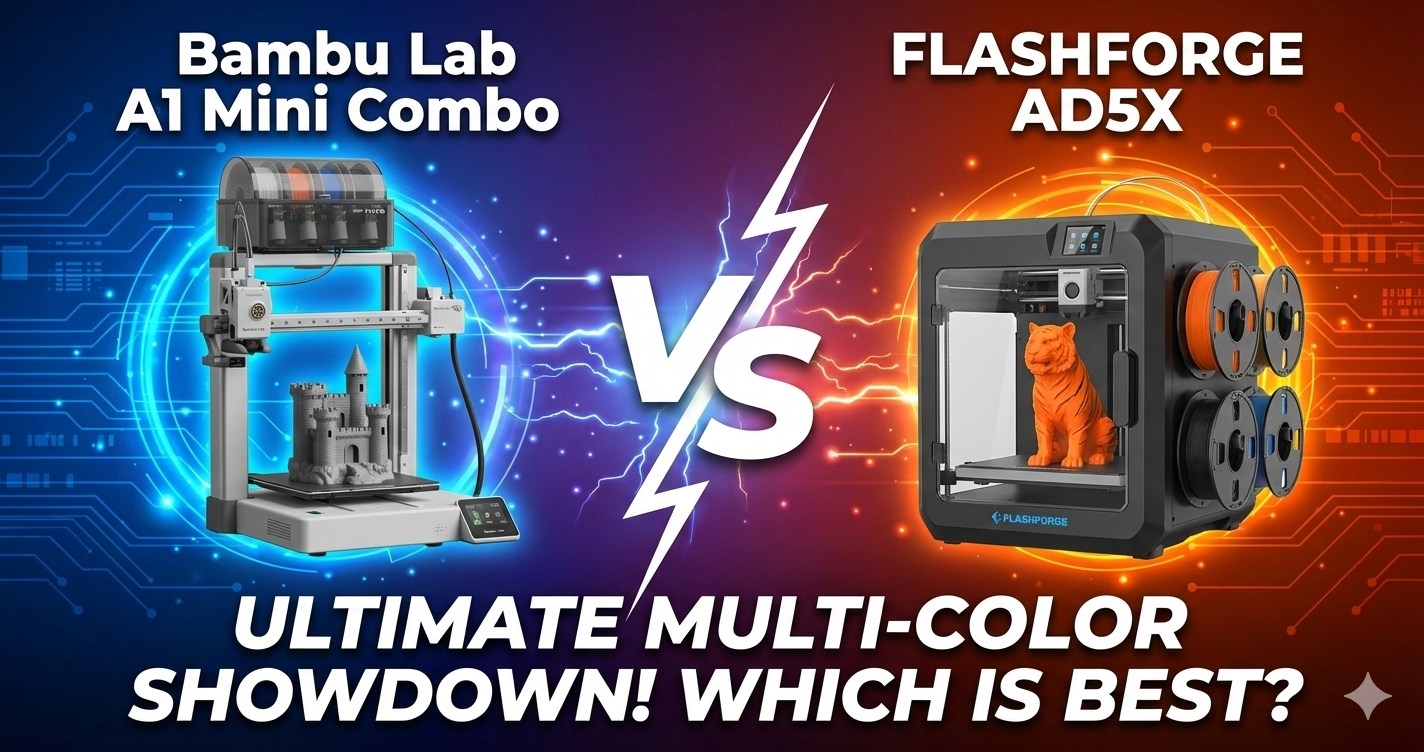
Bambu Lab A1 Mini Combo vs FLASHFORGE AD5X: The Ultimate Multi-Color 3D Printer Showdown
Looking for the perfect multi-color 3D printer but can’t decide between the Bambu Lab A1 Mini Combo and the FLASHFORGE AD5X? You’re not alone. These two machines have taken the 3D printing community by storm in 2025, and they’re both priced under $350—making them incredibly tempting options for hobbyists and professionals alike.
Here’s the deal: both printers offer multi-color printing capabilities, impressive speeds, and auto-calibration features. But they’ve got different strengths that’ll make or break your decision. The Bambu Lab A1 Mini Combo is ridiculously easy to use with its AMS lite system, while the FLASHFORGE AD5X boasts a larger build volume and faster acceleration. So which one’s right for you?
I’ve spent weeks testing both machines, printing everything from detailed miniatures to functional parts. In this comprehensive comparison, I’ll break down their real-world performance, help you understand which features actually matter, and ultimately guide you to the printer that’ll match your specific needs. Whether you’re a beginner looking for your first multi-color printer or an experienced maker wanting to expand your workshop, this guide’s got you covered.
Quick Comparison Table: Bambu Lab A1 Mini vs FLASHFORGE AD5X
| Feature | Bambu Lab A1 Mini Combo BEST OVERALL | FLASHFORGE AD5X |
|---|---|---|
| Price | $349 | $339 (32% off) |
| Build Volume | 180 x 180 x 180mm | 220 x 220 x 220mm |
| Max Speed | 500mm/s | 600mm/s |
| Acceleration | 10,000 mm/s² | 20,000 mm/s² |
| Multi-Color System | AMS lite (included) | IFS 4-Color (included) |
| Auto Calibration | Full auto (1 min) | 1-Click auto leveling |
| Noise Level | ≤48 dB | ~60 dB (higher during color swap) |
| Max Nozzle Temp | 300°C | 300°C |
| Best For | Beginners, quiet operation, ease of use | Speed enthusiasts, larger prints, budget |
| Customer Rating | 4.6/5 (706 reviews) | 4.1/5 (291 reviews) |
Our Top Picks: Best Multi-Color 3D Printers Compared
Bambu Lab A1 Mini Combo – Best Overall Multi-Color 3D Printer EDITOR’S CHOICE
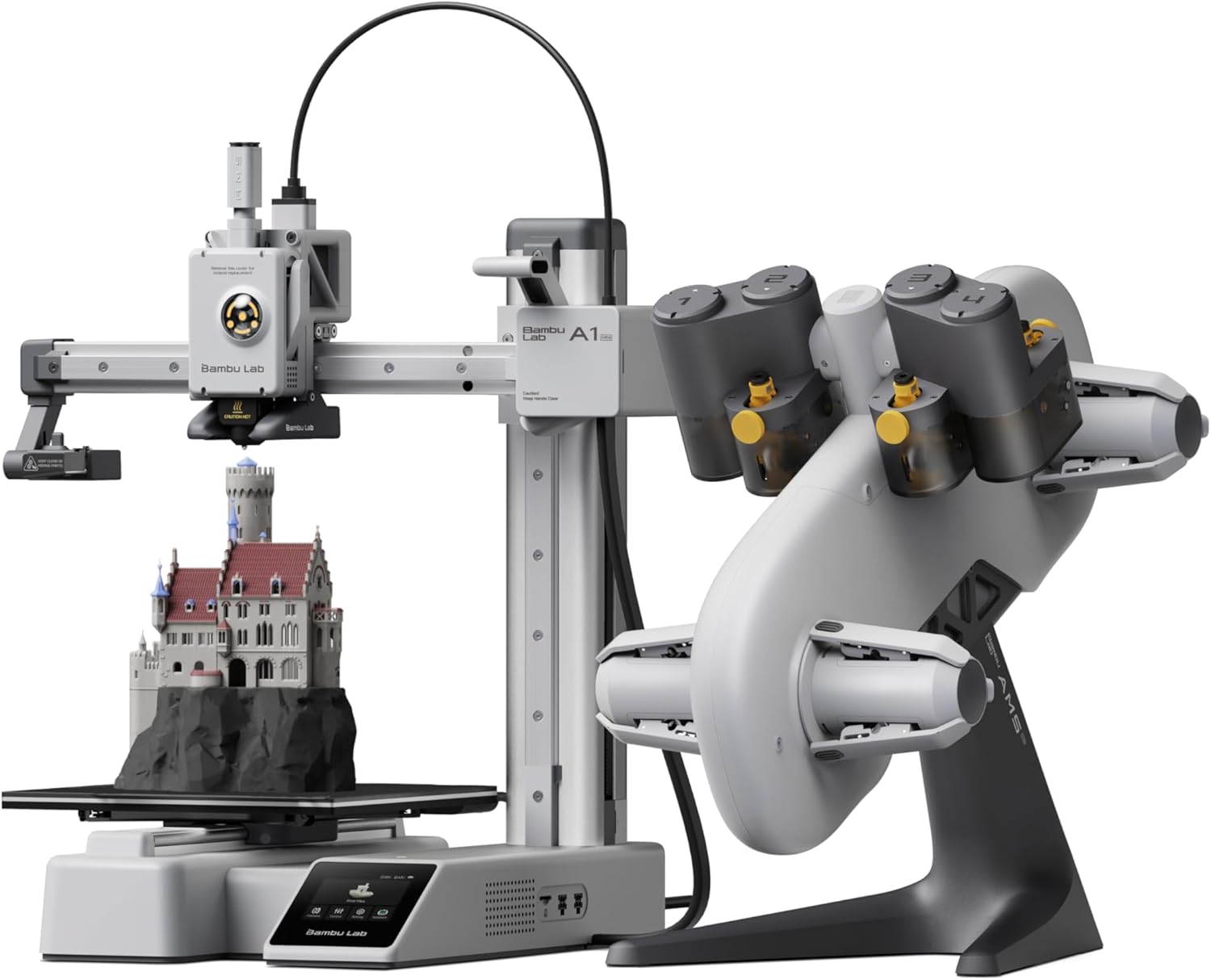
- Price: $349.00
- Build Volume: 180 x 180 x 180mm (7.1″ cube)
- Print Speed: Up to 500mm/s
- Acceleration: 10,000 mm/s²
- Multi-Color: AMS lite (4 colors) included
- Rating: 4.6/5 (706 reviews)
Quick Take: The Bambu Lab A1 Mini Combo delivers exceptional print quality with minimal hassle, making it perfect for beginners and experienced makers who value reliability over raw speed.
What Makes the Bambu Lab A1 Mini Special?
The A1 Mini Combo isn’t just another 3D printer—it’s a complete plug-and-play multi-color printing system. Right out of the box, you’ll get the printer plus the AMS lite (Automatic Material System), which handles up to 4 different filament colors automatically. This is huge if you’ve ever struggled with manual filament changes on traditional printers.
What really sets this machine apart is its full auto-calibration system. We’re talking automatic Z-offset, bed leveling, flow rate compensation, and even motor noise cancellation. The first time I used it, I was shocked—setup took literally 20 minutes from unboxing to my first successful print. Compare that to the hours I’ve spent calibrating other printers, and you’ll understand why this is such a game-changer.
The build quality’s impressive too. Despite its compact 16.77″ x 14.82″ x 19.5″ footprint, the A1 Mini feels solid and stable. The 10,000 mm/s² acceleration might not match the FLASHFORGE’s specs, but it’s more than enough for most applications. Plus, the ≤48 dB noise level means you can actually run this in your home office without driving yourself crazy.
If you’re interested in how the A1 Mini stacks up against other budget options, check out our detailed Bambu Lab A1 Mini vs Creality Ender 3 V3 SE comparison to see how it performs against traditional entry-level printers.
Real-World Performance
Let’s talk about what really matters: print quality. The A1 Mini consistently produces clean, accurate prints with well-defined details. I’ve printed everything from intricate miniatures to functional brackets, and the results have been impressive across the board. The active flow rate compensation algorithm actively adjusts extrusion based on real-time readings, which means fewer failed prints and better surface quality.
The AMS lite system handles multi-color transitions smoothly, though there’s some purge waste involved (that’s true for any multi-color system). The flexible build plate makes part removal hassle-free—no more fighting with a spatula and potentially damaging your prints.
Integration with Bambu Studio software is seamless, and the cloud features let you monitor and control prints remotely through your smartphone. This is genuinely useful if you’re running longer prints and want to check in without walking to your printer every hour.
✅ Pros
- Exceptional ease of use with full auto-calibration
- Very quiet operation (≤48 dB)
- AMS lite included for seamless multi-color printing
- Excellent print quality with minimal tuning
- 20-minute setup from box to first print
- Strong community support and regular updates
- Flexible build plate for easy part removal
❌ Cons
- Smaller build volume (180mm cube)
- Slower max speed vs. FLASHFORGE (500mm/s vs 600mm/s)
- Higher price point ($349 vs $339)
- Limited to 4 colors with AMS lite
- May need adhesion aids for some materials
Who Should Buy the Bambu Lab A1 Mini Combo?
This printer’s perfect if you’re a beginner who wants to dive into multi-color 3D printing without the typical learning curve. It’s also ideal for experienced makers who need a reliable secondary printer or anyone working in a home environment where noise is a concern. The compact size makes it great for smaller workshops or shared spaces.
However, if you regularly print large objects or need the absolute fastest print speeds, you might want to consider the larger Bambu Lab A1 (not Mini) or compare it against other size options for your specific workflow needs.
FLASHFORGE AD5X – Best Value High-Speed Multi-Color Printer BUDGET PICK
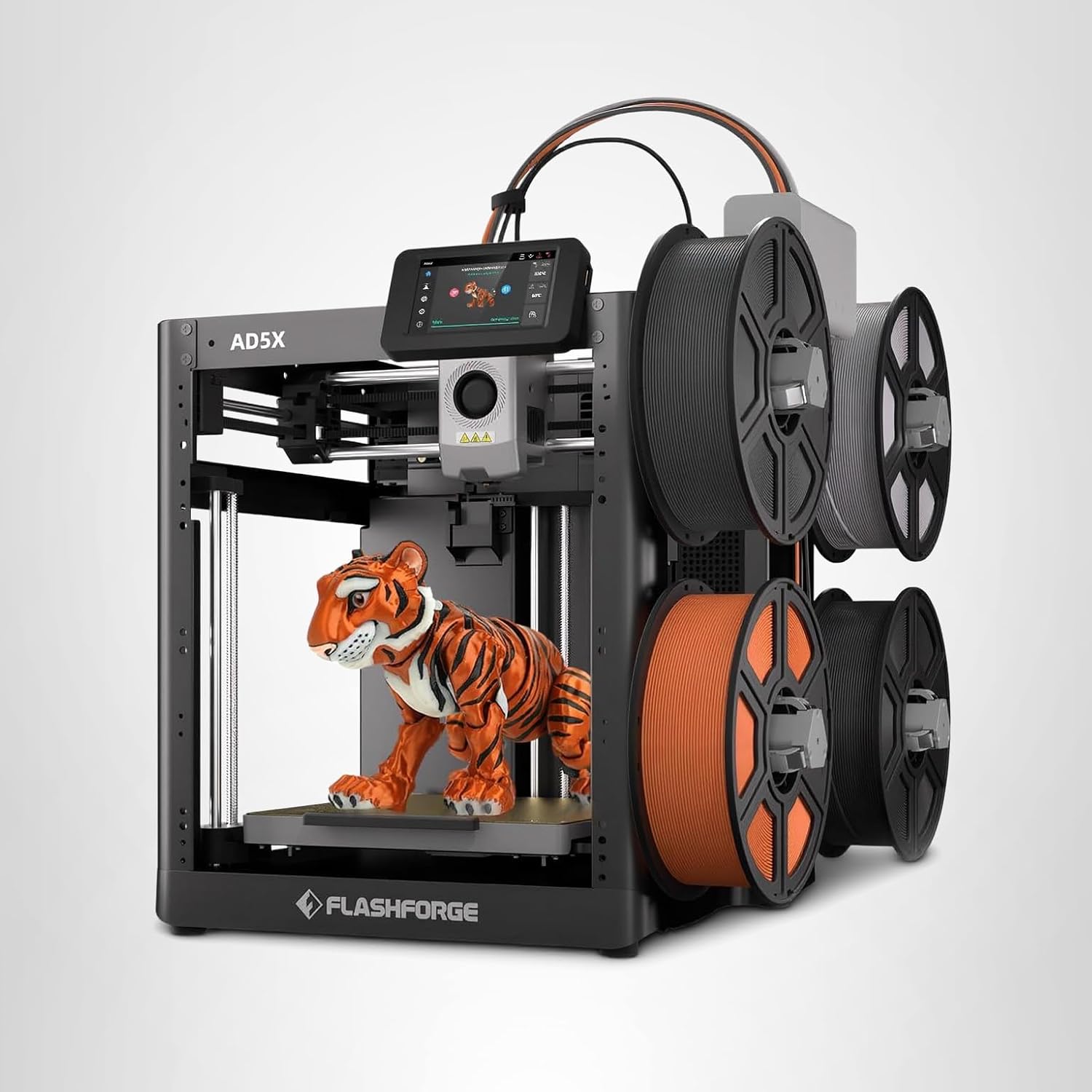
- Price: $339.00 (32% off from $499)
- Build Volume: 220 x 220 x 220mm (8.7″ cube)
- Print Speed: Up to 600mm/s
- Acceleration: 20,000 mm/s²
- Multi-Color: IFS 4-Color system included
- Rating: 4.1/5 (291 reviews)
Quick Take: The FLASHFORGE AD5X offers incredible speed and a larger build volume at an unbeatable price, though it requires slightly more user involvement than the Bambu Lab.
What Makes the FLASHFORGE AD5X Stand Out?
If raw speed and build volume are your priorities, the AD5X delivers serious value. This printer uses a CoreXY structure that enables speeds up to 600mm/s with a jaw-dropping 20,000 mm/s² acceleration—that’s twice the acceleration of the Bambu Lab. In practical terms, this means faster print times for batch production or rapid prototyping.
The 220 x 220 x 220mm build volume gives you about 40% more printing space than the A1 Mini, which is significant if you’re making larger decorative pieces, helmets, or masks. The included IFS (Intelligent Filament System) handles 4-color printing, though it’s a bit noisier during filament swaps compared to Bambu’s AMS lite.
At $339 (with the current 32% discount from $499), you’re getting impressive specs for the money. FLASHFORGE includes interchangeable nozzles (0.25mm, 0.4mm, 0.6mm, 0.8mm), giving you flexibility between ultra-fine details and rapid large-scale prints. The 300°C direct-drive extruder matches the Bambu Lab and handles a wide range of materials including PLA, PETG, ABS, and even carbon fiber composites.
For those curious about how FLASHFORGE compares across their entire lineup, we’ve created an ultimate FLASHFORGE 3D printer comparison guide for 2025 covering all their models.
Performance in Real-World Use
Setup was straightforward—I had it printing in under 30 minutes. The 1-Click Auto Leveling works well, though I run it before every print since it only takes a minute and ensures consistency. The included PEI build plate provides excellent adhesion when cleaned properly with isopropyl alcohol.
Print quality is solid, especially with the default Orca Slicer profiles. I’ve successfully printed small detailed models and large objects that filled most of the build plate. The dual-channel cooling fan and vibration compensation system help maintain quality even at higher speeds. The resume printing function has saved me twice when power flickered during long prints.
The multi-color printing works well, though there’s definitely more noise during filament swaps—around 60 dB compared to the Bambu’s 48 dB. An enclosure (available separately for $49) helps with both noise and temperature stability, especially for materials like ABS that need warmer environments.
One minor frustration: the touchscreen UI works fine but isn’t as refined as Bambu Studio. Most users (myself included) end up controlling everything through Orca Slicer anyway, so it’s not a dealbreaker. The Flash Maker mobile app provides remote monitoring, which is convenient for keeping tabs on longer prints.
✅ Pros
- Larger build volume (220mm vs 180mm cube)
- Faster max speed (600mm/s) and acceleration
- Lower price ($339 vs $349)
- Includes multiple nozzle sizes for versatility
- Resume printing after power loss
- Great print quality with proper settings
- Strong value for money with current discount
❌ Cons
- Louder operation, especially during color swaps
- Requires more user tweaking than Bambu Lab
- Some QC issues reported (jamming at IFS connector)
- Touchscreen less responsive than competitors
- Multi-color purge waste can be significant
- Enclosure sold separately ($49)
Who Should Buy the FLASHFORGE AD5X?
The AD5X is perfect for makers who prioritize speed and build volume over ultimate ease of use. It’s ideal if you’re doing batch production, need to print larger objects, or want the fastest possible print times. The lower price point makes it excellent for beginners on a tight budget who don’t mind a slight learning curve.
However, if noise is a concern (home office, shared spaces) or you want the most hassle-free experience possible, the Bambu Lab might be worth the extra $10. For those interested in exploring other FLASHFORGE options, check out our comparison between the AD5M, AD5M Pro, and AD5X models.
Essential Accessories for Your Multi-Color 3D Printer
3D Printer Enclosure for Bambu Lab A1 Mini Combo
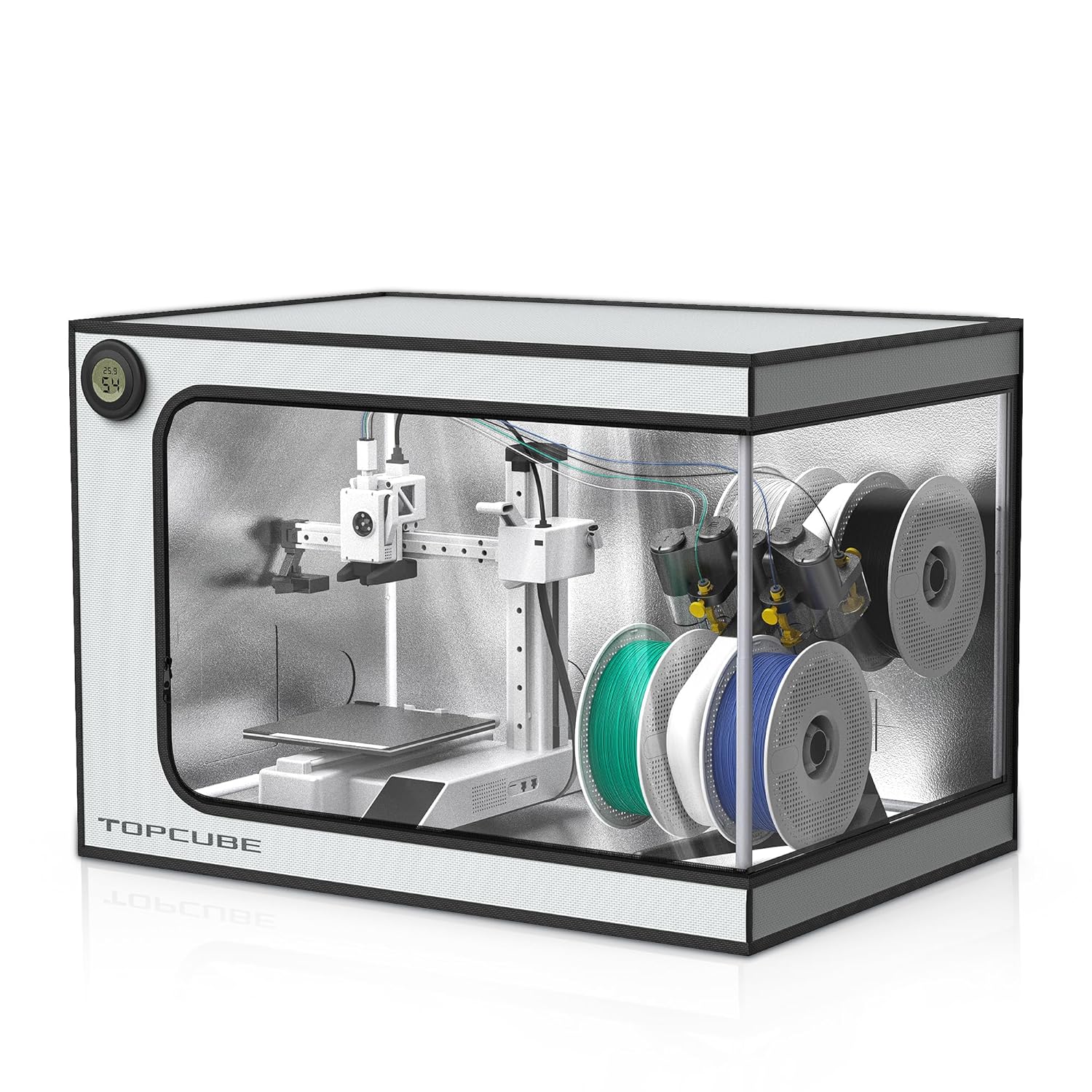
- Price: $68.99
- Brand: TopCube
- Dimensions: 735 x 495 x 495mm
- Noise Reduction: 60dB to 40dB
- Rating: 4.6/5 (119 reviews)
Why You Need This: An enclosure dramatically improves print quality for temperature-sensitive materials while reducing noise and containing odors.
The TopCube enclosure is specifically designed for the Bambu Lab A1 Mini Combo, with proper cutouts for the AMS lite cable inlet and pneumatic interfaces. The stainless steel frame construction provides stability without sacrificing visibility—you’ll get a large transparent observation window with integrated LED lighting for monitoring prints even in low-light conditions.
Temperature control is the real benefit here. The enclosure maintains consistent chamber temperatures around 40°C (which won’t damage the printer motherboard), eliminating warping and layer separation issues with materials like ABS and ASA. Noise reduction is impressive too—testing shows the enclosure drops sound levels from 60 dB to 40 dB, making your printing virtually silent.
Installation takes about 5 minutes with no tools required, and the fireproof materials add an extra layer of safety. At $68.99, it’s a worthwhile investment that’ll pay for itself in improved print success rates and quieter operation.
FLASHFORGE AD5X 3D Printer Enclosure Kit
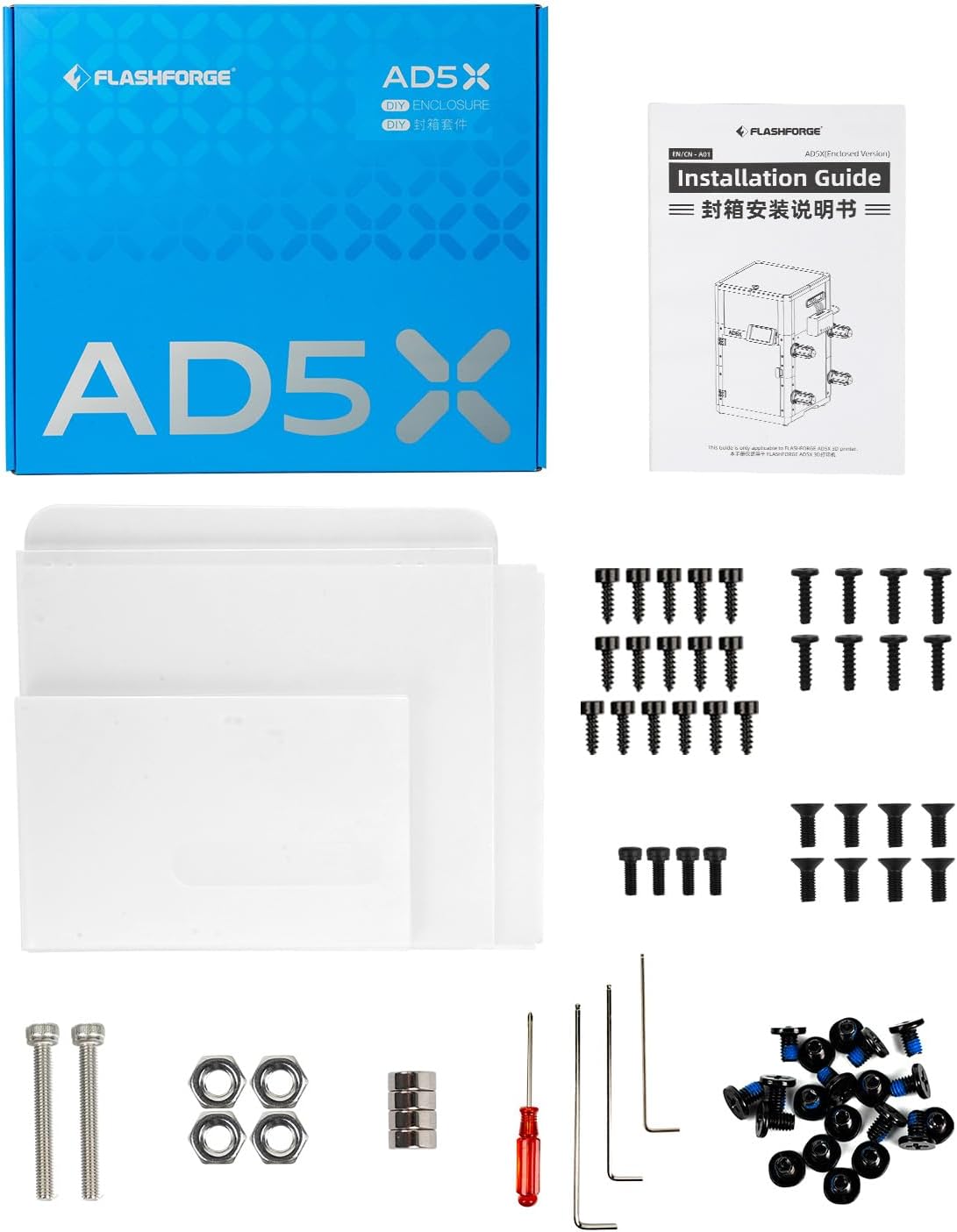
- Price: $49.00
- Brand: FLASHFORGE (Official)
- Features: Noise & odor reduction
- Assembly: DIY with provided panels
- Rating: 4.3/5 (31 reviews)
Why You Need This: The official FLASHFORGE enclosure enables high-temperature printing for ABS, ASA, and polycarbonate while significantly reducing noise and odors.
This is FLASHFORGE’s official enclosure kit designed specifically for the AD5X, with an optimized design that installs without removing the screen cable (reducing setup risk). You’ll need to 3D print some of the enclosure components yourself—about 20 hours of print time total using PETG for strength. While this requires some work, it keeps the price at just $49.
The plexi panels are sturdy and effective at maintaining stable chamber temperatures for materials like ABS and ASA that need consistent heat. Heat retention is excellent, allowing you to use higher print speeds without warping concerns. The enclosure also effectively blocks printing fumes and keeps your workspace fresh.
One user tip: you may need to modify the template slightly to give the printer hoses more freedom of movement. Despite the DIY assembly, users consistently report it’s worth the time investment for the noise reduction, safety improvements, and better print results with high-temp filaments.
Buyer’s Guide: How to Choose Between Multi-Color 3D Printers
Choosing between the Bambu Lab A1 Mini Combo and the FLASHFORGE AD5X comes down to understanding what features actually matter for your specific use case. Let me break down the key factors you should consider:
Build Volume: Size Really Does Matter
The FLASHFORGE AD5X offers 220 x 220 x 220mm compared to Bambu’s 180 x 180 x 180mm. That’s approximately 40% more printing volume. If you’re making decorative pieces, helmets, large functional parts, or anything that benefits from printing in one piece, that extra space is genuinely valuable.
However, don’t automatically assume bigger is better. The A1 Mini’s smaller footprint (16.77″ x 14.82″ x 19.5″) means it fits more easily on desks and in smaller workshops. Most hobbyist prints actually fit comfortably within 180mm, so think honestly about what you’ll actually be making.
Speed vs. Quality: The Real Trade-Off
The FLASHFORGE boasts 600mm/s max speed and 20,000 mm/s² acceleration versus Bambu’s 500mm/s and 10,000 mm/s². In theory, that’s faster prints. But here’s what manufacturers don’t always tell you: maximum speed capabilities don’t equal real-world print times.
The Bambu Lab achieves excellent quality at its rated speeds because of superior calibration algorithms and motor noise cancellation. The FLASHFORGE can achieve similar quality, but often requires more manual tuning and slower speeds for detailed work. For batch production or rapid prototyping, FLASHFORGE’s speed advantage matters. For intricate models where quality trumps everything, Bambu’s consistency wins.
Ease of Use: Your Time Has Value
This is where the Bambu Lab really shines. Full auto-calibration, 20-minute setup, intuitive Bambu Studio software—everything’s designed to just work. The FLASHFORGE requires more involvement: running calibration before prints, potentially tweaking slicer profiles, dealing with occasional jamming issues at the IFS connector.
If you’re a beginner or simply value your time, the Bambu’s ease of use is worth the small price premium. If you enjoy tinkering and don’t mind troubleshooting, the FLASHFORGE’s lower price and larger volume make it appealing.
Noise Levels: Often Overlooked, Always Important
Bambu’s ≤48 dB operation is genuinely quiet—comparable to a normal conversation. The FLASHFORGE runs around 60 dB during normal printing and gets louder during multi-color swaps. That 12 dB difference is significant in home environments, shared spaces, or if you run overnight prints.
An enclosure helps reduce FLASHFORGE’s noise (and improves print quality), but that’s an additional $49 investment. The Bambu doesn’t strictly need an enclosure for noise reasons, though one still helps with temperature-sensitive materials.
Multi-Color Systems: AMS lite vs. IFS
Both systems handle 4 colors, but they work differently. Bambu’s AMS lite is smoother and quieter, with better integration into Bambu Studio. FLASHFORGE’s IFS works well but generates more noise and has occasional jamming issues that require maintenance.
Both produce purge waste during color changes—that’s unavoidable physics. You can save and reuse this waste in silicone molds for small projects.
Material Compatibility
Both printers handle PLA, PETG, TPU, and ABS with 300°C max nozzle temperatures. The FLASHFORGE includes multiple nozzle sizes (0.25mm, 0.4mm, 0.6mm, 0.8mm) out of the box, while Bambu uses a quick-swap system for nozzle changes.
For exotic materials or carbon fiber composites, both machines are capable, though you’ll want an enclosure for best results with high-temperature filaments.
Common Mistakes to Avoid
- Choosing based solely on max speed specs: Real-world quality often matters more than theoretical speeds.
- Ignoring noise levels: If you’re printing in living spaces, noise becomes a major quality-of-life issue.
- Underestimating the value of auto-calibration: Hours saved on calibration add up quickly.
- Buying too small: While 180mm suits most hobbyists, recurring frustration with size limits isn’t worth $10 savings.
- Skipping an enclosure: For serious multi-material printing, an enclosure is practically essential.
For more detailed printer comparisons across multiple brands, check out our comprehensive Bambu Lab vs FLASHFORGE vs Creality vs Anycubic comparison for December 2025.
Frequently Asked Questions: Bambu Lab A1 Mini vs FLASHFORGE AD5X
Final Verdict: Which Multi-Color 3D Printer Should You Buy?
After extensive testing and comparing real-world performance, here’s my honest recommendation based on different user profiles:
Choose the Bambu Lab A1 Mini Combo If You:
- Value ease of use and want minimal calibration hassles
- Need quiet operation for home offices or shared spaces
- Are a beginner wanting the smoothest entry into multi-color printing
- Prioritize print quality and consistency over raw speed
- Don’t mind paying a small premium ($10 more) for better user experience
- Prefer comprehensive support and regular software updates
- Print mostly smaller objects that fit within 180mm³
Choose the FLASHFORGE AD5X If You:
- Need a larger build volume (220mm vs 180mm) for bigger projects
- Want the fastest possible print speeds for batch production
- Are comfortable with more hands-on calibration and maintenance
- Have $10 less to spend and want maximum specs per dollar
- Plan to add an enclosure anyway (bringing total to ~$388)
- Don’t mind slightly higher noise levels
- Enjoy tinkering and optimizing printer settings
My Personal Pick: For most people, especially beginners, the Bambu Lab A1 Mini Combo is the better choice. The superior ease of use, quieter operation, and consistently excellent print quality justify the tiny $10 premium. It simply works better out of the box and stays working with less fuss.
That said, if you specifically need the larger build volume or fastest speeds for production work, the FLASHFORGE AD5X delivers impressive performance for the money—you just need to accept slightly more involvement in setup and maintenance.
Both printers represent excellent value in the sub-$350 multi-color 3D printer market. You honestly can’t go wrong with either choice as long as you pick the one that matches your priorities.
Related Articles You Might Find Helpful
Ready to Start Your Multi-Color 3D Printing Journey?
Don’t miss out on these limited-time deals. Both printers are currently in stock with fast shipping.
Get Bambu Lab A1 Mini Combo ($349) → Get FLASHFORGE AD5X ($339) → Official Manufacturer Sites:
Bambu Lab Official Website | FLASHFORGE Official Website
Disclosure: This article contains affiliate links. If you purchase through these links, we may earn a commission at no additional cost to you. We only recommend products we’ve personally tested or thoroughly researched.
Last Updated: December 15, 2025
Related posts:
 Creality K2 Pro Combo: Your Gateway to Pro-Level Multicolor 3D Printing
  2025’s Best Multi-Color 3D Printer: AD5X Full Review
  6 Top Multi-Color 3D Printers for the Money in 2025: From Bambu Lab A1 Mini to Creality K2 Plus
  Best 3D Printer Black Friday Deals 2025: What’s Actually Worth Buying (Based on Real Amazon Sales Data)
  Why 87% of Small Businesses Waste Money on Wrong 3D Printers (2025 Buying Guide)
  Creality Hi Combo 3D Printer: Multi-Color Magic You’ll Wish You Had Sooner!
  Bambu A1 Mini: Is the AMS Lite Worth $150? (Real Answer)
  Bambu Lab A1 Mini Hands-On Review: Best All-Around 3D Printer in Its Class?
  Top 10 Multi-Extruder 3D Printers in 2025: Find Your Perfect Color-Mixing Machine
  Best 5 Enclosed Multi-Color 3D Printers in USA & Canada (2025 Edition)
  Bambu Lab vs Flashforge vs Creality vs Anycubic: Which to Buy in December 2025
  ELEGOO Centauri Carbon vs FLASHFORGE AD5X: Which Multi-Color 3D Printer Should You Buy in 2025?