
Updated September 2026 · 13 min read · As an Amazon Associate we earn from qualifying purchases.
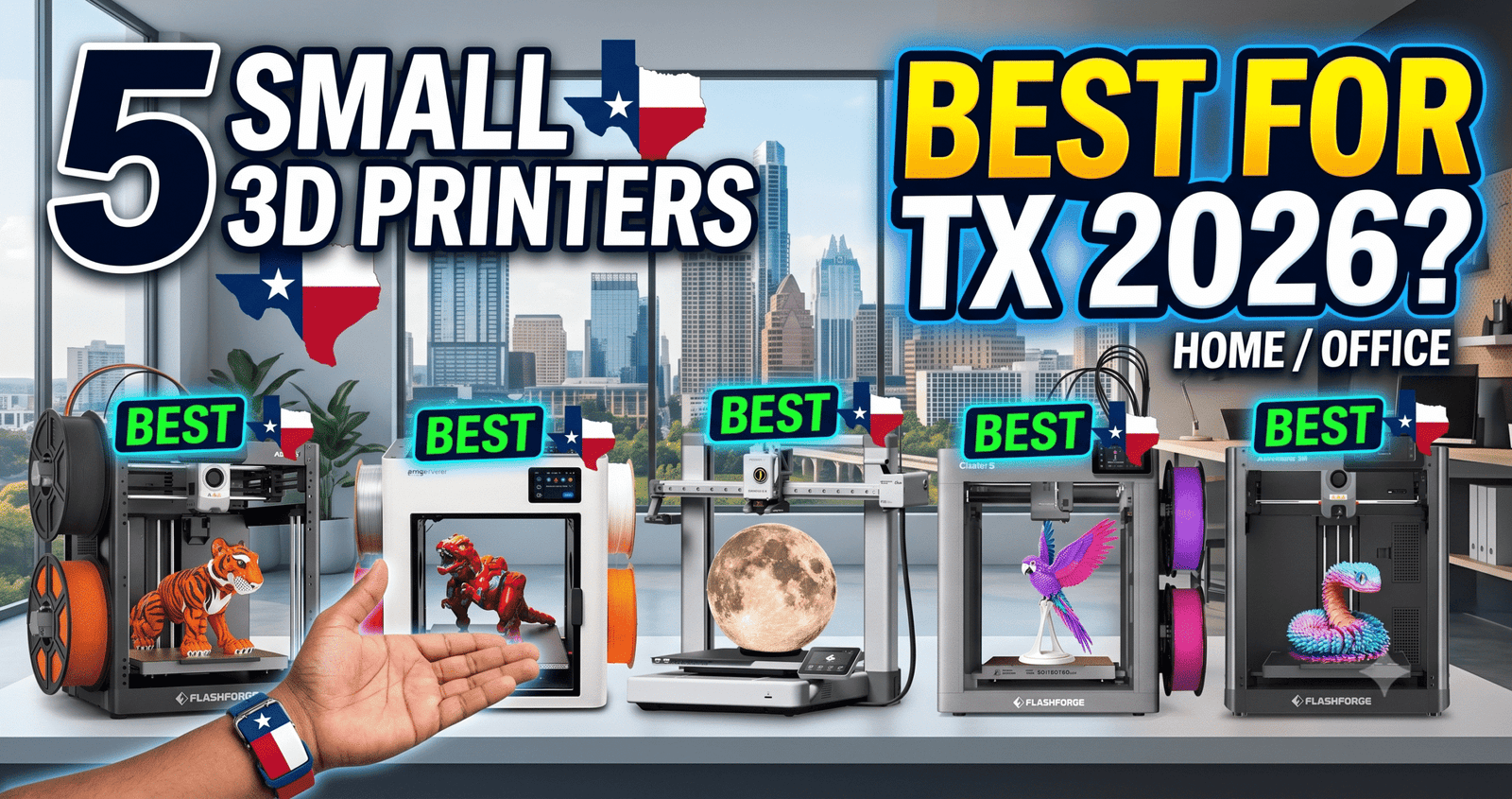
None of these need a garage or a dedicated workshop — all five fit on a desk in a bedroom or a shared family space.
My son just turned 14 and has been asking for a 3D printer for months. Every video he shows me looks incredible, but every listing I open has a different acronym I don’t understand, and I have zero background in this hobby.
So I did what I do with anything I don’t understand: I read everything, cross-checked it against actual owner reviews instead of just the marketing copy, and narrowed it down to five small printers that keep coming up as good first machines. Here’s what I found, written for anyone else standing in my exact spot.
The Bottom Line: The Bambu Lab A1 Combo is the safest first pick if you want something that mostly runs itself; the FLASHFORGE Adventurer 5M is the better call if you want to see whether the hobby sticks before spending more.
The Killer Feature: Full auto-calibration means my son doesn’t need me hovering over bed leveling every time — the printer handles the part most beginners get stuck on.
The 2026 Value Score: 8.6/10 (our rating, based on how much supervision each printer actually needs versus its price)
✓ Prime eligible · 30-day returns · Free shipping
What Should Actually Matter When You’re Buying for a Teenager?
Not the specs your son is quoting you from a YouTube video — what matters more for a first printer is how much setup and troubleshooting falls on you, and how exposed the hot parts are during normal use.
Every printer on this list uses an open nozzle that reaches 200°C or higher and a heated bed, so “kid-safe” isn’t really a category any of them fall into. What you’re actually choosing between is how much that risk is minimized by design (enclosures, auto-shutoff, stable frames) and how much troubleshooting a 14-year-old can realistically handle without pulling you in every time something jams.
Is the Bambu Lab A1 Combo a Good First Printer for a Teen?
Yes, if your main goal is minimizing your own involvement — the A1 Combo’s auto bed-leveling and Z-offset calibration remove the two steps that cause most beginner failures, which means fewer frustrated afternoons and fewer “Mom, can you help” moments.
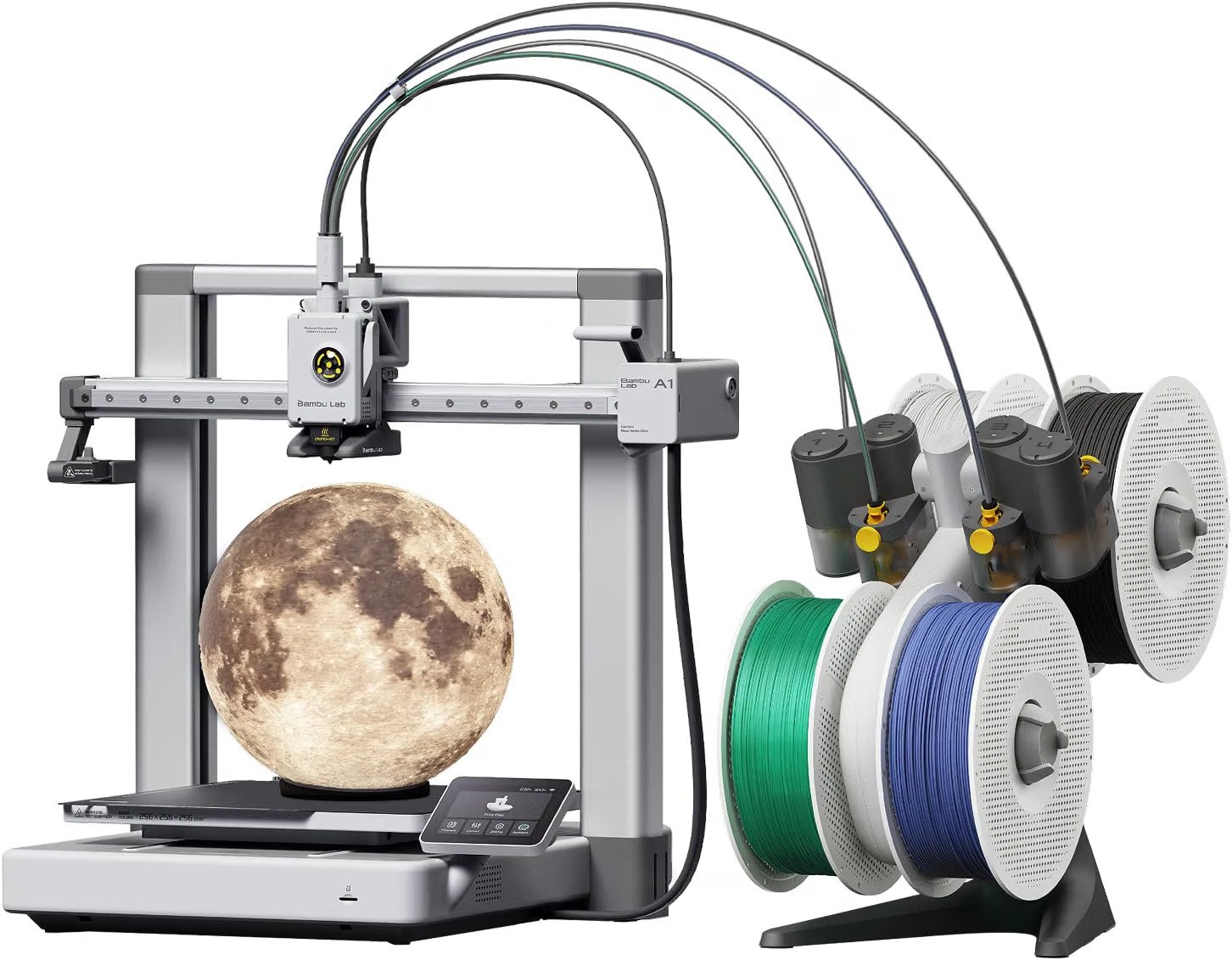
The included AMS lite lets him print in up to four colors without you having to babysit filament swaps mid-print, and everything from starting a print to checking progress happens through a phone app — useful if he wants to check on it from another room instead of hovering next to a hot machine. One owner switching from an older resin printer described the whole process, from unboxing to a finished first print, taking under an hour.
Watch out for: the box only includes a few short filament sample strands, so plan to order two or three full spools before it arrives, or your son will be stuck waiting on his first real project.
- Auto-calibration means less parental troubleshooting
- Phone app lets you and him monitor prints remotely
- Multi-color printing keeps a teenager’s interest longer
- Open frame — nozzle and bed stay exposed and hot
- Almost no starter filament in the box
- Fan noise noticeable if it’s in a bedroom
✓ Prime eligible · 30-day returns · Free shipping
Is the FLASHFORGE AD5X Too Advanced for a Beginner Teenager?
Not necessarily — the AD5X gives you 4-color printing for less money than the Bambu option, but its higher top speed and CoreXY frame mean it’s a slightly more capable (and slightly less forgiving) machine for a first-timer.
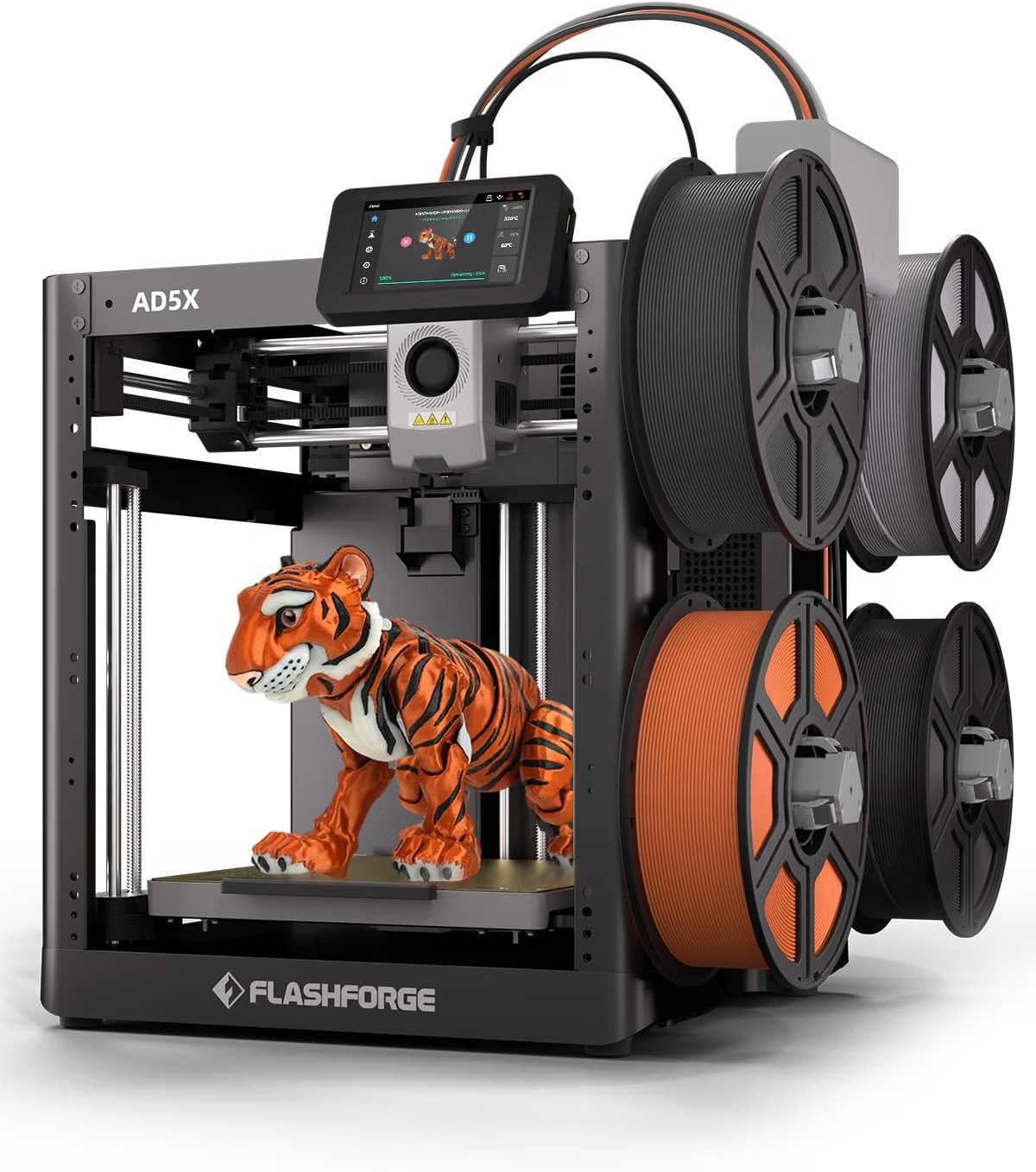
Auto leveling through the touchscreen removes most of the manual calibration a teenager would otherwise need help with, and the automatic filament-change system handles color swaps without either of you touching the machine mid-print. That said, one long-term owner reported a leveling misfire that caused the nozzle to collide with the bed hard enough to fuse material together — not common, but worth knowing about before handing this to a 14-year-old unsupervised.
Watch out for: stick to FLASHFORGE-branded filament for the first several prints. Reviewers noted that off-brand PETG caused visible print defects even after adjusting settings, which is exactly the kind of troubleshooting a beginner (of any age) doesn’t need to deal with on day one.
↗ Check FLASHFORGE AD5X — $349.00 on Amazon✓ Prime eligible · 30-day returns · Free shipping
Should You Start Cheap With the FLASHFORGE Adventurer 5M?
If you’re not sure your son will stick with this hobby past the first month, yes — the Adventurer 5M is the lowest-priced printer on this list at $249, and it still includes auto bed-leveling, which used to be a feature reserved for pricier machines.
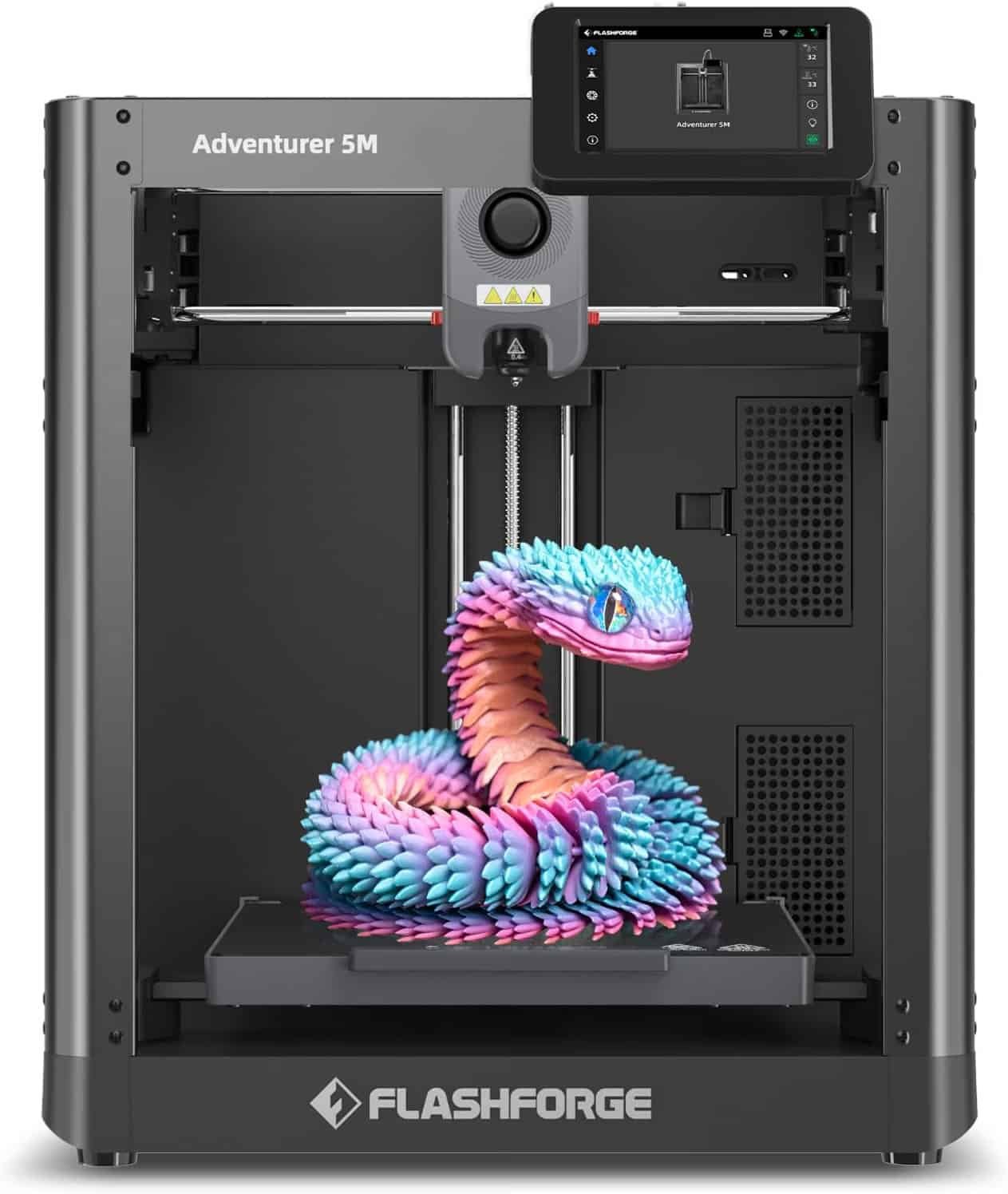
It’s single-color only and has a smaller build volume, which actually works in your favor as a parent — smaller, simpler projects mean shorter print times and fewer overnight prints running unattended. One reviewer who came back to the hobby after years away noted that most of their early failures traced back to bed prep or slicer settings, not the printer itself, which is useful context: a lot of “it’s not working” moments with a teenager will be user error, not a broken machine.
Watch out for: the companion app is widely reported as unreliable. If your son wants to check on a print from his phone, set expectations that a USB stick or a direct network connection will work better than the app.
↗ Check FLASHFORGE Adventurer 5M — $249.00 on Amazon✓ Prime eligible · 30-day returns · Free shipping
Are the Snapmaker U1 and FLASHFORGE Creator 5 Pro Worth It for a First Printer?
Honestly, probably not — both are excellent machines, but at $848.99 and $849.00 they’re priced and built for people already committed to the hobby, not for finding out whether a 14-year-old will still be interested in six months.
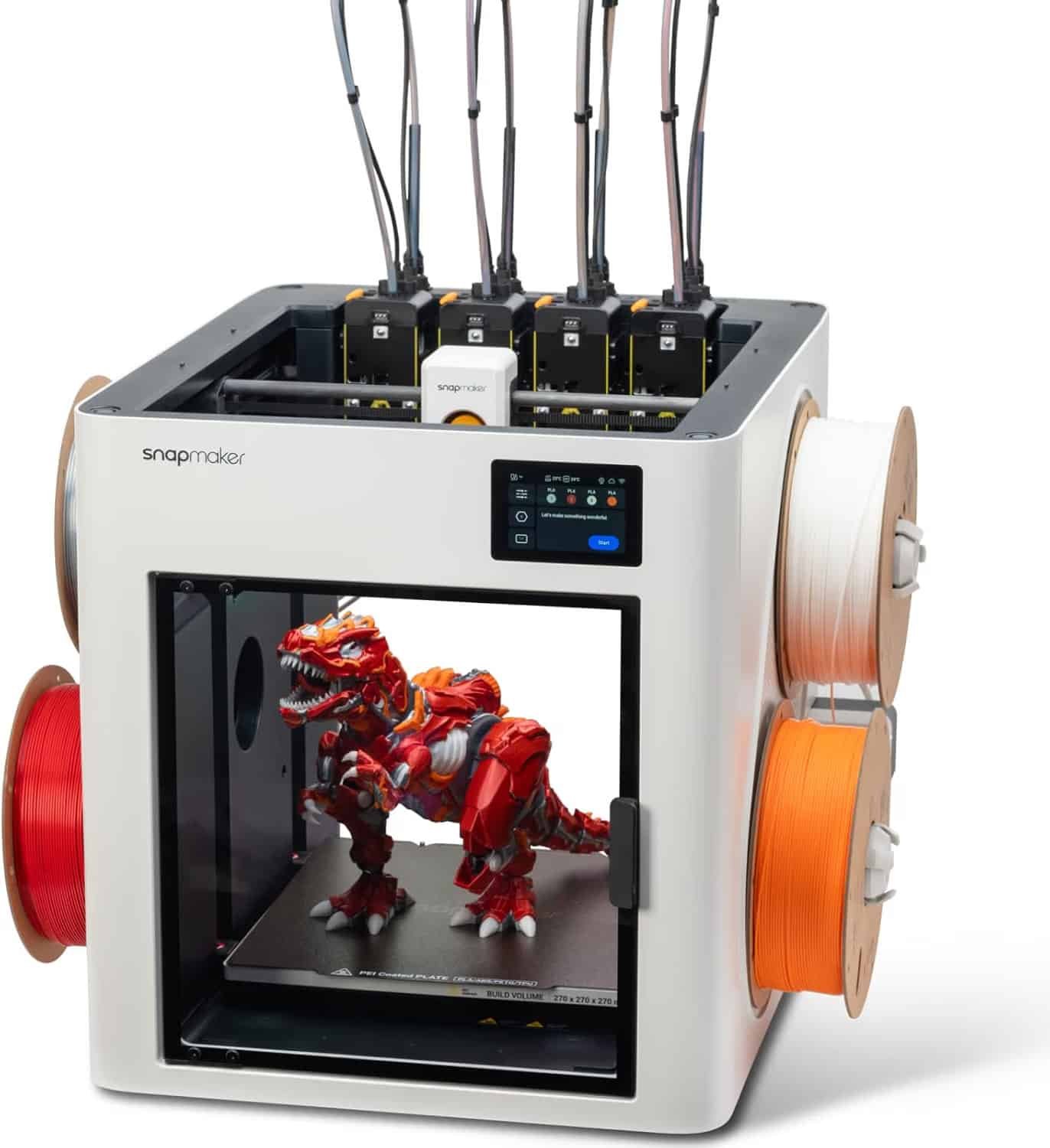
The Snapmaker U1’s four-toolhead system swaps materials in about 5 seconds with far less wasted filament than AMS-style setups, which is genuinely impressive — but it’s also a heavier, bulkier machine, and one reviewer noted setup alone took close to an hour because of its weight and packaging. The FLASHFORGE Creator 5 Pro goes even further with an enclosed, heated chamber for engineering filaments like ABS, which is more capability than a first-time user typically needs, and one buyer reported going through two units that failed out of the box before a third worked correctly.
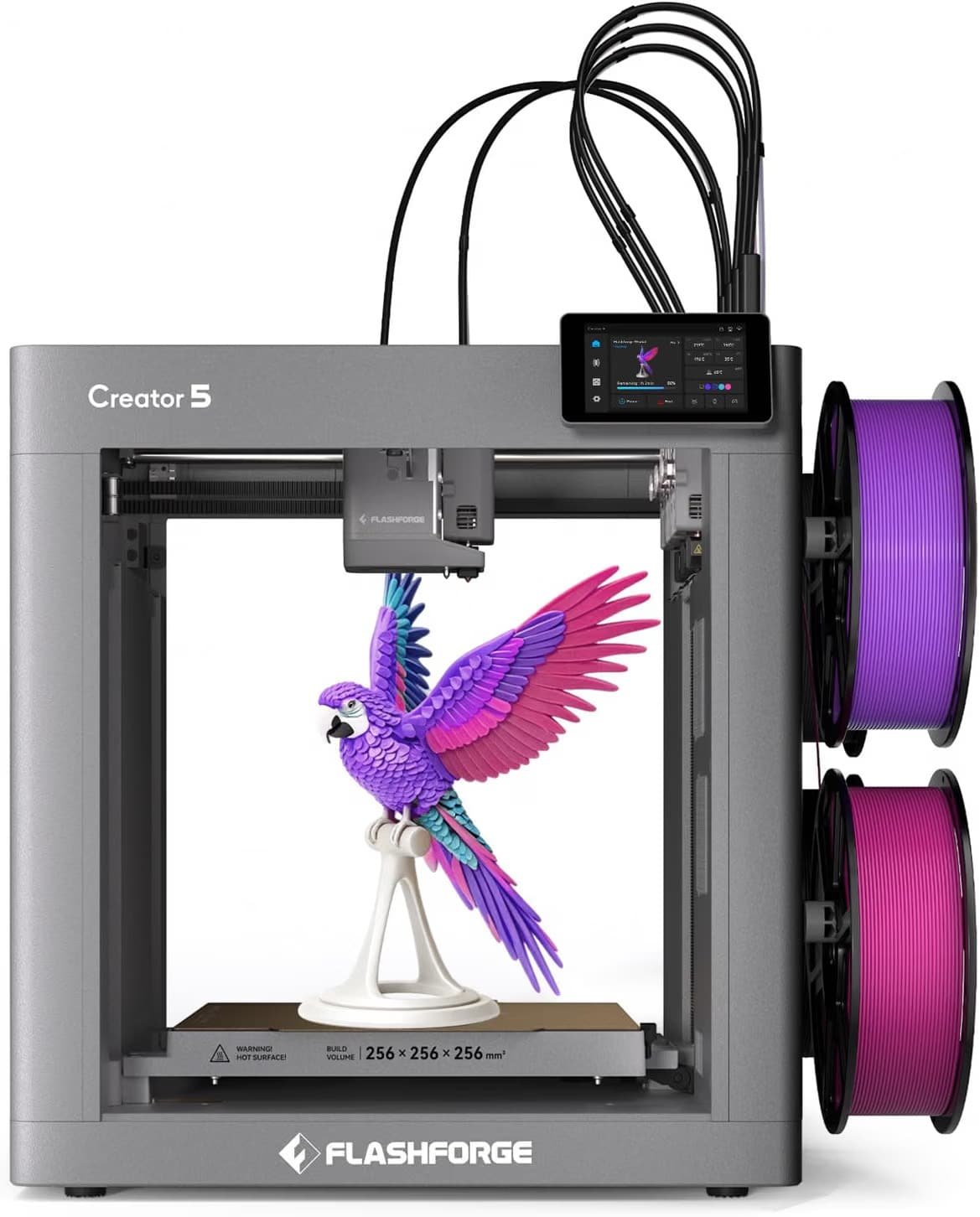
Our take: if your son is already experienced from a school program or a friend’s printer and knows what he’s doing, either of these could make sense as a step-up gift later. As a true first printer, both are more machine — and more money — than the situation calls for.
↗ Check Snapmaker U1 — $849.00 on Amazon✓ Prime eligible · 30-day returns · Free shipping
Side-by-Side: Which Printer Fits Your Situation?
The table below lines up the specs that actually matter when you’re buying for a teenager rather than for yourself as a hobbyist.
| Printer | Price | Supervision Needed | Multi-Color | Best For | Our Score |
|---|---|---|---|---|---|
| Bambu Lab A1 Combo | $419.00 | Low (auto-calibrates) | Yes (AMS lite) | Least parental hands-on time | 9.0/10 |
| FLASHFORGE AD5X | $349.00 | Medium | Yes (auto filament feed) | Budget multi-color option | 7.8/10 |
| FLASHFORGE Adventurer 5M | $249.00 | Medium | No (single color) | Testing if the hobby sticks | 8.2/10 |
| Snapmaker U1 | $849.00 | Low once set up | Yes (4 toolheads) | An already-committed teen | 7.5/10 |
| FLASHFORGE Creator 5 Pro | $848.99 | Higher (more complex) | Yes (4 toolheads) | Experienced users only | 7.0/10 |
What Nobody Tells You Before You Buy Your Kid’s First Printer
A few things I wish I’d known before I started researching this, based on what actually shows up in long-term owner reviews rather than in the box.
Filament is an ongoing cost, not a one-time one. The starter filament included with any of these printers lasts a handful of small prints at most. Plan on buying spools regularly, and expect your teenager to ask for filament as often as they ask for anything else.
Bed-leveling failures are the most common real problem. Across every brand in this comparison, a failed auto-leveling cycle causing a nozzle-to-bed collision was the most serious issue reported by actual owners — worth a quick check before any large or unattended print, especially early on.
Ventilation matters more with certain materials. Basic PLA filament (what most beginners start with) has minimal odor, but if your son moves on to ABS or ASA later, those benefit from a well-ventilated room or an enclosure — not something to worry about on day one, but worth knowing before he asks.
Plan for a learning curve, not instant success. Even the easiest printer on this list still involves a slicer, file downloads, and some trial and error. Expect the first few prints to be simple test objects, not finished projects — that’s normal, not a sign anything’s wrong.
3D Printer for Teens: Parent FAQ
Is a 3D printer safe for a 14-year-old to use without supervision?
Not entirely — every printer here has an exposed hot nozzle and heated bed during operation, so plan to supervise setup and the first several prints, and set clear rules about not touching the machine while it’s running or right after it finishes.
What’s the actual difference between a $249 printer and an $849 one?
At this price range, the difference is mostly speed, multi-color capability, and build quality rather than basic print quality — a $249 single-color printer can produce results just as clean as a pricier one, it just does less at once.
Does my son need to know how to code or design 3D models to use one of these?
No. All five printers work with pre-made files from online model libraries, so he can start printing existing designs immediately and pick up design software later if he gets interested.
How much should I budget for filament on top of the printer?
Plan on at least 3–4 extra spools to start, since the sample filament included in the box typically only covers a couple of small test prints.
What if he loses interest after a few weeks?
That’s part of why starting with a lower-priced, single-color printer like the Adventurer 5M can make sense — it lets you find out whether the hobby sticks before spending more on a multi-color or enclosed machine.
Is the noise going to be a problem if it’s in his bedroom?
Most of these printers are reasonably quiet, but several reviewers noted the fan noise is noticeable up close. If noise is a concern, a shared family space or a room he doesn’t sleep in works better than right next to his bed.
Final take: for a genuine first printer, the Bambu Lab A1 Combo is the pick that asks the least of you as a parent. If you’d rather test the waters first, the FLASHFORGE Adventurer 5M at $249 is the lower-risk way to find out if this becomes a real hobby.
✓ Prime eligible · 30-day returns · Free shipping
Related posts:
 Bambu Lab vs Flashforge vs Creality vs Anycubic: Which to Buy in December 2025
  FLASHFORGE Adventurer 5M vs ELEGOO Neptune 4 Pro: Which is a Better Buy?
  AOSEED X-Maker Joy vs AOSEED X-Maker: Best 3D Printers for 8 to 14 Year Old Children
  Is the Flashforge Adventurer 5M Any Good? A Comprehensive Review
  Creality K1 SE vs Flashforge Adventurer 5M: Budget-Friendly 3D Printer Showdown
  Best 3D Printer Black Friday Deals 2026: What’s Actually Worth Buying (Based on Real Amazon Sales Data)
  Bambu Lab A1 vs A1 Mini: Complete 2025 Comparison
  Top 5 Reasons to Buy the Elegoo Neptune 4 Plus in 2025 (And 2 Reasons Not To)
  Ultimate Flashforge 3D Printer Guide 2025: Compare All Models
  Why Your 3D Prints Keep Failing (And How the GratKit 3D Filament Dryer Box Firefly V2.0 Fixes It)
  Best 3D Printers for Beginners 2026: What Nobody Tells You Before You Buy
  Anycubic Kobra X Review 2026: The $299 Multicolor 3D Printer That Outclasses Its Price Tag