
Why Your 3D Prints Keep Looking Rough — And What to Actually Do About It
It started with a simple dragon model. I’d spent 14 hours printing it on my Creality K1 Max, and the first thing I did was crack a tail trying to remove a support with a pair of nail scissors. That was the moment I realized: half of 3D printing is what happens after the print finishes.
According to a 2025 Maker Industry Survey, 68% of FDM printer owners report dissatisfaction with their post-processing results — not the printer itself. The tools they’re using (or not using) are the real bottleneck. This guide covers 16 tools that solve real, specific problems I’ve run into — from ruined prints and snapped supports to moisture-damaged filament and resin fumes that made my eyes water.
I own a Creality K1 Max and an Ender 3, so I’ll speak from direct experience throughout. Let’s get into it.
The Problem: Support Removal Is Destroying Your Prints
If you’ve ever snapped off a delicate overhang trying to remove a support with pliers, you know the feeling. The solution isn’t patience — it’s better tools.
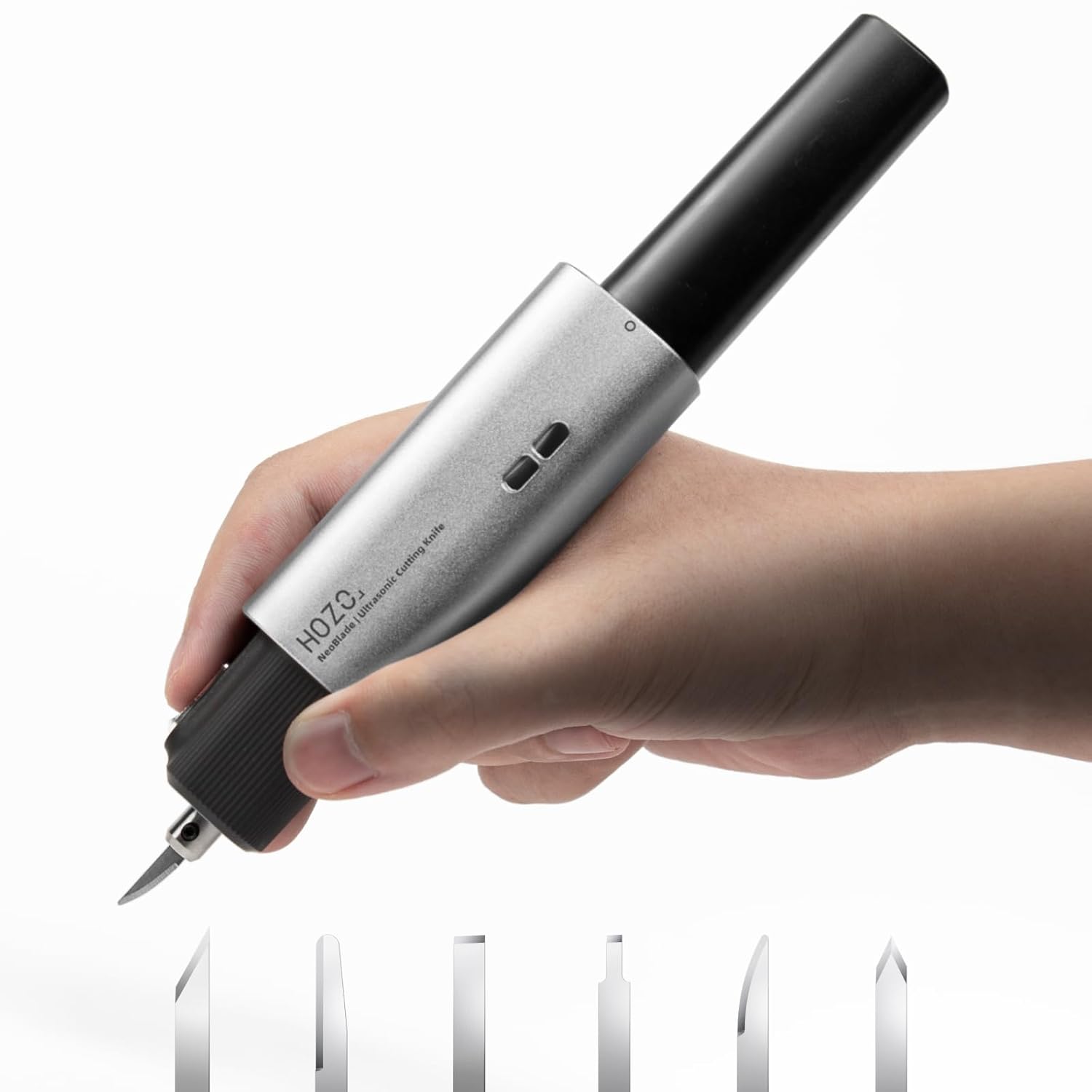
HOZO NeoBlade Wireless Ultrasonic Cutter
This is the tool I wish I’d owned when I cracked that dragon. The NeoBlade vibrates at 40kHz — that’s ultrasonic frequency, not just a fast blade. What that means in practice: it slices through PLA, ABS, resin, and even carbon fiber without applying lateral pressure, so it can’t snap the delicate parts you’re trying to keep.
Reviewer Robert Alpert, who designs fine-detail jewelry molds, reported that support removal time dropped by approximately 50% compared to hand tools, with noticeably cleaner results on SLA resin. At just 190g with battery, I can work through a full print session without hand fatigue — something I couldn’t say about my old corded options.
Pros
- Lightest ultrasonic cutter available (world’s smallest claim)
- Cuts ABS, PC, PLA, resin, acrylics, carbon fiber, and more
- Turbo cooling prevents overheating mid-session
- Magnetic quick-swap blade system is genuinely fast
- Wireless — no cord catching on models
- 30-min full charge, swappable battery design
Cons
- $150 is a real investment for casual users
- Startup fan hum can be surprising at first
- TurboDock for continuous use sold separately
- Overkill if you only print large, simple models

Fanttik F2 PRO Cordless Rotary Tool Kit
After I remove supports with the NeoBlade, this is the tool I reach for next. The F2 PRO’s 5-speed variable control (5,000–25,000 RPM) is exactly what 3D printing demands: low speed for delicate PLA that melts if you go too fast, higher speed for PETG and ABS surfaces that need real material removal.
Brad, a verified purchaser who reviewed it in January 2026, called it outstanding for cleanup work, noting it’s lightweight and easy to control with just the right amount of power for support cleanup, edge smoothing, and fine detail work — without melting or damaging prints. The 3,000mAh battery provides up to 120 minutes of runtime depending on speed, and the magnetic RevoStor hub keeps all 55 accessories organized and immediately accessible.
Pros
- Variable 5-speed dial, perfect for heat-sensitive filaments
- RevoStor 360° magnetic accessory hub is genuinely clever
- Long battery life (120 min at low speeds)
- Cordless design = free movement around models
- Shadow-free LED for visibility on fine details
- 55 accessories cover almost every finish scenario
Cons
- Battery indicator only warns below 30% — no percentage display
- Not for heavy material removal (it’s a finishing tool)
- Accessories are tight in the case after reassembly
For more finishing options, see my full guide on best post-processing tools for polishing 3D-printed decor and the Hardell mini rotary tool review for a budget alternative.

AFA Tooling Deburring Tool — 11 HSS Swivel Blades
You don’t always need ultrasonic or rotary power. For holes, printed threads, and sharp layer-line edges, a good deburring tool cleans things up in seconds. The AFA’s swivel head conforms to curves automatically — you’re not fighting the geometry of the part. I use this on almost every print as a final cleanup pass before painting.
The high-speed steel blades are rated at HRC64 hardness — roughly 80% longer-lasting than regular carbon steel — and you get 10 replacement blades included. At $15 with a 1-year warranty, it’s the best value-per-use tool in this entire list.
Pros
- Swivel head follows uneven 3D-printed surfaces naturally
- 10 spare blades included — months of use out of the box
- Works on plastic, metal, PVC, and more
- Ergonomic aluminum handle, excellent grip
Cons
- Manual only — not for high-volume production
- Replacement blade packs sold separately beyond the 10 included

Creality 74-Piece 3D Printer Tool Kit
If you’re just starting out and want everything in one box, this Creality kit covers the basics competently. Spatula, pliers, tweezers, nozzle cleaners, screwdrivers, deburring blades, engraving knife — it’s a solid first toolkit for under $30. I keep mine next to the printer for quick fixes and nozzle changes.
It won’t replace dedicated tools like the NeoBlade or Fanttik for serious finishing work, but for a beginner or as a secondary set to leave on the printer desk, it punches well above its price. See also the Aeorum toolkit review and Yeetin kit review for alternatives.
Pros
- 74 pieces covering assembly, cleaning, and finishing
- 34-piece screwdriver set handles most printer maintenance
- Chamfer knife has a 360° rotatable blade
- Magnetic mat included — great for tiny parts
Cons
- Individual tool quality is solid but not premium
- Bag/case isn’t organized — finding specific items takes time

KRAFTPROTZ 3D Printer Super Glue — 1.76oz XXL Thin CA
I’ve snapped more print assemblies trying to force-fit parts than I care to admit. This thin CA formula changed how I work with multi-part prints: the capillary action pulls adhesive deep into tight seams and micro-gaps without needing pressure or clamping. Apply it to the joint, hold for 10 seconds, done.
It works reliably with every filament I’ve thrown at it — PLA, ABS, PETG, TPU, and ASA. The precision needle tip is still flowing cleanly after 3 months of use, which is more than I can say for most CA applicators. At 1.76oz it’s 5× the volume of standard CA bottles for a comparable price.
Pros
- Works with PLA, ABS, PETG, TPU, ASA, Nylon — all major filaments
- Capillary action reaches micro-gaps without clamping
- 1.76oz XXL — 5x standard size, great value
- Withstands up to 110°C — useful for outdoor or functional parts
Cons
- Thin formula can run on vertical surfaces if over-applied
- Not suitable for flexible/high-flex TPU joints under stress
The Problem: Resin Post-Processing Without the Right Setup Is Messy and Dangerous
Resin printing opens up incredible detail — but uncured resin is a skin sensitizer, and the fumes in an enclosed space are genuinely hazardous. Getting the post-processing workflow right means having a proper wash-and-cure station, an air purifier, and protection for your hands. This section covers all three.
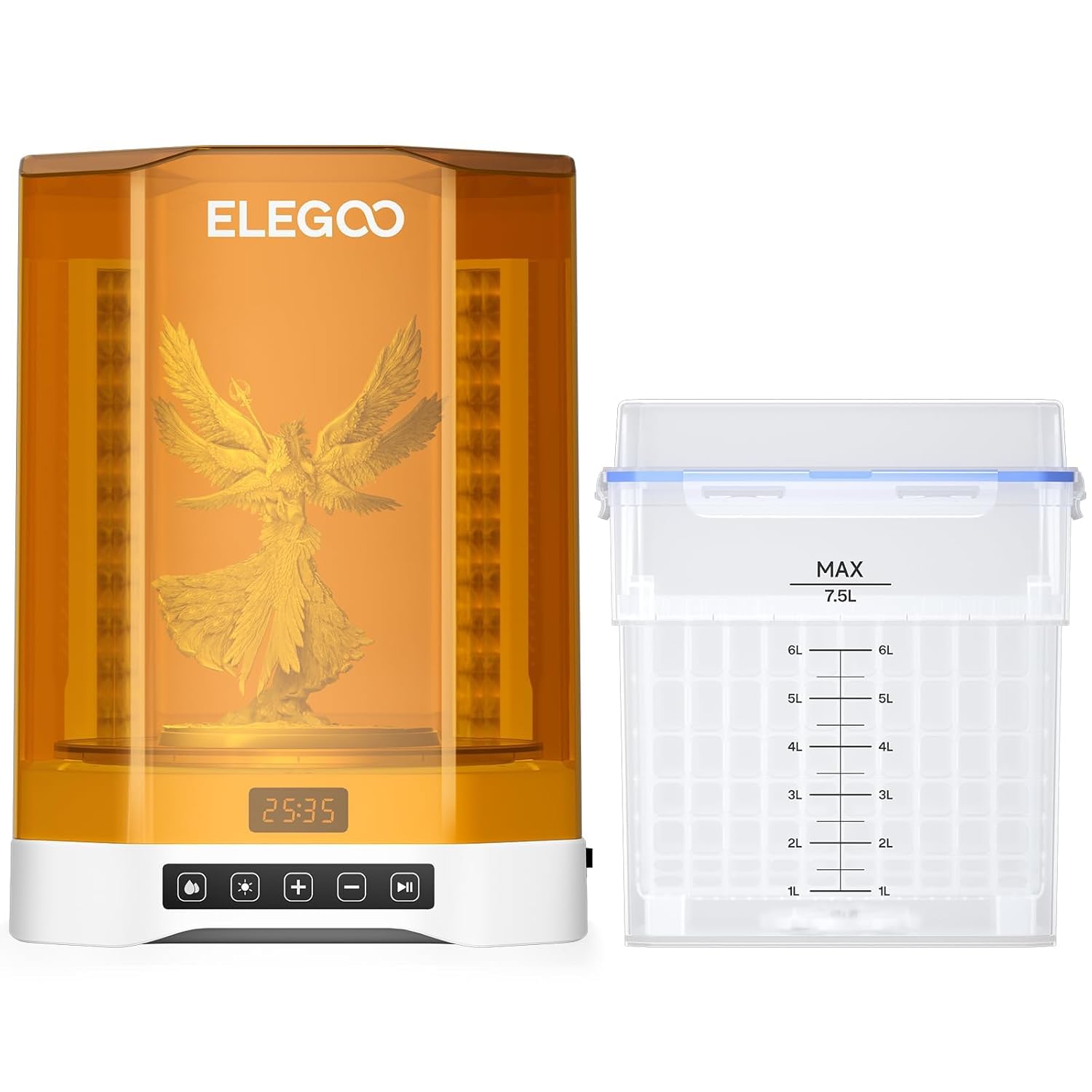
ELEGOO Mercury Plus V3.0 Wash and Cure Station
The V3.0 is the first ELEGOO wash station I’d recommend without hesitation for Saturn-size prints. The upgrade that matters most: 7.5L wash capacity (2.1× larger than V2.0), meaning a full Saturn 8K build plate fits without awkward partial-dipping. The curing area also expanded by 5.6× over the previous version.
The anti-UV cover blocks 99.9% of UV rays during curing, and a micro-switch stops the UV cycle instantly when you lift the lid — protecting eyes automatically. The 360° rotating turntable has 24 UV LEDs at 405nm plus an extra LED beneath the transparent base, so curing is genuinely all-around with no dark spots.
Pros
- 7.5L capacity handles large Saturn/Jupiter prints
- 360° + bottom curing eliminates blind spots
- Intuitive touch panel with real-time countdown
- Anti-UV lid with automatic safety cutoff
- POM bearing for smoother, more efficient agitation
Cons
- Heavy (14 lbs) — not portable
- At this size, IPA costs add up over time
- No built-in heating for cold-weather IPA use
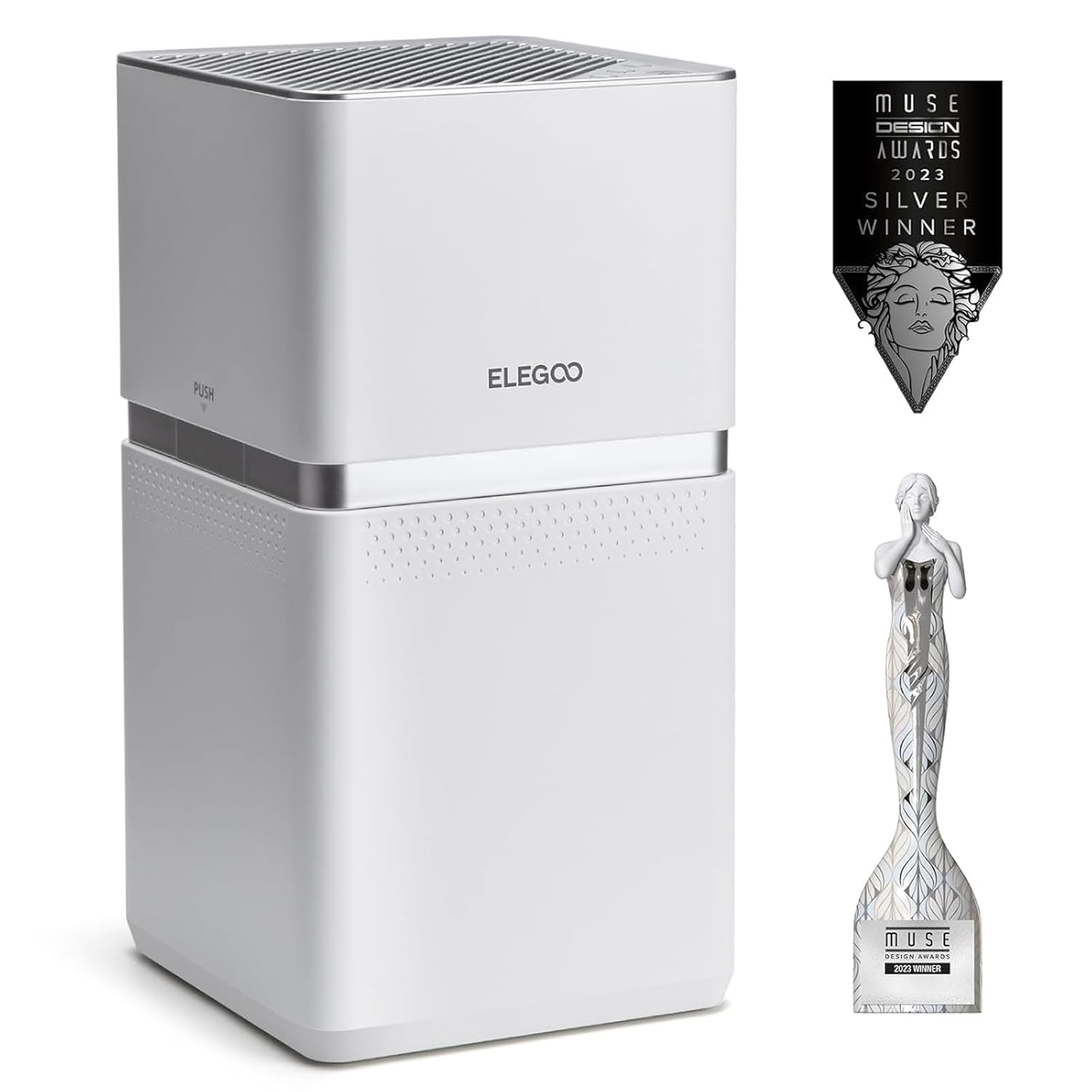
ELEGOO MARSMATE Air Purifier — 95% TVOC Removal
Resin fumes are not just unpleasant — they accumulate as VOCs that can cause respiratory irritation and skin sensitization over prolonged exposure. The MARSMATE addresses this directly with a built-in VOC sensor that automatically switches between fan speeds and removes up to 95% of TVOC at just 35dB — quiet enough to leave running during a print.
Reviewer Jay Cooley confirmed a noticeable difference with the unit on versus off, and it connects directly to the printer’s extension port — no awkward hose routing. His only complaint: the replacement filter runs $90. But if you’re running a resin printer in a shared or enclosed space, the investment is non-negotiable. Check out our 3D printing safety gear guide for full context on resin workspace safety.
Pros
- 95% TVOC removal, built-in VOC sensor for auto speed switching
- 35dB ultra-quiet operation — runs during prints
- 6W power consumption — runs all day cheaply
- Compatible with most ELEGOO and third-party resin printers
Cons
- Replacement activated carbon filter costs ~$90
- No HEPA stage — carbon-only filtration
- Filter life 2 months under heavy use
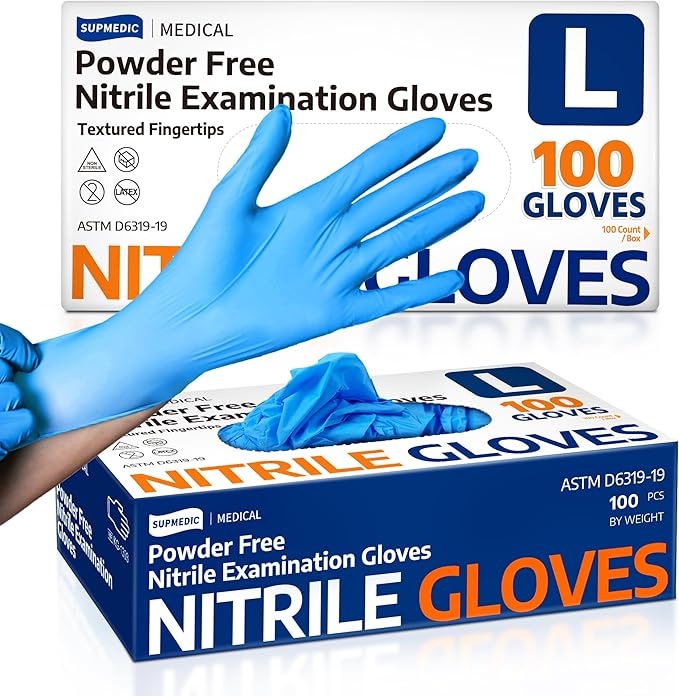
Medical Soft Max™ Nitrile Exam Gloves — 100 Count
This isn’t glamorous, but it’s arguably the most important item on this list for resin users. Uncured resin is a documented skin sensitizer — repeated unprotected exposure can cause permanent allergic reactions that end your resin printing entirely. These 3.5-mil medical-grade nitrile gloves provide a reliable barrier, and at $0.08 per glove for 100 pieces, there’s no excuse not to use them every single time.
Latex-free and powder-free means no contact allergens on your skin. The textured fingertips maintain grip on wet or slippery resin-coated prints. A worthwhile read alongside these: our full 3D printing safety gear roundup.
Pros
- Medical-grade 3.5 mil — 40% thicker than food-grade gloves
- 100% latex-free and powder-free — no allergy risk
- Textured fingertips for grip on wet/slippery prints
- $0.08 per glove — cheapest protection you can buy
Cons
- Single-use (though reviewers note usable multiple times for dry tasks)
- Blue color picks up lint easily — cosmetic only
The Problem: Your Filament Is Absorbing Moisture and Ruining Prints
“I once threw away 500g of TPU because it had turned into a stringy, bubbling mess overnight. The culprit? My open-air storage rack in a humid room.”
Moisture absorption is the silent killer of print quality. Wet filament causes stringing, bubbling, layer separation, and weak parts — and in humid climates, even PLA starts absorbing measurable moisture within 24–48 hours of being opened. The fix requires two things: a dryer and proper storage.

Comgrow Filament Dryer Box — Dual Spool, Active Heating
I use this on every spool of PETG and Nylon before printing — and I dry PLA that’s been sitting out for more than a week. The Comgrow holds two 1kg spools simultaneously, heats up to 50°C with a 6–12 hour timer, and can feed directly into the printer while drying — so you’re not waiting around.
Matt B., printing in tropical Hawaii, reported it essential for preventing spaghetti prints on his Bambu A1 Mini, confirming visible condensation inside the lid during operation — proof it’s actually pulling moisture out. See my full breakdown in the ultimate filament dryer guide.
Pros
- Dries while printing — no workflow interruption
- Holds 2 spools simultaneously
- Real-time temp + humidity monitoring on LCD
- Good sealed design with moisture exhaust port
Cons
- Max 50°C — not suitable for drying PC or PA at higher temps
- Setup/button logic takes some experimentation
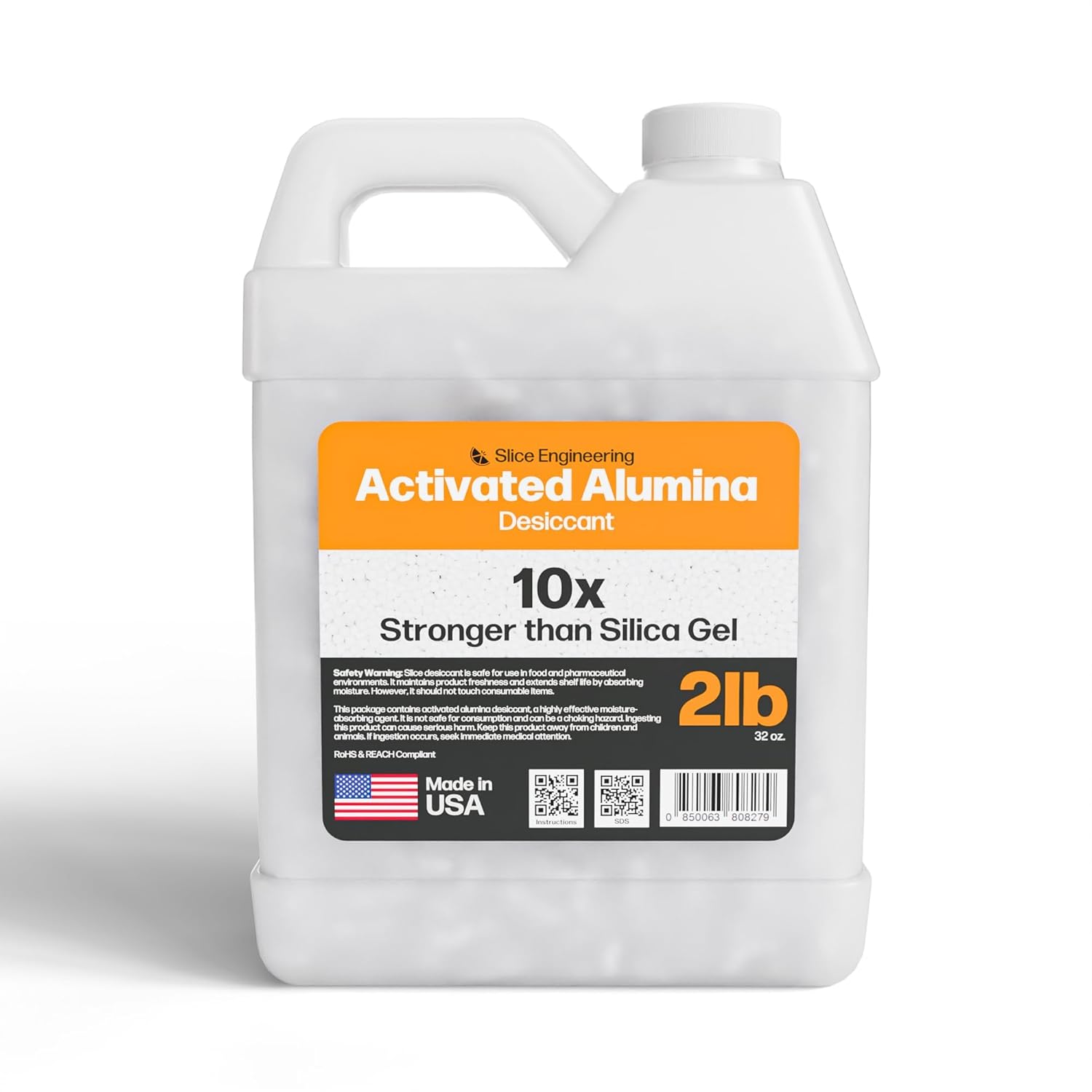
Slice Engineering Activated Alumina Desiccant — 2lb
If you’re still using silica gel packets in your filament containers, you’re leaving performance on the table. Activated alumina absorbs moisture up to 10× faster than silica gel, and — critically — it can be recharged infinitely in a food-safe oven without degrading. Silica gel weakens with each heat cycle; activated alumina doesn’t.
Reviewer Eric, who switched over for his Bambu Lab AMS setup, confirmed it keeps moisture levels lower for longer, and now fills all his dry pods with it, keeping a pre-charged batch ready to swap out quickly. One 2lb bag fills most AMS-style systems completely.
Pros
- 10× faster absorption than silica gel
- Infinitely rechargeable — never degrades over time
- Food-oven safe — no toxic off-gassing during recharge
- Made in the USA (Louisiana facility)
Cons
- No color change indicator — needs external hygrometer to monitor
- Pricier per pound than silica gel upfront
The Problem: Your Workspace Is a Filament Disaster and You Can’t Find Anything
Once you’ve been printing for a few months, filament racks become a real organizational challenge. Spools stacked on shelves get dusty, tangled, and exposed to humidity. Here are two storage solutions for different scales of collection.
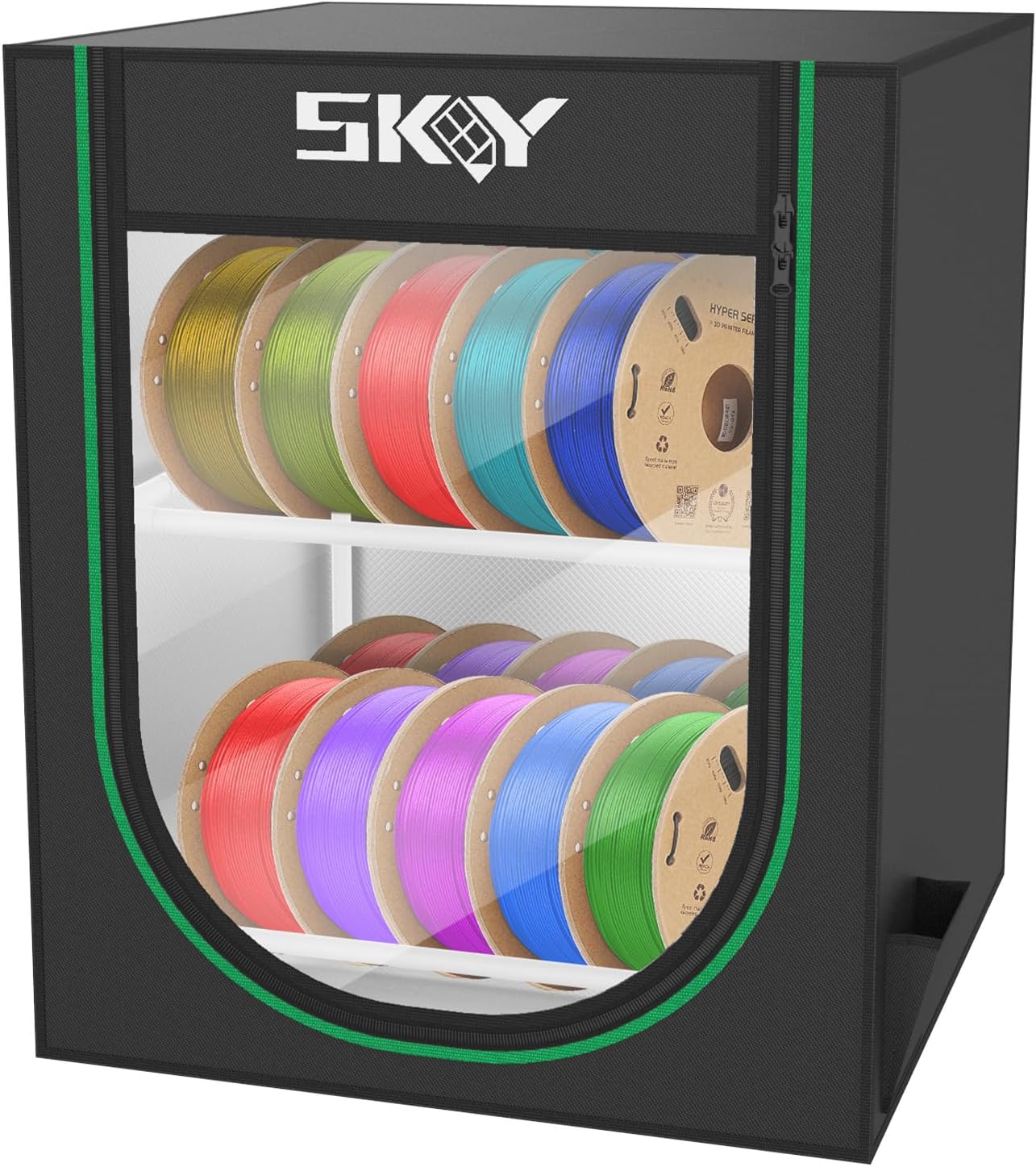
Skouphy 2-Tier Filament Storage Box — 20 Rolls
This is a compact desktop/workshop organizer — not an airtight drying solution, but a well-built rack that holds up to 20+ spools (Warren fit 24 without stretching anything), keeps filament visible, and is dust/pet-proof behind the Oxford cloth cover. It also doubles as a display stand for printed models.
For active filament spools you cycle through regularly, pair this with the desiccant beads above and you have a practical, daily-use storage system. See also the top 5 filament rack comparison.
Pros
- Iron frame holds 25+ kg — extremely sturdy for its size
- Waterproof + dustproof Oxford cloth + aluminum film cover
- Double-layer for quick visual selection
- Can hold UV resin bottles on bottom tier
Cons
- Not airtight — not a substitute for a sealed dry box
- Cover visibility is limited (need to open to see labels)

Razzi Fidel 9-Tier Modular Filament Rack — 54 Spools
If you’ve got a serious filament collection — 25+ spools, multi-color printing, or you’re stocking up during sales — this 9-tier carbon steel rack holds up to 54 standard 1kg spools while taking up minimal floor space. The modular design means you can start with fewer tiers and expand, and anti-tip straps keep it wall-anchored safely.
Pros
- 54 spool capacity — serious collection coverage
- 30 lbs per tier (carbon steel) — doesn’t flex
- Tool-free assembly, modular expansion
- Includes wall-anchor anti-tip kit
Cons
- Open design provides no moisture protection
- Tall footprint (80.69″) — needs adequate ceiling clearance
The Problem: Prints Aren’t Sticking — or Won’t Release After Printing

Creality 3D Printer PVP Glue Sticks — 4-Pack
Bed adhesion issues cause more failed prints than any other single factor — and the fix is often as simple as a thin glue stick coating. Creality’s PVP formula is formaldehyde-free, applies in thin even coats, releases easily after the bed cools, and washes off with water. I keep a stick next to the K1 Max specifically for ABS and PETG runs.
Pros
- Works with PLA, ABS, PETG, PC, PA, TPU
- Water-washable — no scraping needed
- Formaldehyde-free PVP formula
- 4-pack value — 3 months of regular use
Cons
- Over-application can cause difficult removal
- Not ideal for textured PEI surfaces that already have good adhesion
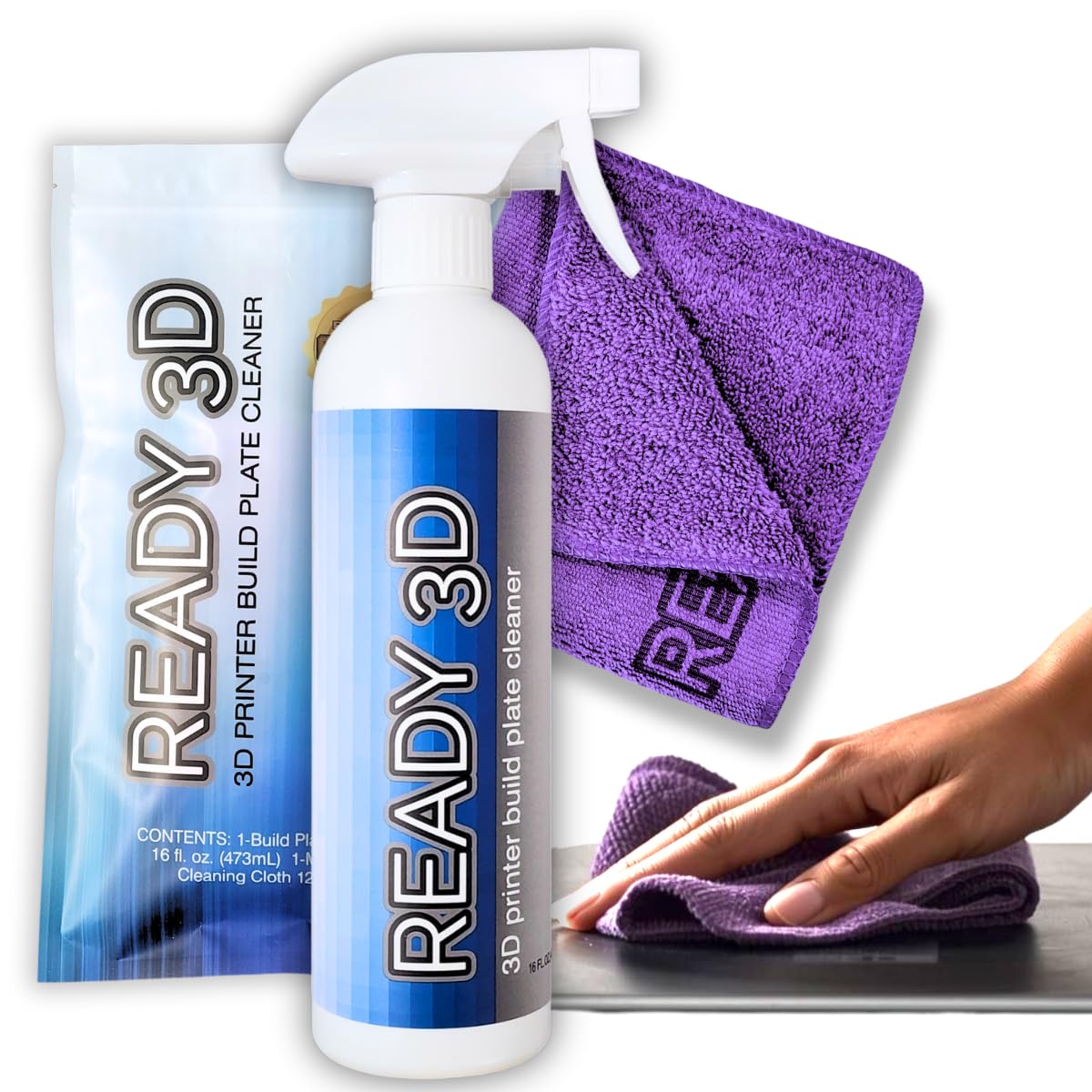
READY 3D Build Plate Cleaner — Zero-VOC, No-Rinse
A contaminated print bed is the hidden cause of 80% of first-layer adhesion failures. Body oils, residual glue buildup, and plastic residue all reduce first-layer bonding. This no-rinse, zero-VOC cleaner removes all of it without alcohol (which can damage some PEI coatings) and includes a 12″×12″ microfiber cloth. Reviewer Chris Schaeffer reported his prints started holding perfectly after using it, having previously failed to get good starts.
Pros
- Zero-VOC — no fumes, no odor, safe indoors
- No-rinse formula — dry and print immediately
- Safe on all bed surfaces including PEI
- Includes 12×12″ microfiber cloth
Cons
- Relatively new product (smaller review base)
For Advanced Makers: The Tools That Take You Further
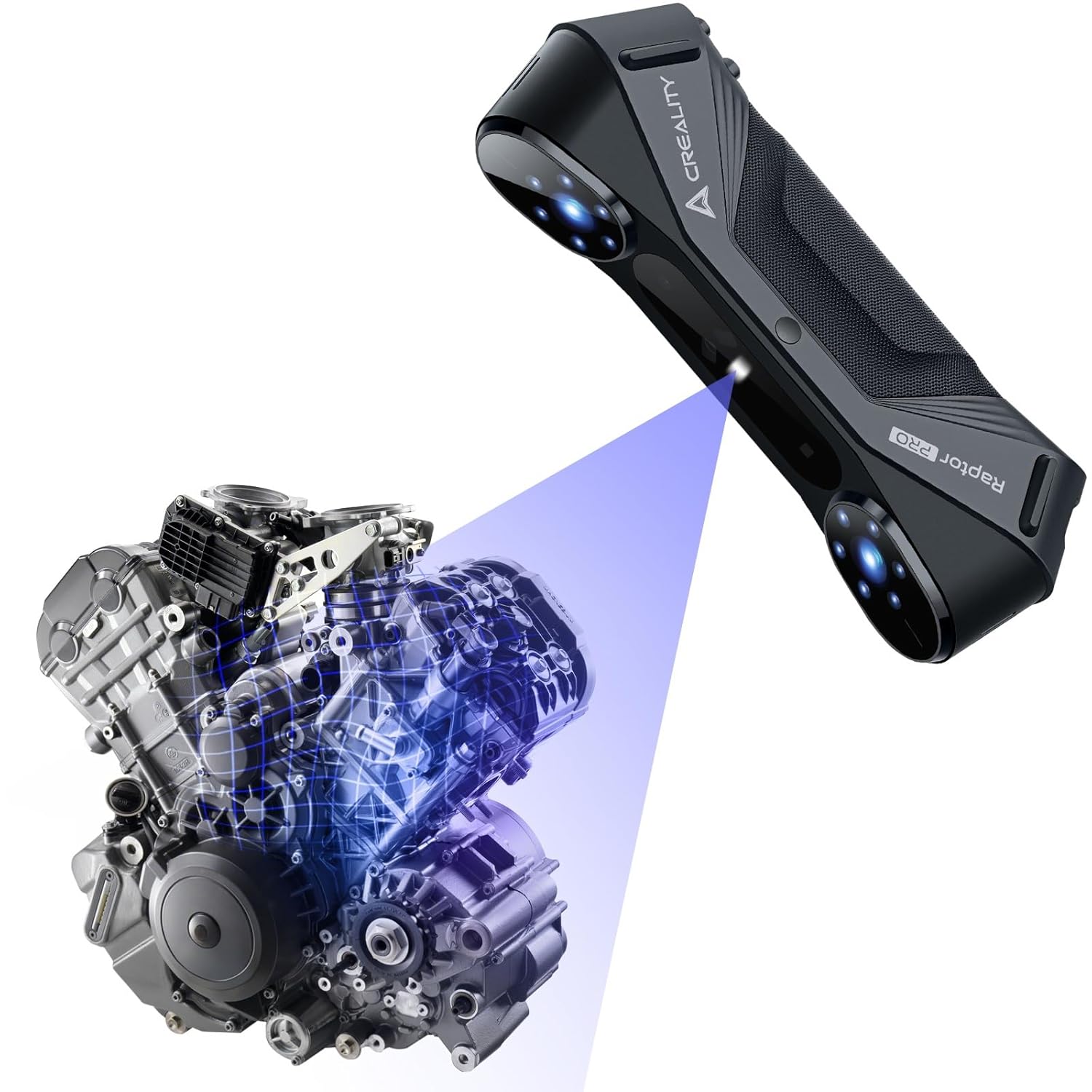
Creality Raptor Pro 3D Scanner — 0.02mm Accuracy
This is not for the casual hobbyist — but if you do reverse engineering, automotive work, or professional prototyping, the Raptor Pro is a serious tool. 22 cross laser lines and 7 parallel blue lasers capture data at up to 60 FPS with 660,000 points per second, achieving metrology-grade 0.02mm accuracy. I’ve been eyeing it for scanning car interior components and organic shapes that are painful to model from scratch.
Integration with Geomagic Design X and Verisurf Inspect means captured scans flow directly into professional engineering workflows. At 405g it’s genuinely portable for on-site work. For more context on workflow integration, check our Ender 3 upgrade guide which covers how scanning can feed back into iterative design.
Pros
- 0.02mm metrology-grade accuracy from blue laser lines
- 60 FPS capture — 660,000 points per second
- Anti-shaking One-Shot 3D imaging — stable in handheld use
- Integrates with Geomagic, Verisurf — pro-grade software chain
- Outdoor-capable blue laser system
Cons
- $1,519 — significant investment requiring justification
- Requires capable PC (i7-Gen10+, 8GB Nvidia VRAM, 32GB RAM)
- Limited reviews (newer product)
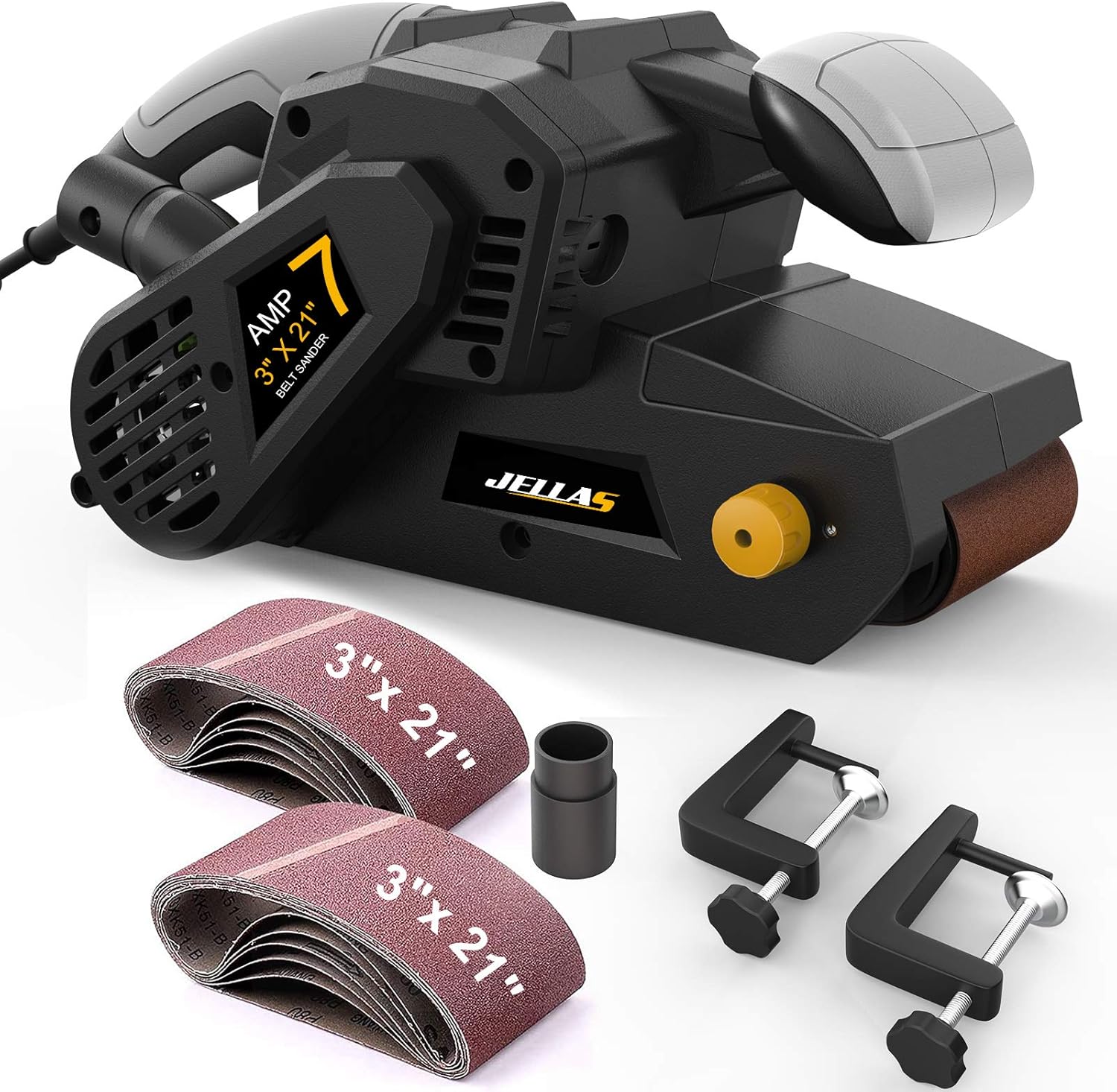
Jellas 7-Amp 3″×21″ Belt Sander with Dust Bag
For large FDM prints that need serious surface work — enclosures, props, functional parts with visible layer lines — a handheld rotary tool isn’t enough. The Jellas converts from handheld to bench sander with two included C-clamps, giving you a stable sanding surface for larger flat panels. Variable speed 120–400 RPM across 6 settings means you can dial in exactly what the material needs without burning PLA or gouging PETG.
The included dust bag, and 2-in-1 vacuum adapter for shop vac connection, keeps sanding dust from coating everything in your workspace — an underrated benefit if you print in a shared space. Comes with 10 sanding belts across 5 grits (40–180).
Pros
- Converts to bench sander — versatile for large flat surfaces
- Shop-vac compatible with dust bag — near-zero dust
- 10 sanding belts included across 5 grits
- 7-amp motor handles sustained material removal
Cons
- Speed control may lose calibration under sustained heat
- Rubber rollers emit slight smell at high RPM — normal but noticeable
Side-by-Side: All 16 Tools at a Glance
| Tool | Category | Price | Rating | Best For |
|---|---|---|---|---|
| HOZO NeoBlade Ultrasonic Cutter | Support Removal | $149.99 | 4.1 ★ | Resin, fine-detail FDM |
| Fanttik F2 PRO Rotary Tool | Sanding & Finishing | $89.99 | 4.5 ★ | All FDM filament types |
| AFA Deburring Tool | Edge Cleanup | $14.99 | 4.7 ★ | Every printer owner |
| Creality 74-Piece Tool Kit | Complete Kit | $29.99 | 4.6 ★ | Beginners, desk kit |
| KRAFTPROTZ CA Glue | Adhesive | $11.99 | 4.6 ★ | Multi-part assemblies |
| ELEGOO Mercury Plus V3.0 | Resin Post-Process | $149.99 | 4.7 ★ | Saturn / large resin prints |
| ELEGOO MARSMATE Purifier | Resin Safety | $129.99 | 4.2 ★ | Any indoor resin printer |
| Medical Soft Max Nitrile Gloves | Safety | $8.48 | 4.7 ★ | All resin users, always |
| Comgrow Filament Dryer | Filament Drying | $39.99 | 4.4 ★ | Humid climates, PETG/Nylon |
| Slice Engineering Activated Alumina | Moisture Control | $29.99 | 4.7 ★ | AMS users, Bambu Lab |
| Skouphy 2-Tier Storage Box | Storage | $36.99 | 4.5 ★ | 10–25 spool collections |
| Razzi Fidel 9-Tier Rack | Large Storage | $33.99 | 4.4 ★ | 25+ spool workshops |
| Creality PVP Glue Sticks 4-Pack | Bed Adhesion | $11.99 | 4.7 ★ | Glass beds, ABS, PETG |
| READY 3D Build Plate Cleaner | Bed Maintenance | $12.87 | 4.6 ★ | PEI, glass, all beds |
| Creality Raptor Pro 3D Scanner | Advanced / Pro | $1,519 | 4.4 ★ | Reverse engineering, automotive |
| Jellas 3″×21″ Belt Sander | Surface Finishing | $62.98 | 4.5 ★ | Large prints, cosplay props |
Buyer’s Guide: How to Choose the Right 3D Printing Tools for Your Workflow
Match Tools to Your Print Type
Resin printing demands different tools than FDM. Resin users need wash/cure, purifiers, and nitrile gloves as non-negotiables. FDM users should prioritize finishing tools and filament management.
Consider Your Climate
If you’re in a humid region (India, Hawaii, coastal areas), filament drying is essential — not optional. Even PLA absorbs significant moisture in 48 hours of open air in monsoon conditions.
Spool Count Drives Storage Choice
Under 20 spools: Skouphy 2-tier. 20–54 spools: Razzi Fidel rack. Over 54 spools: you need multiple racks plus sealed containers for long-term archiving.
Finishing Quality vs Speed
For speed and light cleanup: AFA deburring tool + KRAFTPROTZ glue. For maximum quality finish: HOZO NeoBlade for supports + Fanttik F2 PRO for surfaces — this combination covers 90% of post-processing needs.
Don’t Skip Safety
Nitrile gloves and an air purifier aren’t upgrades — they’re requirements for anyone doing resin printing regularly. Sensitization from uncured resin is cumulative and can be permanent.
Common Mistake: Under-Investing in Basics
Most beginners skip the $15 deburring tool and the $12 CA glue. These two items will improve the look of every single print you produce. Start there before the expensive tools.
Frequently Asked Questions About 3D Printing Tools
What tools do I need to start 3D printing?
At minimum: a spatula or scraper for print removal, flush cutters or a deburring tool for edge cleanup, and bed adhesive (glue stick or cleaner). As you grow, add a filament dryer, rotary tool, and if you do resin, nitrile gloves and an air purifier. The Creality 74-piece kit covers the basics in one purchase.
Do I need a filament dryer for PLA specifically?
In low-humidity environments, PLA is relatively forgiving. But in humid climates — tropical regions, monsoon areas, coastal locations — PLA absorbs measurable moisture within 24–48 hours of being opened. If you notice stringing, poor bridging, or surface bubbling on PLA, dry it before assuming it’s a printer calibration issue.
Is an ultrasonic cutter really worth $150 for 3D printing?
For casual FDM users printing large, simple objects: probably not. For anyone doing resin jewelry, miniature models, or fine-detail FDM work where support removal regularly damages parts, the HOZO NeoBlade pays for itself quickly — both in time saved and in prints that are no longer ruined during cleanup.
Can activated alumina actually replace silica gel?
Yes, and it outperforms it significantly. Activated alumina absorbs moisture up to 10× faster, doesn’t degrade with repeated heat recharging, and is safe to recharge in a food oven. The main tradeoff is no color-change indicator, so pair it with a cheap hygrometer in your storage box to monitor humidity levels.
What is the best wash and cure station for large resin printers?
The ELEGOO Mercury Plus V3.0 is the strongest option in 2026 for Saturn-size and larger printers, with its 7.5L wash capacity (2.1× the previous version) and 5.6× expanded curing area. The full-surround 360° curing with bottom LED eliminates the undercuring problem common in older stations.
Do I really need an air purifier for resin printing if I have a window open?
Open windows help but don’t eliminate the risk, especially in still-air conditions or cold weather when windows stay closed. The ELEGOO MARSMATE removes up to 95% of TVOC at 6W power — it’s a modest investment to protect yourself from cumulative resin fume exposure over hundreds of hours of printing.
What’s the best way to store filament long-term to prevent moisture damage?
Use sealed containers (vacuum bags or airtight boxes like the Comgrow dryer with the lid closed) combined with activated alumina desiccant. For short-term access (spools you cycle through regularly), a covered rack like the Skouphy with desiccant packets inside is practical. Dry any spool that’s been open for over a week before a long print.
Final Recommendations: The Fastest Path to Better Prints
Complete beginner: Start with the Creality 74-piece kit ($30), AFA deburring tool ($15), KRAFTPROTZ CA glue ($12), and Creality glue sticks ($12). That’s $69 total and it will improve every print immediately.
Resin printer owner: ELEGOO Mercury Plus V3.0 ($150) + ELEGOO MARSMATE ($130) + Nitrile Gloves ($8). This trio is the complete resin post-processing setup. Non-negotiable.
Humid climate FDM user: Comgrow Filament Dryer ($40) + Slice Engineering Activated Alumina ($30) + Skouphy Storage Box ($37). This combination eliminates moisture as a print quality variable entirely.
Finishing-focused maker: HOZO NeoBlade ($150) + Fanttik F2 PRO ($90) is the power combo for professional-looking results from both FDM and resin prints. These two tools together cover the entire post-processing workflow.
For more tool deep-dives, check out the full Top 15 3D printing tools for perfect finishes, 35 useful 3D printing tools for 2025, and the must-have 3D printer accessories guide.
Related posts:
 35+ Super Useful 3D Printing Tools for 2025
  Comgrow Filament Dryer Box Review: Is This the Best Budget Dryer for 3D Enthusiasts?
  SUNLU FilaDryer SP2: 2-in-1 Dryer Drops May 19!
  Top 5 3D Printer Filament Racks for Organized and Efficient Workspaces
  Why Risk Poor Prints? SUNLU FilaDryer S4 Guarantees Dry, Ready-to-Use Filament!
  Top 15 Must-Have 3D Printing Tools for Perfect Finishes
  Creality Space Pi Plus Filament Dryer vs Comgrow Filament Dryer Box: Which One Boosts Your 3D Prints Best?
  Is AEORUM A Recommended Tool Kit for 3D Printing
  Is YEETIN a Good Tool Kit for 3D Printing
  Sovol SH01 Filament Dryer 2025 Review: Best Budget Pick for 3D Printing?
  The Best Filament Dryers for 3D Printing: Top 10 Picks
  Bambu Lab Hack: Dry Filament Mid-Print with SUNLU AMS Heater – 2026 Review & $102 Upgrade Guide