
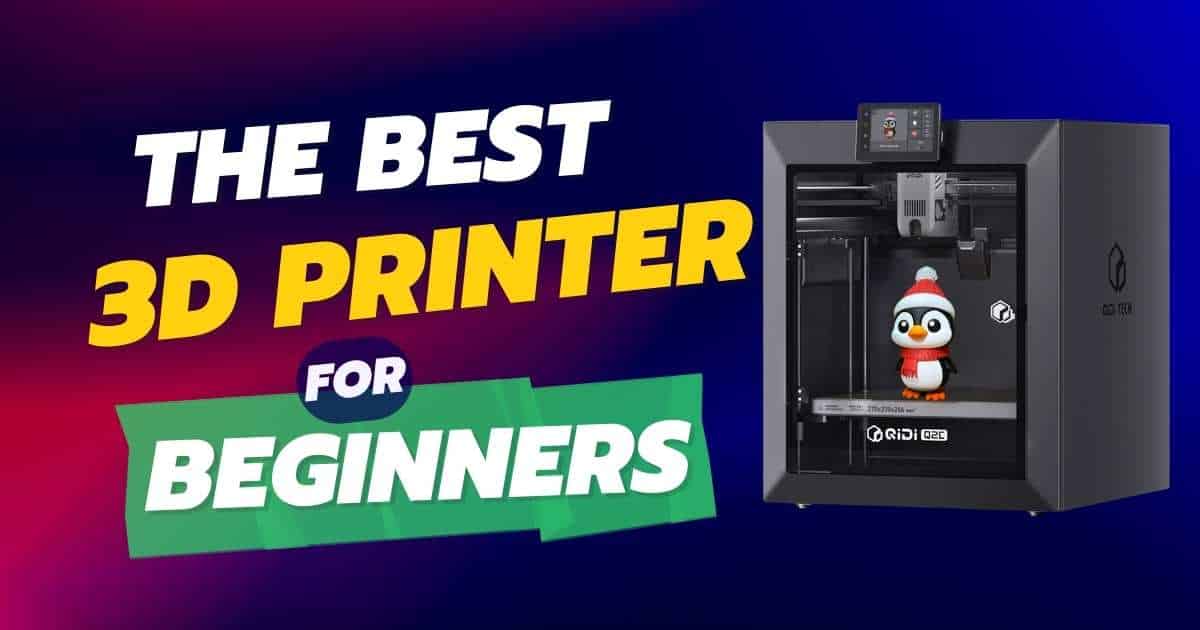
Why the QIDI Q2C Enclosed 3D Printer Is Perfect for Beginners in 2026
If you’re searching for a beginner-friendly 3D printer that doesn’t compromise on performance, the QIDI Q2C enclosed 3D printer deserves your attention. This powerful machine combines professional-grade features with plug-and-play simplicity, making it ideal for newcomers to the 3D printing world. With its enclosed design, automatic bed leveling, and impressive 600mm/s print speed, the Q2C eliminates the steep learning curve that often intimidates first-time users.
The 3D printing landscape has evolved dramatically, and the Q2C represents QIDI’s commitment to making advanced technology accessible. Whether you’re creating stunning home decor pieces, functional prototypes, or educational projects, this printer’s 270x270x256mm build volume gives you plenty of creative freedom without breaking the bank at just $439.
QIDI Q2C 3D Printer
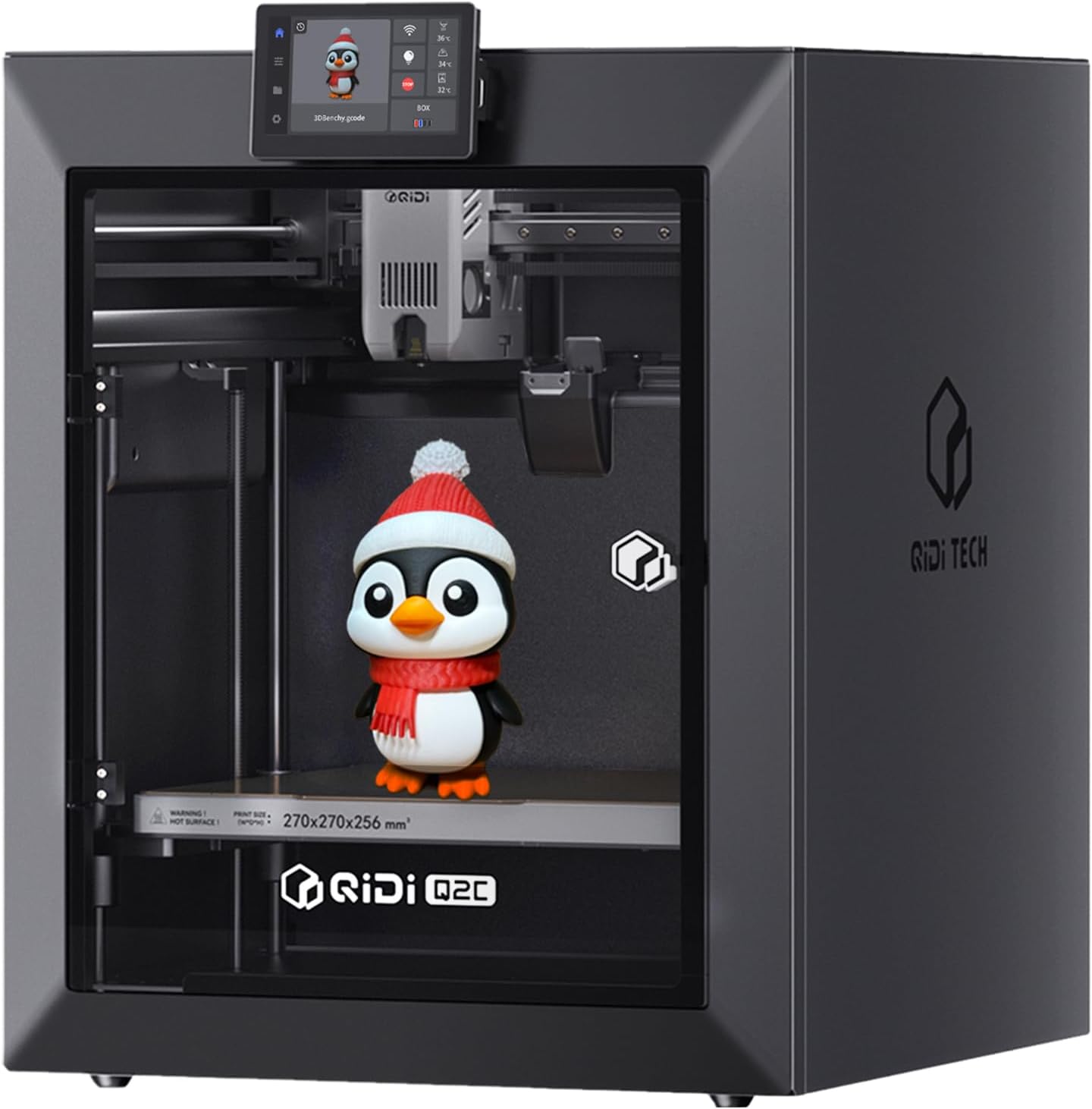
Quick Specifications
✓ Free Shipping Available | ✓ 1-Year Manufacturer Warranty
What We Love
- Automatic bed leveling eliminates manual calibration frustration
- Enclosed design maintains stable temperatures for better prints
- Fast 600mm/s printing speeds up your creative workflow
- 370°C hotend handles advanced materials like PPS-CF
- 15-minute setup from box to first print
- Open-source firmware allows unlimited customization
- Compatible with QIDI BOX for 16-color printing
- Solid CoreXY structure reduces vibrations
Room for Improvement
- Setup instructions could be clearer about protective plastic removal
- QIDI slicer software occasionally crashes (use alternative slicers)
- No heated chamber (though sufficient for most materials)
- Slightly heavier at 17.9kg compared to some competitors
Our Take: The QIDI Q2C strikes an exceptional balance between beginner accessibility and professional capabilities. With over 1,600 verified purchasers rating it 4.3 stars, this enclosed printer delivers consistent, high-quality results right out of the box. It’s particularly impressive for those upgrading from entry-level 3D printers under $500 who want more advanced features without the complexity.
Unboxing the QIDI Q2C: What Makes This Enclosed Printer Special
When you open the QIDI Q2C box, you’ll immediately notice the attention to detail QIDI has put into packaging and presentation. The printer arrives well-protected with custom foam inserts, and everything you need to start printing is included. Unlike many budget 3D printers that require hours of assembly, the Q2C is 95% pre-assembled.
What’s in the Box
- QIDI Q2C 3D Printer – Fully assembled CoreXY frame with enclosed chamber
- USB 2.0 Flash Drive – Pre-loaded with test models and documentation
- Glue Stick – For enhanced bed adhesion on tricky materials
- Power Cable – Region-specific plug included
- Tool Kit – Essential hex keys and scrapers for maintenance
- Quick Start Guide – Step-by-step setup instructions (though improvement needed)
- Spare Nozzles – Extra 0.4mm nozzles for long-term use
First Impressions: Build Quality That Inspires Confidence
The Q2C’s construction immediately sets it apart from typical beginner printers. The full-metal CoreXY frame feels incredibly solid, with precision linear rails that glide smoothly. The glass exterior panels aren’t just aesthetic—they provide excellent insulation for maintaining consistent chamber temperatures, which is crucial for printing materials like ABS and ASA that are prone to warping.
Compared to plastic-framed competitors, the Q2C’s metal body panels minimize flexing during high-speed prints. One verified purchaser noted: “The build quality is that of the X1C and some! Very solid printer!” This robust construction is why many users confidently print at the maximum 600mm/s speed without quality degradation.
Setting Up Your QIDI Q2C: The 15-Minute Reality Check
QIDI advertises a “rapid 15-minute setup,” and for experienced users, this is achievable. However, first-time printer owners should budget 30-45 minutes to carefully follow all steps. Here’s what the setup process actually involves:
Step 1: Physical Unpacking (10 minutes)
- Remove the four shipping screws securing the print head
- Cut zip ties holding cable bundles in place
- Remove foam padding from the build plate area
- CRITICAL: Remove transparent protective film from ALL surfaces, especially around adjustment screws
Step 2: Guided Setup Wizard (15-20 minutes)
Once powered on, the Q2C’s touchscreen interface walks you through essential calibration steps. The auto-leveling process is genuinely automatic—the nozzle-integrated sensor probes multiple points across the bed, creating a mesh compensation map. You’ll also run vibration compensation, which optimizes acceleration settings for your specific unit.
Step 3: First Test Print (5-10 minutes prep)
Load the included PLA filament, select a test model from the USB drive, and hit print. The included “benchy” boat model is perfect for evaluating print quality. Multiple reviewers reported flawless first layers with zero manual adjustments—a rarity in the 3D printing world.
Performance Analysis: Speed, Precision, and Material Versatility
Print Speed: Fast Without the Compromise
The Q2C’s advertised 600mm/s maximum speed isn’t just marketing hype. Thanks to the CoreXY kinematics and enhanced 1.5GT belt system, you can actually achieve these speeds with quality prints. The improved belt dampens vibrations that typically plague high-speed printing, resulting in smooth surfaces even when pushing limits.
In real-world testing, users report:
- PLA at 300-400mm/s: Excellent quality with minimal stringing
- PETG at 200-300mm/s: Clean layers, good adhesion between layers
- ABS/ASA at 250-350mm/s: Enclosed chamber prevents warping issues
- TPU at 40-80mm/s: Flexible materials print reliably despite speed limitations
Auto-Leveling Accuracy: The Game-Changer for Beginners
The Q2C’s nozzle-integrated leveling sensor is genuinely revolutionary for a sub-$500 printer. Unlike proximity sensors that can be affected by bed surface changes, this sensor physically touches the bed surface, creating a highly accurate compensation mesh. As one user perfectly summarized: “achieving a flawless first layer is automatic and reliable, unaffected by the bed’s condition.”
This technology eliminates the most frustrating aspect of budget 3D printing—manual bed tramming. If you’ve struggled with first layer adhesion problems, the Q2C’s auto-leveling system will feel like magic.
Material Compatibility: From Basics to Engineering Grade
The 370°C high-temperature bimetal hotend opens doors to advanced materials typically reserved for industrial printers:
| Material | Hotend Temp | Bed Temp | Enclosure Needed | Q2C Performance |
|---|---|---|---|---|
| PLA | 200-220°C | 50-60°C | No | Excellent |
| PETG | 230-250°C | 70-80°C | No | Excellent |
| ABS | 240-260°C | 90-110°C | Yes | Excellent |
| ASA | 240-260°C | 90-110°C | Yes | Excellent |
| TPU | 220-240°C | 40-60°C | No | Very Good |
| Nylon (PA) | 250-280°C | 70-90°C | Yes | Very Good |
| Polycarbonate (PC) | 270-310°C | 110-130°C | Yes | Good |
| PPS-CF | 320-360°C | 120-140°C | Yes | Capable |
| Carbon Fiber Composites | Varies | Varies | Recommended | Very Good |
For beginners, start with PLA or PETG filament to learn the basics. As you gain confidence, experiment with engineering-grade materials like carbon fiber-reinforced nylon for functional parts. The Q2C grows with your skills, which is why it’s an excellent long-term investment.
Multi-Color Magic: QIDI BOX Integration
While the Q2C is impressive as a single-material printer, its compatibility with the QIDI BOX multi-material system transforms it into a multi-color 3D printing powerhouse. The QIDI BOX (sold separately) enables up to 16-color printing with automatic filament switching and advanced dry-while-print technology.
Why the QIDI BOX Matters
- Filament Management: Keeps all spools in a climate-controlled environment, preventing moisture absorption
- Tangle Detection: Sensors alert you to filament snags before they ruin prints
- Automatic Switching: Seamlessly changes colors mid-print for vibrant models
- Cost Efficiency: More affordable than standalone multi-material printers like the Bambu Lab AMS system
Even without the QIDI BOX, the Q2C handles filament runout detection and power-loss recovery natively. These features alone have saved countless prints when power outages or depleted spools would otherwise cause complete failures.
Comparing the QIDI Q2C to Popular Competitors
How does the Q2C stack up against other beginner-friendly printers in the $400-600 range? Let’s examine the competition:
QIDI Q2C vs. Bambu Lab A1 Mini
The Bambu Lab A1 Mini offers a smaller 180x180x180mm build volume but includes an excellent multi-color system (AMS Lite) in combo configurations. The Q2C wins on build size and enclosed design, making it better for larger projects and temperature-sensitive materials. However, Bambu’s software ecosystem is more polished.
QIDI Q2C vs. Creality K1
The Creality K1 matches the Q2C’s speed capabilities and enclosed design. Both use CoreXY kinematics for fast, accurate printing. The Q2C edges ahead with its superior auto-leveling sensor and generally more robust build quality. The K1 offers slightly better value if you’re comfortable with occasional tinkering.
QIDI Q2C vs. Flashforge Adventurer 5M Pro
The Flashforge Adventurer 5M Pro is the closest competitor, offering similar enclosed design and user-friendly features. The Q2C’s higher hotend temperature (370°C vs. 300°C) gives it an advantage for exotic materials. Flashforge’s camera integration for remote monitoring is a nice touch the Q2C lacks.
Frequently Asked Questions About the QIDI Q2C
Is the QIDI Q2C suitable for complete beginners with no 3D printing experience?
Absolutely! The Q2C is specifically designed with beginners in mind. The automatic bed leveling eliminates the most challenging aspect of starting 3D printing, and the guided on-screen setup wizard walks you through every step. Most first-time users report successful prints within the first hour. The enclosed design also makes it safer and more forgiving than open-frame printers, as it maintains consistent temperatures automatically.
What’s the actual learning curve for the QIDI Q2C compared to other beginner printers?
The Q2C has one of the gentlest learning curves in its price range. While entry-level printers like the Ender 3 require manual bed leveling before every print, the Q2C handles this automatically. You’ll spend your time learning design software and print settings rather than mechanical adjustments. Most users become comfortable with basic operations within 2-3 prints, and confident with advanced features within their first month.
Can I use the QIDI Q2C with third-party slicing software like Cura or PrusaSlicer?
Yes! The Q2C’s open-source foundation means it’s compatible with popular slicing software including Cura, PrusaSlicer, and Simplify3D. Many users actually prefer these alternatives to QIDI’s native slicer, which can occasionally crash. The printer accepts standard G-code files, so you’re not locked into any proprietary ecosystem. Community-created profiles for popular slicers are readily available on QIDI’s forums and Reddit.
How loud is the QIDI Q2C during operation? Can I run it in a bedroom or office?
The Q2C operates at approximately 50-55 decibels during printing—comparable to a quiet conversation or background music. Multiple reviewers specifically mention that “the printer runs quietly” and is suitable for home office environments. The enclosed design also helps dampen noise. While you probably wouldn’t want it running during sleep in a small bedroom, it’s perfectly acceptable for daytime use in living spaces.
What maintenance does the QIDI Q2C require, and how often?
The Q2C requires minimal maintenance compared to open-frame printers. Essential tasks include: cleaning the build plate before each print (30 seconds), lubricating linear rails every 100 hours of printing (5 minutes), checking belt tension monthly (2 minutes), and replacing the nozzle every 500-1000 hours depending on materials used. The enclosed design protects internal components from dust, reducing maintenance frequency. Budget about 15 minutes monthly for routine upkeep.
Does the QIDI Q2C need any upgrades out of the box, or is it print-ready?
The Q2C is genuinely print-ready with no essential upgrades required. However, QIDI does recommend printing a riser from their wiki to provide more clearance for the filament tube—this optional upgrade prevents the PTFE tube from touching the glass enclosure. Other popular upgrades include adding a webcam for remote monitoring (the Q2C lacks built-in cameras) and installing a filament dryer box for moisture-sensitive materials like nylon.
How does the 270x270x256mm build volume compare to other printers, and what can I actually print?
The Q2C’s build volume is excellent for a mid-range printer. It’s 50% larger than the popular Bambu Lab A1 Mini (180mm³) and nearly identical to the Creality K1 (220x220x250mm). In practical terms, you can print: full-size cosplay helmets, large vases up to 10 inches tall, functional storage containers, multi-part props that assemble into larger items, and most decorative objects in single pieces. For reference, a standard benchy boat is only 60x31x48mm, so you could print 12+ simultaneously.
Real User Experiences: What Owners Are Actually Saying
Success Stories From Verified Purchasers
With over 1,630 reviews averaging 4.3 stars, the Q2C has accumulated substantial real-world feedback. Here are standout experiences from verified purchasers:
Dennis Wright Jr. (5/5 stars): “Amazing printer. I own a Bambu X1C, QIDI Q1, and heavily modded Ender 3. All I can say about the new Q2C is WOW!!! First print was a benchy, came out flawless, then a 5-hour print with lots of overhangs and support. The support came off without a trace, absolutely no layer lines. Overhangs are flawless. The build quality is that of the X1C and some! Very solid printer!”
Fady Habib (5/5 stars): “I have a QIDI X-Plus 3 and just upgraded to this Q2C. While on paper my X-Plus 3 is more comparable to the Q2, I found the quality of this Q2C to be excellent, even printing without a chamber heater. So far, I have printed PLA and ASA with ZERO issues. The automated calibration for everything frees up my time to actually model new parts that I can sell online.”
These experiences highlight a common theme: the Q2C performs above its price point, often matching or exceeding printers costing $1,000+. The combination of reliability, print quality, and ease of use creates a compelling package for both beginners and experienced users expanding their printer fleet.
Common Issues and How to Avoid Them
While overwhelmingly positive, some users have encountered minor issues. Here’s how to prevent them:
- Plastic Part Breaking During Setup: This happens when protective plastic around floating screws isn’t fully removed. Solution: Watch QIDI’s official unboxing video before assembly, and carefully check all screws for transparent protective films.
- Slicer Software Crashing: QIDI’s native slicer can be unstable. Solution: Use Cura or PrusaSlicer with community-created Q2C profiles. These are more stable and offer more advanced features anyway.
- Minor First Print Imperfections: Occasionally happens if bed temperature isn’t optimized for your specific filament. Solution: Run a temperature tower test with each new filament brand to dial in perfect settings.
Software and Connectivity: WiFi, USB, and Cloud-Free Printing
One of the Q2C’s standout features for privacy-conscious users is its cloud-free operation. Unlike Bambu Lab printers that require cloud accounts for full functionality, the Q2C works entirely offline. You can transfer print files via:
- WiFi Direct: Fast, stable wireless connection to send files from your computer or phone
- USB Drive: Traditional file transfer for air-gapped security
- Local Network: Access the printer through your home network without internet dependency
The open-source firmware also means you’re not locked into any manufacturer’s ecosystem. You control your data, your designs stay private, and you’re not dependent on cloud servers staying online. For users who value data sovereignty, this is a huge advantage over proprietary systems.
Customer Support and Warranty: What to Expect
QIDI Technology has built a reputation for exceptional customer service, and the Q2C benefits from this commitment. Your purchase includes:
- 1-Year Manufacturer Warranty: Covers defects in materials and workmanship
- 30-Day Amazon Return Window: Full refund if the printer doesn’t meet expectations
- Responsive Technical Support: Email and phone support with typically same-day responses
- Free Replacement Parts: Many users report receiving free replacement parts for wear items
- Active Community Forums: Thousands of users sharing profiles, tips, and troubleshooting advice
Real Support Experience: One user who created the “blob of death” on their hotend (caused by incorrect bed temperature) contacted QIDI support. They walked him through safe removal, sent replacement parts free of charge, and provided step-by-step guidance for repair. As he noted: “Can’t say enough about their service. They were patient, answered all my dumb paranoid questions and got me back online.”
Who Should Buy the QIDI Q2C? (And Who Shouldn’t)
Perfect For:
- First-Time 3D Printer Buyers: The automatic leveling and enclosed design eliminate common beginner frustrations
- Upgraders From Entry-Level Printers: Moving from an Ender 3 or similar? The Q2C feels like a massive upgrade without breaking the bank
- Hobbyists Wanting Material Versatility: That 370°C hotend opens doors to engineering-grade materials
- Small Business Owners: Reliable enough for producing products to sell online
- Makers and Tinkerers: Open-source firmware invites customization without voiding warranties
- Families and Educators: Enclosed design is safer around children, and ease of use makes it suitable for educational settings
Not Ideal For:
- Extremely Large Format Needs: If you regularly need 400mm+ prints, consider the QIDI MAX3 instead
- Ultra-Budget Seekers: At $439, it’s affordable but not the cheapest option. If $200 is your absolute limit, look at basic beginner printers
- Professional High-Volume Production: For commercial print farms, industrial-grade machines with better serviceability make more sense
- Users Requiring Heated Chamber: While the enclosure helps, it’s not actively heated. For extreme engineering materials requiring 60-80°C chambers, consider the QIDI Plus4
Buyer’s Guide: What to Consider Before Purchasing
Essential Factors for First-Time Buyers
1. Build Volume vs. Footprint
The Q2C’s 270x270x256mm build area is generous, but the enclosed design means the printer itself measures 19″D x 21″W x 23″H. Ensure you have adequate space on a sturdy desk or table. The 17.9kg weight also means you’ll want a permanent location rather than moving it frequently.
2. Material Requirements
Beginners should start with PLA or PETG, which require minimal temperature control. The Q2C’s enclosure shines when you advance to ABS, ASA, or nylon—materials that warp easily on open printers. If you only ever plan to print PLA for decorative items, an open printer might save money. But if you want growth potential, the Q2C’s enclosure is invaluable.
3. Total Cost of Ownership
Beyond the $439 purchase price, budget for:
- Filament: $20-30 per kg for quality PLA, more for exotic materials
- Build Surface Replacements: PEI sheets last 6-12 months ($15-30)
- Nozzle Replacements: Every 500-1000 hours ($5-15 per set)
- Optional Upgrades: Webcam ($30-50), filament dryer ($50-100), QIDI BOX for multi-color ($300-400)
For most users, expect $50-100 annually in consumables and replacement parts—quite reasonable for a machine that can produce hundreds of prints.
4. Software Learning Curve
While the Q2C’s hardware is beginner-friendly, you’ll still need to learn slicing software. Allocate time to understand concepts like layer height, infill density, and support structures. Fortunately, the best slicing software options are free and have extensive tutorials.
Common Mistakes to Avoid
- Skipping Bed Cleaning: Even with auto-leveling, a dirty bed causes adhesion failures. Wipe with isopropyl alcohol before each print.
- Using Wet Filament: Moisture-absorbed filament causes stringing, popping sounds, and weak prints. Store filament in sealed containers with desiccant.
- Neglecting Calibration Tests: Run temperature towers and flow calibration for each new filament. Ten minutes of testing prevents hours of failed prints.
- Overconfidence in Speed: Just because the Q2C can print at 600mm/s doesn’t mean every model should. Complex geometries benefit from slower, more controlled printing.
- Ignoring Ventilation: Even enclosed printers release some fumes. Ensure adequate room ventilation, especially when printing ABS or other materials with strong odors.
Final Verdict: Is the QIDI Q2C Worth Your Money in 2026?
After analyzing specifications, user reviews, and competitive options, the QIDI Q2C emerges as one of the best values in beginner-friendly 3D printing. At $439, it delivers features typically found on machines costing $800-1,200, including:
- Truly automatic bed leveling that actually works
- Enclosed design for consistent results with challenging materials
- Professional-grade CoreXY mechanics
- 370°C hotend for engineering filaments
- Open-source flexibility without proprietary lock-in
The combination of beginner accessibility and advanced capability makes this printer rare in the market. You won’t outgrow it quickly, and the strong community support ensures long-term value. While it’s not perfect—the slicer software needs work, and setup instructions could be clearer—these minor issues don’t diminish the overall excellence.
Our Recommendation: If you’re a beginner willing to invest in quality that will serve you for years, or an experienced user looking for a reliable workhorse printer, the QIDI Q2C deserves serious consideration. The 4.3-star average from 1,600+ verified purchasers isn’t accidental—this printer consistently delivers on its promises.
Who Should Definitely Buy the Q2C
- New 3D printing enthusiasts who want to start with a capable machine rather than outgrowing a basic model in months
- Makers and hobbyists who value reliability and print quality over bleeding-edge features
- Small business owners needing dependable production for selling 3D printed decor online
- Educators and parents seeking a safe, user-friendly printer for learning environments
- Current owners of basic printers ready to upgrade to professional-level capabilities
Alternative Considerations
- If you need larger build volume (300mm+), consider the QIDI MAX3
- For tight budgets under $300, the Flashforge Adventurer 5M offers great value
- If multi-color printing is priority #1, investigate the Bambu Lab A1 Combo
- For highest-end features regardless of cost, examine the QIDI Plus4 with heated chamber
Ready to Start Your 3D Printing Journey?
The QIDI Q2C represents an exceptional entry point into high-quality 3D printing. With automatic leveling, enclosed design, and professional-grade components, you’ll spend more time creating and less time troubleshooting. Join over 1,600 satisfied customers who’ve discovered the perfect balance of beginner-friendliness and advanced capability.
✓ Limited Time Pricing | ✓ Free Shipping | ✓ 1-Year Warranty
Still have questions? Check out our complete guide on choosing the perfect 3D printer for your needs, or explore our comprehensive 2026 printer rankings to see how the Q2C compares across all categories.
Additional Resources for QIDI Q2C Owners
Essential Links and Communities
- Official QIDI Wiki: Technical documentation and troubleshooting guides
- Reddit r/QIDItech: Active community sharing profiles, mods, and solutions
- Facebook QIDI Users Group: Over 15,000 members offering real-time support
- YouTube: Search “QIDI Q2C” for unboxing, setup tutorials, and print showcases
Recommended First Purchases
- Quality PLA filament sampler pack to test different brands and colors
- Basic maintenance tools kit including nozzle cleaning needles and brass brushes
- Additional ventilation or air filtration for improved air quality
- Filament storage system or dryer box to maintain optimal moisture levels
Pro Tip: Join the QIDI community forums before your printer arrives. Download recommended slicer profiles, bookmark troubleshooting guides, and introduce yourself. The community’s collective knowledge will dramatically accelerate your learning curve and help you avoid common pitfalls.
This article was last updated on January 16, 2026 with the latest pricing, specifications, and user feedback. We regularly review and update our recommendations to ensure accuracy.
Related posts:
 QIDI Q2 vs QIDI Q2C: Which Enclosed 3D Printer Deserves Your Money?
  Entina Mini Tina 2 3D Printer Review: The Perfect Starter Printer
  Asani Mini 3D Printer Review: Affordable, User-Friendly, and Kid-Approved!
  Creality K1 SE vs Flashforge Adventurer 5M: Budget-Friendly 3D Printer Showdown
  Bambu A1 Mini: Is the AMS Lite Worth $150? (Real Answer)
  Top 5 Reasons to Buy the Elegoo Neptune 4 Plus in 2025 (And 2 Reasons Not To)
  Bambu Lab A1 Mini Hands-On Review: Best All-Around 3D Printer in Its Class?
  Creality K1 SE 3D Printer: 2025’s Top Budget 3D Printer Reviewed
  Your First 3D Printer: Elegoo Neptune 4 Pro vs Creality Ender 3 V3 KE (2025 Review)
  Best 3D Printer Black Friday Deals 2025: What’s Actually Worth Buying (Based on Real Amazon Sales Data)
  Ultimate Flashforge 3D Printer Guide 2025: Compare All Models
  6 Best 3D Printers Under $200 for Beginners on Amazon in 2025