
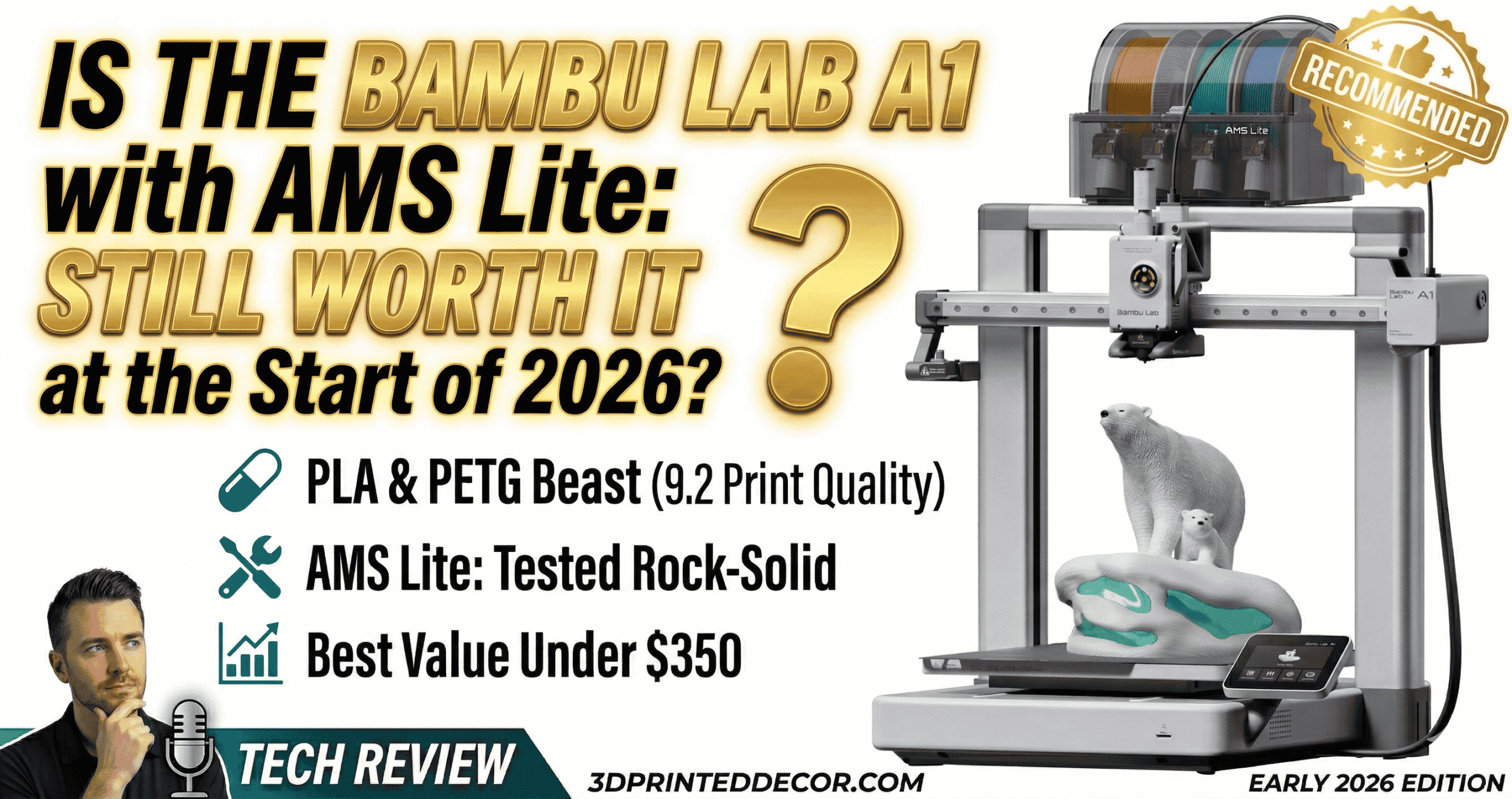
The A1 and AMS Lite side-by-side — the wide footprint is worth noting if desk space is limited.
Is the Bambu Lab A1 with AMS Lite
Still Worth It at the Start of 2026?
The A1 launched to unanimous praise. The 2026 market is much more crowded. Here is the honest, tested answer: what actually holds up, what has competitors finally matched, and whether $299 is still money well spent.
- Want hassle-free multicolor PLA/PETG prints on a budget
- Value reliability over raw hardware specs
- Print at home and want a quiet, low-maintenance machine
- Want the best ecosystem (slicer + app + cloud) at under $350
- Plan to batch multicolor parts and care about per-unit efficiency
- Plan to print ABS, ASA, or polycarbonate regularly
- Need more than 4 simultaneous colors
- Want to run Klipper or mod the firmware
- Have a mesh Wi-Fi router and no fallback connection method
- Are buying primarily for engineering-grade functional parts
Still the easiest recommendation under $350 for anyone who wants to print things — not maintain a printer. The AMS Lite multicolor system holds up across thousands of filament changes, Bambu Studio remains the most polished slicer at this price, and the $299.99 price tag leaves a healthy $50 cushion below what competitors charge for less-capable packages. The caveats are real but well-understood. See our full 2026 3D printer roundup for how the A1 ranks against the full field.
📦 Bambu Lab A1 — $299.99 on Amazon · 1,000+ sold last month · Ranked #8 in 3D Printers
Check Current Price on AmazonWhy the A1 Still Wins in a More Crowded 2026 Market
The Bambu Lab A1 still leads the under-$350 FDM category in 2026. Anycubic’s Kobra S1 Combo pushed hard. Creality’s K1C improved. Neither caught up on the things that matter across months of daily use — and that’s the real test.
The real edge is total cost of ownership. Competing machines may be $30–60 cheaper at point of purchase. Factor in hours spent manually tinkering — dialing in calibration that isn’t truly automatic, diagnosing multicolor jams, fighting slicer software without meaningful updates — and the A1 pays for that price difference inside the first month. The Bambu ecosystem is the feature. The printer is the hardware it runs on.
Is Active Flow Rate Compensation Worth It? The A1’s Real Killer Feature Explained
Active Flow Rate Compensation is the feature that keeps the A1 ahead in 2026. It runs continuously during each print — not just before it — adjusting extrusion volume in real time to correct for pressure changes. The result is sharper corners and more uniform top surfaces without any manual flow multiplier tuning.
Anycubic’s equivalent system requires manual calibration runs adding 10–15 minutes per filament type. Creality’s K1C calibrates once before the print, not continuously during it. That distinction matters on long prints with complex geometry where extrusion demands shift across layers. No competing machine at this price has replicated the A1’s real-time correction loop cleanly as of April 2026.
Speed in practice: parts that take 2.5 hours on a standard entry-level machine finish in under 50 minutes on the A1 at equivalent quality settings. That gap compounds over months of printing. For a deeper look at how Bambu Studio compares to OrcaSlicer as a control interface, see our Bambu Studio vs OrcaSlicer comparison.
Input Shaping and Noise: What ≤48 dB Means in Practice
Input shaping calibration runs automatically before each print and keeps ringing minimal even at speed on complex geometry. The operational noise — ≤48 dB — is comfortable during working hours in a shared home office. The fan, at peak cooling demand, is audible but not disruptive.
Bambu Lab A1 Print Quality in 2026: Surface Results, First Layers, Real Findings
On PLA and PETG, the A1 holds up cleanly against machines at twice the price. The second-generation textured PEI build plate grips PLA reliably and releases cleanly once cooled. First layers were consistent across dozens of sessions without manual adjustment.
✓ What Works in 2026
- AMS Lite reliability — thousands of changes, zero jams in extended testing
- Full auto-calibration before every print, zero manual leveling
- Active Flow Rate Compensation — competitors still can’t match it cleanly
- 256mm³ build volume matches P1/X1 — share build plates across machines
- Bambu Studio is the most polished slicer at this price point
- RFID filament auto-detection with Bambu-branded spools
- 1-clip hot-swap nozzle changes in seconds, no tools needed
- Quiet at ≤48 dB — comfortable in shared workspaces
- Skip Object feature cancels failed parts mid-print via app
- Flush Into Object reduces multicolor purge waste meaningfully
- Batch printing multiplies efficiency — per-unit time and waste both drop sharply
✗ Real Limitations in 2026
- 80°C bed cap rules out ABS, ASA, and polycarbonate
- No enclosure — warping in ambient air is real for some materials
- Purge waste can exceed model weight on complex multicolor prints
- AMS Lite max 4 colors vs. 16 on full AMS (P1/X1 only)
- Third-party filament requires manual calibration — skip it and quality drops
- 2.4 GHz-only Wi-Fi causes issues with modern mesh routers
- Onboard camera is low frame rate and poorly positioned
- Closed firmware — no Klipper, no community mods
- AMS Lite beside printer creates a wide desk footprint
- Purge waste needs a printed poop bucket add-on to stay desk-friendly
How Much Filament Does the AMS Lite Actually Waste Per Print?
In a documented real-world test printing multicolor board game pieces: the model weighed 51g, the purge waste plus purge tower weighed 98g — nearly double the model weight. This isn’t a flaw unique to Bambu. It’s the physics of color purging on any FDM multicolor system. But it needs to be budgeted for.
Batch Printing: The Efficiency Unlock Most Users Miss
Print duplicate multicolor parts and the total number of color changes — which drives most print time — stays nearly the same whether you print one or four copies on the same plate. One multicolor business card holder: ~23 hours. Print two: ~13.5 hours per unit. Print four: ~8.5 hours per unit, with per-unit purge waste quartered. Always batch multicolor jobs. This is the single biggest efficiency unlock on the A1, and most users don’t discover it for months.
For full context on how the AMS Lite compares to competing multicolor systems, see our best multicolor 3D printers under $1,100 guide and the deep-dive multicolor printer comparison.
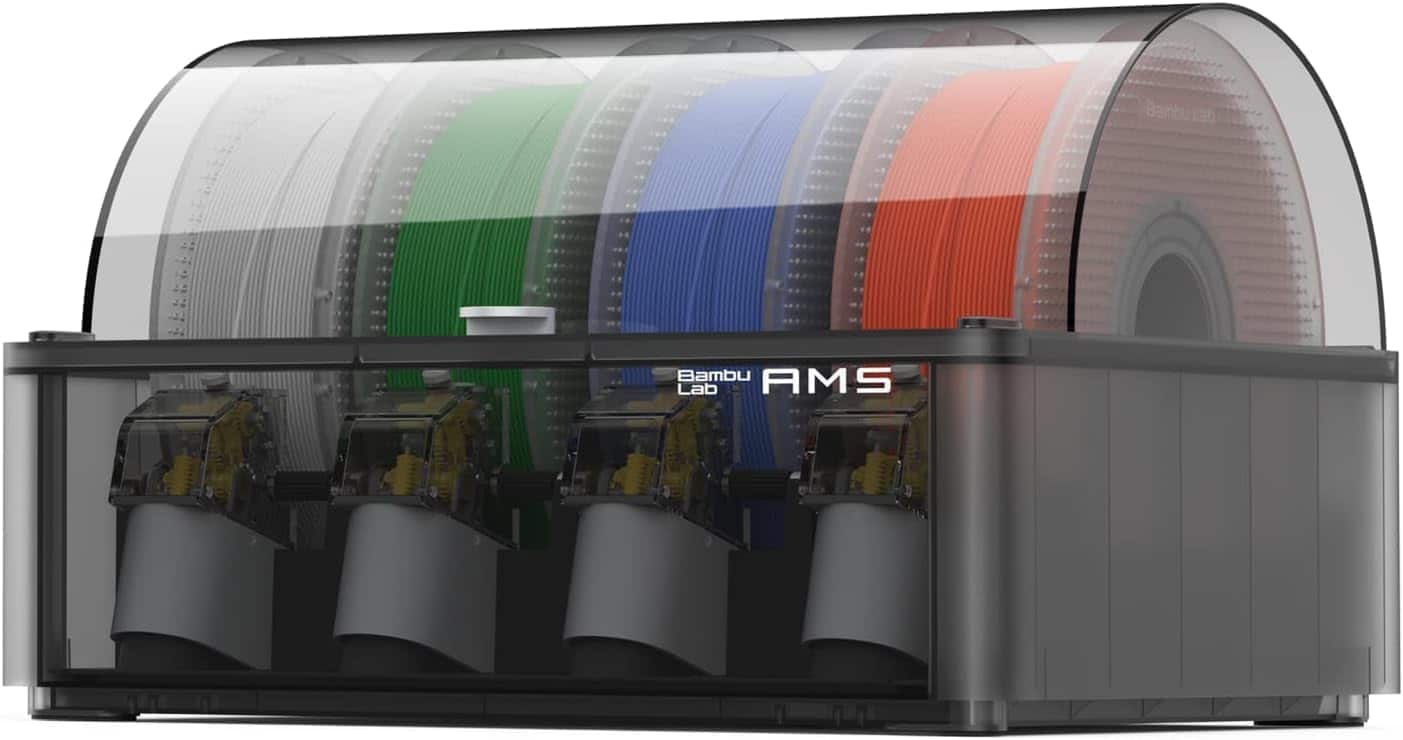
Need more than 4 colors? The full AMS supports up to 16 colors with intelligent filament detection and auto-loading. Compatible with Bambu Lab P1 and X1 CoreXY machines only — not the A1.
View Full AMS on AmazonBambu Lab A1 vs. Anycubic Kobra S1 vs. Creality K1C: Which Wins Each Category?
The table below covers the metrics that actually separate these machines in daily use — not theoretical maximums, but the features that determine your real experience across hundreds of prints. The “Why It Won” column explains the logic behind each verdict.
| Feature | Bambu Lab A1 Our Pick | Anycubic Kobra S1 Combo | Creality K1C | Winner & Why |
|---|---|---|---|---|
| Price | $299.99 | $259.00 | $279.00 | Kobra S1 on sticker — A1 on TCO. The A1 recovers the gap in reduced tinkering time within the first month. |
| Build Volume | 256 × 256 × 256 mm | 220 × 220 × 250 mm | 220 × 220 × 250 mm | A1 — larger on all axes; shares build plate form factor with the P1/X1 line. |
| Auto-Calibration | ✓ Full, before every print | ~ Pre-print only | ~ Pre-print only | A1 — true full auto-cal runs before every job. Competitors require manual re-runs for new filament. |
| Active Flow Compensation | ✓ Real-time, continuous | ✗ Not available | ✗ Not available | A1 — clear — this feature does not exist on either competitor at this price in 2026. |
| Multicolor Support | 4-color AMS Lite (included) | Yes (Combo — system name varies) | ✗ None stock | A1 — AMS Lite is the most battle-tested 4-color system in the budget segment. |
| Slicer Quality | Bambu Studio — most polished at price | Anycubic Slicer — adequate | Creality Print — functional | A1 — Bambu Studio has a 2+ year head start on polish, multicolor tooling, and mobile integration. |
| Enclosure | ✗ Open frame | ✗ Open frame | ✗ Open frame | Tie — none of these printers have an enclosure. For ABS/ASA, the P1S is the correct upgrade. |
Bambu Lab A1 — 4.4 Stars on Amazon · 1K+ Monthly Sales · $299.99
View on Amazon — Check Current PriceThe Reality of Long-Term Ownership: What Actually Breaks After Months of Use?
Most reviews cover the out-of-box experience. This section covers what you actually see after extended use — parts that wear, maintenance to plan for, hidden costs, and one non-obvious modification that isn’t in the manual.
Filament waste on multicolor prints is the biggest ongoing cost — up to 2× the model weight in purge material on complex jobs. A printed poop bucket (free on MakerWorld) is mandatory for a clean workspace. Third-party filament requires manual calibration time — not a dollar cost, but a time cost per new brand. Bambu-branded filament costs a slight premium over off-brand PLA but eliminates all calibration overhead. For the filaments that deliver best results on the A1, see our guide to the best third-party PLA filaments for Bambu Lab printers.
The A1’s AMS hub has a spare PTFE port that most users never notice. Route a short PTFE stub into it and loop the tool head cable through it — this prevents the cable from swinging into prints during fast travel moves. On long multicolor jobs with aggressive travel, an unrouted cable can occasionally knock the purge tower. This fix costs nothing and takes 30 seconds. It is not documented anywhere in Bambu’s official materials.
Can You Use Third-Party Filament in the Bambu Lab A1 and AMS Lite?
Yes — but the A1 is more sensitive to filament quality and calibration than some competitors. Skip calibration and you’ll see visible artifacts. Run the calibration once per new brand, and the A1 prints third-party filament at the same quality level as Bambu’s own. This is not a dealbreaker. It is a one-time 10-minute step per filament brand.
Loading Non-RFID Filament into the AMS Lite
When a spool without an RFID tag loads, the touchscreen displays a question mark. Tap it to manually assign material type, brand label, and color. This takes about 30 seconds per spool and syncs into Bambu Studio automatically.
Bambu Lab A1 Setup: Step-by-Step Walkthrough That Actually Helps
Bambu prints a setup video QR code on the box. Watch the full walkthrough before touching anything — it covers every physical step in sequence and prevents the most common first-timer errors.
Flip the base on its side. Four red color-coded bolts lock the print bed carriage during shipping. Remove and store them — losing them means a loose bed during any future transport. Missing this step causes immediate motion failure on first boot.
Slide the base up through the gantry at an angle, then seat it flat. Remove the rear plastic access panel to expose green color-coded bolt holes. Secure from back to front, then reinstall the panel.
Flip the assembled printer onto its back. Connect the USB-C style harness on the right underside, the color-coded JST connectors, and the yellow Z-motor connector. Route cables through the provided flap channels and snap them shut.
Slide the purge wiper onto the dovetail bracket on the left X-axis rail and lock with the single included screw. Attach the AMS body to its stand, clip on spool holders, and connect the four PTFE tubes: two shorter to ports 1–2, two longer to ports 3–4. Feed opposite ends into the tool head hub. Route the tool head cable through the spare hub slot.
Select all calibration checkboxes on first boot. If your router uses dynamic band switching, hotspot from your phone instead. Download the Bambu Handy app directly from your app store — skip the QR code on the printer (it can redirect to the wrong regional store). Bind using the PIN code in the printer’s network settings.
On first boot, the machine will likely prompt a Y-axis lubrication check. Don’t skip it. Remove the rear panel, apply the included green-tube lubricant to both rails, slide the bed back and forth to distribute. This affects long-term print consistency and is worth 5 minutes.
For a more detailed setup time breakdown, see our dedicated Bambu Lab A1 plug-and-play setup time guide. For slicer-level optimization once you’re printing, the A1 speed and quality settings guide covers every dial worth turning.
Frequently Asked Questions
Yes — for PLA and PETG printing. AMS Lite reliability holds across thousands of filament changes, print quality leads the under-$350 category, and Bambu Studio is the most polished slicer available at this price. The 80°C bed cap and open frame are the hard limits. If those don’t apply to your use case, buy it.
It varies by color count and model complexity. In a real-world test: a 51g multicolor print generated 98g of purge waste. Reduce this using Bambu Studio’s Flush Into Object feature, and by batching identical multicolor parts on the same build plate to spread purge costs across units.
Yes. Third-party filaments work but require manual flow dynamics calibration in Bambu Studio for clean results. A quick fix for stringing: drop print temperature 5–10°C before running a full calibration. Our best 3D printer filaments on Amazon for 2026 highlights the brands that work cleanly without calibration headaches.
A real-time extrusion correction system that monitors and adjusts filament output continuously during each print. It produces sharper corners and uniform top surfaces without manual flow tuning — and it’s the feature competitors at this price have most struggled to replicate cleanly.
Technically yes, but it’s poorly suited. The 80°C bed cap and open frame create warping conditions for both materials. For ABS, ASA, or polycarbonate, the Bambu Lab P1S — with a 100°C bed and full enclosed chamber — is the correct machine.
The PTFE tubes in the AMS Lite are the most likely first consumable under heavy multicolor use — inspect at the 6-month mark. The silicone sock should be checked every 2–3 months. The nozzle, build plate, linear rails, and AMS drive gears have all proven durable under normal PLA and PETG workloads.
AMS Lite: up to 4 colors, designed for the A1 and A1 Mini, more accommodating of varied spool sizes. Full AMS: up to 16 colors, compatible only with P1 and X1 series CoreXY machines. For most hobby use — Hueforge prints, multicolor functional parts, logos and lettering — 4 colors covers the vast majority of projects. Read our A1 vs A1 Mini comparison if you’re deciding between the two Bambu bed-slingers.
Buy it — with clear eyes about what it is. The Bambu Lab A1 with AMS Lite is the most reliable multicolor FDM experience under $350, and the print quality on PLA and PETG leads the category. The $299.99 price tag leaves a genuine $50 cushion below what competitors charge for less-capable packages.
The AMS Lite’s long-term reliability across thousands of filament changes is the real proof point: this system works, consistently, and it keeps working. The hard limits are real — 80°C bed, no enclosure, purge waste that requires management — but for the majority of hobbyists printing decorative models, multicolor parts, and functional PLA/PETG pieces, those limits simply don’t apply.
If that’s you, stop second-guessing. The market has had time to answer the question this article is asking, and nothing at the price has beaten the A1 cleanly. See our original “Is the Bambu Lab A1 Worth It?” deep-dive for first-impressions context, or our full 2026 A1 review for extended performance data.
- Still the top pick under $350 for PLA/PETG multicolor printing in 2026 — competitors haven’t caught up where it counts.
- Active Flow Rate Compensation is the feature rivals still can’t cleanly replicate — it runs in real time during prints, not just before them.
- AMS Lite purge waste is real — plan for it. A 51g model can generate 98g of purge material. Use Flush Into Object and batch printing to reduce per-unit waste dramatically.
- Third-party filament works — but run flow dynamics calibration in Bambu Studio for each new brand. Skip it and quality drops visibly.
- PTFE tubes are the first wear item — inspect them at the 6-month mark under heavy multicolor use. Everything else has proven durable.
- The $50 price advantage over competitors compounds over time — lower total cost of ownership when you factor in parts, support, and time not spent tinkering.
- Hard limits to know upfront: 80°C max bed, no enclosure, 2.4 GHz-only Wi-Fi, closed firmware. If any of these are dealbreakers, the P1S is the upgrade path.
🏆 Bambu Lab A1 — #8 in 3D Printers on Amazon · 4.4 Stars · 1,000+ Sold Last Month
Check Current Price on AmazonRelated posts:
 Best 3D Printers of 2025: Top 10 Picks for Speed, Quality & Budget (USA Tested)
  Best Beginner 3D Printers of 2025: Affordable Picks Under $500
  The Ultimate 3D Printer Tier List 2025: Best Machines for Beginners, Pros & Every Budget
  Best 3D Printers for School Children in 2025: Safe, Educational, and Fun
  Which 3D Printer Is Actually Worth in 2025? Top Amazon Picks for Stunning Decor
  Top 5 Reasons to Buy the Elegoo Neptune 4 Plus in 2025 (And 2 Reasons Not To)
  Bambu Lab A1 Mini Hands-On Review: Best All-Around 3D Printer in Its Class?
  ELEGOO Neptune 3 Pro Review: Top 3D Printer for Easy, High-Quality Home Decor
  Prime Day 3D Printer Deals 2025: Top Picks for Hobbyists and Makers
  Ultimate Flashforge 3D Printer Guide 2025: Compare All Models
  18 Insane Black Friday 3D Printer Deals 2025 (Actually the Lowest Prices We’ve Ever Tracked with Keepa)
  Bambu Lab 3D Printer Review 2026: Real User Experience After 1000+ Hours