

Anycubic Wash and Cure Max 3.0 Review: Hands-On Testing After 3 Months
The Anycubic Wash and Cure Max 3.0 is the company’s largest post-processing station to date — built specifically for resin printers with build volumes up to 13.6 inches. After three months of regular use alongside a Photon Mono M7 Max and a Jupiter, here’s an honest breakdown of what it gets right, where it stumbles, and who should actually buy it.
The short version: it’s genuinely impressive for solid and semi-solid large prints, but users printing hollow models or expecting a wash-only mode will hit some real frustrations. Let’s get into the details.
What Exactly Is the Wash and Cure Max 3.0?
The Max 3.0 is a two-stage post-processing machine for resin 3D prints. After a print comes off the build plate, it’s still coated in liquid, uncured resin — toxic and sticky. This machine handles both removing that resin (washing) and then hardening the model under UV light (curing), all in one enclosure.
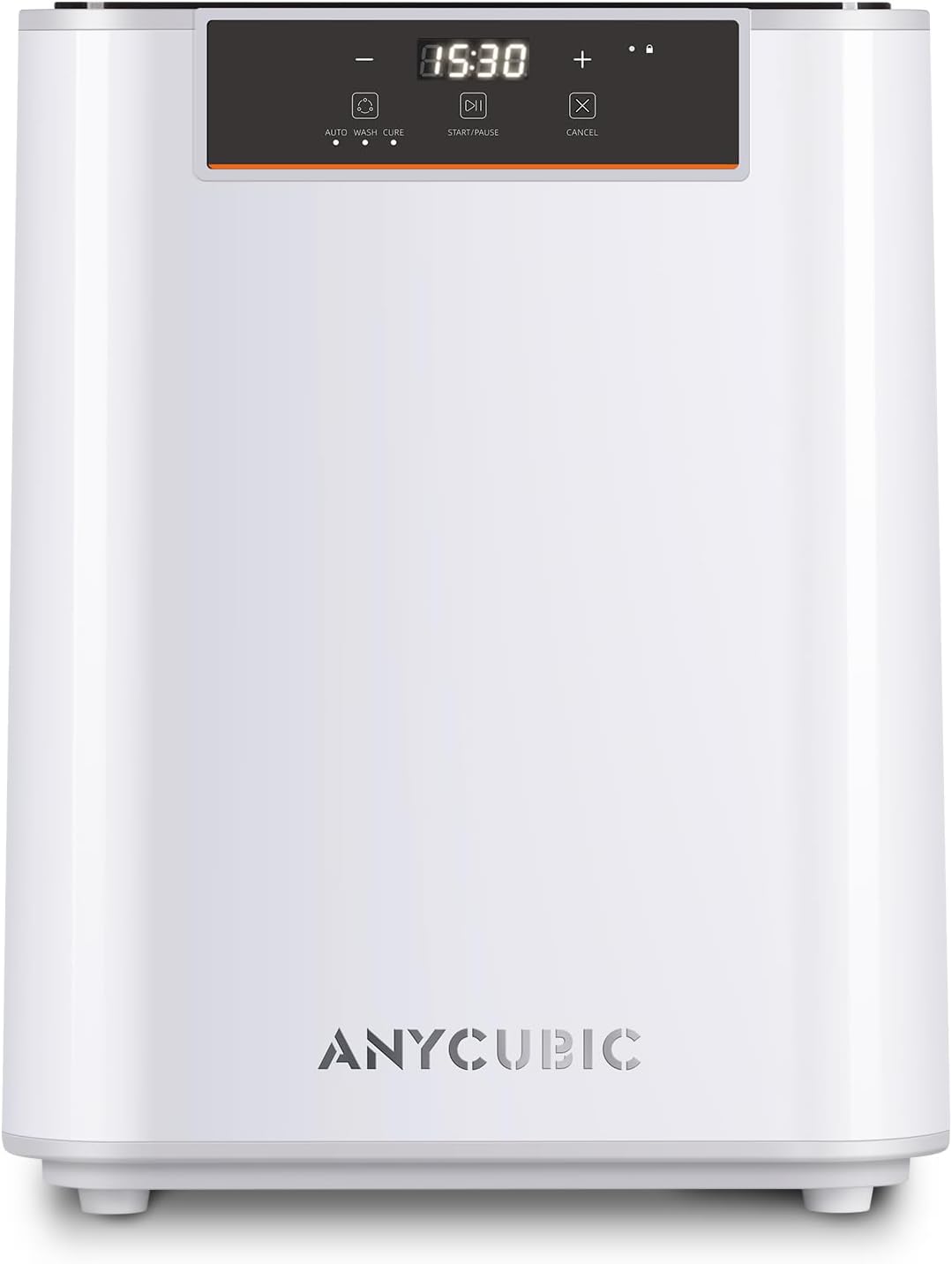
The Max 3.0 is notably larger than previous Anycubic wash/cure stations — wider than some desktop printers.
Quick Specs
5 Major Upgrades Over the Previous Generation
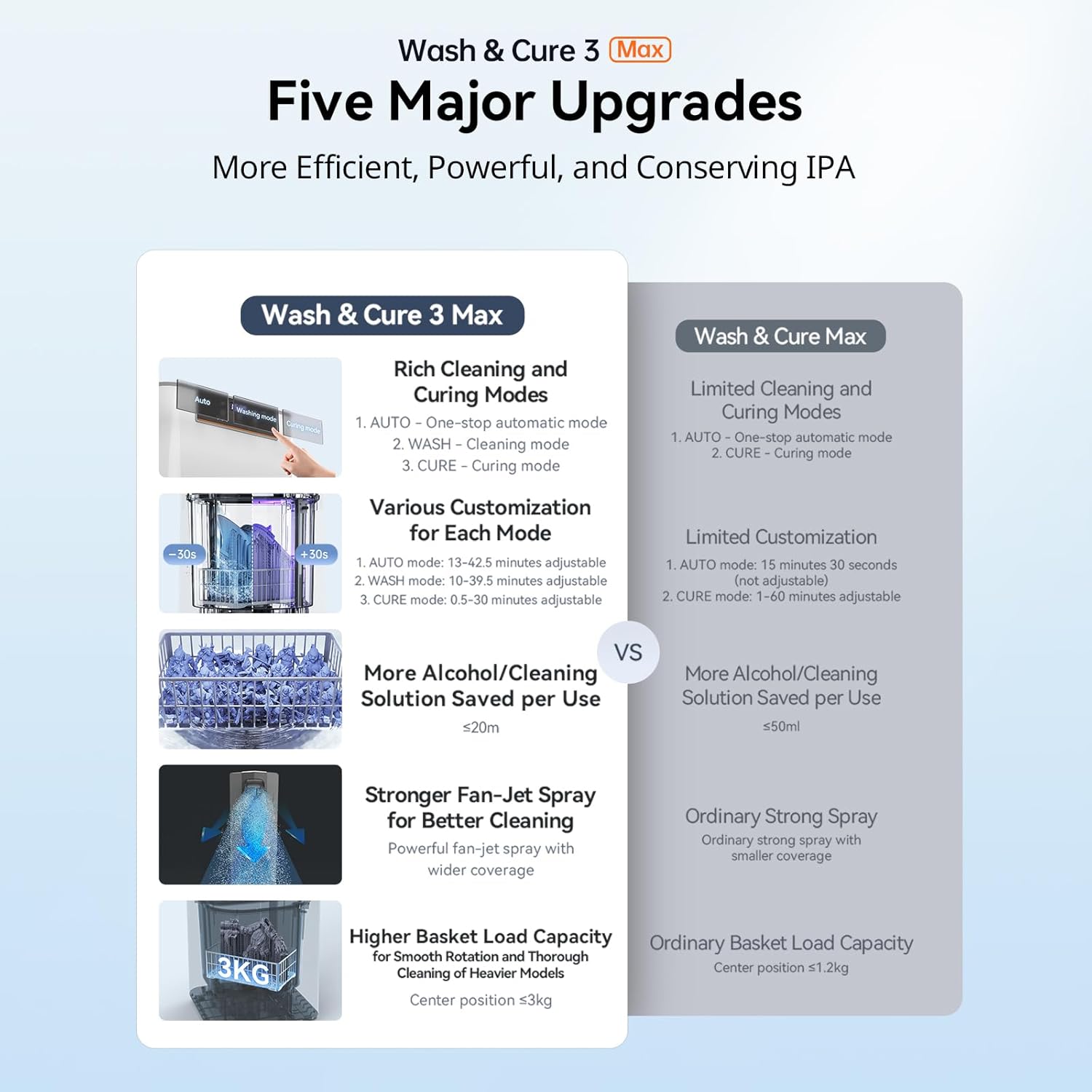
Compared to the Wash & Cure 3 Plus, the Max 3.0 brings meaningful changes rather than just a size increase:
1. Massively larger capacity. The 15.1L liquid volume represents a 98.55% increase over the Wash & Cure 3 Plus — enough to fully submerge prints from large-format printers like the Photon Mono M7 Max or the Jupiter.
2. 360° spray rinsing with bottom-section cleaning. Instead of relying purely on immersion, the Max 3.0 uses spray nozzles to actively rinse resin from the model surface and clean the bottom of the basket. This dual-action approach is where the claimed 50% IPA savings comes from in comparison to traditional immersion machines.
3. More mode flexibility. You get Auto mode (wash + cure sequence), Wash-only mode (using IPA), and Cure-only mode — all independently customizable for duration. Note: some reviewers have found the wash-only mode limited; more on that below.
4. Intelligent process monitoring. The unit tracks liquid levels, drainage status, and curing progress, flagging errors when the pump can’t fully drain the chamber.
5. Stronger UV output. The 25,000 μW/cm² curing energy with an 18 cm irradiation distance gives better penetration for thicker or more complex models compared to smaller stations.
How the Washing Process Actually Works
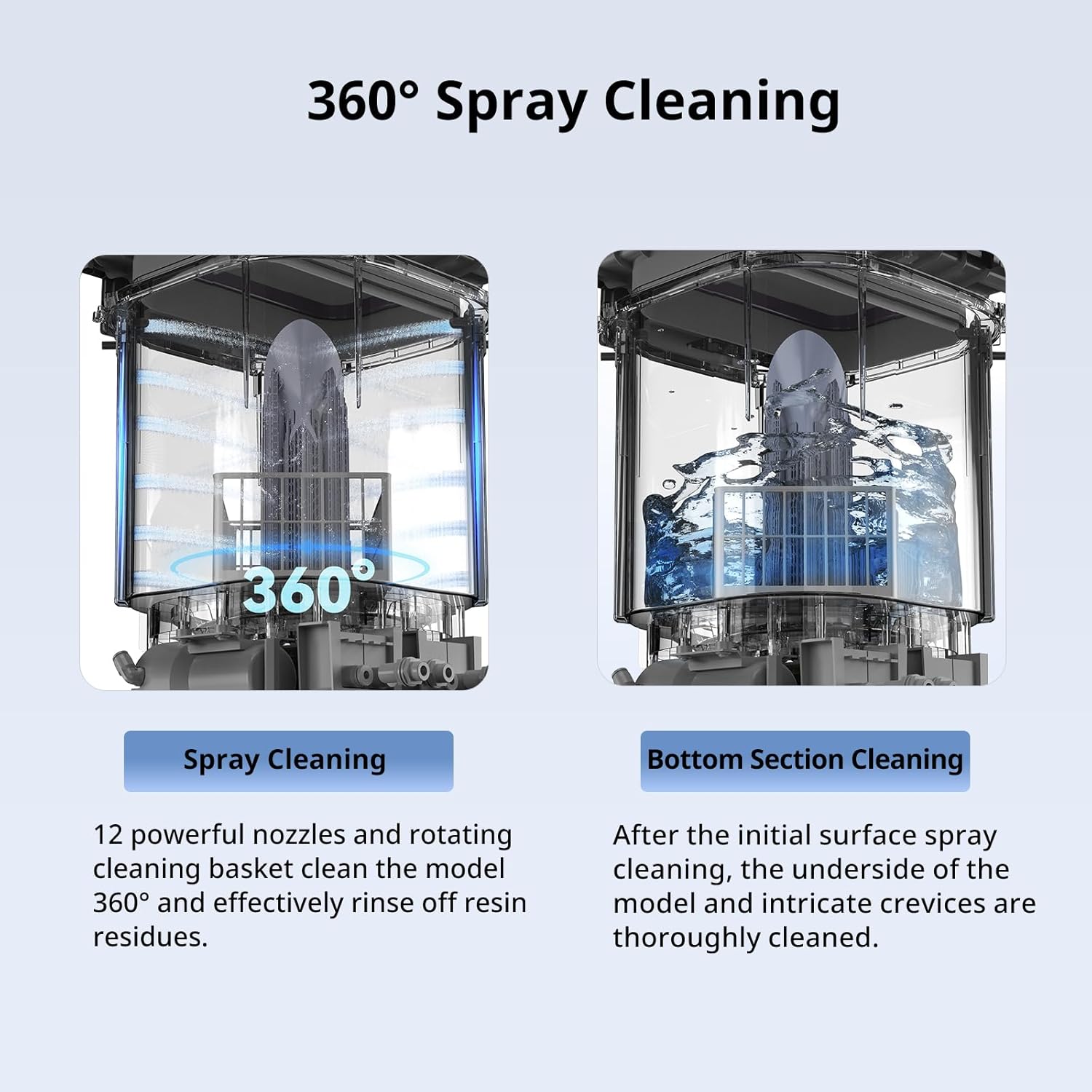
The 360° spray nozzles target the model from multiple angles during the wash cycle.
In Auto mode, the cycle runs roughly like this: the machine pumps IPA into the chamber, the spray nozzles activate, the basket agitates slightly, then the IPA drains and a water rinse follows to purge residual alcohol. After that, the UV curing stage kicks in automatically.
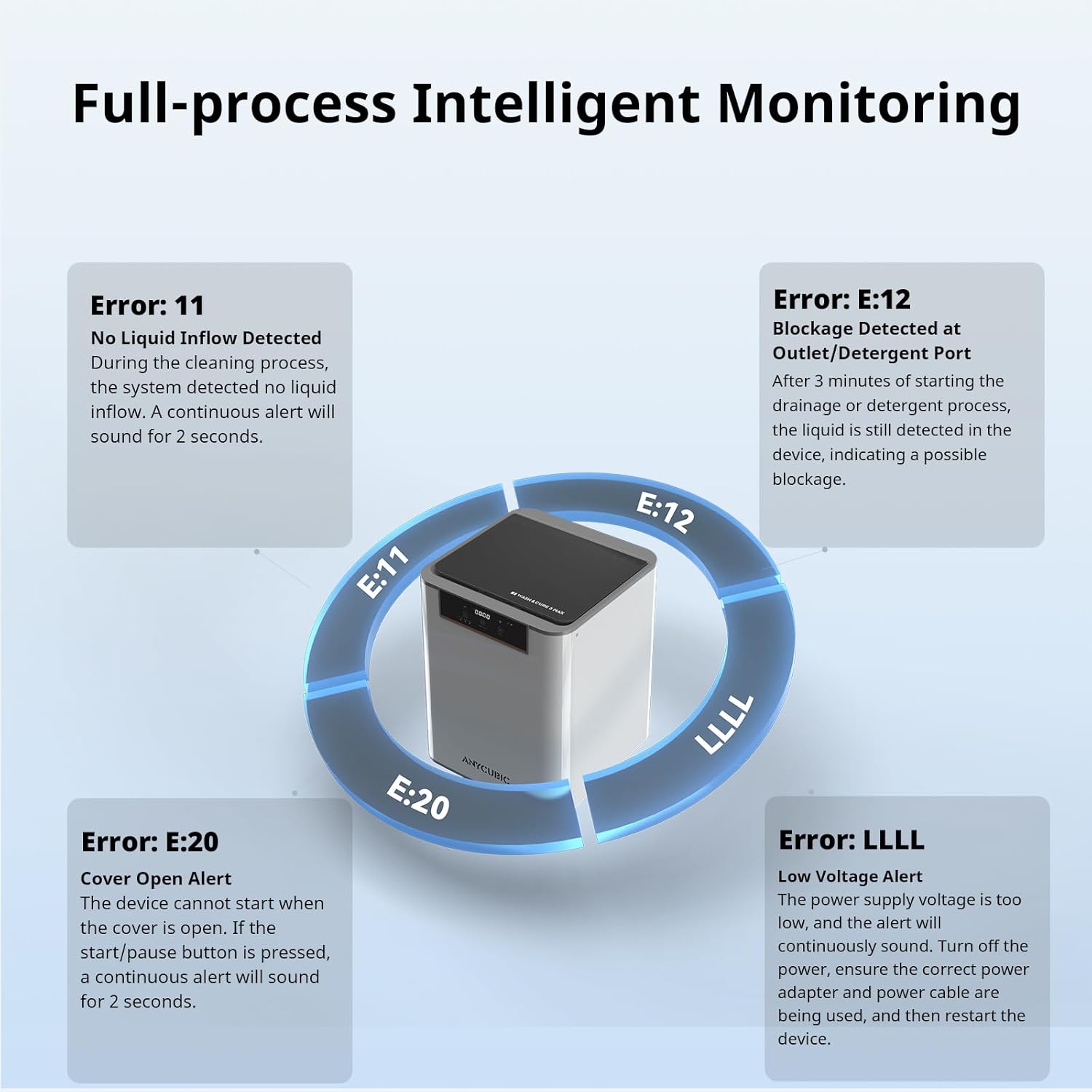
The onboard display provides real-time feedback on each stage of the wash and cure cycle.
IPA Savings and Running Costs
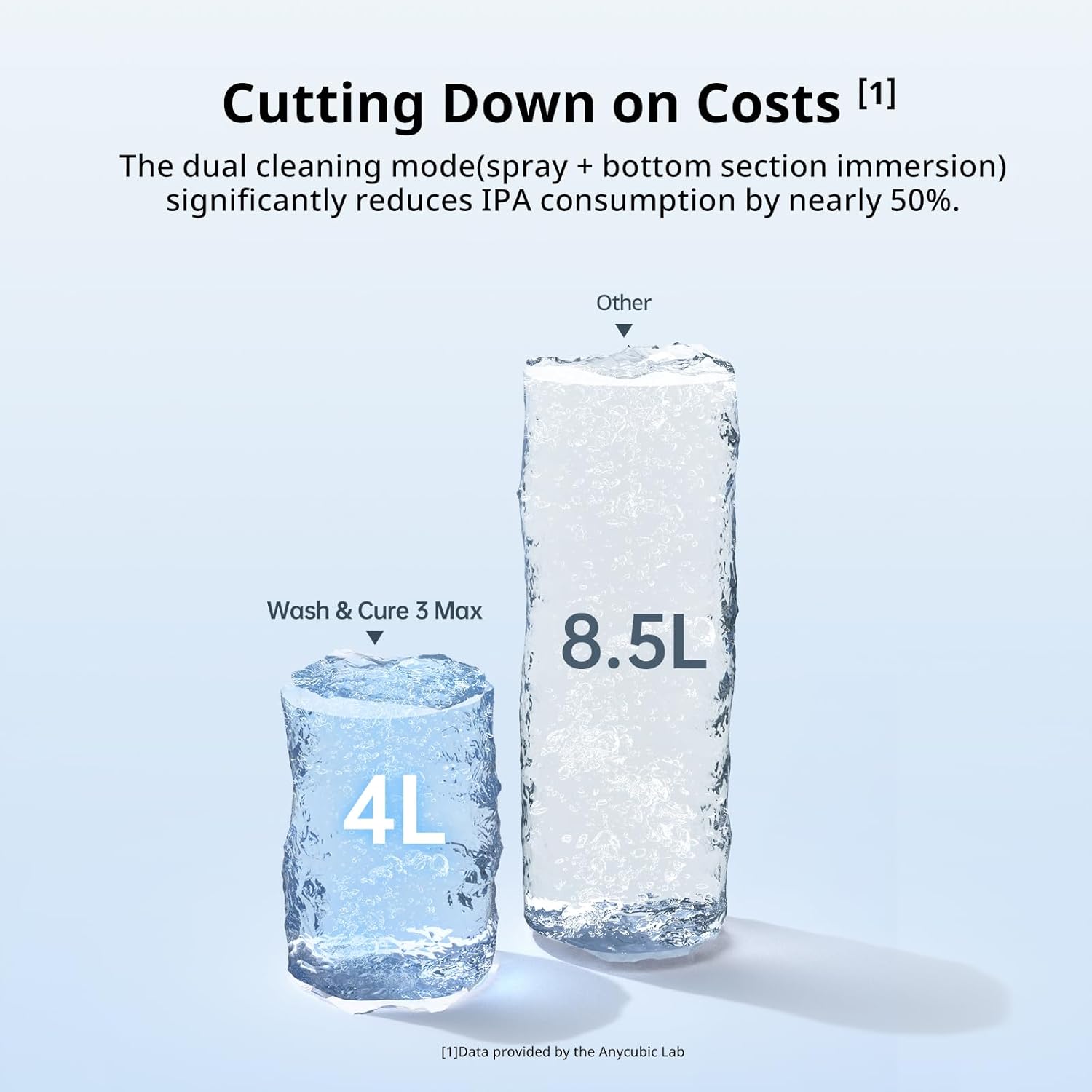
Anycubic claims up to 50% IPA savings compared to traditional immersion washing. In practice, the spray-based approach does use IPA more efficiently than dunking a print in a bucket — the liquid only needs to contact the surface rather than fill an entire container to submersion level.
The built-in filtration system lets you reuse IPA across multiple sessions until it becomes too saturated with dissolved resin. For anyone printing several times a week, this adds up to real savings over time. The machine drains used IPA into a separate waste container rather than mixing it back in — a simple but thoughtful detail.
Models After Washing and Curing: What the Results Look Like
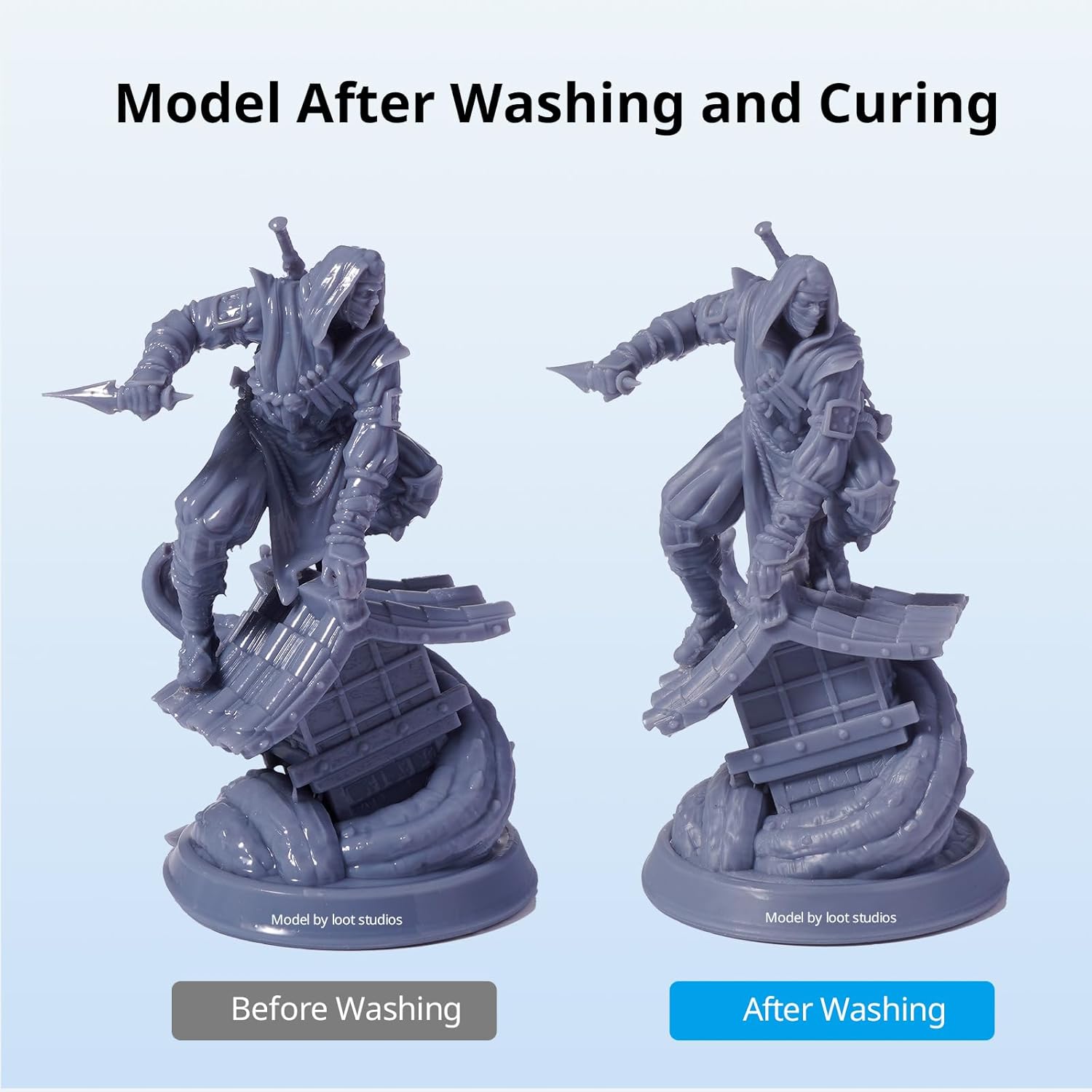
Solid and semi-solid prints come out of the Max 3.0 looking clean and fully cured — surface detail is preserved well.
For solid or mostly-solid prints, results are consistently clean. Surface detail is preserved, there’s no tacky residue when the cycle completes properly, and the 360° rotating curing platform ensures even UV exposure around complex shapes.
The picture changes with hollow prints. Because the spray nozzles can’t reach internal cavities, uncured resin trapped inside a hollow model won’t be cleaned out. It then either stays liquid (and oozes out later) or gets semi-cured when the UV stage runs. Multiple reviewers flagged this as a significant limitation for anyone printing large hollowed figures or terrain pieces.
The Full-Size Station in a Real Workspace
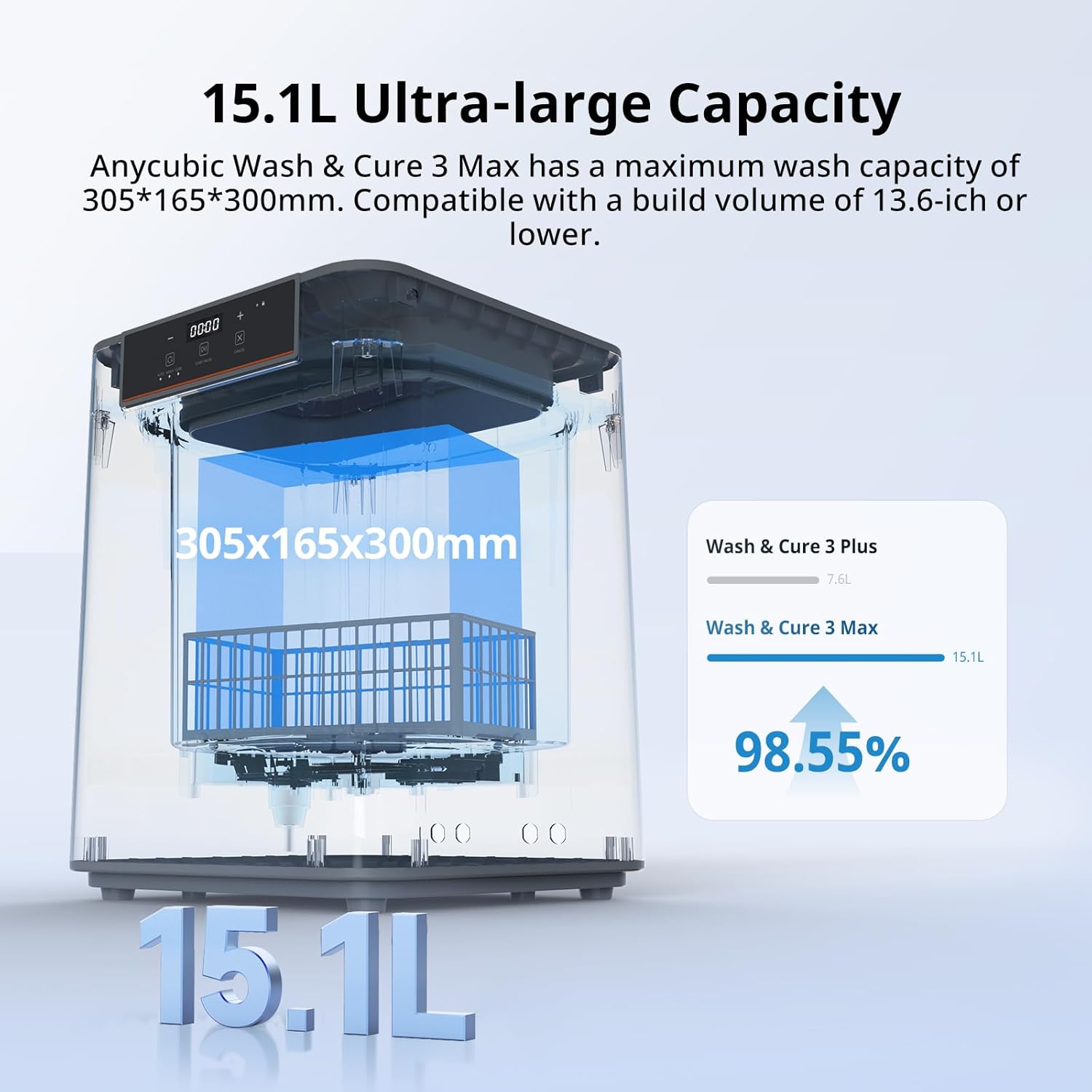
At 13.83″ × 13.83″ footprint and 22″ tall, this is genuinely large — factor in clearance and drainage space when planning placement.
Size is the first thing that strikes you in person. At 22 inches tall and nearly 14 inches wide on each side, it’s larger than many of the printers it’s designed to serve. One reviewer compared it directly to the size of a GK2. If your workspace is already crowded with a large resin printer, a curing lamp, and ventilation, the Max 3.0 demands dedicated bench space.
Weight is 41.7 pounds, and when filled with 15L of IPA, you’re adding another 24 pounds or so — so it needs a sturdy, level surface. It also requires positioning near a drain or with planned liquid management, since the drainage hose exits from the back.
Honest Pros and Cons
✓ Pros
- Handles prints from large-format printers up to 13.6″ build volume
- Spray-based washing genuinely saves IPA vs. immersion
- Auto mode is truly one-touch — wash and cure without babysitting
- Strong UV output (25,000 μW/cm²) gives thorough cures on solid models
- Built-in filtration system for IPA reuse
- Reduces fume exposure compared to open-basin washing
- Separate wash-only and cure-only modes available
✗ Cons
- Hollow prints come out with trapped uncured resin — requires pre-washing internally
- Clogging reported by multiple users; drainage issues on some units
- Rotating turntable failures reported (stops or jerks unevenly)
- Uses significant water for the post-wash purge cycle
- Basket is relatively fragile plastic — arrived broken for some buyers
- Large footprint requires dedicated workspace planning
- Customer support response has been inconsistent per reviews
What Real Buyers Are Saying
Across 3,265 Amazon reviews at the time of writing, the Max 3.0 holds a 4.6/5 average — which tells part of the story. The five-star reviews consistently praise its automation, size capability, and IPA efficiency. The lower-rated reviews cluster around three specific issues: drainage/clogging, turntable failures, and the hollow model problem.
The more critical reviews note problems like drainage systems failing after months of use, and one user documented IPA leaking from an L-shaped connector fitting during their fourth use cycle. These aren’t universal experiences, but they appear with enough consistency to be worth noting.
How Does It Compare to Alternatives?
| Model | Wash Capacity | Volume | Wash-Only Mode | Best For |
|---|---|---|---|---|
| Max 3.0 | 305×165×300mm | 15.1L | Yes (limited) | Large solid prints |
| Wash & Cure 3 Plus | 270×150×270mm | 7.6L | Yes | Mid-size printers |
| Elegoo Mercury Plus V2 | 200×125×250mm | ~3L | Yes | Small/mid printers |
| Phrozen Wash & Cure LC-60 | 218×123×245mm | ~4L | Yes | Desktop-focused users |
If you’re running a large-format printer — a Jupiter, M7 Max, Phenom, or similar — the Max 3.0 is essentially the only dedicated wash-and-cure station that comfortably fits those build volumes. For smaller printers, the size and price premium is harder to justify.
Buyer’s Guide: Who Should (and Shouldn’t) Buy the Max 3.0
It’s a good fit if you:
Print primarily solid or semi-solid models on a large-format resin printer (13.6″ build volume). You want a fully automated post-processing workflow that reduces direct IPA handling and fume exposure. You print frequently enough that IPA savings and time savings add up meaningfully. You have dedicated workshop or studio space and aren’t tight on bench room.
Consider alternatives if you:
Regularly print large hollow figures, terrain, or any model with internal voids — you’ll need to pre-wash the inside separately before using this machine, which partially defeats the automation benefit. You need a wash-only cycle for cleaning resin vats or FEP films; the wash-only mode works, but some users find its effectiveness limited. You’re working on a smaller printer and don’t need the industrial-scale capacity.
5 Things to Check Before Buying
1. Your print geometry. Hollow? You’ll need an additional washing step for interiors. Solid? You’re in the target use case.
2. Your workspace. Measure your bench space. 14″ × 14″ footprint plus clearance for the drainage hose and lid opening.
3. Water access. The machine uses water for the purge cycle. A nearby drain or a plan for the water output is necessary.
4. IPA supply. The 15.1L capacity doesn’t mean you need 15L of IPA — the spray system uses considerably less — but you’ll need adequate IPA supply for your usage frequency.
5. Warranty and support expectations. Some users have reported mixed experiences with Anycubic support. Purchasing through Amazon provides a clear return path if the unit has mechanical issues early on.
Frequently Asked Questions
Final Verdict
Should You Buy the Anycubic Wash and Cure Max 3.0?
For large-format resin printer users who primarily work with solid prints, the Max 3.0 delivers what it promises: automated, enclosed, IPA-efficient post-processing at a scale that virtually nothing else on the market matches. The one-touch automation is genuinely useful, the curing output is strong, and the IPA savings are real.
The caveats are real too. If your workflow involves hollow prints, expect to work around the spray system’s limitations. If you’re buying a $340–$490 machine, check it thoroughly on arrival and register the warranty immediately — early mechanical failures (turntable, drainage, fittings) have been reported by a subset of buyers, and having a clear return path matters.
At its current sale price of $339.98 (down from $489.99), it’s a better value proposition than at full price. If you’re running a Jupiter, M7 Max, or similar large-format printer and printing regularly, the time and IPA savings likely justify the investment within a few months.
Related Articles
Is the Anycubic Wash and Cure 3 Worth It? Hands-On Review · Anycubic Photon Mono M7 Max Review · Anycubic Photon P1 Review 2026 · M7 vs M7 Pro vs M7 Max: Which Resin Printer Is Right for You? · Anycubic Photon Mono 4 Review
Disclosure: This article contains affiliate links. If you purchase through our links, we may earn a small commission at no extra cost to you. This does not influence our reviews — we aim to give honest assessments based on real testing and verified user feedback.
Related posts:
 10 Must-Have 3D Printer Accessories You Can Buy on Amazon Now
  ELEGOO Mercury Plus 2.0 Wash and Cure Station V2: An In-Depth Review
  5 Best 3D Printer Upgrades for Beginners: Auto-Leveling, Dual Extruders & More
  Top 5 3D Printer Enclosures for Noise and Temperature Control
  Creality CFS Multicolor Filament System Review: Worth $319 in 2025?
  ELEGOO Mercury XS Bundle: The Best Resin Wash and Cure Station
  Creality CR Touch Auto Bed Leveling Sensor Kit Review: Say Goodbye to Bed Leveling Headaches in 2025
  ELEGOO UNO Project Super Starter Kit: Elevate Your 3D Printing Projects
  4 Best Cooling Solutions: Portable and Window ACs for 2025
  2025’s Best Heavy Duty Large 3D Printer Stand with Filament Storage for Studio & Office
  Complete 3D Printing Starter Kit Under $400 Total: Everything You Need This Black Friday
  Creality CFS Multi-Color System Review 2026: Save $60 on 16-Filament Auto-Switching Technology