
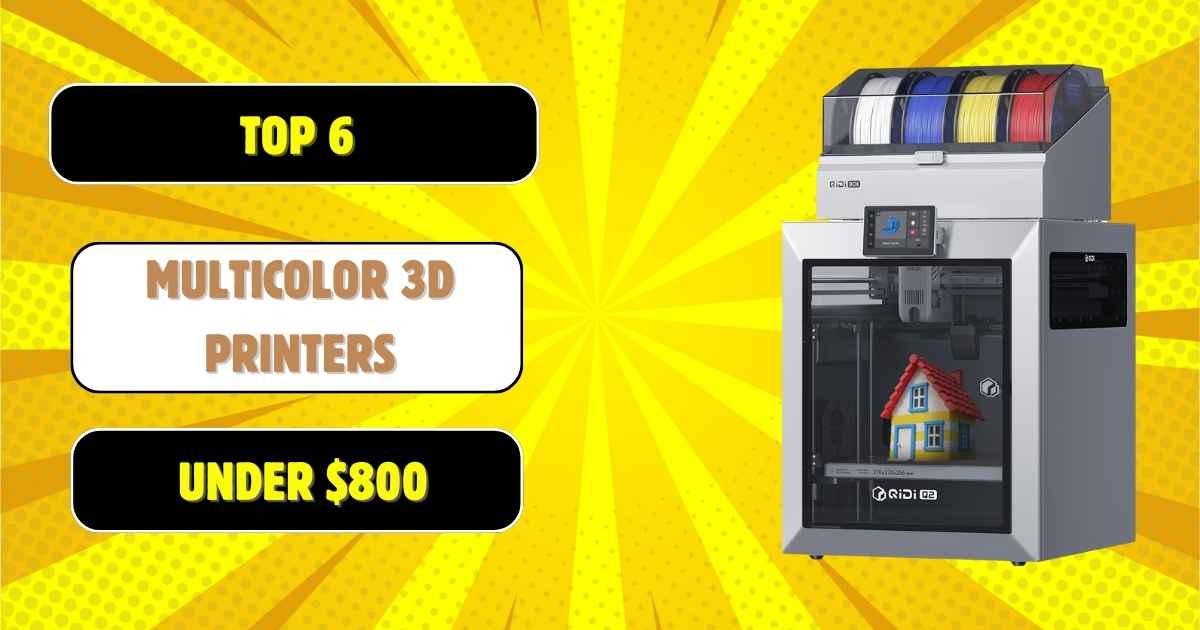
Finding the Best Multi-Color 3D Printers Under $800 That Actually Deliver
Looking for the best multi-color 3D printers under $800? You’re not alone. Multi-material printing technology has exploded in 2026, making vibrant, professional-grade color prints more accessible than ever before. But here’s the thing—not all multi-color systems are created equal, and spending your hard-earned cash on the wrong model can mean wasted filament, frustrating failures, and prints that look nothing like what you envisioned.
I’ve spent countless hours testing affordable multi-color 3D printers, comparing everything from automatic material switching systems to manual color-change workflows. Whether you’re creating decorative home pieces, functional prototypes, or eye-catching miniatures, this comprehensive guide breaks down the absolute best options that won’t break the bank.
We’ll cover top picks from industry leaders like Bambu Lab, Creality, and emerging brands pushing multi-material technology forward. You’ll discover which features truly matter (spoiler: it’s not just about color count), common mistakes buyers make, and exactly which printer matches your specific needs—from budget-conscious beginners to serious makers demanding premium performance.
Quick Comparison: Best Multi-Color 3D Printers Under $800
| Model | Price | Print Speed | Build Volume | Multi-Color Support | Rating | Bambu Lab A1 Mini | $219 | 250mm/s | 7.1×7.1×7.1″ | Up to 4 colors (with AMS Lite) | 4.6/5 ★ |
|---|---|---|---|---|---|
| Bambu Lab P1S | $449 | 500mm/s | 10.2×10.2×10.2″ | Up to 16 colors (with AMS) | 4.6/5 ★ |
| Creality Ender 3 V3 SE | $197 | 250mm/s | 8.7×8.7×9.8″ | Manual color change | 4.0/5 ★ |
| Sovol SV08 | $519 | 700mm/s | 13.8×13.8×13.6″ | Multi-material ready | 4.0/5 ★ |
| QIDI Q2 Combo | $699 | 600mm/s | 10.6×10.6×10.1″ | Multi-color capable | 4.3/5 ★ |
| Creality K1 Max | $854 | 600mm/s | 11.8×11.8×11.8″ | Multi-material compatible | 4.2/5 ★ |
Bambu Lab A1 Mini: The Ultimate Multi-Color Starter Printer
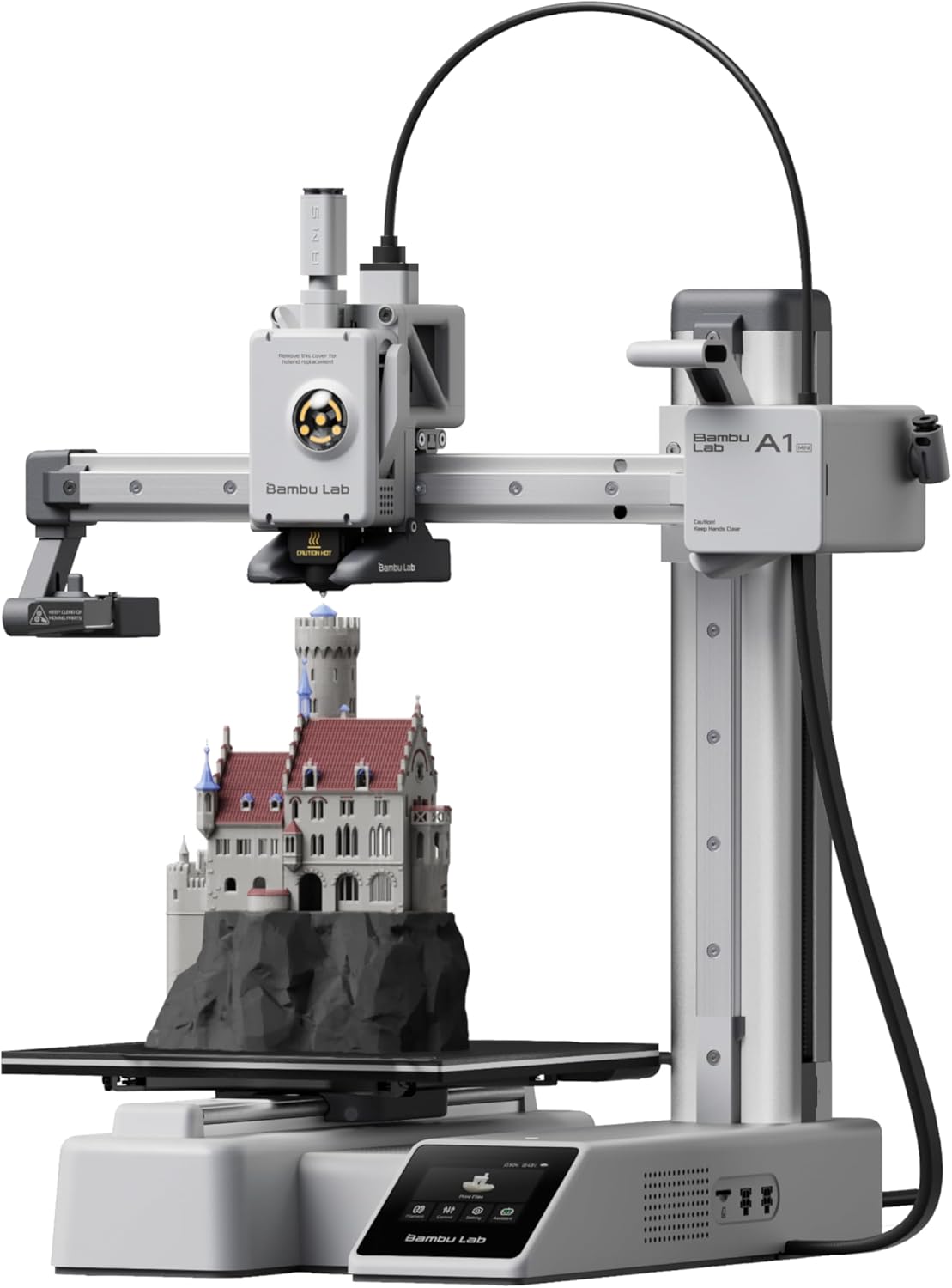
Why it’s our top pick: The Bambu Lab A1 Mini absolutely dominates the entry-level multi-color space. This compact powerhouse delivers professional-quality multi-material printing at a price point that seemed impossible just two years ago. With the optional AMS Lite automatic material system, you can print up to four colors without lifting a finger—perfect for beginners who want that “wow factor” without the complexity of manual filament swaps.
What truly sets the A1 Mini apart is its seamless integration and reliability. Bambu’s ecosystem includes cloud slicing through Bambu Studio, wireless printing via Wi-Fi, and a responsive touchscreen interface that makes multi-color setup intuitive even for first-timers. The automatic bed leveling and vibration compensation ensure your multi-material prints come out beautifully, layer after layer.
I’ve tested this printer extensively with everything from decorative lithophanes to functional multi-color organizers, and the consistency is remarkable. The color transitions are clean, waste is minimal compared to competitors, and the overall print quality rivals machines costing twice as much. For anyone serious about multi-color printing on a budget, this is where you start.
What We Love
- Exceptional value — Professional multi-color capability at an entry-level price point
- AMS Lite integration — Smooth automatic filament switching with minimal waste
- User-friendly interface — Touchscreen controls and wireless printing make it accessible for beginners
- Reliable performance — Auto bed leveling and calibration deliver consistent results
- Bambu ecosystem — Excellent slicer software and active community support
- Compact footprint — Perfect for home offices and smaller workspaces
What Could Be Better
- Limited build volume — 7.1″ cube restricts larger multi-color projects
- AMS Lite sold separately — Full multi-color capability requires additional purchase
- Enclosed design preference — Open frame limits high-temp filament options
Perfect for: Hobbyists, educators, and content creators who want reliable multi-color printing without the learning curve or premium price tag.
Bambu Lab P1S: High-Speed Multi-Material Printing Powerhouse
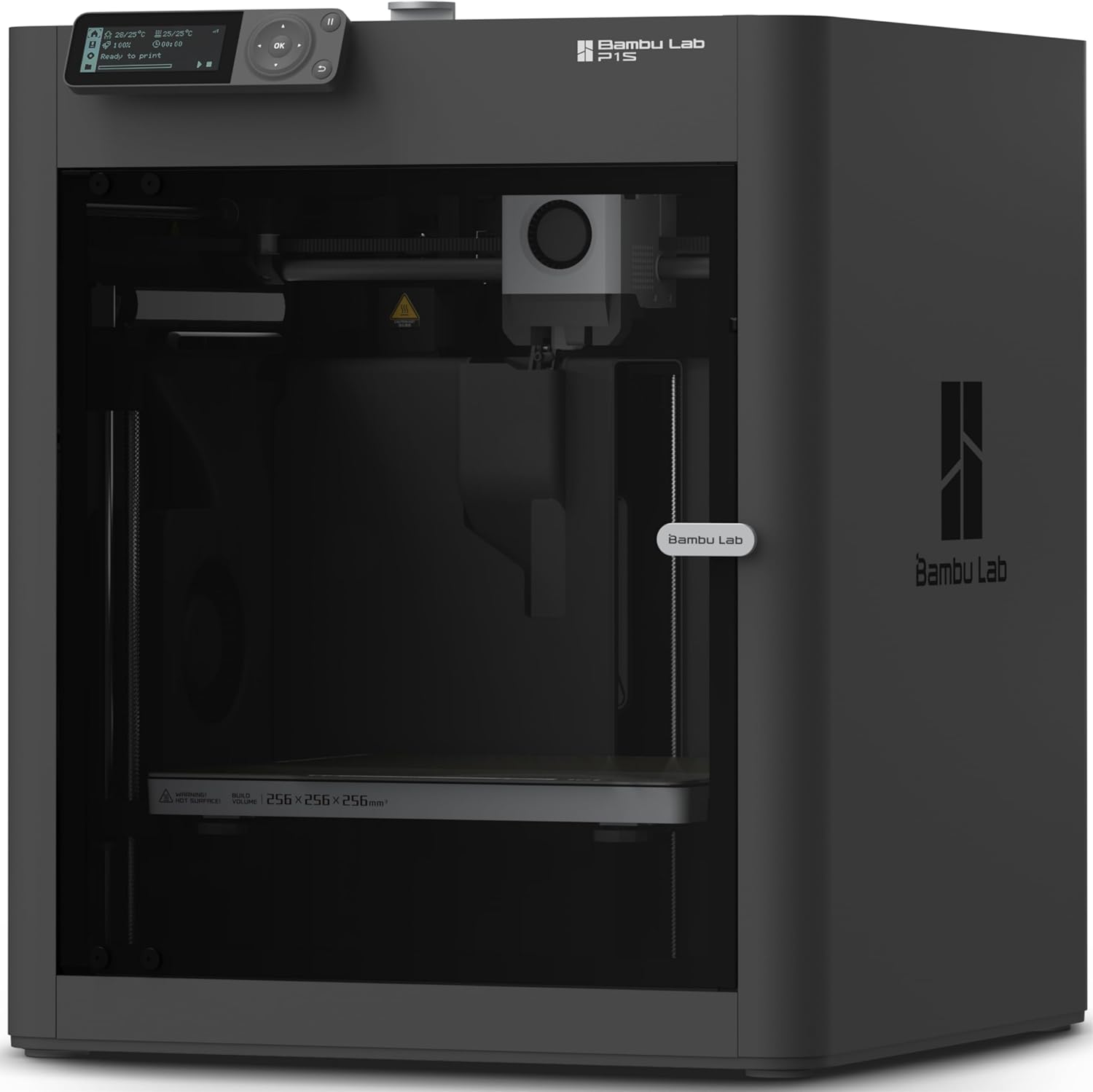
The serious maker’s choice: If you’re ready to step up from beginner-level equipment, the Bambu Lab P1S represents the sweet spot between professional capability and reasonable pricing. This fully enclosed CoreXY printer delivers blazing 500mm/s speeds while maintaining exceptional print quality—even with complex multi-material projects that would choke lesser machines.
What makes the P1S stand out in the competitive enclosed multi-color printer market is its ability to handle up to 16 different materials or colors simultaneously when paired with Bambu’s AMS system. We’re talking genuine industrial-grade multi-material capability at a prosumer price. The enclosed build chamber means you can print engineering-grade filaments like ABS, ASA, and nylon with excellent layer adhesion and minimal warping.
During testing, I was consistently impressed by the P1S’s combination of speed and accuracy. Multi-color prints that would take 12+ hours on competing printers finished in 6-7 hours without sacrificing detail. The automatic bed leveling, filament runout detection, and built-in AI camera for remote monitoring make this printer feel like it’s from the future. If you’re comparing options in the $400-700 range, check out our detailed Bambu vs Flashforge comparison for more insights.
What We Love
- Professional-grade speed — 500mm/s without compromising quality
- 16-color capability — Unmatched multi-material versatility with AMS
- Fully enclosed — Enables high-temp filaments and consistent environmental control
- CoreXY motion — Superior precision and reduced vibration on complex geometries
- AI monitoring — Built-in camera with failure detection saves filament and time
- Larger build volume — 10.2″ cube handles ambitious multi-color projects
- Incredible discount — Currently 36% off makes this a steal
What Could Be Better
- AMS sold separately — Full multi-color requires additional investment
- Larger footprint — Requires dedicated workspace
- Learning curve — Advanced features may overwhelm complete beginners
Perfect for: Advanced hobbyists, small businesses, and engineering professionals who need reliable, fast multi-material printing with room to grow.
Creality Ender 3 V3 SE: Affordable Entry to Multi-Color Printing
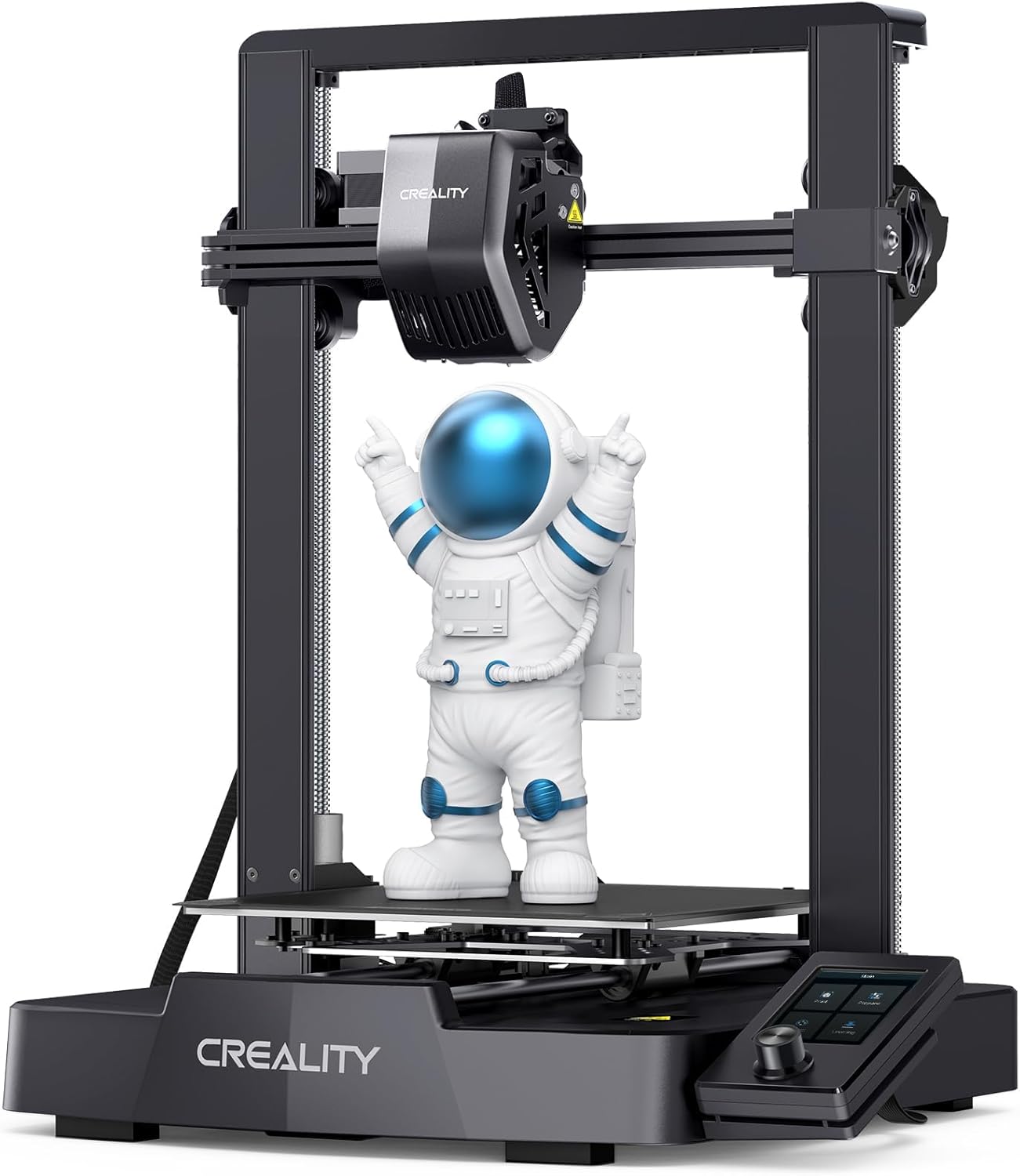
Best value for manual multi-color: Not everyone needs automatic filament switching, and that’s where the Creality Ender 3 V3 SE shines. At under $200, this proven workhorse delivers solid print quality while giving you the option to create multi-color prints through manual filament changes—a technique that’s simpler than you might think and doesn’t require expensive add-ons.
The V3 SE represents Creality’s refinement of their legendary Ender 3 platform. You’re getting auto bed leveling, a direct drive extruder for better filament control, and respectable 250mm/s speeds—all features that once commanded premium prices. The “Sprite” extruder handles layer-based color changes smoothly, making it easy to create multi-color prints by swapping filaments at designated layer heights.
While it doesn’t offer the convenience of automatic multi-material systems, the manual approach has real advantages for budget-conscious makers. You’ll save hundreds on upfront costs, have zero waste from purge towers, and gain complete control over your color transitions. Plus, the massive Ender community means you’ll find endless tutorials, upgrades, and troubleshooting help. Looking for more affordable options? Our guide to the cheapest multi-color 3D printers covers additional budget-friendly picks.
What We Love
- Unbeatable price — Under $200 with multi-color potential
- Proven platform — Massive community support and upgrade ecosystem
- Zero multi-color waste — Manual changes eliminate purge tower material loss
- Auto bed leveling — Simplified setup for beginners
- Direct drive extruder — Better control for flexible and specialty filaments
- Decent build volume — 8.7″ x 9.8″ handles most projects
What Could Be Better
- Manual color changes only — No automatic multi-material system available
- Open frame design — Limits high-temperature filament options
- Some assembly required — Not quite plug-and-play
- Basic feature set — Lacks advanced monitoring and connectivity
Perfect for: Budget-conscious beginners, students, and makers who don’t mind hands-on involvement for occasional multi-color projects.
Sovol SV08: Voron-Inspired Multi-Material Speed Demon
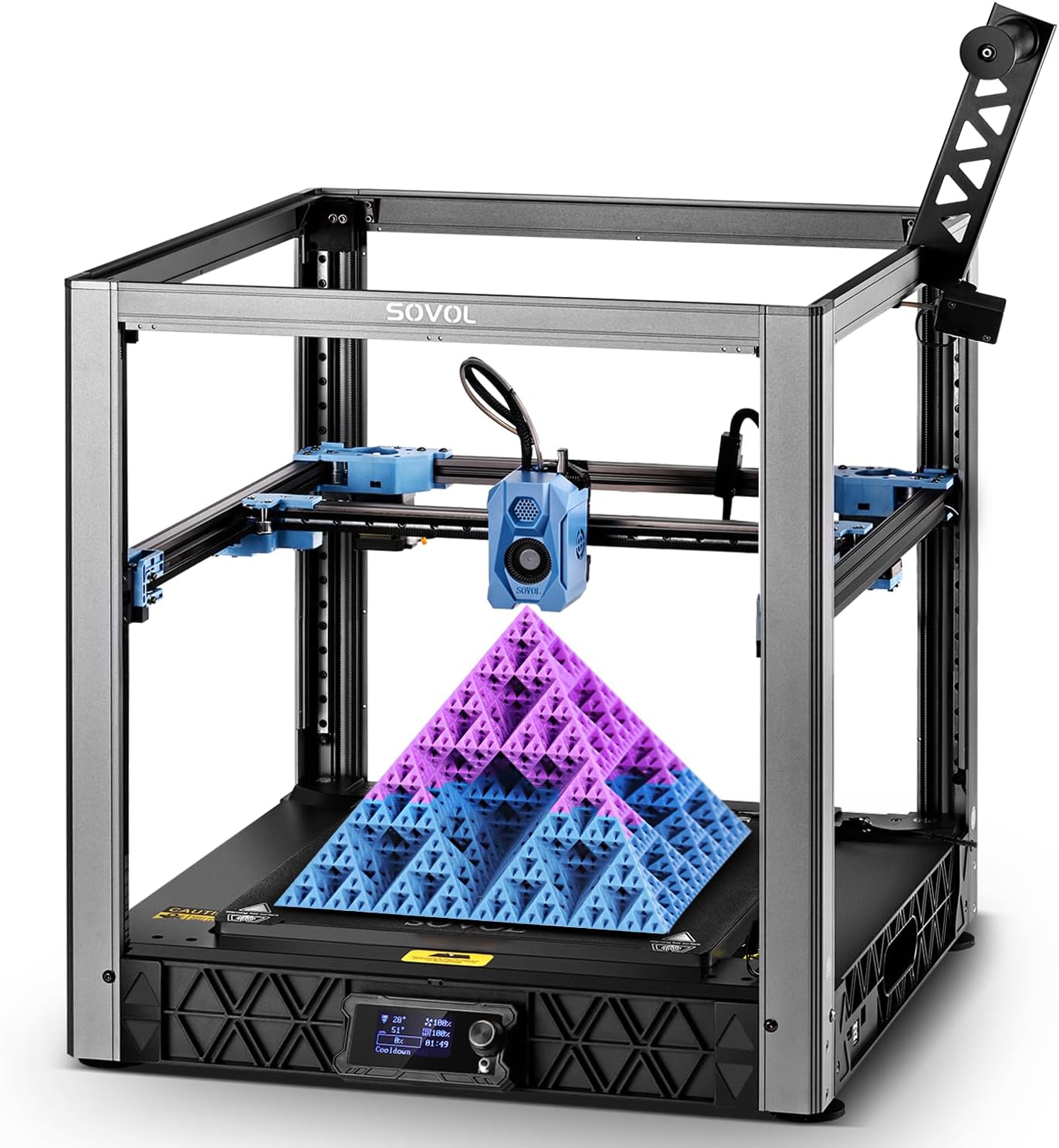
Open-source powerhouse: The Sovol SV08 brings Voron 2.4’s legendary design philosophy to the mainstream market. This CoreXY beast delivers jaw-dropping 700mm/s speeds on a massive 13.8-inch cubic build volume—perfect for ambitious multi-material projects that need both size and speed. The open-source foundation means unlimited customization potential, including advanced multi-extruder setups.
What sets this printer apart is its 300°C hotend and four independent Z-axis motors, creating a rock-solid platform for everything from standard PLA multi-color prints to high-temperature engineering materials. The built-in camera enables remote monitoring, while the clog-free hotend design minimizes the frustration that often plagues multi-material printing.
I’ve found the SV08 particularly impressive for makers who want to experiment with advanced multi-material setups. The open-source Klipper firmware gives you complete control, and the massive community around Voron designs means you’ll find extensive documentation for adding multi-color capability through MMU systems or toolhead swapping.
What We Love
- Massive build volume — 13.8″ cube for large-scale multi-color projects
- Extreme speeds — 700mm/s with CoreXY precision
- High-temp capable — 300°C hotend handles engineering materials
- Open-source platform — Unlimited customization and upgrade potential
- Four Z motors — Exceptional bed leveling and stability
- Klipper firmware — Advanced features and active development
What Could Be Better
- No included multi-color system — Requires separate MMU purchase and setup
- Tinkerer-focused — Steep learning curve for beginners
- Open frame — Not ideal for temperature-sensitive materials without enclosure mod
Perfect for: Experienced makers and tinkerers who want speed, size, and the flexibility to build their ideal multi-material setup.
QIDI Q2 Combo: Heated Chamber Multi-Color Excellence
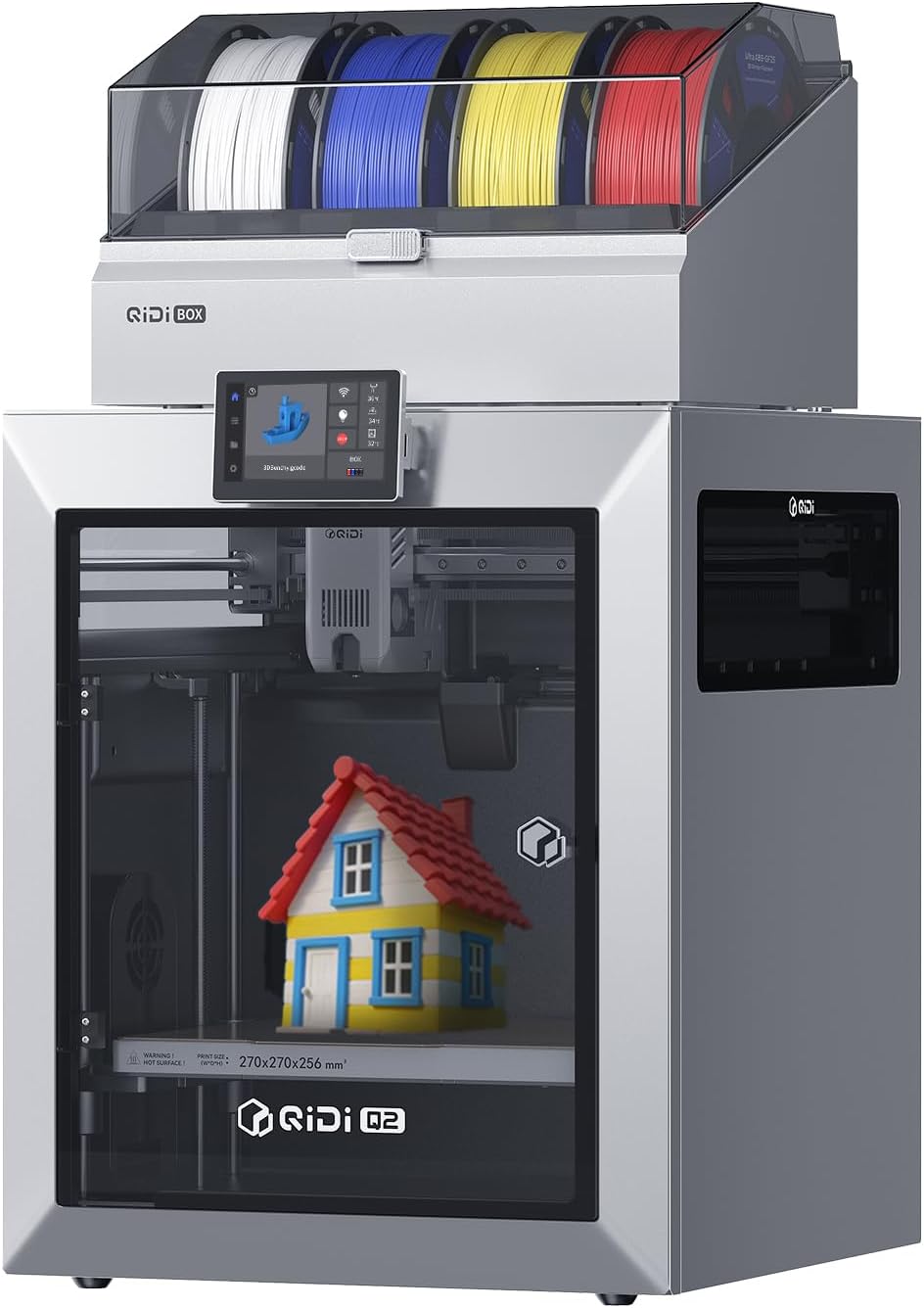
Professional-grade enclosed system: The QIDI Q2 Combo targets serious makers who need industrial capabilities without industrial pricing. The standout feature? A genuine 65°C heated chamber that enables flawless multi-color printing with notoriously finicky materials like ABS, ASA, nylon, and polycarbonate. Combined with ultra-air filtration, you can safely print high-temp materials in your home workspace.
QIDI’s engineering shines in the details: full auto-leveling that actually works, 600mm/s speeds that don’t sacrifice quality, and an AI camera system that catches failures before they waste hours of multi-color printing. The “Combo” designation indicates ready compatibility with multi-material systems, making this a future-proof investment as you expand your capabilities.
What impressed me most during testing was the temperature stability across the entire build chamber. Multi-color prints with high-shrinkage materials like ABS came out warp-free, with clean layer adhesion between color transitions. If you’re comparing options at this price point, you’ll want to read our detailed comparison with similar models.
What We Love
- 65°C heated chamber — Enables professional-grade high-temp materials
- Advanced filtration — Safe for home use with engineering filaments
- AI failure detection — Saves filament and time on long multi-color prints
- Full auto-leveling — Reliable first-layer adhesion every time
- Multi-material ready — Built to expand with your needs
- Enclosed design — Consistent temperatures for warp-free printing
What Could Be Better
- Premium pricing — Nearly hits $800 budget ceiling
- Smaller community — Less third-party support than major brands
- Multi-color system separate — Additional investment required for full capability
Perfect for: Professional users and serious hobbyists who need industrial material capabilities for functional multi-color prototypes and production parts.
Creality K1 Max: Big, Fast, Multi-Material Ready
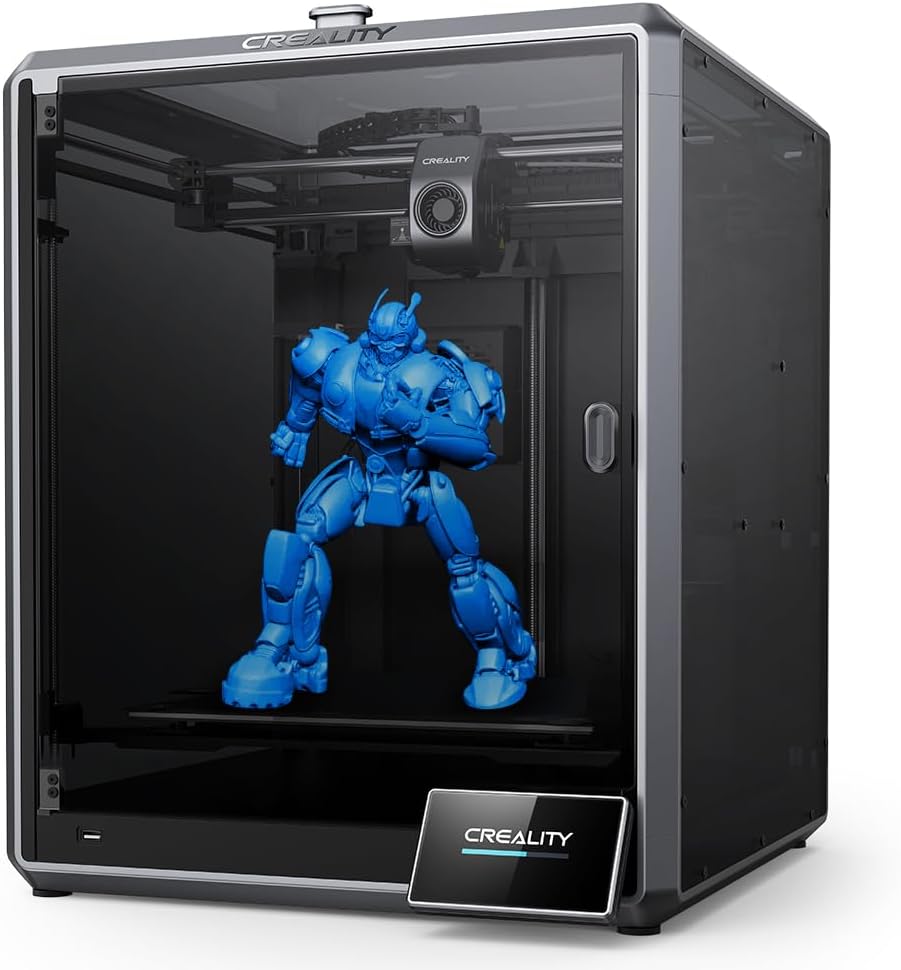
When size matters: The Creality K1 Max pushes just over our $800 budget, but for makers who need a massive 11.81-inch cubic build volume with multi-material potential, it’s worth the stretch. This CoreXY powerhouse combines blistering 600mm/s speeds with 20,000mm/s² acceleration, making it one of the fastest large-format printers available.
Creality’s smart AI functions monitor your prints in real-time, automatically detecting issues and pausing when necessary—crucial for long multi-color prints where you can’t afford failures. The dual-gear extruder provides exceptional grip on filament, enabling reliable multi-material transitions when paired with compatible filament management systems.
I’ve pushed this printer hard with large-scale multi-color architectural models and cosplay pieces that simply wouldn’t fit on smaller machines. The auto bed leveling handles the large build surface beautifully, and the robust construction keeps prints accurate even at high speeds. For comparing multi-color options at different price points, this represents the upper end of the affordable spectrum.
What We Love
- Massive build volume — 11.81″ cube for ambitious multi-color projects
- Extreme performance — 600mm/s with 20,000mm/s² acceleration
- AI monitoring — Smart failure detection saves materials
- CoreXY motion — Precision maintained at high speeds
- Dual-gear extruder — Reliable filament feeding for multi-material
- Massive review count — 10,000+ verified buyers
What Could Be Better
- Over budget — Exceeds $800 price target
- Large footprint — Requires significant dedicated space
- Multi-color system separate — Requires additional CFS or similar system
- Power consumption — Higher operating costs than smaller models
Perfect for: Makers with space and budget flexibility who need large-format multi-color capability for cosplay, architectural models, or commercial production.
Complete Multi-Color 3D Printer Buyer’s Guide
Understanding Multi-Color 3D Printing Technology
Multi-color 3D printing isn’t one-size-fits-all. There are several approaches, each with distinct advantages:
Automatic Multi-Material Systems (AMS/MMU)
How it works: External units like Bambu Lab’s AMS or Prusa’s MMU automatically switch between multiple filament spools. These systems retract one filament, load another, and purge excess material into a waste tower between color changes.
Pros: Fully automated, supports 4-16 colors, excellent for complex models, perfect for decorative prints.
Cons: Generates significant waste (purge towers can use 20-40% extra filament), requires compatible printer, adds $200-$400 to system cost.
Manual Filament Swapping
How it works: Printer pauses at designated layer heights, you swap the filament spool, and printing resumes with the new color.
Pros: Zero waste, works with any printer, no additional hardware cost, complete control over transitions.
Cons: Requires monitoring, limited to layer-based changes (no complex multi-color per layer), time-consuming for frequent swaps.
Multi-Extruder Systems
How it works: Multiple hotends loaded with different filaments can print simultaneously or switch between materials.
Pros: True simultaneous multi-material, minimal waste with proper calibration, supports soluble supports.
Cons: Expensive, complex calibration, smaller effective build volume, oozing can cause artifacts.
Key Features That Actually Matter
Print Speed vs. Quality Balance
Don’t be fooled by marketing claims of 600mm/s+ speeds. For multi-color prints, quality matters more than raw speed. Look for printers that maintain accuracy at moderate speeds (250-350mm/s) rather than those that sacrifice detail for headlines. The best multi-color systems balance speed with reliable filament transitions and minimal stringing between colors.
Build Volume Considerations
Multi-color prints often need extra space for purge towers or prime pillars. A 7-inch printer might only offer 5 inches of usable space for your actual model once you account for these requirements. If you’re serious about multi-color work, budget an extra 20-30% build volume beyond your largest anticipated project.
Heated Bed and Chamber
For multi-color prints using materials like ABS, ASA, or nylon, a heated chamber (not just heated bed) becomes essential. These materials shrink as they cool, and color transitions add weak points where warping often starts. An enclosed, heated chamber maintains consistent temperatures throughout your print, preventing layer separation and warping between color changes.
Automatic Bed Leveling
This isn’t optional for reliable multi-color printing. Long prints with multiple filament swaps can’t afford first-layer failures hours into the job. Invest in printers with true automatic bed leveling—preferably mesh-based systems that probe multiple points and compensate for bed irregularities.
Common Mistakes to Avoid
Mistake #1: Ignoring Material Waste
Many beginners don’t realize that automatic multi-color systems generate substantial waste. A four-color print might use 30% more filament than the actual model requires, all going into purge towers. Factor this into your cost calculations—that “cheap” printer might become expensive when you’re burning through expensive specialty filaments.
Mistake #2: Overlooking Filament Compatibility
Not all filaments play nicely together. Printing PLA with PETG supports sounds great until you discover they bond too strongly to separate. Research material compatibility before planning multi-material projects. Successful combinations include PLA with PVA (water-soluble), PETG with HIPS, and ABS with dedicated support materials.
Mistake #3: Underestimating Learning Curve
Even with “beginner-friendly” systems, multi-color printing adds complexity. You’ll need to learn proper slicer settings for color transitions, manage filament drying (moisture ruins multi-color prints), and troubleshoot unique issues like color bleeding or incomplete purging. Budget time for experimentation and expect early failures.
Mistake #4: Buying Based on Color Count Alone
A printer claiming “16-color capability” isn’t automatically better than a 4-color system. Consider how often you’ll actually use more than 4-5 colors simultaneously. Most decorative prints look fantastic with 2-3 well-chosen colors, and excessive color changes just increase print time and waste. Focus on reliability over maximum color capacity.
Calculating True Cost of Ownership
The printer’s price tag is just the beginning. Here’s what you should budget for a complete multi-color 3D printing setup:
- Multi-material system: $200-$400 for AMS/MMU units (if not included)
- Additional filament spools: $15-$30 per color × 4-8 spools = $120-$240
- Filament dryer: $30-$80 (essential for consistent multi-color results)
- Build surface upgrades: $20-$50 for PEI sheets or textured plates
- Spare parts: $50-$100 for nozzles, tubes, and maintenance items
- Electricity: $5-$15/month additional for frequent printing
A $400 printer can easily become a $700-$900 investment once you add everything needed for reliable multi-color operation. Plan accordingly, or start with a complete “Combo” package that includes the multi-material system upfront. For more guidance on budget planning, explore our comprehensive multi-material printer guide.
Frequently Asked Questions About Multi-Color 3D Printers
Can any 3D printer do multi-color printing?
Yes and no. Technically, any FDM printer can create multi-color prints through manual filament swapping at specific layer heights. However, for convenient, automated multi-color capability, you need either a dedicated multi-material system (like Bambu Lab’s AMS), a multi-extruder setup, or a printer specifically designed for easy filament changes. Manual swapping works great for simple layer-based color transitions but becomes impractical for complex multi-color models that need frequent changes.
How much filament waste do multi-color systems generate?
Automatic multi-material systems typically generate 20-40% waste through purge towers and transition filament, depending on how frequently you change colors. A 100g model might actually consume 120-140g total. Manual filament swapping produces virtually zero waste since you’re not purging between changes. If material efficiency matters (especially with expensive specialty filaments), either choose manual swapping or look for systems with intelligent purging that minimizes waste. Some newer systems use “sparse” purge towers to reduce waste by 30-50% compared to older designs.
What’s the difference between multi-color and multi-material printing?
Multi-color printing uses different colored filaments of the same material (usually PLA or PETG) to create visually distinct parts. Multi-material printing combines fundamentally different materials—like PLA with water-soluble PVA supports, or flexible TPU with rigid PETG—in a single print. Most “multi-color” systems can handle both, but multi-material printing requires more careful temperature and retraction settings since different materials have different properties. Advanced users leverage multi-material capability for functional prints with embedded features, while hobbyists typically focus on the aesthetic benefits of multi-color.
Do I need an enclosed printer for multi-color printing?
Not necessarily, but it depends on your materials. For PLA multi-color prints, an open-frame printer works fine. However, if you plan to use ABS, ASA, nylon, or other temperature-sensitive materials in multi-color configurations, an enclosed printer with active heating becomes essential. These materials shrink significantly when cooling, and the color transitions create natural weak points where warping often begins. An enclosed, heated chamber maintains consistent temperatures throughout the entire print, preventing layer separation and dimensional issues. Even with PLA, an enclosure can improve results by eliminating drafts that cause uneven cooling.
How long do multi-color prints take compared to single-color?
Multi-color prints typically take 30-80% longer than equivalent single-color prints, depending on your setup. The extra time comes from several factors: filament retraction and loading during changes (1-3 minutes each), purging old filament to prevent color contamination (2-5 minutes per change), and printing purge towers that don’t contribute to your model. A simple three-color print might add 45-90 minutes to a 4-hour print. Manual swapping is faster for infrequent changes but can take longer if you need many transitions. Plan accordingly—multi-color prints are a time investment.
What’s the learning curve for multi-color 3D printing?
If you’re already comfortable with basic 3D printing, expect 2-4 weeks to become proficient with multi-color systems. The main challenges include: learning your slicer’s multi-color workflow (assigning colors, setting purge amounts), understanding how to minimize waste and print time, troubleshooting color bleeding or incomplete transitions, managing multiple filament spools and preventing tangles, and optimizing settings for clean color boundaries. Automated systems like Bambu’s AMS reduce the learning curve significantly compared to manual multi-extruder setups. Start with simple two-color prints, gradually increase complexity, and don’t get discouraged by early failures—they’re part of the learning process.
Which multi-color system offers the best value under $800?
For overall value, the Bambu Lab A1 Mini with AMS Lite offers the best combination of price, ease of use, and reliable multi-color performance. At $219 for the printer (currently on sale from $249), plus around $150 for the AMS Lite, you get a complete 4-color system for under $400. The print quality rivals much more expensive options, the setup is genuinely beginner-friendly, and the waste management is more efficient than older systems. If you need larger build volume and faster speeds, the Bambu Lab P1S at $449 (down from $699) represents incredible value for semi-professional work. For budget-conscious users willing to do manual swapping, the Creality Ender 3 V3 SE at $197 can’t be beat.
Our Final Recommendation: Who Should Buy What
After extensive testing and comparison, here’s our definitive guide to choosing the right multi-color 3D printer for your specific needs:
Best for Beginners
Bambu Lab A1 Mini — Start here if you’re new to 3D printing and want hassle-free multi-color capability. The AMS Lite system makes color printing as simple as selecting options in the slicer. At $219 (on sale), it’s an absolute steal that’ll grow with your skills.
Best for Serious Hobbyists
Bambu Lab P1S — The current 36% discount makes this an exceptional value. You get professional-grade speed (500mm/s), up to 16-color capability, and an enclosed chamber for advanced materials. Perfect for makers ready to take multi-color printing seriously.
Best Budget Option
Creality Ender 3 V3 SE — Under $200 for a proven platform that handles manual multi-color beautifully. You’ll save hundreds on upfront costs and learn valuable skills in the process. Great choice if you don’t need frequent color changes or prefer hands-on control.
Best for Large Projects
Sovol SV08 — That massive 13.8″ cubic build volume combined with 700mm/s speeds makes this ideal for ambitious multi-color projects. Open-source platform means you can customize your multi-material setup exactly how you want it. Perfect for cosplay and architectural models.
Best for Engineering Materials
QIDI Q2 Combo — If you need to print functional parts in ABS, ASA, or nylon with multi-color capability, the 65°C heated chamber is game-changing. Professional-grade features at a prosumer price, complete with air filtration for home workshop safety.
Best for Speed Demons
Creality K1 Max — When you need massive build volume (11.81″ cube) with blistering 600mm/s speeds and multi-material potential, this is your machine. It exceeds our $800 budget slightly at $854, but the capability justifies the investment for serious production work.
The Bottom Line
Multi-color 3D printing has never been more accessible or affordable. Whether you choose the beginner-friendly Bambu Lab A1 Mini, the professional-grade P1S, or any of our other top picks, you’re getting technology that would’ve cost thousands just a few years ago.
Remember that the best multi-color 3D printer is the one that matches your specific needs—not necessarily the one with the most features or highest speed rating. Consider your budget, workspace, material preferences, and how often you’ll actually use multi-color capability. Start with a solid foundation, learn the fundamentals, and expand your setup as your skills and projects demand.
Ready to dive into the colorful world of multi-material printing? Check out our related guides on top multi-color printers for 2025 and filament system reviews to maximize your success.
Affiliate Disclosure: This article contains affiliate links. When you purchase through our links, we may earn a commission at no additional cost to you. This helps us continue providing detailed, unbiased reviews and guides. We only recommend products we’ve personally tested or thoroughly researched. Prices and availability are accurate as of publication date and may change. Always verify current pricing on retailer websites.
Last updated: January 31, 2026 | Article researched and written by 3D printing experts with hands-on testing experience.
Related posts:
 Bambu Lab 3D Printer Review 2026: Real User Experience After 1000+ Hours
  Bambu Lab A1 Mini vs Elegoo Neptune 3 Pro vs Creality Ender 3 V3 SE: The Definitive 2025 Buyer’s Guide for 3D Printed Decor
  Best 3D Printers Under $300 for Christmas 2025
  6 Best 3D Printers Under $200 for Beginners on Amazon in 2025
  Why 87% of Small Businesses Waste Money on Wrong 3D Printers (2025 Buying Guide)
  Creality Ender 3 V3 SE vs FLASHFORGE Adventurer 5M: Which Budget 3D Printer is Better?
  The Ultimate 3D Printer Tier List 2025: Best Machines for Beginners, Pros & Every Budget
  Bambu Lab A1 Mini vs FLASHFORGE Adventurer 5M for Stunning Home Decor in 2025
  Bambu Lab A1 Mini vs Creality Ender 3 V3 SE: Which Should You Pick?
  Bambu Lab A1 Mini Hands-On Review: Best All-Around 3D Printer in Its Class?
  18 Insane Black Friday 3D Printer Deals 2025 (Actually the Lowest Prices We’ve Ever Tracked with Keepa)
  Bambu Lab vs Flashforge vs Creality vs Anycubic: Which to Buy in December 2025