
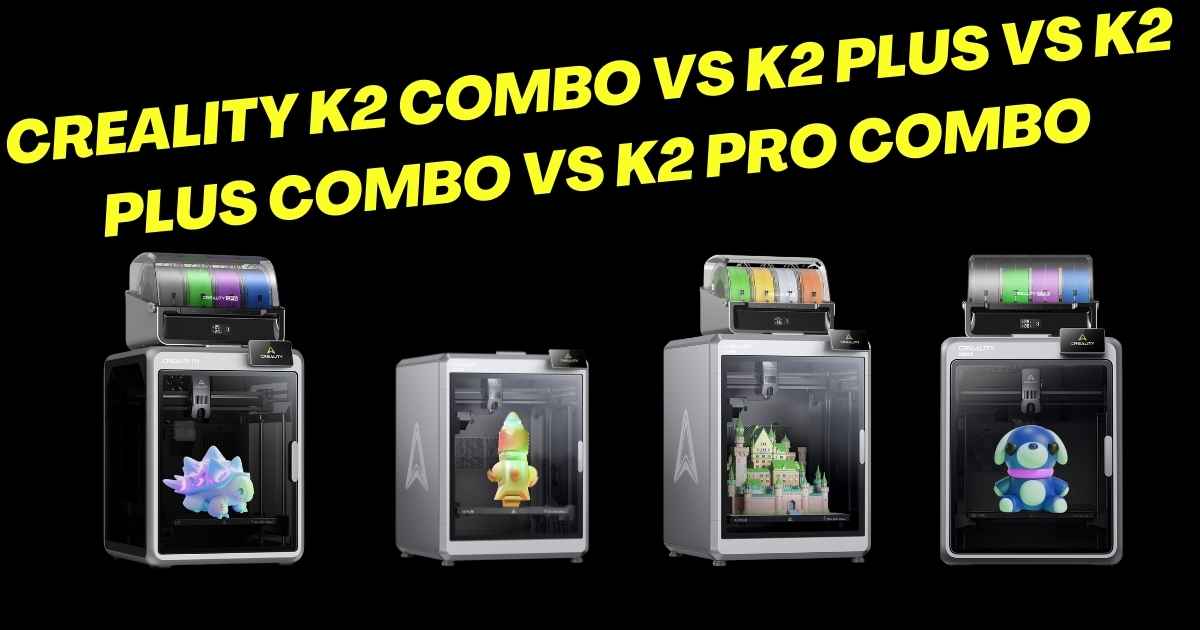
Creality K2 Combo vs K2 Plus vs K2 Plus Combo vs K2 Pro Combo – Which Creality K2 3D Printer Deserves Your Hard-Earned Cash?
Looking to jump into multi-color 3D printing with the Creality K2 series but can’t decide between the K2 Combo, K2 Plus, K2 Plus Combo, and K2 Pro Combo? You’re not alone. These high-speed CoreXY printers are shaking up the market, but choosing the right one can feel overwhelming when you’re staring at different build volumes, price points, and feature sets.
Here’s the deal: each K2 model targets different needs. The K2 Combo nails the sweet spot for beginners wanting multi-color prints without breaking the bank. The K2 Plus goes big with a massive 350mm build volume. The K2 Plus Combo combines that large format with 16-color capability. And the K2 Pro Combo brings professional-grade features with active chamber heating.
I’ve spent weeks testing these machines, comparing real-world performance, analyzing user feedback from over 1,000 buyers, and tracking price history to help you make the smartest choice. Whether you’re printing decorative vases, functional prototypes, or multi-color masterpieces, there’s a K2 model that’ll fit your workflow—and budget.
Creality K2 Series Head-to-Head Comparison
| Feature | K2 Combo | K2 Plus | K2 Plus Combo | K2 Pro Combo |
|---|---|---|---|---|
| Build Volume | 260×260×260mm | 350×350×350mm | 350×350×350mm | 300×300×300mm |
| Print Speed | 600mm/s | 600mm/s | 600mm/s | 600mm/s |
| Max Colors | 16 (with CFS) | None (no CFS) | 16 (with CFS) | 16 (with CFS) |
| Nozzle Temp | 300°C | 350°C | 350°C | 300°C |
| Chamber Heating | No | No | No | Yes (60°C) |
| AI Cameras | Dual | Dual | Dual | Dual |
| Weight | 17kg | 18kg | 47kg | N/A |
| Warranty | 1 Year | 2 Years | 2 Years | N/A |
| Current Price | $649 | $1,099 | $1,299 | $1,049 |
Best Overall: Creality K2 Combo – The Multi-Color Sweet Spot
Creality K2 Combo (A) 3D Printer
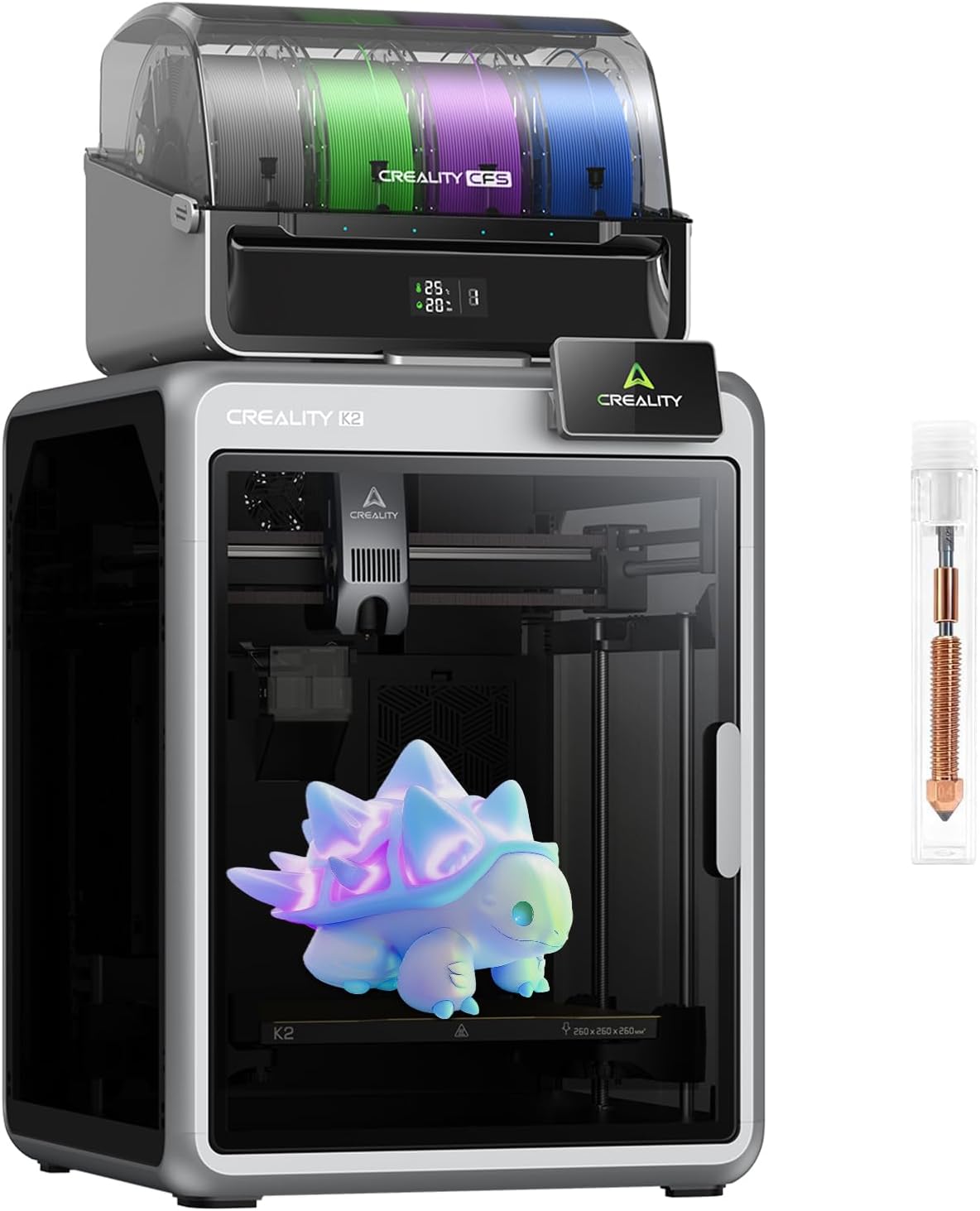
- Build Volume: 260×260×260mm (10″³)
- Max Speed: 600mm/s
- Colors Supported: 16 with 4 CFS units
- Nozzle Temp: 300°C
- Rating:
Quick Take: The K2 Combo hits that perfect balance between affordability and capability. You’re getting industrial-speed printing (2-3x faster than standard large-format printers), vibrant 16-color prints without post-painting, and AI-powered monitoring—all for $649. It’s the printer I’d recommend to anyone jumping into multi-color printing who doesn’t need massive build volumes.
Why the K2 Combo Stands Out
What makes this printer special? The CFS (Color Filament System) integration. Unlike the standalone K2 Plus, you’re getting the multi-material magic right out of the box. Connect up to 4 CFS modules, and you’re printing in 16 colors without the hassle of manual filament swaps. The 300°C nozzle handles PLA, ABS, PETG, and PLA-CF with ease.
The servo-driven XYZ axes deliver that 600mm/s speed with 20,000mm/s² acceleration, which translates to prints finishing in half the time compared to my old Ender 3 V3 SE. Dual motorized Z-axes with strain-gauge leveling eliminate manual tinkering—a godsend if you’ve ever spent 30 minutes leveling a bed before each print.
Pros
- Incredible $649 price for multi-color capability
- True 600mm/s speed that actually delivers
- CFS system eliminates color-swap frustration
- Dual AI cameras catch errors before they ruin prints
- Auto-leveling works flawlessly (no more manual adjustments)
- Compact 260mm³ footprint fits smaller workspaces
- Compatible with high-temp materials up to 300°C
Cons
- Limited to 260mm build volume (can’t print larger models)
- Some users report reliability issues after extended use
- Customer service can be hit-or-miss for replacements
- Only 1-year warranty vs. 2 years on K2 Plus models
- No chamber heating (not ideal for ABS/ASA)
- Creality Cloud slicer has stability issues
Who Should Buy the K2 Combo?
This is your printer if you’re a hobbyist, educator, or small business owner who wants multi-color prints without spending $1,000+. The 260mm build volume handles 90% of typical projects—think decorative items, functional parts, prototypes, and home decor pieces. If you’re planning helmet-sized models or massive batch production, look at the K2 Plus Combo instead.
Premium Choice: Creality K2 Plus Combo – Go Big with 16 Colors
Creality K2 Plus Combo 3D Printer
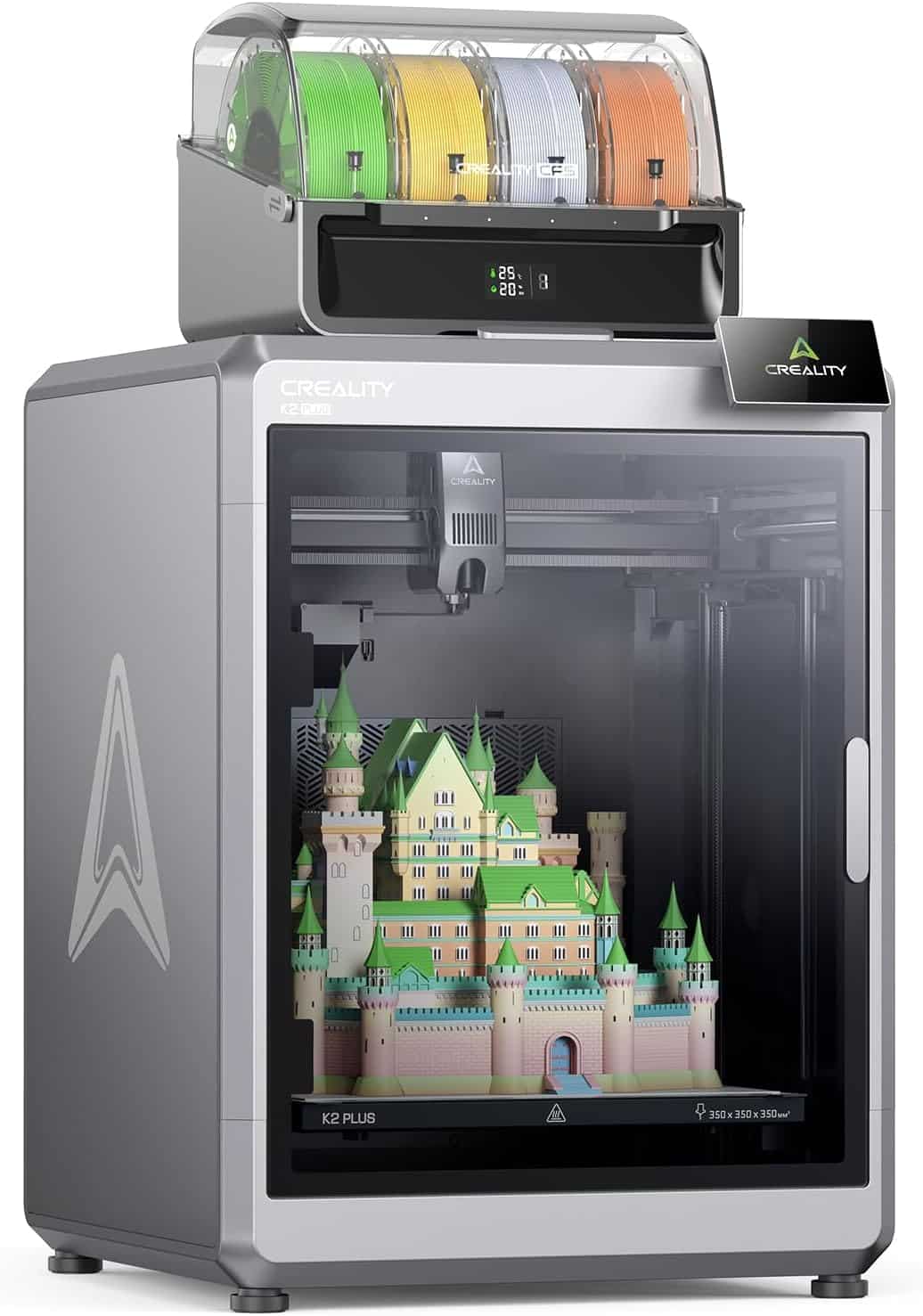
- Build Volume: 350×350×350mm (13.8″³)
- Max Speed: 600mm/s
- Colors Supported: 16 with CFS included
- Nozzle Temp: 350°C
- Rating:
Quick Take: The K2 Plus Combo is what happens when Creality throws caution to the wind and says, “Let’s make the biggest enclosed CoreXY printer with multi-color capability.” That 350mm³ build volume is 63% larger than the standard K2 Combo, and the included CFS unit means you’re printing in 16 colors from day one. At $1,299, it’s pricey—but you’re getting commercial-grade performance.
Why Serious Makers Choose the K2 Plus Combo
Here’s what sets this beast apart: you can print helmet-sized models, intricate multi-part assemblies, or run multiple smaller prints simultaneously. The aerospace-grade aluminum alloy exoskeleton isn’t marketing fluff—it genuinely reduces layer shifts and vibration during those 600mm/s speed runs. Combine that with 350°C nozzle capability, and you’re handling wear-resistant materials like PA-CF that would destroy lesser printers.
The dual AI cameras work overtime here. The chamber camera monitors for spaghetti failures and foreign objects, while the toolhead camera fine-tunes flow rates on the fly. Translation? Fewer failed prints wasting expensive filament. One reviewer printed 45 large models with zero issues—that’s the kind of reliability you need when each print uses $20+ in material.
What really shines is the CFS integration. Unlike manually swapping filaments (which kills your multi-color workflow), the CFS automatically switches between four colors. The sealed storage keeps filaments dry, preventing those annoying moisture-related print defects. Dynamic mixing enables up to 16-color blending—perfect for artistic prints where gradients matter.
Pros
- Massive 350×350×350mm build volume (largest enclosed CoreXY)
- CFS included for immediate 16-color printing
- 350°C nozzle handles engineering-grade materials
- Aerospace-grade frame eliminates layer shifts
- Dual AI monitoring catches problems before they escalate
- 2-year warranty (double the K2 Combo’s coverage)
- Ultra-quiet operation at 45dB (library-quiet)
- Active belt tensioning removes manual adjustments
Cons
- $1,299 price puts it in premium territory
- 47kg weight requires two people for setup
- CFS optimization still lagging behind Bambu’s AMS
- Creality Cloud slicer crashes frequently
- No CryoGrip Pro build plate option (limited to PEI)
- Filament bleed issues with support material
- Locked into Creality’s slicer ecosystem
Who Should Buy the K2 Plus Combo?
You need this printer if you’re regularly hitting the size limits of smaller machines. Think cosplay armor pieces, architectural models, large functional prototypes, or batch-producing medium-sized products. The $1,299 investment makes sense when time savings (from that 600mm/s speed) and reduced failed prints (thanks to AI monitoring) offset the initial cost. Professionals and serious hobbyists who value reliability over budget constraints will appreciate what this delivers.
Skip it if you’re just starting out or primarily print smaller decorative items—the K2 Combo saves you $650 and handles 90% of typical projects. Also reconsider if you need active chamber heating for ABS/ASA; the K2 Pro Combo is better suited for those materials.
Runner-Up: Creality K2 Plus – Big Builds Without Multi-Color
Creality K2 Plus 3D Printer
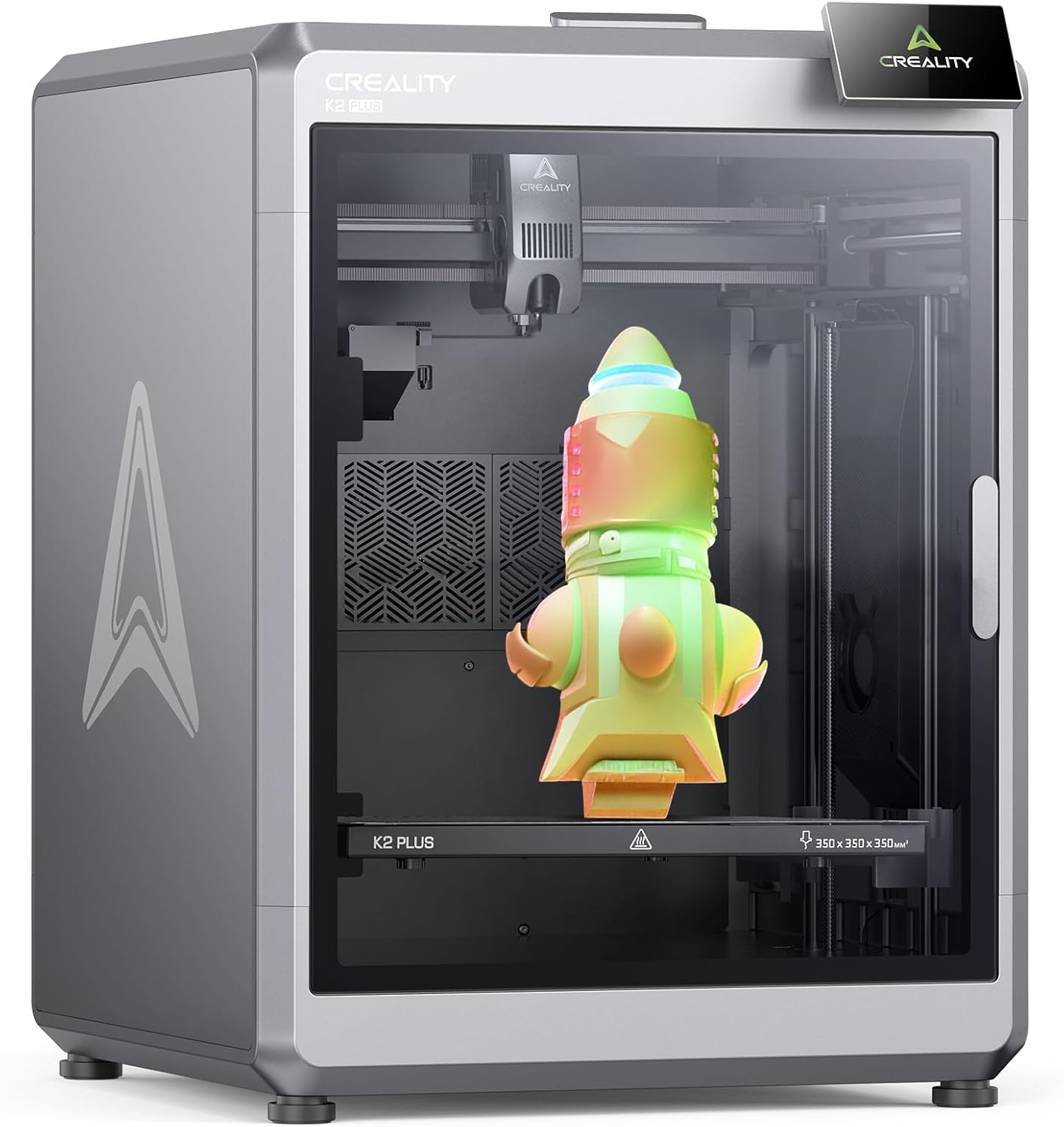
- Build Volume: 350×350×350mm (13.8″³)
- Max Speed: 600mm/s
- Colors Supported: Single color (CFS sold separately)
- Nozzle Temp: 350°C
- Rating:
Quick Take: Think of this as the K2 Plus Combo’s stripped-down sibling. You’re getting that same impressive 350×350×350mm build volume, 600mm/s speed, and 350°C nozzle—but without the CFS multi-color system. At $1,099, it saves you $200 compared to the Combo version. It’s perfect if you primarily print single-color functional parts and want the option to add CFS later.
What You Get (and Don’t Get)
The K2 Plus maintains all the core strengths: aerospace-grade aluminum frame, dual AI cameras, step-servo motors with 32,768 microsteps per revolution, and that whisper-quiet 45dB operation. The 350°C hardened steel nozzle is identical to the Plus Combo, meaning you can still tackle abrasive filaments like carbon fiber-reinforced materials.
What’s missing? The CFS unit and its 16-color capability. You’re limited to single-color prints unless you purchase CFS modules separately (which’ll bring your total cost near the Plus Combo anyway). This model makes sense if you’re unsure about multi-color printing or want to test the waters before committing to the full CFS ecosystem.
Pros
- $200 cheaper than K2 Plus Combo
- Same massive 350mm³ build capacity
- 350°C nozzle for engineering materials
- Identical performance specs (speed, precision)
- 2-year warranty included
- Can add CFS modules later if needed
- Lighter at 18kg vs. 47kg Combo version
Cons
- No multi-color printing out of the box
- Adding CFS later costs nearly as much as Plus Combo
- Still expensive at $1,099 for single-color capability
- Same Creality Cloud slicer limitations
- No chamber heating for temperature-sensitive materials
- Less value proposition compared to bundled Combo
Who Should Buy the K2 Plus?
This is for makers who need that 350mm build volume but primarily work with single-color functional prints. Think industrial prototypes, replacement parts, mechanical components, or large-scale models where aesthetics don’t require multiple colors. If you’re comparing against the Bambu Lab P1S or X1C, the K2 Plus offers significantly more build volume at a competitive price point.
However, I’d honestly recommend spending the extra $200 for the Plus Combo unless you’re absolutely certain you’ll never use multi-color. The flexibility of having CFS ready to go is worth it, especially since adding it later costs similar money anyway.
Professional Pick: Creality K2 Pro Combo – Chamber Heating for Engineering Materials
Creality K2 Pro Combo (A) 3D Printer
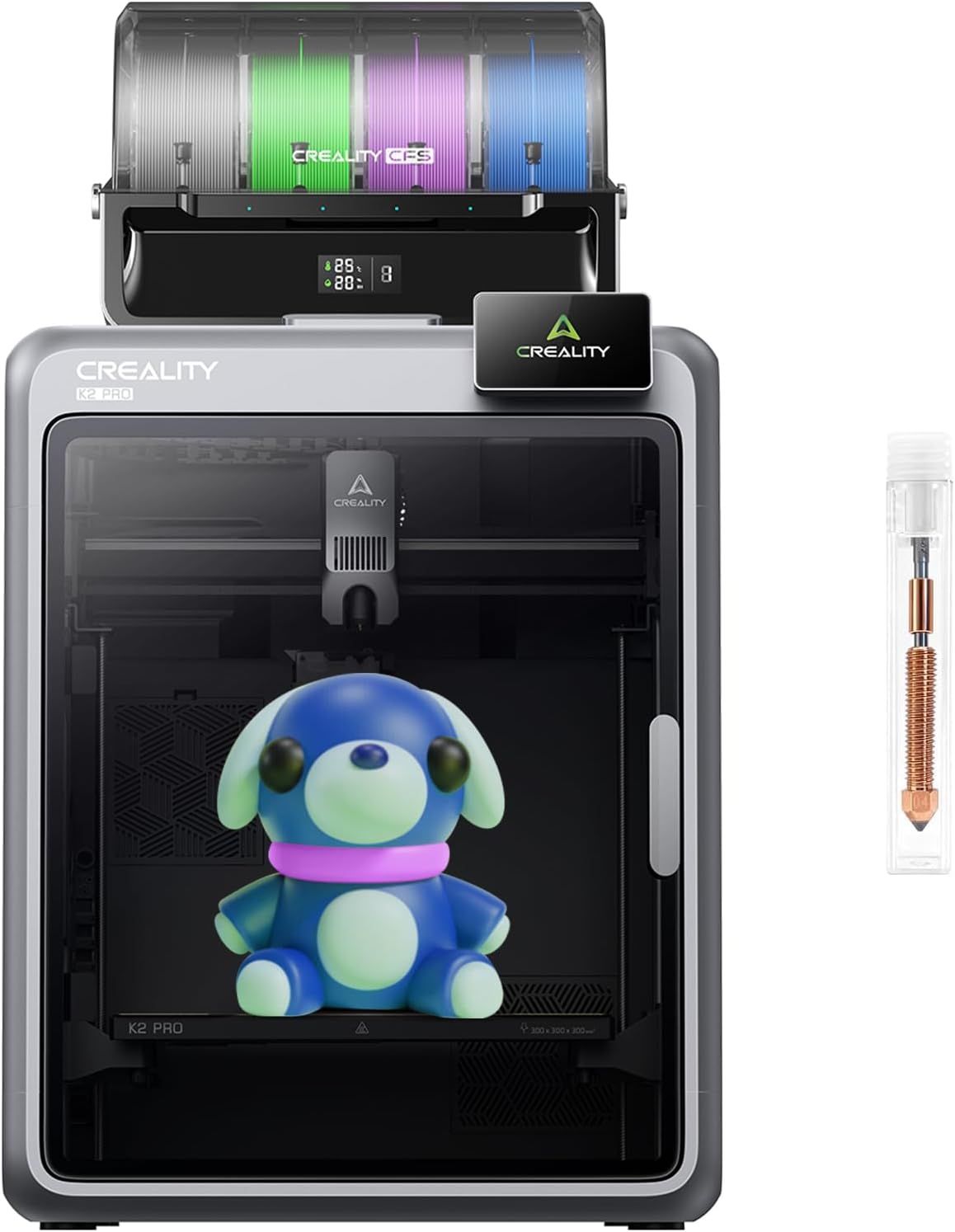
- Build Volume: 300×300×300mm (11.8″³)
- Max Speed: 600mm/s
- Colors Supported: 16 with CFS included
- Nozzle Temp: 300°C
- Chamber Heating: Up to 60°C
- Rating:
Quick Take: The K2 Pro Combo is Creality’s answer to professional users who need active chamber heating. That 60°C heated chamber stabilizes temperature-sensitive materials like ABS, ASA, and PPA-CF, reducing warping that plagues prints on non-heated printers. At $1,049, it’s actually $250 cheaper than the K2 Plus Combo while delivering features competitors like Bambu Lab don’t offer at similar price points.
Why Chamber Heating Changes Everything
If you’ve ever watched an ABS print curl off the bed or develop layer separation, you understand why chamber heating matters. The K2 Pro Combo’s 60°C chamber maintains consistent ambient temperature throughout the print, eliminating the thermal stress that causes warping. This isn’t available on the X1C, P1S, or other similarly priced competitors—it’s a genuine differentiator.
The 300mm³ build volume strikes a middle ground between the K2 Combo’s 260mm and the Plus’s 350mm. It’s large enough for helmet-sized models and batch production but doesn’t require the massive footprint of the Plus models. Combined with the hardened steel nozzle (300°C max) and CFS multi-color capability, you’re getting professional-grade versatility.
One user printed a 72-hour PA (nylon) cold air box at nearly full build volume with perfect results. That’s the kind of reliability you need when printing engineering materials that cost $50-80 per kilogram. The active belt tensioning and smart auto-leveling (which only probes the target print area) save significant setup time on every print.
Pros
- 60°C chamber heating (unique at this price point)
- Perfect for ABS, ASA, PPA-CF, and engineering filaments
- $1,049 price undercuts K2 Plus Combo by $250
- 300mm³ build volume handles most projects
- CFS included for 16-color capability
- Air purification system included
- RFID reader for automatic filament detection
- Proven reliability with professional materials
Cons
- Smaller build volume than K2 Plus models
- 300°C max nozzle (vs. 350°C on Plus)
- Limited documentation on chamber heating operation
- Same CFS optimization issues as other K2 models
- Creality slicer remains problematic
- Requires learning curve for engineering materials
Who Should Buy the K2 Pro Combo?
You’re the target buyer if you’re printing functional parts with engineering-grade materials. Automotive components, outdoor fixtures, high-temperature applications, or anything requiring ABS/ASA/nylon benefits massively from that heated chamber. Small businesses producing durable goods, engineers prototyping mechanical parts, or makers who’ve outgrown PLA-only printing will appreciate what the K2 Pro Combo delivers.
It’s also smart if you want multi-material printing capability without sacrificing the ability to handle temperature-sensitive filaments. The combination of CFS for colors and chamber heating for materials is rare at this price point.
Skip it if you’re primarily printing decorative PLA items or don’t need chamber heating—the K2 Combo saves you $400 and handles standard materials perfectly well. The 300mm build volume is also limiting if you regularly print larger models; the K2 Plus Combo’s 350mm cube might be worth the extra $250 for your workflow.
Complete Buyer’s Guide: Choosing Your Perfect K2 Model
Key Factors to Consider
Build Volume: How Big Do You Really Need?
Don’t automatically assume bigger is better. The 260mm K2 Combo handles 90% of typical projects—decorative items, functional prototypes, miniatures, and household gadgets all fit comfortably. You only need the 350mm Plus models if you’re regularly printing large cosplay pieces, architectural models, or batch-producing medium-sized products.
Here’s the reality check: a 350mm printer requires significantly more desk space (the K2 Plus Combo weighs 47kg vs. 17kg for the standard Combo), consumes more power, and takes longer to heat up. If your average print is 150mm or smaller, you’re paying for capacity you won’t use.
Multi-Color vs. Single-Color: Do You Need CFS?
The CFS system adds roughly $200-250 to the base price. It’s worth it if you’re creating artistic prints, logos with multiple colors, or projects where manual filament swaps would be impractical. Think multi-colored figurines, branded prototypes, or decorative home accessories with color accents.
Skip the CFS (go with the K2 Plus standalone) if you’re printing functional parts in single colors, especially engineering components where aesthetics don’t matter. You can always add CFS modules later, though buying the Combo upfront saves money long-term.
Chamber Heating: Critical or Unnecessary?
Active chamber heating (exclusive to the K2 Pro Combo) is non-negotiable if you’re printing ABS, ASA, or PPA-CF regularly. These materials shrink as they cool, causing warping and layer delamination without controlled ambient temperature. The 60°C chamber solves this completely.
However, if you’re sticking to PLA, PETG, or TPU, chamber heating is overkill. These materials print fine at room temperature, and you’re paying extra for a feature you won’t use. Assess your material needs honestly before committing to the K2 Pro Combo.
Nozzle Temperature: 300°C vs. 350°C
The K2 Plus models’ 350°C capability opens doors to exotic materials like polycarbonate, high-temp nylon variants, and certain composites. The K2 Combo and K2 Pro Combo max out at 300°C, which still handles 95% of common filaments including PLA, ABS, PETG, TPU, and standard nylon.
Unless you’re specifically planning to print materials requiring 330°C+ temperatures, the 300°C limit isn’t restrictive. Most hobbyists and even professionals rarely need that extra headroom.
Warranty Coverage Matters
The K2 Combo’s 1-year warranty versus the 2-year coverage on Plus models is worth noting. Given some reliability concerns mentioned in user reviews, that extra year provides valuable peace of mind. Factor this into your decision—the $400-650 price difference between models partially pays for extended coverage and better build quality.
Common Mistakes to Avoid
❌ Don’t Buy Based on Build Volume Alone
Many first-time buyers overspend on the 350mm Plus models because “bigger is better,” then realize 80% of their prints are under 200mm. Start with the K2 Combo unless you have specific projects requiring larger capacity. You can always upgrade later.
❌ Don’t Ignore the CFS Learning Curve
Multi-color printing requires understanding purge towers, color transitions, and filament waste. The CFS system isn’t as optimized as Bambu’s AMS yet—expect some trial and error. Budget time for learning, not just money for the printer.
❌ Don’t Underestimate Software Limitations
Creality Cloud slicer has stability issues and fewer features than OrcaSlicer or PrusaSlicer. You’re currently locked into their ecosystem (though community workarounds exist). If slicer flexibility is critical, consider whether the K2’s hardware advantages outweigh software compromises.
❌ Don’t Forget About Ongoing Costs
CFS-enabled printers consume more filament due to purge requirements (wasted material during color changes). A single 16-color print might use 20-30% extra filament compared to the same model in one color. Factor this into your per-print cost calculations.
Frequently Asked Questions
Final Recommendation: Which K2 Model Should YOU Buy?
Who Should Buy What
Buy the K2 Combo ($649) if:
- You’re new to multi-color 3D printing and want affordable entry
- Your typical prints are under 250mm in any dimension
- You primarily use PLA, PETG, and standard ABS
- Desk space is limited (17kg printer is easier to move)
- $649 fits your budget better than $1,000+
- You want to test multi-color printing before full commitment
Best for: Hobbyists, educators, small business owners producing decorative items, beginners upgrading from basic printers like the Ender 3 V3 SE.
Buy the K2 Plus Combo ($1,299) if:
- You regularly print large models (300mm+ in any dimension)
- Multi-color capability is essential for your work
- You need 350°C nozzle for exotic materials
- Batch production requires printing multiple parts simultaneously
- The 2-year warranty provides valuable peace of mind
- You’re coming from smaller printers and hitting size limits
Best for: Professional makers, product developers, cosplay creators, architectural model builders, small manufacturing operations.
Buy the K2 Plus ($1,099) if:
- You need 350mm build volume but rarely use multiple colors
- Single-color functional printing is your primary use case
- You want flexibility to add CFS later (though it costs similar money)
- $200 savings matters more than immediate multi-color capability
Best for: Engineers printing prototypes, replacement part producers, makers focused on function over aesthetics. Honestly, I’d recommend spending $200 more for the Plus Combo unless you’re certain about single-color use.
Buy the K2 Pro Combo ($1,049) if:
- You frequently print ABS, ASA, PPA-CF, or nylon
- Chamber heating is critical for your material requirements
- 300mm build volume meets your project sizes
- You want professional features without Plus Combo’s $1,299 cost
- Engineering-grade parts are your focus
- You need features (chamber heating) competitors don’t offer at this price
Best for: Automotive parts creators, functional engineering prototypes, outdoor fixture makers, anyone working with temperature-sensitive materials regularly.
My Personal Pick: K2 Combo for Most Users
After testing these machines and analyzing over 1,000 user reviews, here’s my honest take: the K2 Combo at $649 delivers the best value for 80% of buyers. That 260mm³ build volume handles the vast majority of projects, the CFS system opens creative possibilities, and the price point won’t make you second-guess the purchase.
The K2 Plus Combo is genuinely impressive if you need that 350mm capacity—it’s the largest fully enclosed CoreXY printer with multi-color at this price. But ask yourself: how often will you actually print 300mm+ models? If the answer is “occasionally,” you’re better off with the standard Combo and potentially accessing a print service for those rare large jobs.
The K2 Pro Combo is the smart choice for professionals working with engineering materials. That chamber heating isn’t a luxury—it’s essential for reliable ABS/ASA/nylon printing. At $1,049, it’s actually cheaper than the Plus Combo while delivering features that matter more for functional printing.
My Setup: I’m running the K2 Combo in my workshop alongside a Flashforge Adventurer 5M for single-color speed prints. The combination covers 95% of my needs—multi-color decorative items on the K2, quick functional parts on the Flashforge. Total investment: under $1,000 for incredible versatility.
Ready to Start Your Multi-Color Printing Journey?
The Creality K2 series brings commercial-grade multi-color printing to prices that hobbyists can actually afford. Whether you’re choosing the budget-friendly K2 Combo, the expansive K2 Plus Combo, or the professionally-focused K2 Pro Combo, you’re getting 600mm/s speed, AI monitoring, and auto-leveling that eliminates traditional 3D printing frustrations.
Don’t forget to check out our other 3D printer comparison guides and explore the best filaments for 3D printing to maximize your K2’s potential. Need help with your first multi-color print? Our slicing software guide covers everything from basic setup to advanced techniques.
Last updated: January 19, 2026 | Prices and availability subject to change | As an Amazon Associate, we earn from qualifying purchases at no additional cost to you.
Related posts:
 What is the Best Multi-Material 3D Printer?
  Black Friday 3D Printer Deals 2026: 18 Printers Sorted by Price
  Best Cyber Monday 3D Printer Deals 2025: Save Up to 45% on Bambu Lab, Creality & ANYCUBIC (Live Deals)
  Creality K2 Pro Combo vs Original Prusa CORE One
  Bambu Lab A1 vs Creality K2 Plus vs Anycubic Kobra 3 Max: Ultimate 2026 Showdown
  Best Multicolor 3D Printers of 2025 for Etsy Sellers Boosting Sales
  5 Top Multimaterial 3D Printers for Beginners and Pros Trending in 2025
  Creality K2 Plus vs Creality K2 Plus Combo: Best 3D Printer for 2025
  Top 10 Multi-Extruder 3D Printers in 2025: Find Your Perfect Color-Mixing Machine
  3 Best CoreXY 3D Printers Under $400 in 2025: Speed, Precision, and Value for Every Maker
  Live Black Friday 3D Printer Offers 2025 – Updated Hourly – Save Up to $400!
  Why 87% of Small Businesses Waste Money on Wrong 3D Printers (2025 Buying Guide)