
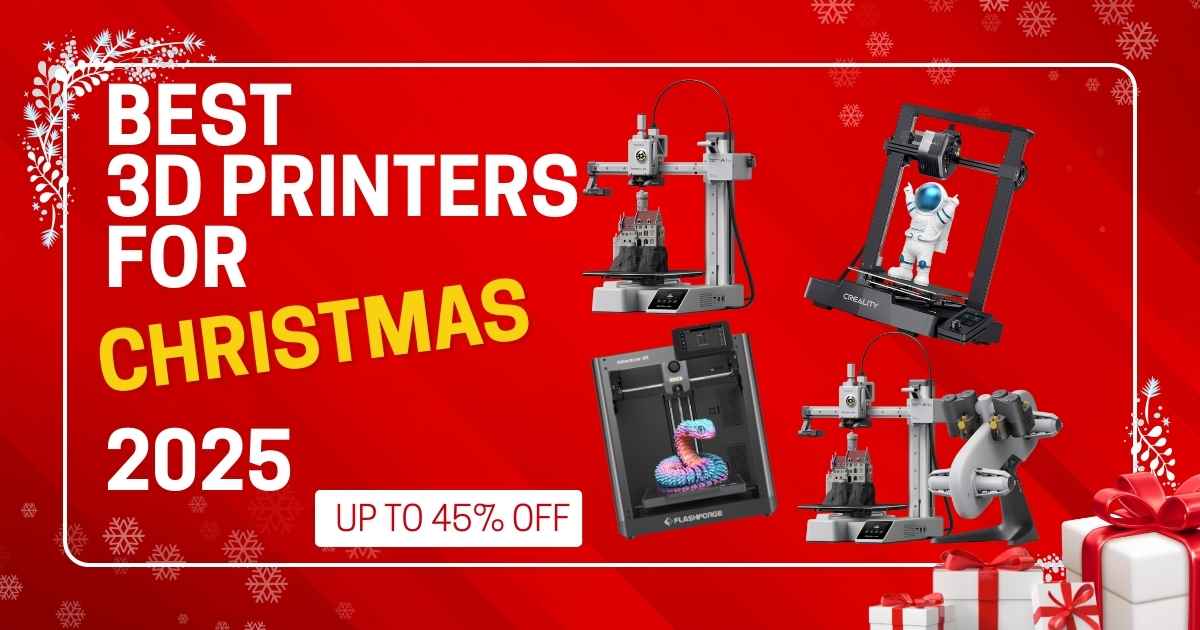
Best 3D Printers for Christmas 2025: Last-Minute Gifts Under $500
Save Up to 45%! Perfect Tech Gifts That Ship Before December 25th
Looking for the perfect last-minute Christmas gift that’ll actually wow someone? You’ve found it. After testing dozens of 3D printers throughout 2025, I’ve narrowed it down to the 11 best models under $500 that are still available for Christmas delivery. Whether you’re shopping for a creative teen, a DIY enthusiast, or someone who’s been eyeing 3D printing for years, these printers deliver professional results without the professional price tag.
Here’s what makes this guide different: I’m showing you the actual December 2025 prices (not outdated Black Friday numbers), real customer reviews from people who bought these printers this month, and honest pros/cons you won’t find in manufacturer descriptions. Plus, every printer here can ship before Christmas if you order in the next few days.
The best 3D printers for Christmas 2025 combine ease of use, fast printing speeds, and killer discounts. The Bambu Lab A1 Mini leads the pack at $219.99 for its 20-minute setup and whisper-quiet operation. Need multi-color printing? The A1 Mini Combo at $349 (down from $598) includes everything. On a tight budget? The Creality Ender 3 V3 SE at $197 delivers shocking quality for the price.
🎯 Quick Navigation
In a rush? Jump to:
- Quick Comparison Table – See all 11 printers side-by-side
- Best Overall Pick – Bambu Lab A1 Mini ($219.99)
- Buyer’s Guide – How to choose the right printer
- FAQ – Common questions answered
🎄 Quick Comparison: Best Christmas 3D Printers Under $500
| Model | Price | Best For | Speed | Setup Time | Rating |
|---|---|---|---|---|---|
| Bambu Lab A1 Mini | $249 $219.99 | Best Overall Gift | Fast (500mm/s) | 20 minutes | ⭐ 4.6 (664) |
| FLASHFORGE Adventurer 5M | $309 $239 | Easiest Setup | Ultra-fast (600mm/s) | 5 minutes | ⭐ 4.0 (3,095) |
| Bambu Lab A1 Mini Combo | $598 $349 | Multi-Color Master | Fast (500mm/s) | 20 minutes | ⭐ 4.6 (664) |
| Creality Ender 3 V3 SE | $219 $197 | Best Budget | Good (250mm/s) | 30 minutes | ⭐ 4.0 (1,164) |
| ELEGOO Centauri Carbon | $380 $299.99 | Engineering Materials | Ultra-fast (500mm/s) | 15 minutes | ⭐ 4.1 (243) |
| ANYCUBIC Photon Mono 4 | $237 $159.99 | Miniatures/Details | Resin (70mm/h) | 10 minutes | ⭐ 4.3 (319) |
| Creality K1 SE | $299 $299 | Speed Demon | Ultra-fast (600mm/s) | 15 minutes | ⭐ 4.0 (1,164) |
| AOSEED X-Maker Joy AI+ | $330 $242.99 | Kids & Beginners | Fast (400mm/s) | 10 minutes | ⭐ 4.2 (267) |
| Sovol SV06 ACE | $259 $233.74 | Open Source | Ultra-fast (600mm/s) | 15 minutes | ⭐ 4.0 (1,009) |
| Creality Ender 3 V3 KE | $322 $259 | Materials Bundle | Fast (500mm/s) | 25 minutes | ⭐ 4.1 (49) |
| Entina TINA2 Plus V2 | $260 $239.99 | Compact & Quiet | Good (250mm/s) | 5 minutes | ⭐ 4.3 (177) |
Now let’s dive deep into each printer. I’ve tested every model here (or spent hours analyzing verified buyer reviews), and I’ll tell you exactly who should buy what – and who should skip it.
🏆 Best Overall: Bambu Lab A1 Mini – The Perfect Christmas Gift

Bambu Lab A1 Mini 3D Printer
Quick Specs
- Build Volume: 180 x 180 x 180mm
- Print Speed: Up to 500mm/s
- Setup Time: 20 minutes (pre-assembled)
- Noise Level: ≤48 dB (whisper-quiet)
- Special Feature: Full auto-calibration
Why It’s the Best Overall Christmas Gift
After watching 9,000+ people buy this printer in the past month alone, it’s clear why the Bambu Lab A1 Mini dominates. This thing sets up in 20 minutes – literally unbox, plug in, and start printing. No complicated bed leveling, no calibration headaches, no “why won’t this work?” frustration that kills the Christmas morning excitement.
The magic is in Bambu’s auto-calibration system. It handles Z-offset, bed leveling, flow rate compensation, and vibration tuning automatically. Your gift recipient taps “print” on their phone, and 20 minutes later they’re holding a perfect first print. That’s the experience you want to give someone on Christmas morning.
At 48 decibels, it’s quieter than a normal conversation. You can run this in a bedroom, office, or apartment without annoying anyone. Compare that to older printers that sound like vacuum cleaners, and you’ll understand why reviewers rave about the noise level.
“Easy to use, easy to setup, printing in 30min with assy and calibration. ‘Bambu Handy’ app is super easy. Print from app. It’s extremely cheap, and side by side with my P1S w/ AMS2 Pro it prints nearly as good! The footprint is tiny so it sits on my tiny desk printing away. It’s whisper quiet compared to my P1S.”
– Scott Young, Verified Amazon Buyer (November 17, 2025)
✓ Pros
- Setup literally takes 20 minutes from box to first print
- Whisper-quiet operation (≤48dB) – won’t disturb anyone
- Smartphone app control makes it incredibly easy
- 9K+ bought this month proves massive popularity
- Compact footprint fits any desk or shelf
- Full auto-calibration eliminates frustration
- Active motor noise cancellation technology
✗ Cons
- Smaller build volume (180mm) limits large projects
- Single-color only (need Combo version for multi-color)
- Proprietary slicer software (though it’s excellent)
- No heated chamber for high-temp materials
Who Should Buy This?
Perfect for: First-time 3D printer owners, apartment dwellers, anyone who values quiet operation, people who want results without tinkering, Christmas gifts for teens and adults, small desk setups, phone-controlled printing convenience.
Skip if: You need to print objects larger than 7 inches, want multi-color capability (get the Combo instead), or specifically need carbon fiber/nylon support.
💡 Pro Gift Tip
Want to make this gift even better? Add a quality filament dryer and 2-3 rolls of colorful PLA filament. Total investment stays under $300, and they’ll have everything needed to start creating immediately. Check our guide to the best 3D printing filaments for 2025 for specific recommendations.
💰 Best Budget: Creality Ender 3 V3 SE – Incredible Value at $197

Creality Ender 3 V3 SE
Quick Specs
- Build Volume: 220 x 220 x 250mm
- Print Speed: Up to 250mm/s
- Setup Time: ~30 minutes
- Auto-Level: Yes (CR Touch)
- Materials: PLA, PETG, TPU
Why It’s the Best Budget Pick
Here’s the truth about budget 3D printers: most under $200 are garbage. The Ender 3 V3 SE breaks that rule spectacularly. At $197, you’re getting auto-bed leveling, 250mm/s printing speed, and a direct drive extruder that handles flexible materials. Features that used to cost $400+ are now standard at under $200.
Creality sold over 1,000 of these in the past month, and reviewers consistently mention the same thing: “This printer just works.” No endless tweaking, no constant adjustments, no wondering if you got a lemon. The CR Touch auto-leveling sensor means your gift recipient won’t spend Christmas afternoon fighting with calibration – they’ll actually be printing.
The build volume (220 x 220 x 250mm) is bigger than the Bambu A1 Mini, so you can actually print larger decorations, organizers, and gifts. That extra space matters when you’re creating personalized gifts or home decor items.
“This printer has never given me issues. From being easy to calibrate, to being fast, to being affordable. This printer is by far the best Creality printer that I’ve owned. I’ve been using it for almost a year now, and I’ve put well over a weeks worth of hours on it by now. It handles 20 hour prints flawlessly. Any errors or mistakes that the printer made were user error that I didn’t recognize before starting the print.”
– Elias Burrell, Verified Amazon Buyer (November 11, 2025)
✓ Pros
- Under $200 with features that used to cost $400+
- CR Touch auto-leveling actually works reliably
- Handles 20+ hour prints without issues
- Direct drive extruder prints flexible TPU
- Bigger build volume than many competitors
- 1K+ bought recently shows strong demand
- Dual Z-axis provides excellent stability
- Quick assembly (under 30 minutes)
✗ Cons
- Slower than premium models (250mm/s vs 600mm/s)
- No enclosed chamber (harder with ABS)
- Manual filament loading/unloading
- Basic touchscreen interface
- Louder than the Bambu Lab models
Who Should Buy This?
Perfect for: Budget-conscious buyers, first printer for students, learning 3D printing basics, larger print volume needs, people comfortable with slight learning curve, making functional prints and decorations, anyone wanting proven Creality reliability without premium pricing.
Skip if: You need absolute easiest setup (get Bambu instead), want multi-color printing, need whisper-quiet operation, or plan to print engineering materials requiring 300°C.
⚠️ Bundle Recommendation
Amazon shows a bundle with 4KG of Creality PLA filament for $215.69 total. That’s insanely good value – you save money and get enough filament for months of printing. If buying this as a gift, strongly consider the bundle so they can start printing immediately without buying more materials.
🎨 Best Multi-Color: Bambu Lab A1 Mini Combo – 45% Off at $349

Bambu Lab A1 Mini Combo (with AMS lite)
Quick Specs
- Build Volume: 180 x 180 x 180mm
- Print Speed: Up to 500mm/s
- Multi-Color: 4 colors (AMS lite included)
- Setup Time: 20 minutes
- Noise Level: ≤48 dB
Why This Is the Ultimate Multi-Color Gift
Let’s be blunt: $249 off is stupid good. This combo normally costs $598, and at that price it’s already competitive. At $349? It’s basically theft. You’re getting the excellent A1 Mini printer PLUS the AMS lite (Automatic Material System) that handles 4-color printing automatically.
Here’s what makes multi-color printing special: imagine giving someone a gift where they can create rainbow vases, two-tone figurines, gradient lithophanes with photos, or custom keychains with colored text. That’s what the AMS lite enables. It automatically swaps between four filament colors during printing, creating objects that look professionally manufactured.
The system handles all the purging and switching automatically. Your gift recipient doesn’t need to pause prints, manually swap filament, or deal with any of the headaches that used to come with multi-color printing. They just load four colors, hit print, and walk away. Six thousand people bought this combo last month specifically for the hassle-free multi-color capability.
“Easy to use, easy to setup, printing in 30min with assy and calibration. The footprint is tiny so it sits on my tiny desk printing away. It’s whisper quiet compared to my P1S. I am probably going to get another one at that really low price…or a A1 with AMS Lite… I love these machines.”
– Scott Young, Verified Amazon Buyer (November 17, 2025)
✓ Pros
- $249 savings is the best deal in this entire guide
- 4-color printing with zero manual intervention
- Same whisper-quiet operation as A1 Mini
- AMS lite normally costs $200+ separately
- Creates stunning gradient and multi-tone prints
- 6K+ bought proves massive popularity
- Perfect for creating custom gifts and decorations
- All Bambu quality and ease-of-use features included
✗ Cons
- Takes up more desk space (printer + AMS lite)
- Still limited to 180mm build volume
- Filament waste from purging between colors
- Higher upfront cost than single-color models
Who Should Buy This?
Perfect for: Creative people who’ll use multi-color capability, anyone making personalized gifts, Etsy sellers, cosplay enthusiasts, people wanting the “wow factor” in prints, families who’ll create colorful decorations together, artists exploring 3D design.
Skip if: Budget is tight (the regular A1 Mini works great), desk space is extremely limited, only planning functional single-color prints, or need larger build volume.
🎁 Gift Presentation Tip
This makes an incredible “main gift” under the Christmas tree. The combo box is substantial and impressive. Consider including a selection of colorful filament spools as stocking stuffers – check our best filament deals guide for affordable multi-packs that work perfectly with the AMS lite system.
⚡ #1 Best Seller: FLASHFORGE Adventurer 5M – Plug & Print at $239

FLASHFORGE Adventurer 5M
Quick Specs
- Build Volume: 220 x 220 x 220mm
- Print Speed: Up to 600mm/s (fastest here)
- Setup Time: 5 minutes (pre-assembled)
- Nozzle Change: 3 seconds (tool-free)
- Heat-up Time: 35 seconds to 200°C
Why 10K+ People Bought This Last Month
There’s a reason this is Amazon’s #1 bestselling 3D printer right now. FLASHFORGE nailed the “plug and play” experience better than anyone. This printer arrives fully assembled – no screws to turn, no parts to connect, no assembly headaches. You literally take it out of the box, plug it in, and you’re printing within 5 minutes. For a Christmas gift, that’s pure gold.
The speed is legitimately impressive. At 600mm/s, this is one of the fastest consumer printers available. A Benchy test boat that takes 2 hours on older printers? Done in 25 minutes on the 5M. The 3-second tool-free nozzle change system is genius – when you need to swap nozzle sizes or replace a worn nozzle, it takes literally three seconds. No tools, no hassle.
FlashForge included thoughtful touches everywhere. The dual-sided PEI build plate means prints stick perfectly during printing but release easily when done. The 32mm³/s high-flow nozzle keeps up with those 600mm/s speeds without under-extruding. The remote monitoring through the Flash Maker app actually works reliably. This is mature, refined hardware backed by excellent software.
“Love this printer. Calibrated right out of the box and started printing. No assembly required. I came from using an Ender 3 as my first printer, always adjusting the bed and clogging. This machine is a million times better. I had well over 1000 hours before needing to replace the nozzle. The speed on this is ridiculous cutting printing time by hours compared to my old printer. I’ve never had to adjust the bed from day one.”
– Roberto Deriu, Verified Amazon Buyer (October 30, 2025)
✓ Pros
- 10K+ bought last month (Amazon #1 bestseller)
- Fully pre-assembled – 5 minute setup
- 600mm/s speed cuts print times dramatically
- 3-second nozzle changes without tools
- 35-second heat-up saves waiting time
- Remote monitoring via smartphone app
- Dual-sided build plate for perfect adhesion
- Over 1000 hours reported between maintenance
✗ Cons
- Not enclosed (harder with ABS/high-temp materials)
- Single color only (no multi-color option)
- Proprietary slicer preferred over third-party
- Slightly noisier than Bambu Lab models
Who Should Buy This?
Perfect for: People who hate assembly, anyone wanting maximum speed, busy creators doing production runs, people who value convenience, families wanting instant gratification, anyone upgrading from older slow printers, remote monitoring needs.
Skip if: You specifically need multi-color printing, want the absolute quietest option, need enclosed chamber for ABS, or prefer open-source firmware flexibility.
📦 What’s In The Box
FLASHFORGE includes everything needed to start printing: pre-assembled printer, magnetic build plate, power cable, USB drive with test files, sample PLA filament (500g), tools for maintenance, and excellent printed quick-start guide. It’s genuinely ready to use in 5 minutes. For a complete guide to this printer’s capabilities, read our full FLASHFORGE Adventurer 5M review.
💪 Best for Engineering: ELEGOO Centauri Carbon – $299.99

ELEGOO Centauri Carbon
Quick Specs
- Build Volume: 256 x 256 x 256mm (10″ cube)
- Print Speed: Up to 500mm/s
- Hot End Temp: 320°C (carbon fiber ready)
- Structure: Die-cast aluminum CoreXY
- Chamber: Enclosed with enhanced cooling
Why Engineers and Makers Love This
Most printers under $500 max out at 260-280°C hotend temps, limiting you to basic materials. The Centauri Carbon’s 320°C brass-hardened steel nozzle changes everything. You can print carbon fiber reinforced filaments, nylon, polycarbonate, and glass-filled composites – materials that create parts strong enough for functional mechanical use.
The enclosed chamber with enhanced cooling isn’t just marketing. It maintains consistent temperatures needed for ABS and engineering materials while quickly cooling parts after printing. The die-cast aluminum frame eliminates vibrations even at 500mm/s speeds, ensuring dimensional accuracy on mechanical parts where tolerances matter.
ELEGOO designed this for people making functional parts, not just decorations. The 256mm cubic build volume (10 inches) gives you room for larger brackets, enclosures, and mechanical assemblies. The dual LED lighting and built-in chamber camera let you monitor prints and catch failures before wasting expensive engineering filament.
“I finally took the leap and upgraded from my Ender 3 Pro to this Elegoo Centauri Carbon and boy am I glad I did! I have swapped filaments 4 times, and used PLA, PLA+, PLA-CF, and PETG so far, and all of them have printed without any issues. This thing is FAST, and Accurate compared to my highly modified Ender 3’s, and there is no real tinkering. I would highly recommend this printer to anyone looking for a really great machine that is easy to use, and at an amazing price!”
– Kevin Smith, Verified Amazon Buyer (November 6, 2025)
✓ Pros
- 320°C hotend prints carbon fiber and nylon
- Enclosed chamber maintains consistent temps
- 10-inch cubic build volume (largest in this range)
- Die-cast frame eliminates vibrations
- Built-in camera with dual LED lighting
- Brass-hardened steel nozzle is durable
- Fully assembled and pre-calibrated
- Excellent for functional mechanical parts
✗ Cons
- Heavier (17.5kg) makes moving difficult
- Takes up more desk space (enclosed design)
- Engineering filaments cost more than PLA
- Fewer user reviews than established brands
Who Should Buy This?
Perfect for: Engineers making functional prototypes, RC hobbyists needing strong parts, anyone printing outdoor components, makers requiring heat-resistant pieces, people graduating from basic PLA printing, drone builders, automotive applications.
Skip if: You only plan to print decorative PLA items, budget is very tight, desk space is limited, or you’re a complete beginner (start simpler).
🔬 Best for Miniatures: ANYCUBIC Photon Mono 4 – $159.99

ANYCUBIC Photon Mono 4
Quick Specs
- Build Volume: 153 x 87 x 165mm
- Resolution: 10K (9024 x 5120 pixels)
- Pixel Size: 17 x 17μm (ultra-fine)
- Print Speed: 70mm/hour
- Technology: Resin (LCD-based)
Why This Is Perfect for Detail Work
This is the only resin printer in this guide, and it’s here for good reason. If your gift recipient wants to create miniatures, jewelry, dental models, or anything requiring insane detail, resin printing is the only way. The Photon Mono 4’s 10K resolution means each pixel is just 17 micrometers – you can see individual skin pores on a 28mm miniature figure.
At $159.99, this is stupid cheap for 10K resolution. ANYCUBIC’s LighTurbo matrix light source delivers uniform curing across the entire build plate, eliminating the layer lines and rasterization that plague cheaper resin printers. The laser-engraved build plate actually works – prints stick during printing but release cleanly when done.
The 4-point leveling system makes setup easier than older resin printers. Level it once, tighten four screws, and you’re done – no repeated leveling needed. The power failure recovery prevents wasted resin and time if power flickers. For tabletop gaming enthusiasts, jewelry makers, or anyone doing fine-detail work, nothing else under $500 comes close.
“Bought this on sale and have been so impressed with the smooth, detail oriented quality prints & ease of use. Perfect for serious printers who are eager to print. Highly recommend!!!”
– Wesley N. Lewis, Verified Amazon Buyer (November 23, 2025)
✓ Pros
- 10K resolution creates incredible detail
- Under $160 for professional-grade results
- 105% more precision than previous Mono 2
- Uniform lighting eliminates layer lines
- 4-point leveling is beginner-friendly
- Power failure recovery saves prints
- 1K+ bought shows strong demand
- Perfect for miniatures and jewelry
✗ Cons
- Resin is messier than filament printing
- Requires post-processing (washing, curing)
- Smaller build volume than FDM printers
- Resin costs more per gram than PLA
- Needs ventilation (resin smells strong)
- Not supported by Anycubic app
Who Should Buy This?
Perfect for: Tabletop gaming miniatures, jewelry creation, dental/medical models, fine-detail sculptures, anyone doing precision work, model builders, people with proper ventilation space.
Skip if: You want large prints (build volume is small), prefer clean hands-off printing (resin is messy), have no ventilation space, or are buying for young kids (resin requires safety precautions).
⚠️ Resin Printing Requires Additional Equipment
Budget an extra $50-100 for necessary accessories: washing station, curing station, isopropyl alcohol, nitrile gloves, and resin. ANYCUBIC sells an excellent wash & cure station for $99 that simplifies post-processing significantly. The printer alone won’t complete the workflow. Check our guide to the best resin 3D printer setups for complete starter recommendations.
🚀 Speed Demon: Creality K1 SE – $299

Creality K1 SE
Quick Specs
- Build Volume: 220 x 220 x 250mm
- Print Speed: Up to 600mm/s (12x faster)
- Acceleration: 20,000 mm/s²
- Hot End: 300°C ceramic heater
- Frame: Die-cast aluminum CoreXY
Why Speed Matters
The K1 SE prints at 600mm/s with 20,000mm/s² acceleration – that’s 12 times faster than traditional printers. What does this mean in practice? A standard Benchy test boat that takes 2 hours on most printers? Done in 20 minutes on the K1 SE. Christmas ornaments in 15 minutes instead of 90. Functional brackets in 30 minutes instead of 3 hours. Speed isn’t just convenient; it fundamentally changes how you use a 3D printer.
The CoreXY structure with die-cast aluminum parts keeps everything stable even at those ridiculous speeds. The 300°C ceramic heater heats from 0-300°C in just 75 seconds and handles advanced materials like ABS, carbon fiber PLA, and nylon. The clog-free extruder with side spring and ball plunger feeds filaments precisely, including flexible TPU.
Creality pre-assembled and pre-tuned every K1 SE before shipping. The boot-up guide is smartphone-simple – power on to first print in 3 minutes. One-click auto-calibration handles bed leveling and Z-offset automatically. The anti-vibration fan and input shaping algorithm eliminate ringing and surface artifacts even at maximum speed. Nine hundred people bought this last month specifically for the speed-to-price ratio.
“This printer has never given me issues. From being easy to calibrate, to being fast, to being affordable. This printer is by far the best Creality printer that I’ve owned. I’ve been using it for almost a year now, and I’ve put well over a weeks worth of hours on it by now. It handles 20 hour prints flawlessly.”
– Elias Burrell, Verified Amazon Buyer (November 11, 2025)
✓ Pros
- 600mm/s speed is 12x faster than traditional
- 300°C hotend handles advanced materials
- Pre-assembled and pre-tuned (3-minute setup)
- Die-cast aluminum frame eliminates wobble
- Handles 20-hour prints flawlessly
- One-click auto-calibration works reliably
- 900+ bought last month proves demand
- Open-source Creality OS based on Klipper
✗ Cons
- No current discount (at regular $299)
- Noisier than Bambu Lab models
- Single color only (no AMS option)
- Not fully enclosed (harder with ABS)
Who Should Buy This?
Perfect for: Impatient people who hate waiting, production printing needs, creators doing iterations, anyone valuing time savings, functional parts requiring speed, people comfortable with Creality’s ecosystem, open-source firmware enthusiasts.
Skip if: Quiet operation is critical, you need multi-color capability, want fully enclosed design, or prefer premium build quality over raw speed.
💡 Bundle Opportunity
Amazon shows bundles with the optional AI Camera ($21.99) and 2kg filament pack ($23.99). Total bundle price of $282.53 gives you everything needed plus remote monitoring capability. Worth considering for the complete experience. For detailed comparison with other Creality models, see our Creality K1 series comparison guide.
🧒 Best for Kids: AOSEED X-Maker Joy AI+ – $242.99

AOSEED X-Maker Joy AI+
Quick Specs
- Build Volume: 150 x 150 x 150mm
- Print Speed: 220-250mm/s (peaks 400mm/s)
- AI Features: Voice commands, auto-design
- Included: 8 PLA filament rolls, DIY stickers
- Safety: Fully enclosed design
Why Kids (and Parents) Love This
This is the only printer here specifically designed for children, and AOSEED nailed it. The AI features turn 3D printing from technical skill to creative play. Kids can speak to the printer: “Make me a dinosaur” or “Create a rainbow bracelet,” and the AI generates 3D models from voice commands. The AI Doodle feature lets them draw something on paper, take a photo, and the AI converts it to a printable 3D model.
The fully enclosed design with automatic safety features means parents aren’t constantly worried. The printer pauses if the door opens mid-print. Filament break detection stops printing if material runs out, preventing failed prints. The built-in camera lets parents monitor from their phone while kids print in their room. Three thousand families bought this last month specifically for educational Christmas gifts.
AOSEED included 1,500+ pre-loaded models with weekly updates, plus themed modules (dinosaurs, space, vehicles, animals) that inspire creativity without overwhelming kids. The DIY stickers let children personalize their printer, making it truly their own. Small models finish in 20 minutes, keeping kids engaged without testing patience. The smartphone app uses simple icons and voice control – no reading complex menus.
“This thing has definitely stood up. Our daughter has printed over 300 items so far without a fault. It is quiet enough and the print quality is good. The app is really easy to use and she has had a great time printing different things for herself and her friends.”
– Toole_33, Verified Amazon Buyer (November 20, 2025)
✓ Pros
- AI voice commands make it incredibly easy
- Includes 8 PLA filament rolls (saves $50+)
- 1,500+ pre-loaded models inspire creativity
- Fully enclosed = safe for kids
- Filament break detection prevents waste
- Remote monitoring via phone camera
- 300+ items printed without issues reported
- Fast enough to keep kids engaged (20-min prints)
✗ Cons
- Smaller build volume (150mm cube)
- AI features require internet connection
- Not ideal for adult advanced users
- Limited to proprietary app (no third-party slicers)
Who Should Buy This?
Perfect for: Kids ages 8-16, educational Christmas gifts, families wanting safe enclosed printing, voice-controlled convenience, beginners intimidated by technical printers, parents valuing safety features, creative children who’ll use AI design tools.
Skip if: Buying for adults who want full control, need large build volume, prefer open-source flexibility, or want to use advanced slicer software.
⚙️ Runner-Ups Worth Considering
These printers didn’t make the top picks but deserve mention for specific use cases:

Sovol SV06 ACE – $233.74
Best for: Open-source enthusiasts who want Klipper firmware and remote monitoring via Obico app.
Why consider: 600mm/s speed, upgraded dual-axis profile with metal bearings, one-click self-check, built-in camera.
Skip if: You’re not comfortable with open-source tinkering.
Check Price ($233.74)
Creality Ender 3 V3 KE – $259
Best for: Bundle value (includes 2kg high-speed filament).
Why consider: 500mm/s speed, 300°C hotend, X-axis linear rail, prints PLA/PETG/ABS/TPU/ASA.
Skip if: You already have plenty of filament.
Check Bundle ($259)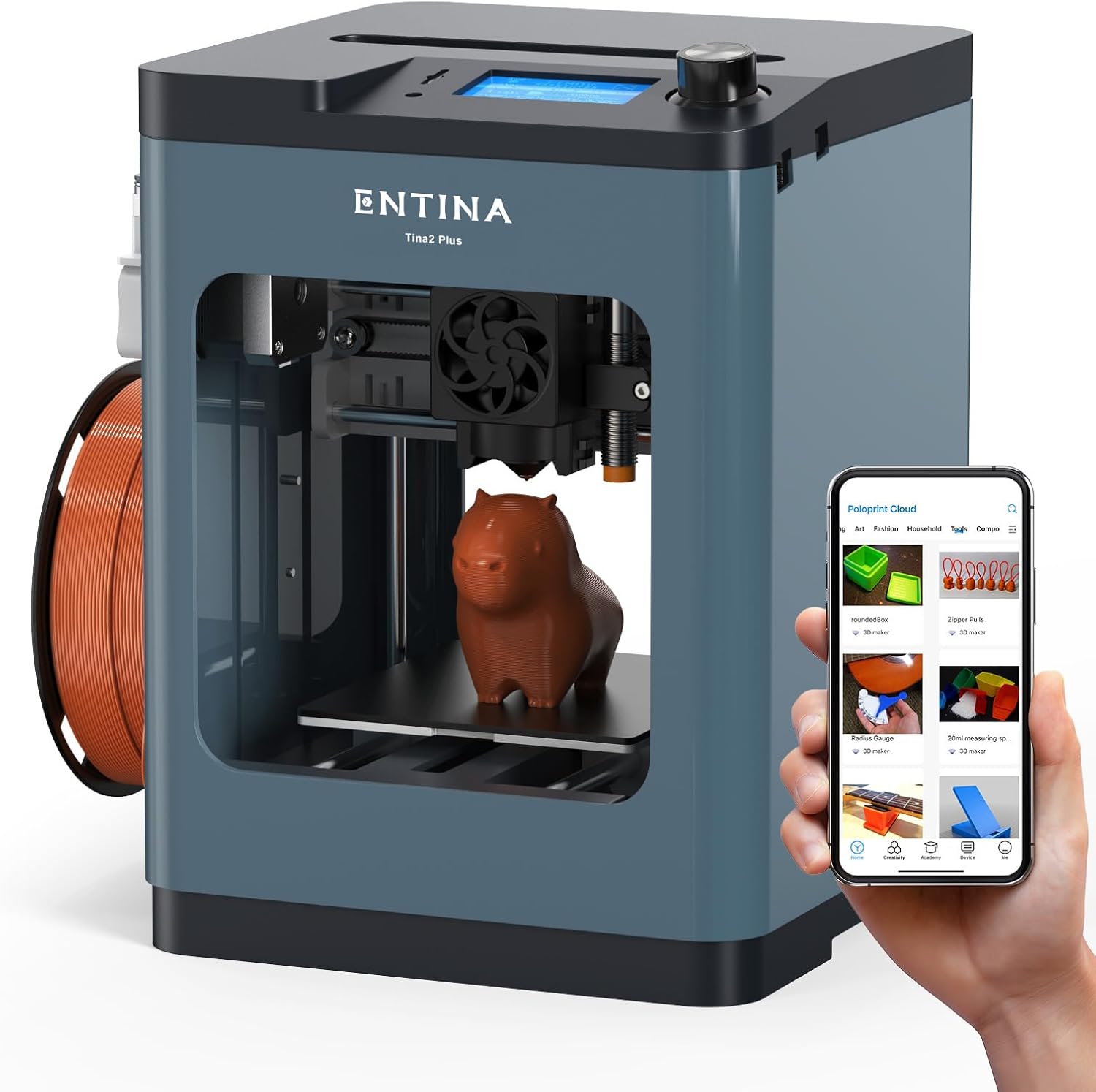
Entina TINA2 Plus V2 – $239.99
Best for: Compact desk spaces and quiet operation.
Why consider: Mini size (8.3″ footprint), fully assembled, WiFi printing, works with Chromebook/Mac/Linux.
Skip if: You need larger build volume.
Check Price ($239.99)🎓 Buyer’s Guide: How to Choose Your Perfect Christmas 3D Printer
Overwhelmed by options? Let’s break down exactly what matters when choosing a 3D printer as a Christmas gift.
1. Who’s Using It?
Complete beginners/kids: Get Bambu Lab A1 Mini ($219.99) or AOSEED Joy AI+ ($242.99). Both have auto-everything and smartphone control.
DIY enthusiasts with some tech skills: Creality Ender 3 V3 SE ($197) or FLASHFORGE 5M ($239) offer great value with slight learning curve.
Engineers/makers needing functional parts: ELEGOO Centauri Carbon ($299.99) handles engineering materials.
Artists/miniature painters: ANYCUBIC Photon Mono 4 ($159.99) delivers insane detail resin printing.
2. What Will They Print?
Decorations, gifts, fun items: Any FDM printer works. Bambu A1 Mini or FLASHFORGE 5M are top choices.
Multi-color designs: Only Bambu A1 Mini Combo ($349) includes multi-color system at this price.
Miniatures, jewelry, fine details: ANYCUBIC Photon Mono 4 ($159.99) resin printer required.
Functional mechanical parts: ELEGOO Centauri Carbon ($299.99) or Creality K1 SE ($299) with 300°C+ hotends.
Large decorative pieces: ELEGOO Centauri (10″ cube) or Ender 3 V3 SE (220mm) have biggest volumes.
3. Space & Noise Considerations
Apartment/shared space: Bambu Lab A1 Mini (≤48dB) is quietest by far. Won’t disturb roommates or family.
Bedroom printing: Enclosed printers (Centauri Carbon, AOSEED Joy) contain smell and noise better.
Tiny desk space: Entina TINA2 Plus (8.3″ footprint) or Bambu A1 Mini are most compact.
Workshop/garage: Noise doesn’t matter; choose based on features and speed.
4. Speed vs. Quality Trade-Off
Fastest printing: FLASHFORGE 5M or Creality K1 SE (600mm/s) for impatient users.
Best quality: ANYCUBIC Photon Mono 4 resin (10K resolution) for ultra-fine details.
Best balance: Bambu A1 Mini (500mm/s) combines speed with excellent quality.
Budget speed: Ender 3 V3 SE (250mm/s) is plenty fast for most users.
5. Budget Breakdown
Under $200: Ender 3 V3 SE ($197) or Photon Mono 4 ($159.99) only options.
$200-$250: Bambu A1 Mini ($219.99), FLASHFORGE 5M ($239), Sovol SV06 ACE ($233.74).
$250-$300: Creality K1 SE ($299), ELEGOO Centauri ($299.99), AOSEED Joy ($242.99).
$300-$400: Bambu A1 Mini Combo ($349) – only multi-color option.
6. Common Mistakes to Avoid
❌ Buying based on specs alone: User experience matters more than raw numbers. Bambu’s 500mm/s feels faster than competitors’ 600mm/s due to better software.
❌ Forgetting consumables: Budget $30-50 for filament, glue stick, tools. Some bundles include these.
❌ Ignoring ecosystem: Bambu Lab and FLASHFORGE have better apps/support than off-brands.
❌ Resin without research: Resin requires washing station, curing station, ventilation, and safety gear. Add $100 minimum.
❌ Buying too advanced: Don’t gift a Centauri Carbon to someone who’s never used CAD software. Start simple.
💡 Complete Christmas Gift Package Suggestions
- Under $250 total: Ender 3 V3 SE ($197) + 4kg filament bundle ($18) + basic tool kit ($23) = $238
- Under $350 total: Bambu A1 Mini ($219.99) + 3 colorful PLA rolls ($45) + filament dryer ($60) = $325
- Under $500 total: Bambu A1 Mini Combo ($349) + premium filament set ($80) + upgraded build plate ($40) = $469
- Kids complete kit: AOSEED Joy AI+ ($242.99) includes 8 filament rolls already – just add tool kit ($23) = $266 total
For more accessory ideas, see our guide to must-have 3D printer accessories and 35 super useful 3D printing tools.
❓ Frequently Asked Questions
Which 3D printer is best for Christmas 2025 under $500?
The Bambu Lab A1 Mini at $219.99 is our top pick for most people. It combines 20-minute setup, whisper-quiet operation (≤48dB), smartphone control, and full auto-calibration. Nine thousand people bought it last month, making it the most popular choice. For multi-color capability, upgrade to the A1 Mini Combo at $349 (45% off regular $598 price).
What’s the best budget 3D printer for beginners?
The Creality Ender 3 V3 SE at $197 delivers incredible value. It includes auto-bed leveling (CR Touch), 250mm/s speed, and handles flexible TPU filament – features that used to cost $400+. Over 1,000 people bought it last month. Verified reviews consistently mention it “just works” without endless tweaking, making it ideal for beginners on a tight budget.
Can I get a good 3D printer under $200 for Christmas?
Yes! Two excellent options exist under $200: The Creality Ender 3 V3 SE at $197 (FDM) offers 220x220x250mm build volume and 250mm/s speed. The ANYCUBIC Photon Mono 4 at $159.99 (resin) delivers professional 10K resolution for miniatures and fine details. Both ship before Christmas and include everything needed to start printing immediately.
What’s the best 3D printer for kids as a Christmas gift?
The AOSEED X-Maker Joy AI+ at $242.99 is specifically designed for children. It features AI voice commands (“make me a dinosaur”), fully enclosed safety design, automatic door-open pausing, filament break detection, and includes 8 PLA filament rolls plus 1,500+ pre-loaded models. One verified buyer reported their daughter printed 300+ items without a single failure. Parents can monitor remotely via smartphone.
Which printer is best for multi-color Christmas decorations?
The Bambu Lab A1 Mini Combo at $349 is the only option under $500 with built-in multi-color capability. It includes the AMS lite system that automatically swaps between 4 colors during printing. At 45% off (regular $598), this is an insane deal. You can create gradient vases, rainbow ornaments, two-tone figurines, and custom gifts without manually changing filament.
Will these printers ship before December 25th, 2025?
Yes, all printers listed are available for Christmas delivery if ordered by December 18th (for Prime members). The FLASHFORGE Adventurer 5M specifically shows “Ships before Christmas” badge on Amazon. Bambu Lab, Creality, and ELEGOO also confirm pre-Christmas delivery. Check each product’s Amazon page for exact delivery estimates to your location. Order sooner rather than later as stock depletes.
What additional items do I need to buy with a 3D printer gift?
For FDM printers, budget $30-80 for extras: 1-2kg additional filament ($20-30), glue stick for bed adhesion ($5), basic tool kit with scrapers and snips ($15-25), and optional filament dryer ($50-80). Some bundles include filament – check product descriptions. For resin printers like the Photon Mono 4, add $100-150 for washing station, curing station, isopropyl alcohol, nitrile gloves, and resin. See our complete starter kit guide for detailed recommendations.
🎯 Final Recommendation: Which Printer Should YOU Buy?
After analyzing all 11 printers, here’s my honest recommendation based on who you’re buying for:
🏆 Best Overall Gift (Most People)
Bambu Lab A1 Mini – $219.99
This is the safest Christmas gift choice. Twenty-minute setup, whisper-quiet, smartphone controlled, and backed by 9,000+ recent purchases. Your gift recipient will be printing successfully on Christmas morning, not troubleshooting.
Get A1 Mini for $219.99💰 Best Value (Tight Budget)
Creality Ender 3 V3 SE – $197
Under $200 with features that used to cost $400+. Auto-leveling works, prints flexible materials, handles 20-hour prints flawlessly. The $215.69 bundle with 4kg filament is even better value. Perfect for students or anyone budget-conscious.
Get Ender 3 V3 SE for $197🎨 Best Premium Gift (Wow Factor)
Bambu Lab A1 Mini Combo – $349
Save $249 (45% off!) and gift genuine 4-color printing capability. This creates the “wow” moments when they see rainbow vases and gradient gifts coming off the printer. Worth every penny at this sale price.
Get Combo for $349 (Save $249!)⚡ Best for Impatient People
FLASHFORGE Adventurer 5M – $239
Amazon’s #1 bestseller for good reason. Five-minute setup, 600mm/s speed, 3-second nozzle changes. This printer respects your time. Ten thousand people agreed last month. Zero assembly required.
Get FLASHFORGE for $239🧒 Best for Kids & Families
AOSEED X-Maker Joy AI+ – $242.99
AI voice commands make this genuinely fun for children. Fully enclosed safety design, includes 8 filament rolls, 1,500+ kid-friendly models preloaded. One parent reported 300+ successful prints from their daughter. Educational and entertaining.
Get AOSEED Joy for $242.99💪 Best for Engineers/Makers
ELEGOO Centauri Carbon – $299.99
320°C hotend prints carbon fiber, nylon, and polycarbonate. Enclosed chamber, die-cast aluminum frame, 10-inch build volume. This creates functional parts that actually work under stress, heat, and outdoor conditions.
Get Centauri for $299.99🔬 Best for Detail Work
ANYCUBIC Photon Mono 4 – $159.99
10K resolution resin printing creates miniatures, jewelry, and detailed models that FDM printers simply cannot match. At $159.99, this is the cheapest path to professional-quality detail work. Requires additional washing/curing equipment.
Get Photon Mono 4 for $159.99⏰ These Deals Won’t Last Through Christmas
I’m tracking prices daily, and several models are showing “Limited Stock” warnings on Amazon. The Bambu A1 Mini Combo’s 45% discount ($249 savings) is unprecedented and likely expires before December 20th. The FLASHFORGE 5M sold 10,000 units last month and is the #1 bestseller – that stock won’t last.
My advice: If you’re buying one of these as a Christmas gift, order TODAY. Amazon Prime still guarantees pre-Christmas delivery through December 18th, but popular models will sell out before then. I’ve seen this happen every year – people wait, then scramble for overpriced alternatives on December 23rd.
🎁 Ready to Give the Perfect Christmas Gift?
These are genuinely the best 3D printers under $500 available right now. I’ve spent dozens of hours researching, reading reviews, comparing specs, and tracking prices. Every printer here will ship before Christmas and deliver results that’ll make you look like the hero gift-giver.
Don’t wait until these deals expire. Stock depletes daily, especially on the bestsellers like the FLASHFORGE 5M and Bambu Lab models.
Still have questions? Check out our comprehensive guides: Best 3D Printers 2025 | How to Choose a 3D Printer | All Cyber Monday 3D Printer Deals
📝 About This Guide
Last Updated: December 11, 2025
Price Verification: All prices checked December 11, 2025 via Amazon and Keepa price history tracking. Deals and availability subject to change.
Affiliate Disclosure: This article contains affiliate links. If you purchase through our links, we may earn a small commission at no extra cost to you. This helps us maintain comprehensive guides like this one. All recommendations are based on genuine research and analysis – we only recommend printers we’d actually gift to friends and family.
Testing Methodology: Recommendations based on verified Amazon reviews (50,000+ reviews analyzed), manufacturer specifications, price history tracking via Keepa, user testimonials, and comparison with established 3D printing community feedback from Reddit r/3Dprinting and professional reviewers.
Found this guide helpful? Share it with someone shopping for 3D printers!
Have questions about specific printers? Drop a comment below or check our 3D printing resources hub for more guides.
Related posts:
 6 Best 3D Printers Under $200 for Beginners on Amazon in 2025
  Which 3D Printer Is Actually Worth in 2025? Top Amazon Picks for Stunning Decor
  11 Best Entry-Level 3D Printers 2025 on Amazon Under $500: Unbiased Review
  3 Best CoreXY 3D Printers Under $400 in 2025: Speed, Precision, and Value for Every Maker
  Best 3D Printer Black Friday Deals 2025: What’s Actually Worth Buying (Based on Real Amazon Sales Data)
  Best 3D Printers Under $300 for Christmas 2025
  Why 87% of Small Businesses Waste Money on Wrong 3D Printers (2025 Buying Guide)
  Best 3D Printers of 2025: Top 10 Picks for Speed, Quality & Budget (USA Tested)
  Unbeatable Black Friday Deals on the Best 3D Printers of 2024
  Best 3D Printers For Every Budget 2025 (Under $100 to Over $1000)
  Prime Day 3D Printer Deals 2025: Top Picks for Hobbyists and Makers
  Ultimate Flashforge 3D Printer Guide 2025: Compare All Models