
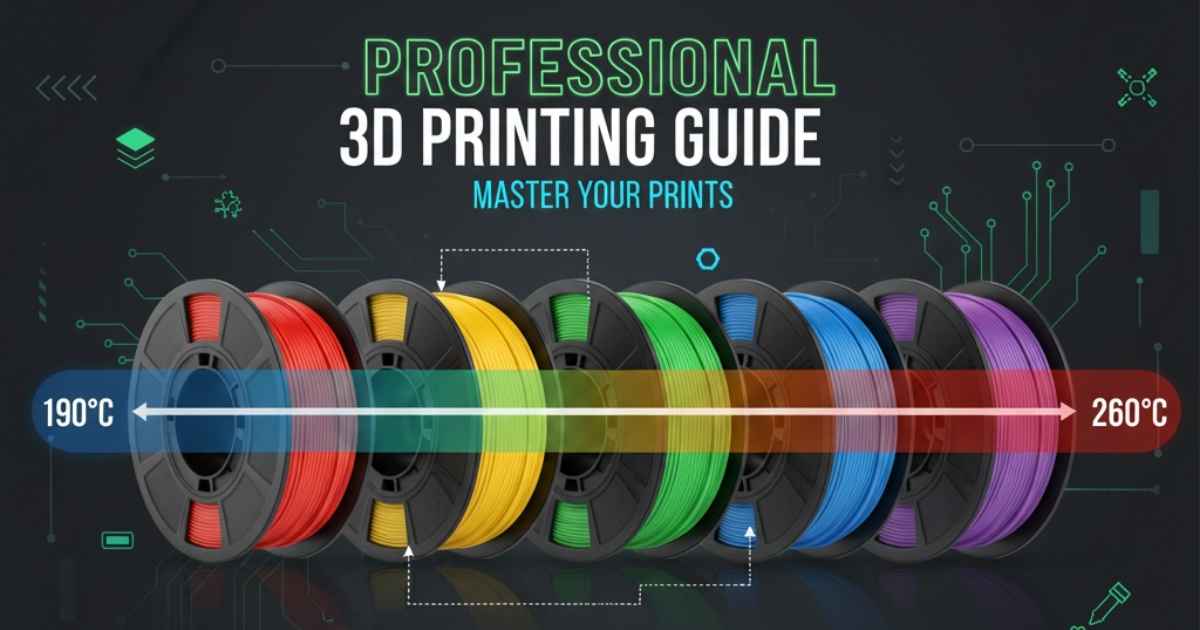
3D Printing Filament Color Reference: Variables That Affect Appearance
Quick Reference Tables
Material Temperature Ranges (Starting Points)
| Material | Nozzle Temp | Bed Temp | Cooling | Notes |
|---|---|---|---|---|
| PLA | 190-220°C (typically 200-205°C) | 50-60°C (typically 60°C) | 0% first layer, then 100% | Can print without heated bed |
| PETG | 220-250°C (typically 230-240°C) | 70-85°C (typically 75°C) | 50% max to avoid warping | Sticks very strongly—use release agent |
| ABS | 230-260°C (typically 235-245°C) | 90-110°C (typically 100°C) | Minimal (causes warping) | Requires enclosure, avoid drafts |
Color-Specific Temperature Adjustments
Based on verified testing, colors require different temperatures even within the same brand:
| Color Type | Temperature Adjustment | Common Issues | Why |
|---|---|---|---|
| Black | -5°C from standard | Overheating, warping | Absorbs more heat due to pigment |
| White | +5-10°C initial purge | Requires higher temp for first extrusion | High filler content (often TiO2) |
| Red | +5°C for adhesion | Frequently brittle, poor layer adhesion | Pigment affects mechanical properties |
| Clear/Transparent | Standard to -5°C | Good strength, poor layer adhesion | Minimal pigment interference |
| Metallic/Glitter | +10-15°C | Clogging, poor flow | Particles require higher melting temp |
| Fluorescent | Varies significantly | Inconsistent extrusion | Complex pigment chemistry |
Source: CNC Kitchen testing, community forums (MakerBot, FilamentOne users)
Affiliate Disclosure
We participate in Amazon affiliate programs, earning fees from qualifying purchases via links at no extra cost to you. It’s how we keep this blog rolling and my 3D printers buzzing with fresh filament for reviews like this one!
Understanding these color-specific behaviors is crucial when selecting filaments for your projects. For an in-depth look at filament options across all colors and materials, explore our comprehensive list of the 45 best filaments for 3D printing in 2025, including color-specific recommendations for decorative and functional applications.
Printer Hardware Impact on Temperature
| Hardware Variable | Impact | Temperature Compensation |
|---|---|---|
| All-metal hotend | Higher thermal conductivity | Standard settings |
| PTFE-lined hotend | Lower max temp (260°C limit) | Avoid high-temp materials |
| Brass heater block | High thermal conductivity (109 W/m·K) | Standard settings |
| Stainless steel block | Low thermal conductivity (16 W/m·K) | +5-10°C |
| Brass nozzle | Standard heat transfer | Reference point |
| Hardened steel nozzle | Lower thermal conductivity | +5-10°C |
| Stainless steel nozzle | Lower thermal conductivity | +5-10°C |
Print Speed vs Temperature Compensation
| Print Speed | Temperature Adjustment | Reason |
|---|---|---|
| Slow (<40mm/s) | -5°C | More time in hotend, risk of oozing |
| Standard (40-60mm/s) | Baseline | Reference speed |
| Fast (100-150mm/s) | +5-10°C | Less residence time in hotend |
| Very fast (200mm/s+) | +10-15°C or reduce cooling -20% | Insufficient melting time |
The Core Problem
Color names like “Red” or “Blue” are not standardized across manufacturers. The same color name from different brands produces vastly different results. Even within the same manufacturer, different colors require different print settings and produce different mechanical properties.
Why no universal guide exists: Each color’s pigment affects thermal behavior differently, every printer measures temperature differently, and hotend designs vary significantly. This creates printer + filament + color-specific requirements.
Color Consistency Between Manufacturers
Masterbatch System
Manufacturers purchase uncolored resin pellets and mix them with concentrated pigment pellets (masterbatch) during extrusion. This masterbatch contains pigments, particles, fillers, and additives that disperse into the molten polymer.
Quality Differences
According to Voltivo and 3dk.berlin manufacturers:
- Premium filaments commit to Pantone/RAL color references
- Color consistency requires sufficient intermixing, controlled speeds, specific temperatures, and quality extruder design
- Cheaper filaments may appear milky white when broken open (insufficient pigment saturation)
- Lower-quality filaments often use recycled material, causing batch-to-batch inconsistencies
Color Matching Tools
FilamentColors.xyz – Largest Independent Database
- Uses CHNSpec DS-220 colorimeter for direct measurement from printed swatches
- Provides LAB, hex, RGB, and HSV values for 3,000+ filaments from 200+ manufacturers
- Calculates color matching using ΔE (CIE) distance measurements
- States “very rarely any color variance” between same-color filaments in different materials (PLA vs PETG vs ABS) from the same manufacturer
- Includes palette generators for multi-color projects
3D-Fuel Color Match Finder
- Upload logos for hex-based color suggestions
- Filters by material type (PLA/ABS/PETG)
- 100+ colors covered
FilamentSelect.com
- Hex-based color matching system
Mechanical Properties: Color Matters
CNC Kitchen Testing (dasFilament PLA, 10 colors)
| Finding | Impact |
|---|---|
| Tensile properties varied up to 50% between colors | Same manufacturer, same material |
| Ultimate tensile strength differences reached 400% | Across different properties |
| Matte finish filaments | Significantly less strength |
| Clear blue | Highest tensile strength, worst layer adhesion |
| Red | Great layer adhesion, very brittle |
| Each color has optimal extrusion temperature | For proper crystallinity |
Research Findings (PMC study, natural vs black PLA)
- Same printing conditions produced different dimensional accuracy between colors
- Tensile strength varied significantly
- Friction properties differed
- “There appears to be an optimal extrusion temperature for each color of the PLA filament”
Material Heat Resistance
| Material | Glass Transition Temp | Heat Deflection Temp | Melting Point | Outdoor Use |
|---|---|---|---|---|
| PLA | ~60°C | ~55°C | 160-180°C | Not recommended—becomes brittle under UV |
| PETG | ~80°C | ~70°C | ~250°C | Good—UV resistant, reflects radiation |
| ABS | ~105°C | ~95°C | ~220°C | Moderate—needs UV stabilizers |
| ASA | ~100°C | ~95°C | ~230°C | Excellent—specifically UV-resistant |
Print Temperature Effects
Temperature Impact on Appearance
| Effect | Cause | Adjustment |
|---|---|---|
| Glossy surface | Slow print speed, more heating time | Lower temp or increase speed |
| Matte surface | Fast print speed, less residence time | Increase temp 5-10°C or reduce cooling |
| Color banding | Temperature fluctuations during print | Improve thermal stability, check cooling |
| Stringing | Too hot | Reduce temp 5°C or adjust retraction |
Color-Specific Temperature Requirements
- Black pigments absorb more heat than lighter colors
- Black PLA may require slightly lower temperatures to prevent overheating
- Metallic or glitter-infused filaments require higher temperatures for proper extrusion
- Single filament batches from same manufacturer can require 5-15°C adjustments between colors
PETG sheen difference: PETG shows more sheen than PLA or ABS naturally due to material properties, not just temperature.
Printer-Specific Variables
Hotend Design Differences
Thermal characteristics:
- All-metal hotends vs PTFE-lined hotends have different thermal characteristics
- Heater block material affects heat distribution (brass: 109 W/m·K vs stainless: 16 W/m·K)
- Temperature sensor placement affects readings
- Actual nozzle tip temperature differs from heater block temperature measurement
- Difference varies with fan speed and filament flow rate
Thermistor accuracy issues:
- Even supposedly identical thermistors can differ by 20°C at 200°C
- Thermistor specifications (R25, Beta) typically apply to 25-50°C range, causing larger errors at printing temperatures
- Same thermistor can read correctly but actual nozzle tip may be 50°C different
- Most 3D printer community accepts “close enough” rather than absolute accuracy
Ambient Conditions
- Room temperature affects print consistency
- User reported PVA becoming manageable only when room increased from 19°C to 21-22°C
- Cold environments make filament harder to bend, affecting feeding
Enclosure temperature recommendations:
- PLA: 20-30°C (doors open to prevent heat creep)
- PETG: 20-40°C (doors closed acceptable)
- ABS/ASA: 40-50°C+ (higher is better)
Print Speed and Cooling
High-Speed Effects
- Reduces filament residence time in hotend
- Prevents full melting
- Introduces shear stresses
- Results in matte surface finish
- Compensation: increase temperature 5-10°C or reduce cooling 20%
Cooling Fan Settings
Critical for maintaining consistent color appearance:
- PLA: 0% first layer, then 100% for remaining layers
- PETG: 50% maximum (higher causes warping)
- ABS: Minimal (causes warping and cracking)
- Inadequate cooling causes color variations in temperature-sensitive materials
- Part cooling fan affects heater block temperature gradient
Material-Specific Behavior
PLA
- Low glass transition temperature (~60°C)
- Can experience “heat creep” – softening in cold zone causes clogs
- Prone to stringing at excessive temperatures
- Temperature range: 190-220°C
- Not suitable for outdoor functional parts
PETG
- More moisture-sensitive than PLA
- Undergoes hydrolysis at high temperatures (steam tears polymer chains)
- Temperature degradation more severe than PLA
- Temperature range: 220-250°C
- Sticks extremely well—use release agent (glue stick, hairspray)
- Better outdoor durability than PLA
Moisture management is critical: Wet filament causes color inconsistencies, bubbling, and poor layer adhesion. PETG’s hygroscopic nature means even slight moisture absorption affects both color saturation and mechanical properties. To maintain consistent color quality and prevent hydrolysis-related issues, consider investing in quality storage solutions—our guide to the best filament dryers for 3D printing covers top options for batch consistency.
ABS
- Notorious for warping and cracking
- Requires enclosure to prevent premature cooling
- Sensitive to drafts and temperature fluctuations
- Temperature range: 230-260°C
- Excellent for functional parts requiring heat resistance
Each material responds differently to color pigments—PETG naturally shows more sheen than PLA’s matte finish, while ABS offers superior heat resistance at the cost of more complex printing requirements. For a detailed comparison of how these materials behave with different colors, read our comprehensive guide on PLA vs ABS vs PETG.
Multi-Material Complexity
Users printing multiple colors with different temperature ranges face timing issues where temperature changes begin before filament unload completes, causing improper tips and jams. Modern slicers address this with purge towers and optimized temperature change sequences.
If you’re interested in exploring multi-color printing hardware, check out our comprehensive guide to the top multi-color 3D printers in 2025, featuring the latest tool-changers and IDEX systems designed to handle complex color-specific temperature requirements.
Practical Calibration Method
Temperature Tower Testing
Process:
- Print test models at 5-10°C increments through manufacturer’s range
- Extend testing 10°C above and below recommended range (accounts for printer variations)
- Evaluate each section for:
- Quality and consistency
- Bridge/overhang performance
- Detail sharpness
- Corner curling/lifting
- Stringing behavior
Per-color calibration required:
- Each brand behaves differently
- Each color within a brand requires separate testing
- Document successful settings per filament type and color
Temperature tower models available:
- PLA: 230-190°C range
- ABS: 270-230°C range
- PETG: 250-220°C range
Many slicers include built-in temperature tower generation with automatic G-code insertion.
For a detailed comparison of slicing software capabilities—including multi-material modes, per-color temperature profiles, and calibration tools—see our guide to the best slicing software for 3D printing.
Additional Calibration Tests
- Dimensional accuracy cube: Check for color bleed and size accuracy
- Overhang/bridge test: Reveals cooling differences per pigment (available from All3DP, MatterHackers)
- Multi-color purge tower: For tool-changing printers (Stratasys-style)
Re-test quarterly for batch-to-batch drift, especially with budget filaments.
Known Color-Specific Issues
Forum-Reported Problems
- MakerBot Rep 2: Green prints reliably at 220-230°C, but fluorescent red and teal fail consistently
- FilamentOne: Glint Blue perfect at 215°C, Traffic Red Pro Select from same manufacturer fails at same settings
- White filaments: Often require higher initial temperature for first extrusion
- Red filaments: Frequently reported as problematic across multiple brands
- Reds and clogs: Users report clogs at 215°C requiring adjustment
Real-World Example: Ridgid Orange
User testing found FilaCube “Burnt Orange” closest match, but discovered even their own Ridgid tools showed two distinct orange shades despite being purchased within 10 years, both stored indoors. This illustrates the difficulty of exact color matching even for brand-specific applications.
Known Brand Collaborations
- 3DO + Makita: Blue PLA specifically matched to Makita tool color
- Polymaker lime green ABS: Reported similar to Ryobi (unverified by manufacturer)
These collaborations show that exact color matching is possible with dedicated effort, but isn’t standard practice.
What Doesn’t Exist Yet
- Comprehensive printer + filament + color temperature database
- Standardized testing methodology across printer brands
- Cross-manufacturer color matching database with temperature profiles
- Printer hotend thermal characteristic standardization
- Affordable thermistor calibration devices for consumer use
Bottom Line
Color consistency in 3D printing depends on:
- Manufacturer quality control – Masterbatch selection and mixing process
- Pigment type – Affects both color and mechanical properties by up to 50%
- Printer-specific thermal characteristics – Thermistor accuracy varies 5-20°C between printers
- Print speed and cooling settings – Fast printing requires higher temps
- Per-color temperature optimization – Same brand requires different temps per color
No universal reference guide exists because the interaction between these variables creates printer + filament + color-specific requirements that cannot be standardized.
Best Practice:
- Use FilamentColors.xyz for color matching with measured data
- Run temperature towers for each new filament color
- Document successful profiles in your slicer
- Expect to adjust 5-15°C between colors from the same manufacturer
- Re-calibrate when switching between printer hotends or nozzle materials
The tables above provide starting points, but calibration testing remains essential for optimal results.
Sources & References
- 📊 FilamentColors.xyz – Comprehensive color database with 3,000+ filaments
- 🔬 CNC Kitchen – Scientific filament testing and mechanical properties analysis
- 📚 PMC Research – Academic studies on PLA color properties
- 🏭 Voltivo – Filament manufacturing documentation
- 🏭 3dk.berlin – Manufacturing process insights
- 🎨 3D-Fuel Color Match Finder – Logo-based color matching tool
- 📖 Ultimaker Material Guides – Official material documentation
- 📖 Prusa Knowledge Base – Print settings and material guides
- 💬 Duet3D Forums – Thermistor accuracy discussions
- 👥 Community user testing forums (2017-2025) – Real-world user experiences
Related posts:
 3D Printer Filament Compatibility Guide 2025: Top Picks CFPLA, TPU, Nylon, PETG, ABS, PC, Wood PLA & More
  The Ultimate Guide to Advanced 3D Printing Filaments: Unlocking Properties, Real-World Uses, and Pro Secrets
  How to Choose the Best 3D Printing Filament for Home Decor
  Adventurer 5M VS 5M Pro – Which 3D Printer Should You Choose?
  Discover the Prusa CORE One: Your Next 3D Printing Adventure Awaits!
  Elegoo Centauri Carbon: The Best High-Speed CoreXY 3D Printer You Need Now!
  Creality Hi Combo 3D Printer: Multi-Color Magic You’ll Wish You Had Sooner!
  Creality Ender-3 V3 KE High-Speed 3D Printer – Purchase Now: An Unbiased Review
  Anycubic Kobra S1 PLA Settings: Complete 2025 Guide
  Bambu Lab P1S vs Creality K1C vs Anycubic Kobra S1: Which Enclosed Printer is Best for ABS, Nylon & PETG? (2025 Deep Dive)
  Prime Day 2025: 100 Essential 3D Printer Upgrades and Filament Deals for Every Maker
  Bambu Lab P1S vs A1 Mini: The $1000 Regret (Why I Sold My P1S)