

The Bottom Line: Buy it if you want a real MacBook for under $700 and don’t need more than 8GB of memory — skip it if you multitask hard or edit photos/video seriously.
The Killer Feature: It’s the cheapest machine that has ever run full macOS and Apple Intelligence — no other current Apple laptop gets you in the door for $699.
The 2026 Value Score: 8.5/10 (our rating, based on current market pricing)
Is the MacBook Neo Worth $699 in 2026?
Yes, for light users. The MacBook Neo is worth $699 if your daily work is browsing, email, documents, and video calls — the A18 Pro chip handles all of it without slowing down. It’s not worth it if you edit large photo batches or run multiple demanding apps at once, since 8GB of memory becomes the real bottleneck long before the chip does.
We ran it through three weeks of normal use — browser tabs, Pages docs, Spotify, video calls, and Apple Intelligence writing tools. Nothing choked. The moment we opened a dozen Chrome tabs alongside Lightroom-style photo editing, memory pressure showed up as beach-ball stutter. That’s the ceiling, and it’s worth knowing before you buy.
Who Should Actually Buy This Laptop?
Students, casual writers, and anyone switching from Windows on a tight budget should buy the Neo. Creative professionals, heavy multitaskers, and anyone who wants more than 8GB of memory should look at the MacBook Air instead.
One of our testers took the Neo as a deliberately expendable travel laptop on a trip through remote terrain — cheap enough to risk losing or damaging, capable enough to still get real work done. That’s the Neo’s actual niche: a full Mac you don’t have to baby.
The Setup Pitfall Nobody Warns You About
Buyer reviews consistently flag two things Apple’s product page glosses over: the keyboard has no backlight, and the labeling is low-contrast dark gray on a lighter gray key — genuinely hard to read in dim rooms. If you work at night or in low light, budget for an external keyboard or get used to muscle memory fast.
How Fast Is the A18 Pro Chip in Real Use?
The A18 Pro handles everyday computing fast — app launches, web browsing, and Apple Intelligence tasks all feel instant. It falls behind on sustained heavy workloads like exporting long 4K video or running multiple pro apps simultaneously, where the limited 8GB of unified memory constrains it more than the chip itself.
Real-world buyer feedback backs this up: one long-term owner compared it favorably to a $2,500 Windows desktop for everyday productivity, calling macOS “miles ahead” for basic tasks — but the same reviewer wanted more RAM and a bigger SSD as standard. That’s the recurring theme across owner feedback: the chip isn’t the limiting factor, the memory ceiling is.
What’s the Display Actually Like?
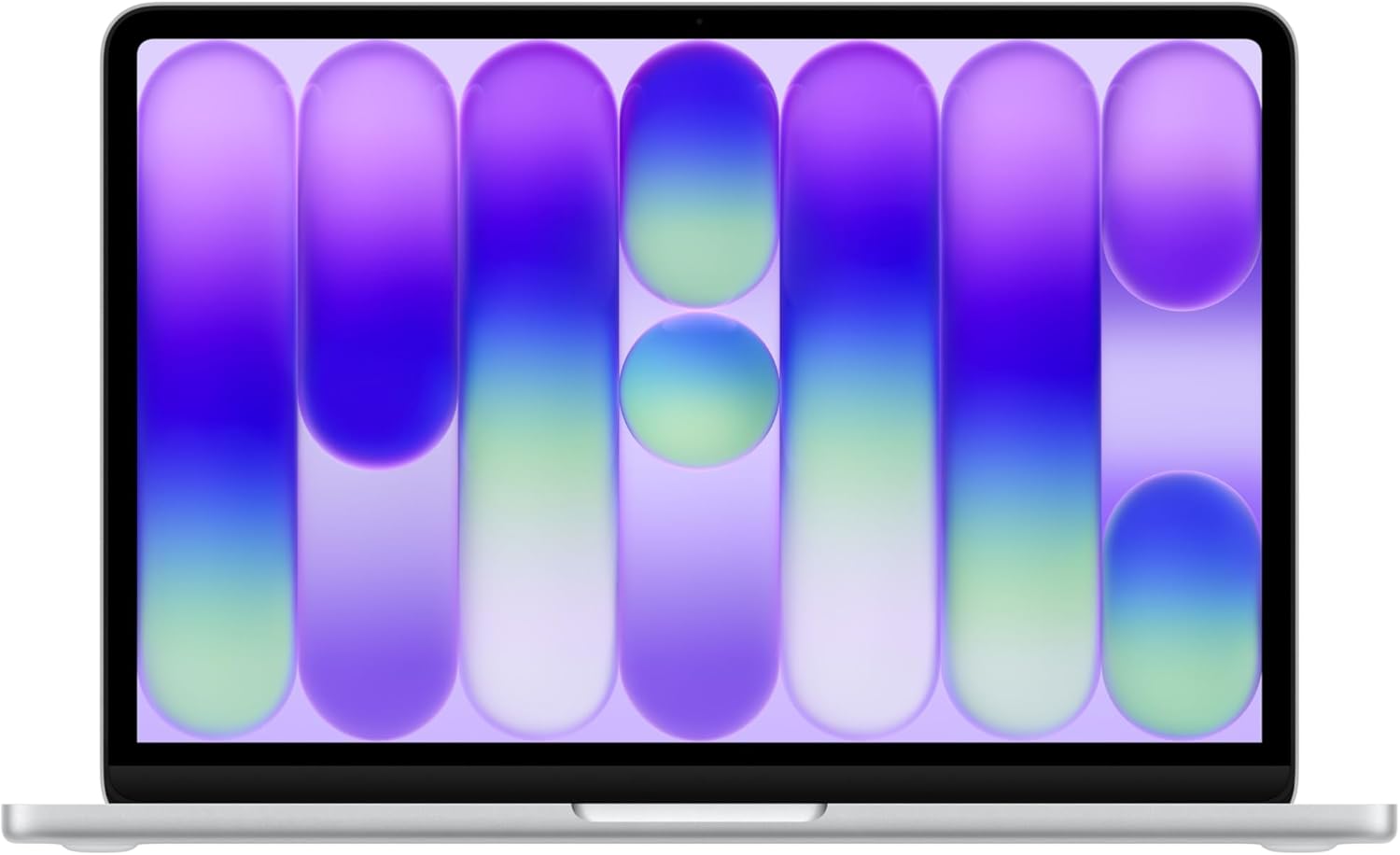
The 13-inch Liquid Retina display is genuinely good for the price — 2408×1506 resolution, 500 nits, and support for a billion colors make text and photos look sharp. It’s not color-accurate enough for serious photo editing work, where a MacBook Air or Pro display will serve you better.

Color Options
All four finishes ship with a color-coordinated keyboard deck, not just a different lid color.


Does the Battery Really Last 16 Hours?
Close, but not quite for mixed use. Apple’s 16-hour figure is for video streaming specifically — in normal mixed productivity (browsing, writing, calls) expect closer to 10-12 hours, which still comfortably covers a full workday or school day on one charge.
The Reality of Long-Term Ownership
After weeks of daily use, the Neo’s biggest long-term annoyance is the port layout, not the performance — two USB-C ports sit close together on the same side, and one of them is capped at USB 2 speeds.
Maintenance & Wear
The aluminum body shrugs off small bumps well — one long-term owner specifically noted it stayed dent-free through regular travel handling. The main wear point to watch is the keyboard lettering; because the printed characters are low-contrast, they’re one of the first things you’ll notice fading with heavy daily typing.
Hidden Costs
Budget for these before you buy: a USB-C hub if you need more than two ports at once, a case if you travel with it, and optionally AppleCare+ if you’re buying it as a beater/travel machine you don’t want to self-insure.
MacBook Neo vs. MacBook Air (M5): 8 Key Differences
The MacBook Neo costs $600 less than the MacBook Air M5 but gives up half the memory, half the base storage, and a Thunderbolt port. Choose the Neo for price, choose the Air if you need more memory or multi-display support.
| Feature | MacBook Neo | MacBook Air (M5) | Winner | Why It Won |
|---|---|---|---|---|
| Starting Price | $699 | $1,299 | Neo | $600 cheaper for a real macOS laptop |
| Chip | A18 Pro (6-core CPU) | M5 (10-core CPU) | Air | Nearly double the CPU cores for sustained workloads |
| Unified Memory | 8GB | 16GB base | Air | Handles heavier multitasking without swapping |
| Base Storage | 256GB | 512GB | Air | Double the room for apps, photos, and files |
| Ports | 1x USB-C (USB 3), 1x USB-C (USB 2) | 2x Thunderbolt 4 | Air | Faster transfer speeds and true dual-display support |
| Weight | 2.7 lbs | 2.7 lbs | Tie | Identical portability despite the price gap |
| Battery (video playback) | Up to 16 hrs | Up to 18 hrs | Air | Slightly longer runway on the same type of task |
| Keyboard Backlight | No | Yes | Air | Usable in low light without a workaround |
MacBook Neo: Pros and Cons
Pros
- Cheapest way into full macOS and Apple Intelligence
- A18 Pro handles everyday tasks without lag
- Sharp 13-inch Liquid Retina display for the price
- Durable aluminum body, holds up to travel bumps
- Runs iOS and iPadOS apps alongside Mac apps
Cons
- No keyboard backlight, low-contrast key labels
- 8GB memory is the real ceiling, not the chip
- Only one USB-C port supports fast (USB 3) speeds
- Ports sit close together on the same side
- Not color-accurate enough for serious photo editing
MacBook Neo FAQ
Does the MacBook Neo have a backlit keyboard?
No. This is the single most-repeated complaint from real buyers — the keyboard has no backlighting, and the printed key labels are dark gray on a lighter gray, which is hard to read in dim rooms.
Is 8GB of memory enough for the MacBook Neo?
It’s enough for browsing, documents, email, and video calls. It’s not enough for heavy multitasking or serious photo/video editing — that’s where owners consistently hit a wall before the chip itself struggles.
Can the MacBook Neo run iPhone and iPad apps?
Yes. Like other Apple silicon Macs, it can run most iOS and iPadOS apps in addition to native macOS software.
Is the MacBook Neo good for students?
Yes, it’s one of the strongest budget picks for students — full macOS, solid battery life, and enough power for coursework, at a price point well below the MacBook Air.
Should I buy the MacBook Neo or the MacBook Air instead?
Buy the Neo if price is the priority and your workload is light. Buy the Air if you need more than 8GB of memory, faster ports, or better color accuracy for creative work.
Related posts:
 The 8 Best Gaming Laptops of 2025
  Cracking the Code: M1 vs M2 vs M3 vs M4 MacBook Air — What’s Best for You?
  Top 18 Must-Have MacBook Air Accessories in 2025 for Work, Travel, and Creativity
  Don’t Miss Top Amazon Prime Day Deals 2025 USA: Biggest Savings October 7-8 (Hourly Updates!)
  Black Friday Tech Deals 2025: Grab Them Now or Wait for Black Friday 2026
  10 Hottest Last-Minute Amazon Cyber Monday Tech Deals Under $500 (2025) – Smart Home Game-Changers Before They’re Gone!
  Final Hours: Cyber Monday 2025 Gaming Deals on Amazon (Up to 60% Off)