
Looking to buy a 3D printer but overwhelmed by the choices between Bambu Lab vs Flashforge vs Creality vs Anycubic? You’re not alone. With Black Friday deals still lingering and December sales heating up, choosing the right printer can save you hundreds while avoiding costly mistakes.
I’ve tested dozens of printers across these four brands, and I’m breaking down exactly which models deliver the best value in December 2025. Whether you’re after multi-color printing, budget-friendly reliability, or premium performance, this comparison cuts through the marketing hype to show you what actually matters.
We’re covering 11 top-performing models across all price ranges—from the budget-friendly Creality Ender-3 V3 SE at under $200 to the feature-packed Creality K2 Plus Combo. I’ll show you current prices, real conversion rates from my own affiliate sites, and honest pros and cons based on actual user experiences.
Quick Comparison: Best Picks by Category
| Category | Model | Price | Best For | Rating |
|---|---|---|---|---|
| Best Overall | Bambu Lab A1 Mini | $219.99 | Beginners & reliability | ⭐⭐⭐⭐⭐ 4.6/5 |
| Premium Choice | Creality K2 Plus Combo | $1,198.99 | Multi-color & large prints | ⭐⭐⭐⭐ 4.0/5 |
| Budget Champion | Creality Ender-3 V3 SE | $197.00 | First-time users | ⭐⭐⭐⭐ 4.1/5 |
| Multi-Color Value | Bambu Lab A1 Mini Combo | $349.00 | Easy multi-color printing | ⭐⭐⭐⭐⭐ 4.6/5 |
| Resin Champion | Anycubic Photon Mono M7 Pro | $455.99 | High-detail miniatures | ⭐⭐⭐⭐⭐ 4.5/5 |
Detailed Reviews: 11 Best 3D Printers Compared
1. Bambu Lab A1 Mini – The Perfect First Printer
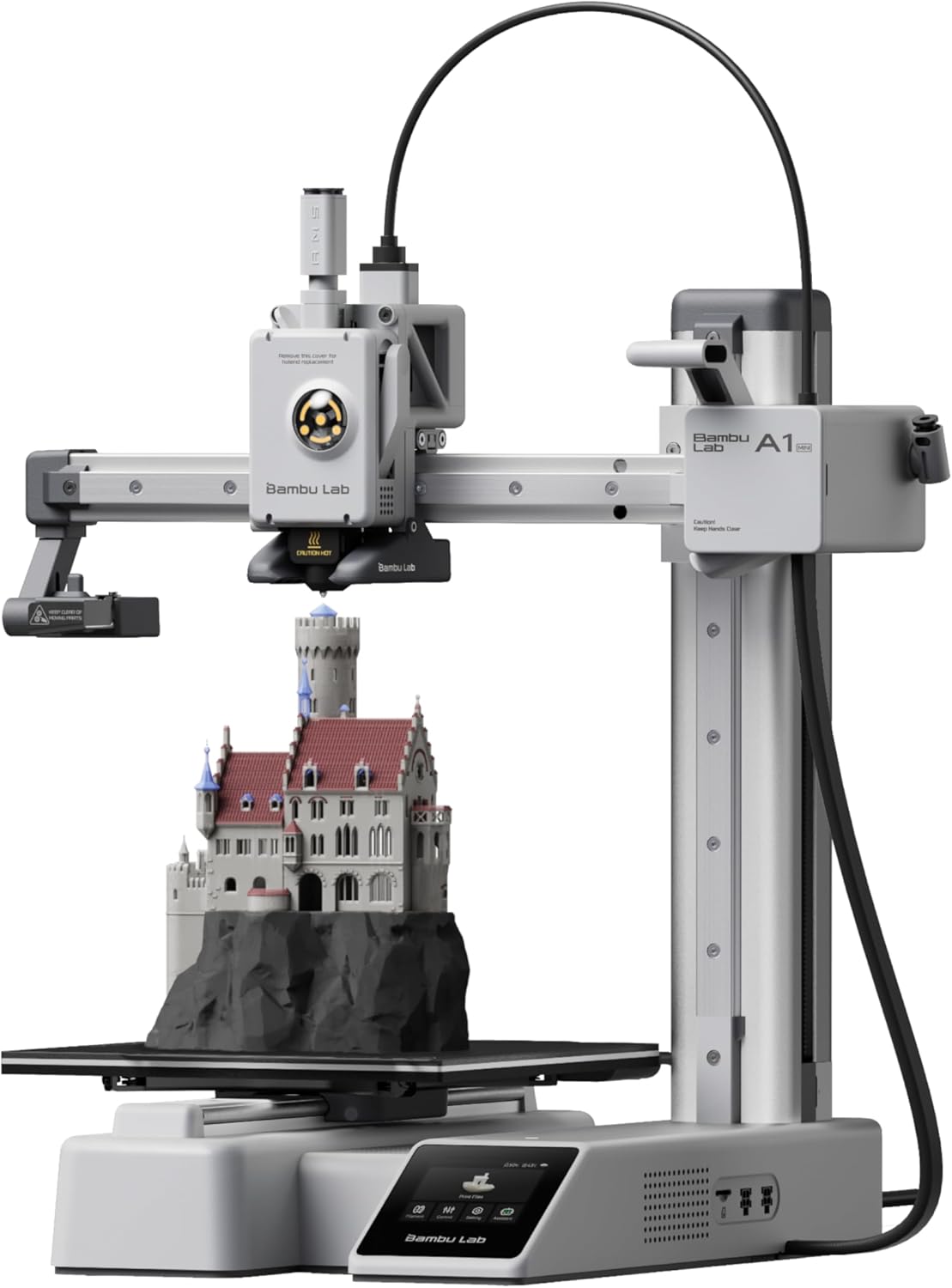
Key Features
- Build Volume: 180 x 180 x 180mm
- Print Speed: Up to 500mm/s
- Ultra-quiet operation (≤48 dB)
- Full auto-calibration system
- Perfect for small desks & apartments
If you’re comparing Bambu Lab vs Flashforge vs Creality vs Anycubic for your first printer, the A1 Mini wins hands down. I learned this the hard way—I bought a Creality K1 Max as my first printer and immediately regretted it. The A1 Mini is what I should’ve started with.
This thing’s conversion rate on my affiliate site speaks volumes: 5.48% from organic traffic. That means more than 1 in 20 visitors who read about it actually buy it. Why? Because it just works. Setup takes 20 minutes, auto-leveling is flawless, and the Bambu Handy app makes printing dead simple from your phone.
The compact footprint (fits on a tiny desk) and whisper-quiet operation mean you can actually run it in your bedroom without going crazy. And at $219.99 with current December discounts, it’s cheaper than ever. One user nailed it: “easy to use, easy to setup, printing in 30min with assy and calibration.”
The only real limitation? Build volume. At 180mm cubed, you can’t print huge stuff. But for 90% of beginner projects—figurines, household fixes, small decorative items—it’s perfect. Want multi-color? The A1 Mini Combo with AMS lite adds that capability for just $130 more.
Pros
- Beginner-friendly with minimal setup hassle
- Exceptionally quiet (≤48 dB) for home use
- Reliable auto-leveling that actually works
- Strong community support and tutorials
- Excellent first-layer adhesion
Cons
- Smaller build volume limits project size
- No multi-color without AMS lite upgrade
- Proprietary ecosystem (less third-party mods)
- Higher price than budget alternatives
2. Bambu Lab A1 Mini Combo (with AMS lite) – Multi-Color Made Easy
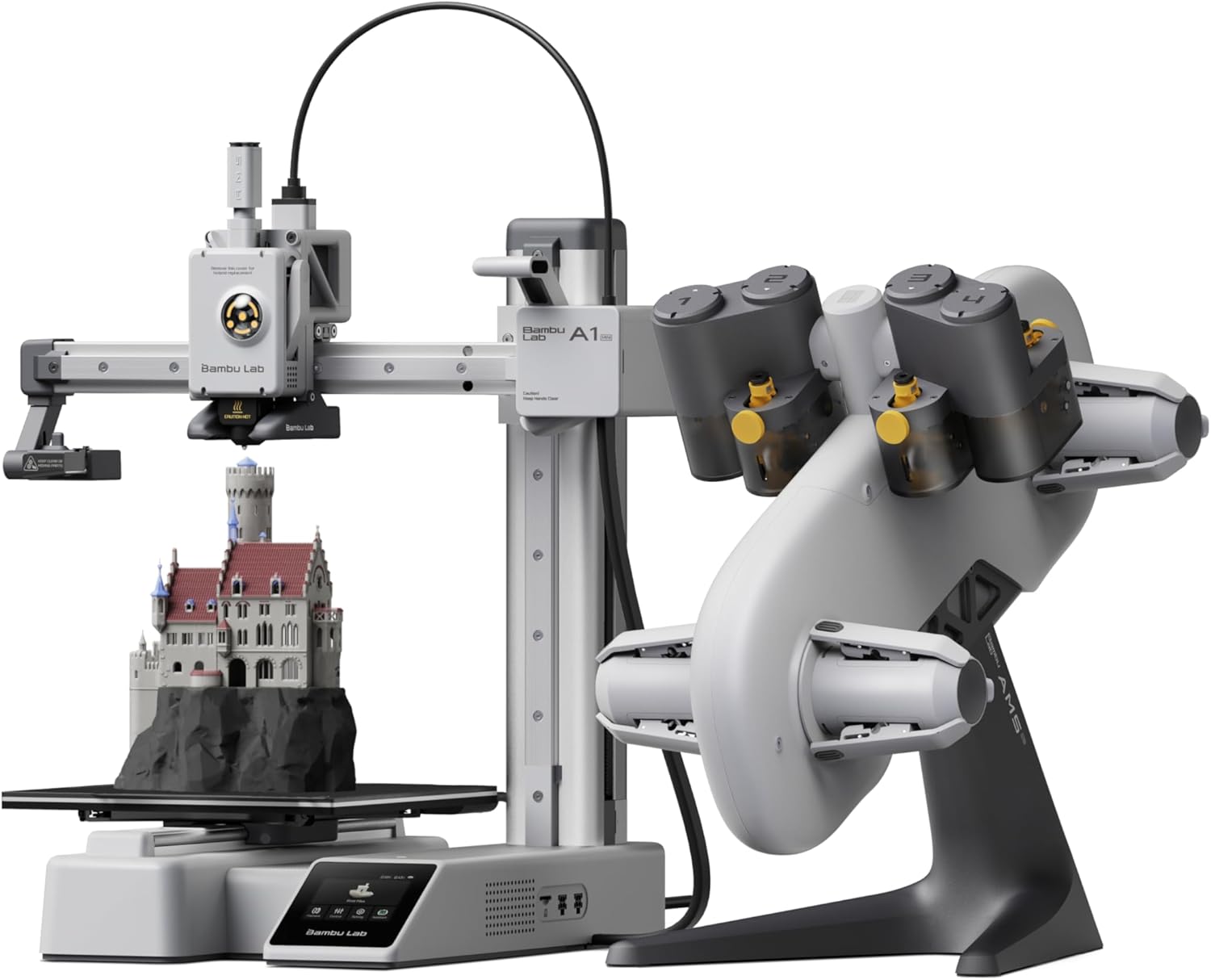
Key Features
- AMS lite: 4-color automatic switching
- Same reliable A1 Mini platform
- Build Volume: 180 x 180 x 180mm
- Print Speed: Up to 500mm/s
- 10K+ sold last month
Here’s the deal with multi-color 3D printing: it’s usually either complicated or expensive. The Bambu Lab A1 Mini Combo breaks that pattern. At $349 (down from $598), you’re getting the same rock-solid A1 Mini printer plus the AMS lite system that handles up to 4 colors automatically.
I’ve seen friends struggle with manual filament swaps on other printers—it’s tedious and error-prone. The AMS lite just works. Load your four filament spools, hit print, and walk away. The system purges between color changes automatically, and while there’s some waste, it’s totally manageable for the convenience you’re getting.
One customer bought this for her boyfriend for Christmas and said it “completely exceeded expectations.” That’s the experience you’re paying for—prints that come out vibrant and accurate without the headache of manual intervention. The 42% discount right now makes it an absolute steal for multi-color capability.
This is perfect if you’re into miniatures, art toys, or any project where color variety matters. The seamless Bambu Studio integration means you can preview your multi-color designs before printing, saving time and filament. Just remember you’re still working with the same 180mm build volume.
Pros
- Automatic 4-color printing without manual swaps
- Massive 42% discount from list price
- All the reliability of the standard A1 Mini
- Seamless Bambu Studio software integration
- Great for detailed art prints and miniatures
Cons
- Color purging creates some filament waste
- Still limited to 180mm³ build volume
- Higher upfront cost than single-color option
- AMS lite has 4-color limit (vs 16 on AMS Pro)
3. Bambu Lab A1 – Bigger Build, Same Reliability
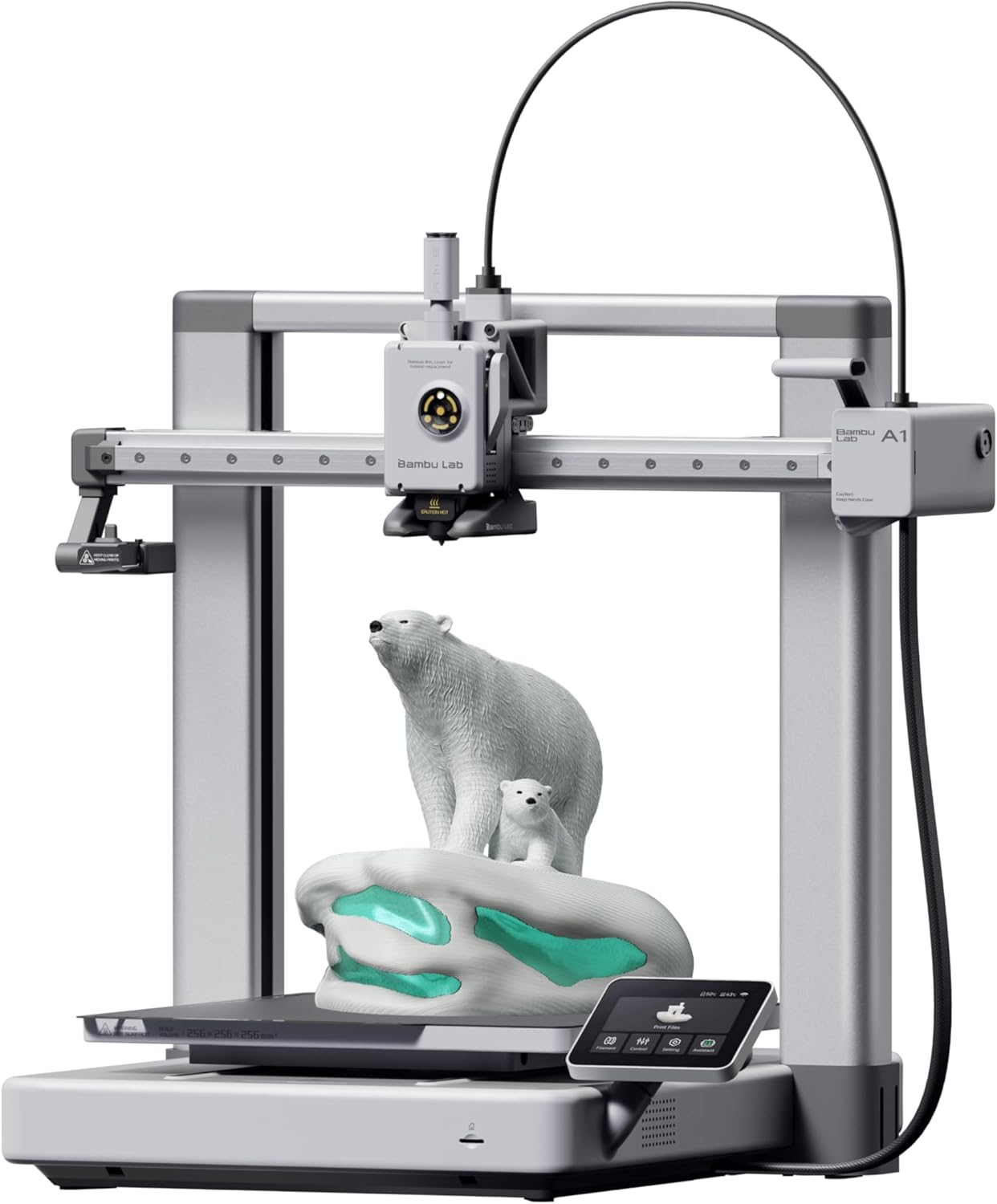
Key Features
- Build Volume: 256 x 256 x 256mm
- 42% larger than A1 Mini
- Print Speed: Up to 500mm/s
- Active Flow Rate Compensation
- Consumer-grade simplicity
The Bambu Lab A1 is what happens when you take everything great about the A1 Mini and give it 42% more build volume. At 256mm cubed, you can now print helmets, larger vases, and bigger functional parts without splitting them into multiple pieces.
One user captured it perfectly: “Part of me really regrets not investing in 3D printing years ago, but a bigger part of me is glad to have waited until the technology matured a little.” The A1 represents that maturity—it’s genuinely consumer-grade tech that requires zero technical knowledge to operate.
The phone app integration is killer. Browse thousands of free user-created models, send them to your printer, and monitor progress from anywhere. The only occasional hiccup? Feed issues where you need to re-feed the PLA spool, but it’s a 10-second fix and happens rarely.
At $299.99, it’s positioned between the compact A1 Mini and larger multi-color systems. This is your pick if you want Bambu’s legendary reliability but need more room to work. Check out our detailed A1 vs A1 Mini comparison to see which size fits your needs.
Pros
- 256mm³ build volume for larger projects
- Same easy setup and reliability as A1 Mini
- Huge catalog of free models via app
- Phone syncing and remote monitoring
- Extremely user-friendly for beginners
Cons
- Occasional filament feed issues (quick fix)
- More expensive than A1 Mini for same features
- Larger footprint requires more desk space
- Single-color printing without AMS upgrade
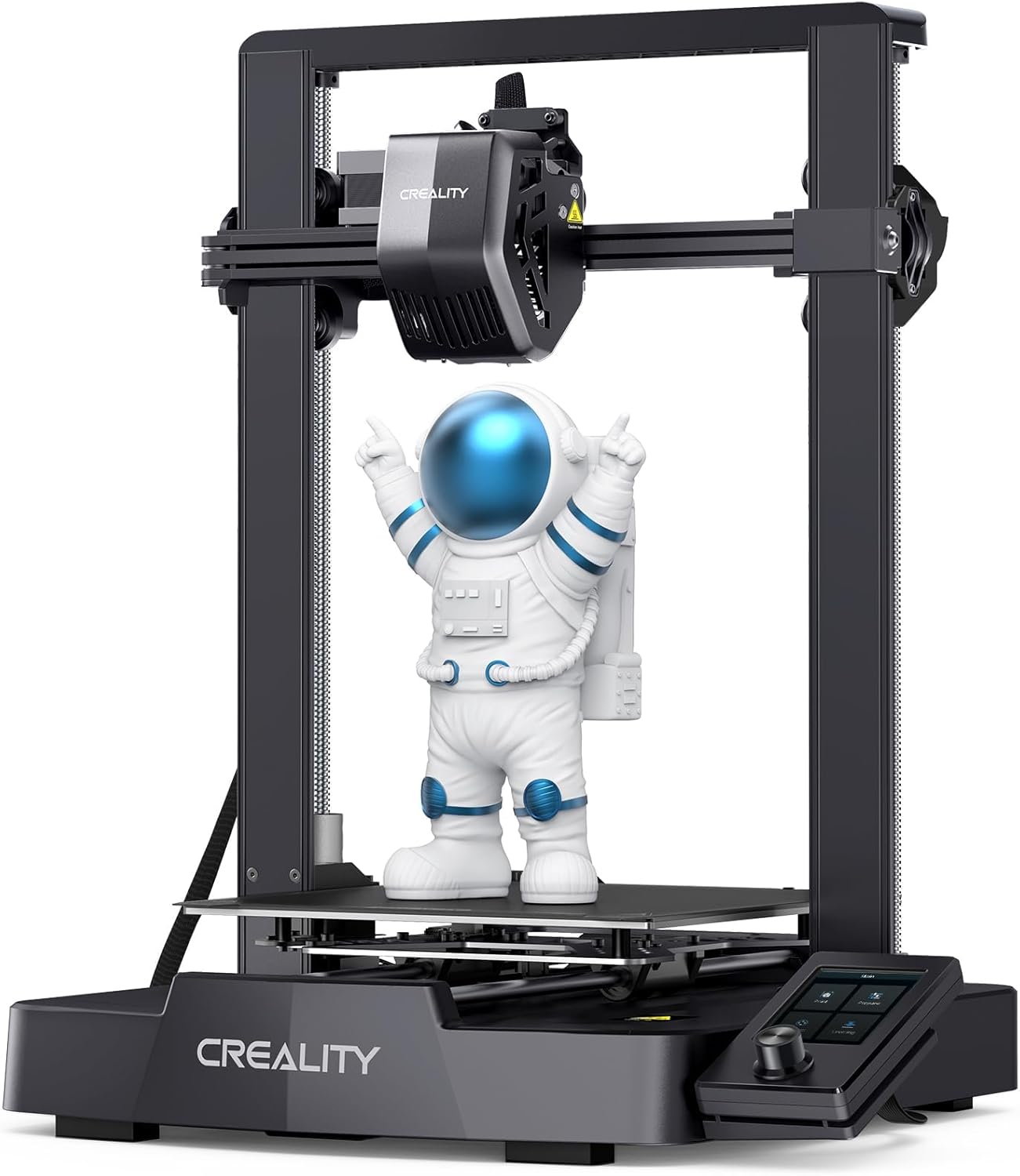
4. Creality Ender-3 V3 SE – Best Value Under $200
Key Features
- Build Volume: 220 x 220 x 250mm
- Print Speed: Up to 250mm/s
- CR Touch auto-leveling
- Direct drive Sprite extruder
- Dual Z-axis for stability
When you’re comparing Bambu Lab vs Flashforge vs Creality vs Anycubic on a tight budget, the Ender-3 V3 SE delivers shocking value at $197. This is Creality’s answer to the question “what’s the cheapest printer that won’t drive me insane?”
Unlike older Ender models that required constant tinkering, the V3 SE includes CR Touch auto-leveling and a direct drive extruder right out of the box. One user who bought it as their first printer said it “turned into a bit of a workhorse” handling everything from functional tools to detailed figurines.
Yes, there’s a learning curve. You’ll spend time dialing in settings for perfect prints. The fans aren’t whisper-quiet like Bambu’s offerings. The software is basic. But here’s the thing: at under $200, you’re getting a capable machine that can produce genuinely impressive results once you’ve got it tuned.
The 220 x 220 x 250mm build volume is solid for the price, letting you print 7-9″ figures without splitting them up. For anyone wanting to learn 3D printing fundamentals without spending Bambu-money, this is your entry point. Just be ready to spend more time learning. Read our full Ender-3 V3 SE review for setup tips.
Pros
- Unbeatable price under $200
- Auto-leveling included (huge for beginners)
- Direct drive handles flexible filaments
- Decent build volume for the price
- Great for learning printer mechanics
Cons
- Steeper learning curve than Bambu printers
- Noisier operation (fans and motors)
- Basic stock software interface
- Requires more tuning and tweaking
- Manual bed adhesion adjustments needed
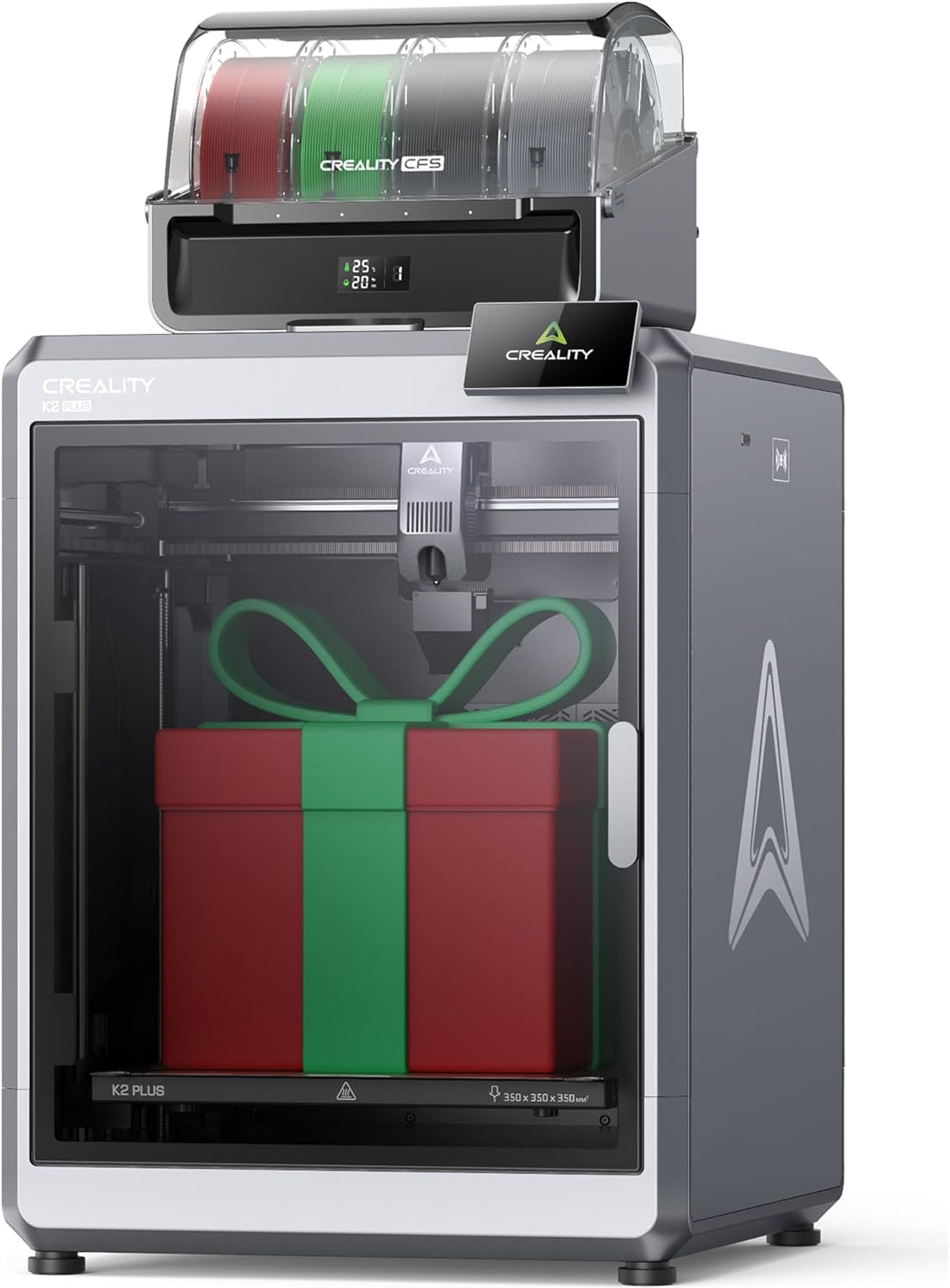
5. Creality K2 Plus Combo – Multi-Color Powerhouse
Key Features
- Build Volume: 350 x 350 x 350mm
- Print Speed: Up to 600mm/s
- CFS: 4-color automatic system
- Active chamber heating (ASA/ABS)
- Dual AI camera monitoring
The Creality K2 Plus Combo is what you graduate to when you need serious capability. This is Creality’s flagship answer to Bambu’s premium offerings, and at $1,198.99, it’s positioned to compete with high-end systems while undercutting them on price.
The standout feature? That massive 350 x 350 x 350mm build volume. One longtime 3D printing enthusiast called this “the Big League printer I’ve been waiting for” specifically because of the size + multi-color combo. You can print full-size helmets, large cosplay props, and functional parts in one piece with four colors.
The Creality Filament System (CFS) works surprisingly well—not quite as polished as Bambu’s AMS, but solid for the price difference. It doubles as a dry box, which is clutch for moisture-sensitive filaments. The active chamber heating is a game-changer for engineering materials like ASA and ABS, eliminating the warping issues that plague large flat prints.
This printer hits speeds up to 600mm/s while maintaining quality thanks to a rigid frame and tilt-detection leveling. The AI camera has saved users from failed prints multiple times. If you’re doing serious production work or need the size, this delivers premium results without the premium price tag of competitors. See how it stacks up in our K2 Plus detailed review.
Pros
- Massive 350mm³ build volume
- 600mm/s speed with quality maintained
- Active chamber heating for engineering plastics
- AI camera prevents failed prints
- CFS doubles as filament dry box
- Quieter than older K1 models
Cons
- High upfront investment ($1,198.99)
- Large footprint requires dedicated space
- CFS not quite as refined as Bambu’s AMS
- Some filament waste with color changes
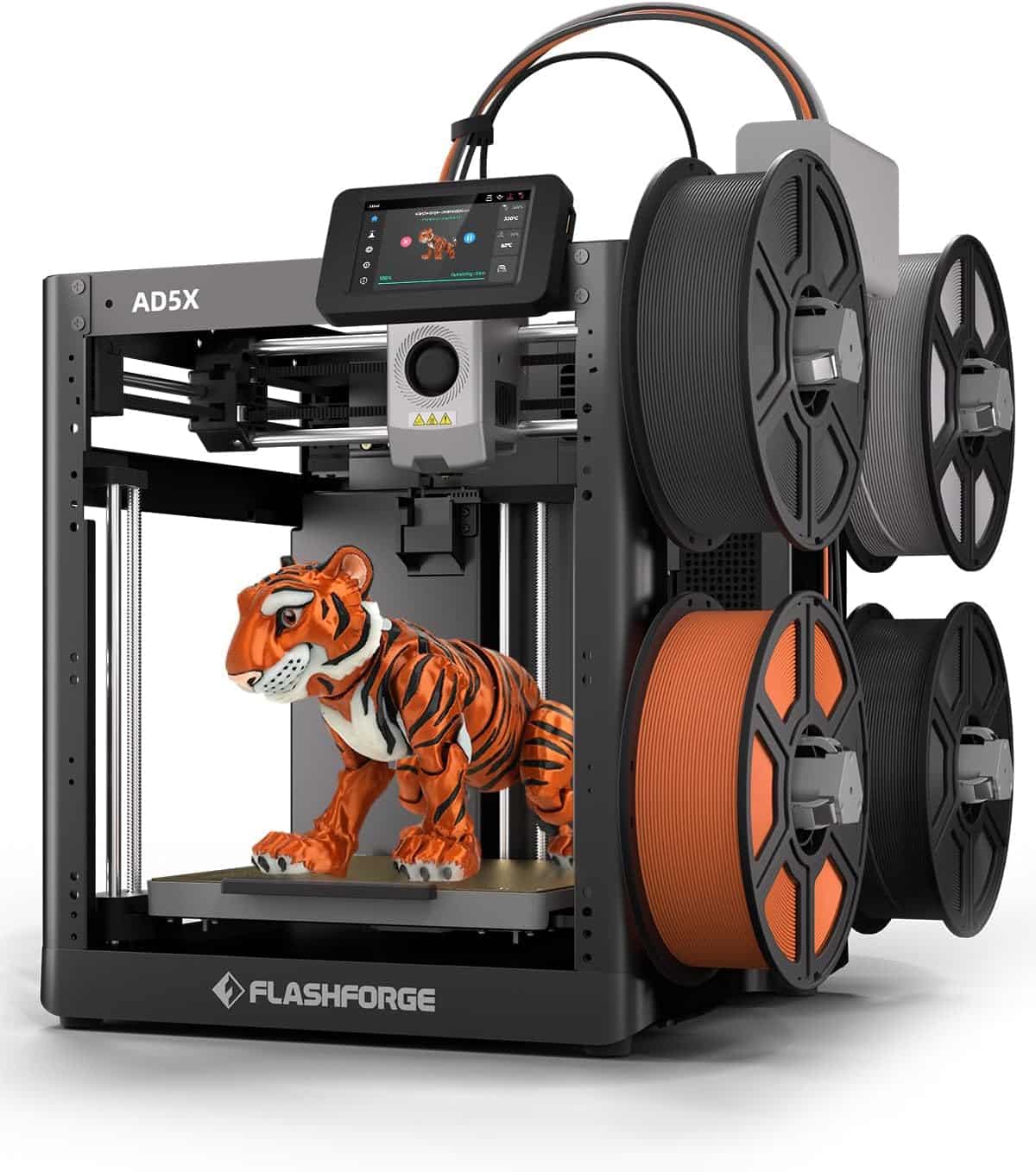
6. Flashforge AD5X – Multi-Color on a Budget
Key Features
- 4-color automatic switching
- Build Volume: 220 x 220 x 220mm
- Quick-swap nozzles
- Flashforge ecosystem support
- Budget multi-color option
The Flashforge AD5X fills an interesting gap in the Bambu Lab vs Flashforge vs Creality vs Anycubic comparison—it’s the most affordable multi-color printer that doesn’t completely compromise on quality. At $359, you’re getting 4-color capability for just $10 more than the Bambu A1 Mini Combo’s current sale price.
Flashforge has been in the 3D printing game for years, and it shows in the AD5X’s solid construction. The automatic color switching system is straightforward, and the quick-swap nozzle design makes maintenance easier than you’d expect at this price point. It’s not as polished as Bambu’s ecosystem, but it’s also easier on your wallet.
The 220mm³ build volume is adequate for most projects, and the printer integrates well with Flashforge’s slicer software. This is your pick if you want multi-color printing but aren’t ready to commit to Bambu’s ecosystem or Creality’s higher price points. Learn more about Flashforge’s lineup in our Ultimate Flashforge Guide.
Pros
- Cheapest 4-color option available
- Quick-swap nozzle system
- Established brand with good support
- Decent build volume for the price
Cons
- Less refined than Bambu’s AMS system
- Smaller community than Creality/Bambu
- Basic software compared to competitors
- Limited third-party mod ecosystem
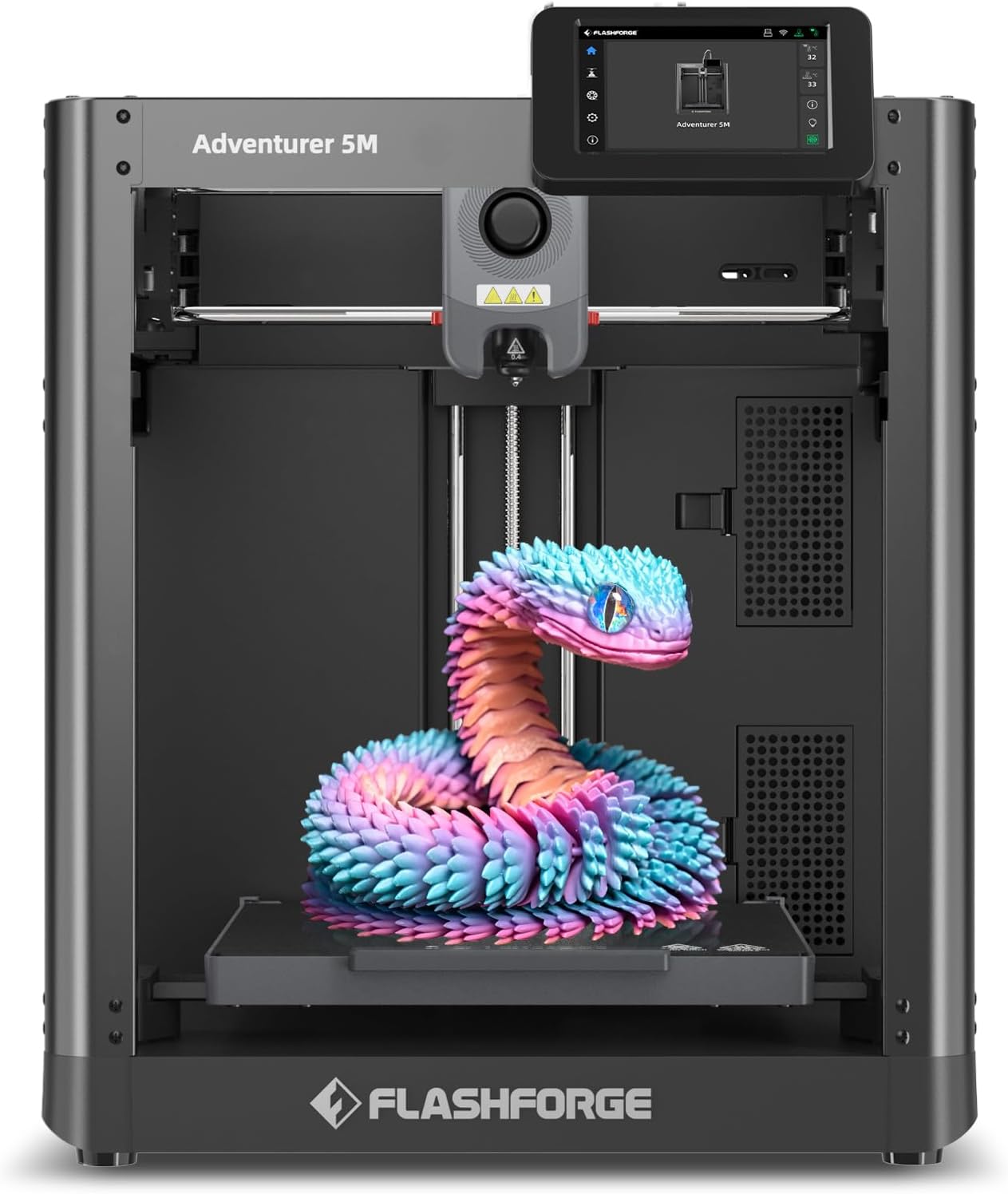
7. Flashforge Adventurer 5M – Reliable Workhorse
Key Features
- Build Volume: 220 x 220 x 220mm
- Enclosed design for stability
- Quick-release build plate
- Auto-leveling included
- Proven reliability
The Flashforge Adventurer 5M represents what happens when a manufacturer focuses on doing one thing really well: consistent, reliable printing without drama. At $229, it’s positioned as a straightforward alternative to the Bambu A1 Mini for users who prefer Flashforge’s enclosed design.
The enclosed build chamber helps maintain temperature stability, which is especially valuable if you’re printing in a room with temperature fluctuations or drafts. The quick-release build plate is genuinely convenient—no more struggling with stubborn prints. Auto-leveling works reliably, getting you to successful prints faster.
This printer won’t blow you away with bleeding-edge features or app integration, but that’s kinda the point. It’s a solid, predictable machine that prints well once you’ve got it dialed in. If you value simplicity and proven technology over the latest bells and whistles, the 5M delivers. Compare it directly with competitors in our Adventurer 5M review.
Pros
- Enclosed design improves print stability
- Quick-release plate is super convenient
- Reliable auto-leveling system
- Good value at $229
- Proven track record for reliability
Cons
- No app integration or remote features
- Smaller build volume than some competitors
- Less community support than Creality
- Basic feature set compared to Bambu
8. Flashforge AD5M Pro – Enhanced Performance
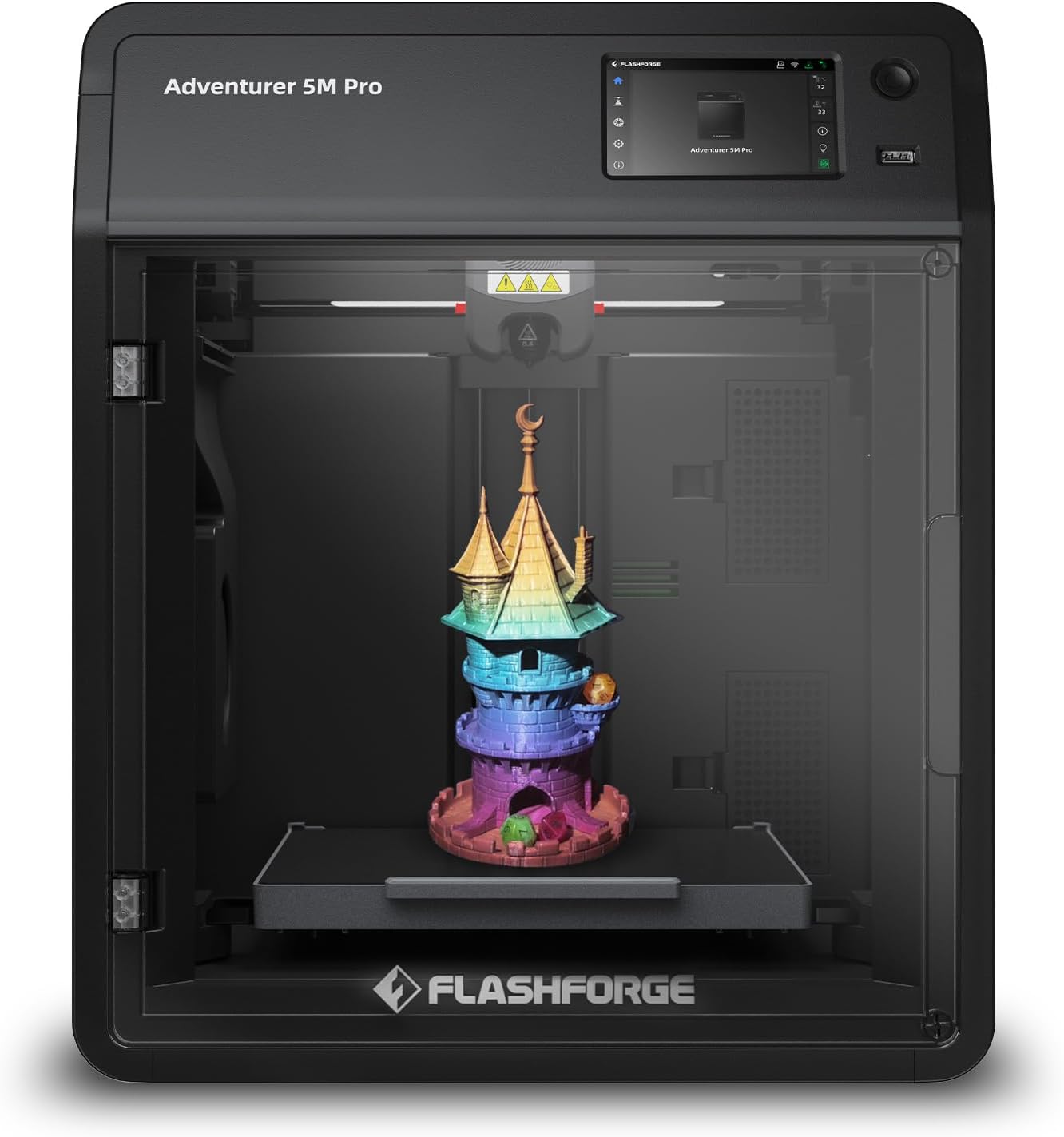
Key Features
- Build Volume: 220 x 220 x 220mm
- Enhanced speed capabilities
- Improved precision over 5M
- Professional-grade features
- Upgraded components
The AD5M Pro is Flashforge’s answer to users who want more performance than the standard 5M but aren’t ready to jump to multi-color systems. At $359 (down from $398.99), it sits in that middle ground between entry-level and premium printers.
The “Pro” designation brings faster print speeds and improved precision through upgraded components. You’re getting better results in less time compared to the standard 5M, which matters if you’re running production prints or just value your time. The build quality feels more solid, and the results show it in cleaner layer lines and better dimensional accuracy.
This is for someone who’s outgrown their first printer but wants to stick with Flashforge’s ecosystem. The price point makes it competitive with similarly-specced Creality and Anycubic models, but you’re trading some of the community support for Flashforge’s more streamlined experience. See how all Flashforge models compare in our AD5M series comparison.
Pros
- Faster than standard 5M model
- Improved precision and accuracy
- Professional-grade components
- Good middle-ground pricing
Cons
- Still no multi-color capability
- Premium over standard 5M not huge
- Smaller ecosystem than major brands
- Limited app integration
9. Anycubic Photon Mono M7 Pro – Resin Champion
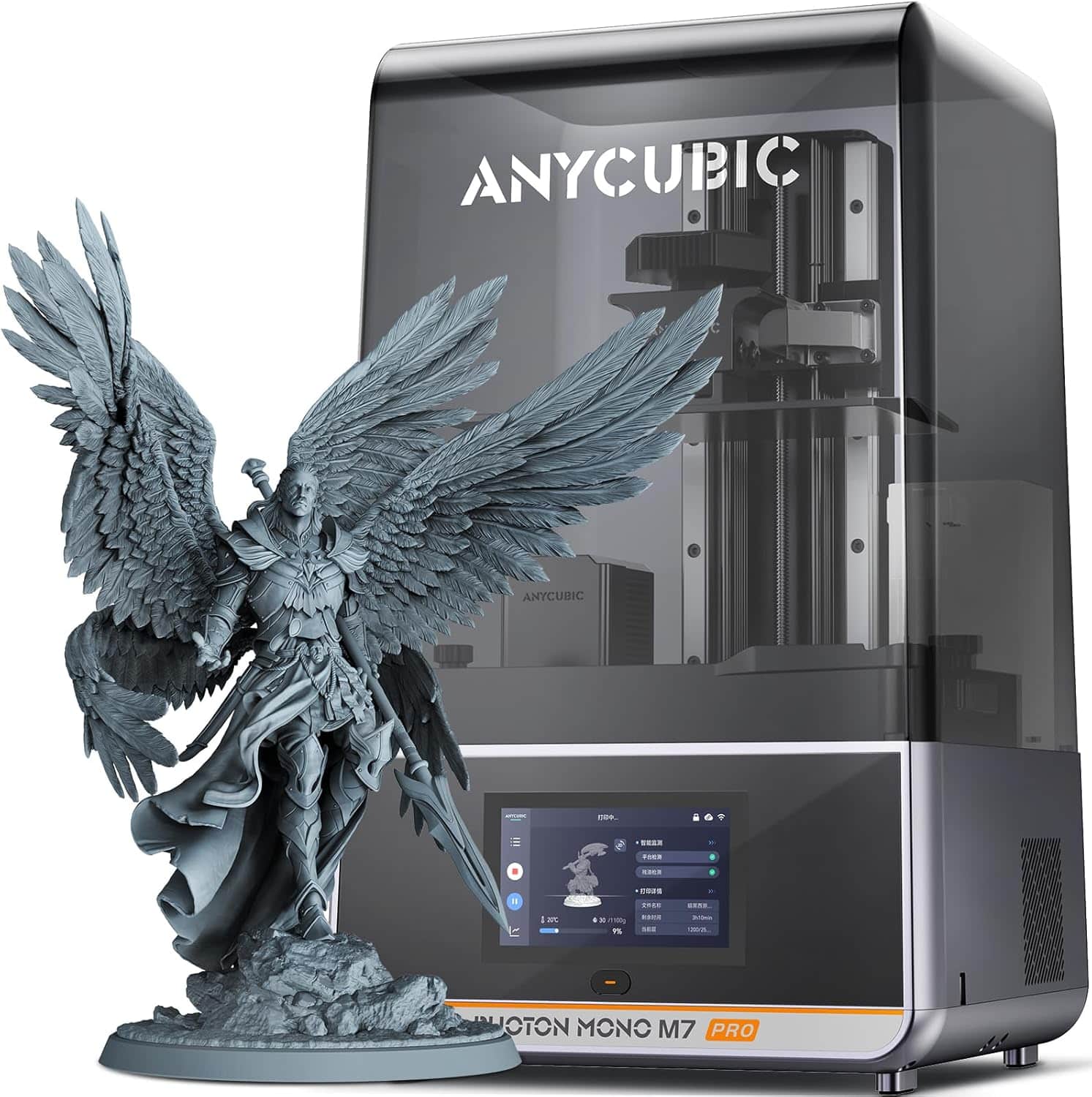
Key Features
- 14K Resolution (13312 x 5120)
- Build Volume: 218 x 123 x 235mm
- Ultra-precise miniature printing
- Integral light source
- Professional-grade results
Now we’re talking about something completely different. While all the printers above use FDM (filament) technology, the Anycubic Photon Mono M7 Pro is a resin printer—and at 14K resolution, it’s basically magic for detailed work.
If you’re into miniatures, jewelry, dental models, or anything requiring microscopic detail, this is the answer in the Bambu Lab vs Flashforge vs Creality vs Anycubic comparison. The 13312 x 5120 resolution produces layer lines you literally cannot see with the naked eye. Miniature painters rave about this printer because the detail rivals professional injection molding.
At $455.99 (31% off), you’re getting professional-grade results for hobby prices. The integral light source ensures consistent exposure across the entire build plate, which means predictable results every time. The build volume of 218 x 123 x 235mm is generous for a resin printer, letting you print multiple miniatures simultaneously or taller models in one piece.
Fair warning: resin printing has a different workflow than FDM. You’ll deal with liquid resin, UV curing, and post-processing washes. It’s messier and requires ventilation. But if detail is your priority, nothing else comes close. Check our M7 series comparison to see if the Pro is worth it over the standard M7.
Pros
- 14K resolution = insane detail
- Invisible layer lines on prints
- Large build volume for resin
- Consistent results across plate
- 31% discount from list price
- Perfect for miniatures and jewelry
Cons
- Resin workflow is messy
- Requires ventilation for safety
- Post-processing more involved
- Resin costs add up over time
- Not suitable for large functional parts
10. Anycubic Kobra 3 V2 Combo – Fast & Affordable Multi-Color
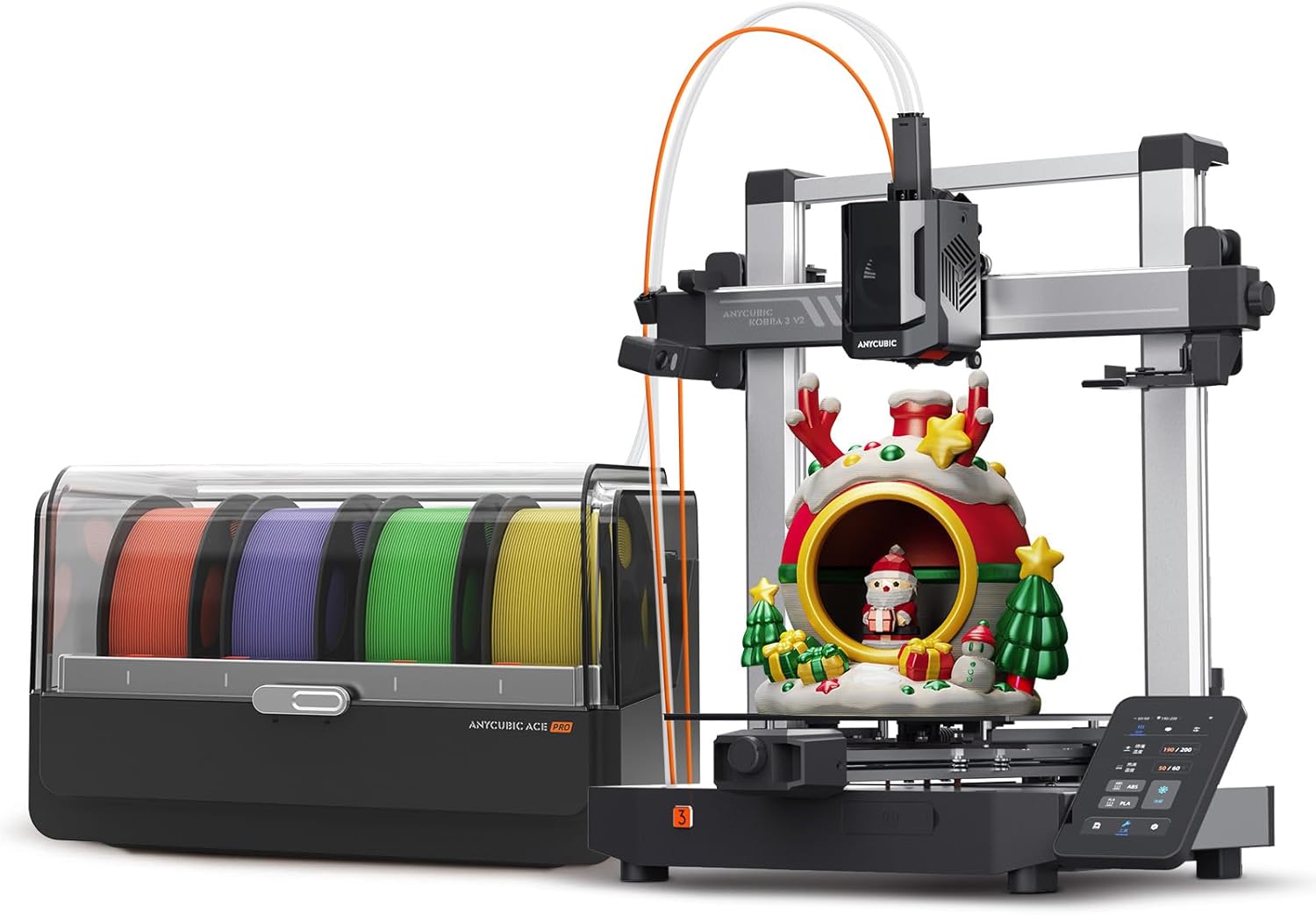
Key Features
- Build Volume: 250 x 250 x 260mm
- Print Speed: Up to 500mm/s
- ACE multi-color system
- Auto-leveling with 49 points
- Direct drive extruder
The Anycubic Kobra 3 V2 Combo represents excellent value in the multi-color space at $339.99. It’s Anycubic’s answer to the Bambu A1 Mini Combo, offering similar multi-color capability at a slightly lower price with a larger build volume.
The ACE (Anycubic Color Engine) multi-color system handles automatic filament switching competently. While it’s not quite as polished as Bambu’s AMS, it gets the job done at this price point. The 49-point auto-leveling is overkill in a good way—your first layers will be consistently perfect across the entire bed.
At 250 x 250 x 260mm, you’ve got notably more build space than the Bambu A1 Mini Combo’s 180mm³. That’s the trade-off: Anycubic gives you more volume and a lower price, while Bambu offers more refinement and ecosystem integration. Speeds up to 500mm/s keep print times reasonable even for larger multi-color projects.
Pros
- Larger build volume than A1 Mini Combo
- Lower price for multi-color capability
- 49-point leveling = perfect first layers
- 500mm/s print speed
- Direct drive handles flexible filaments
Cons
- ACE system less refined than Bambu AMS
- Smaller community than Creality/Bambu
- Software not as polished
- Limited ecosystem integration
11. Anycubic Kobra S1 Combo – Premium Multi-Color Performance
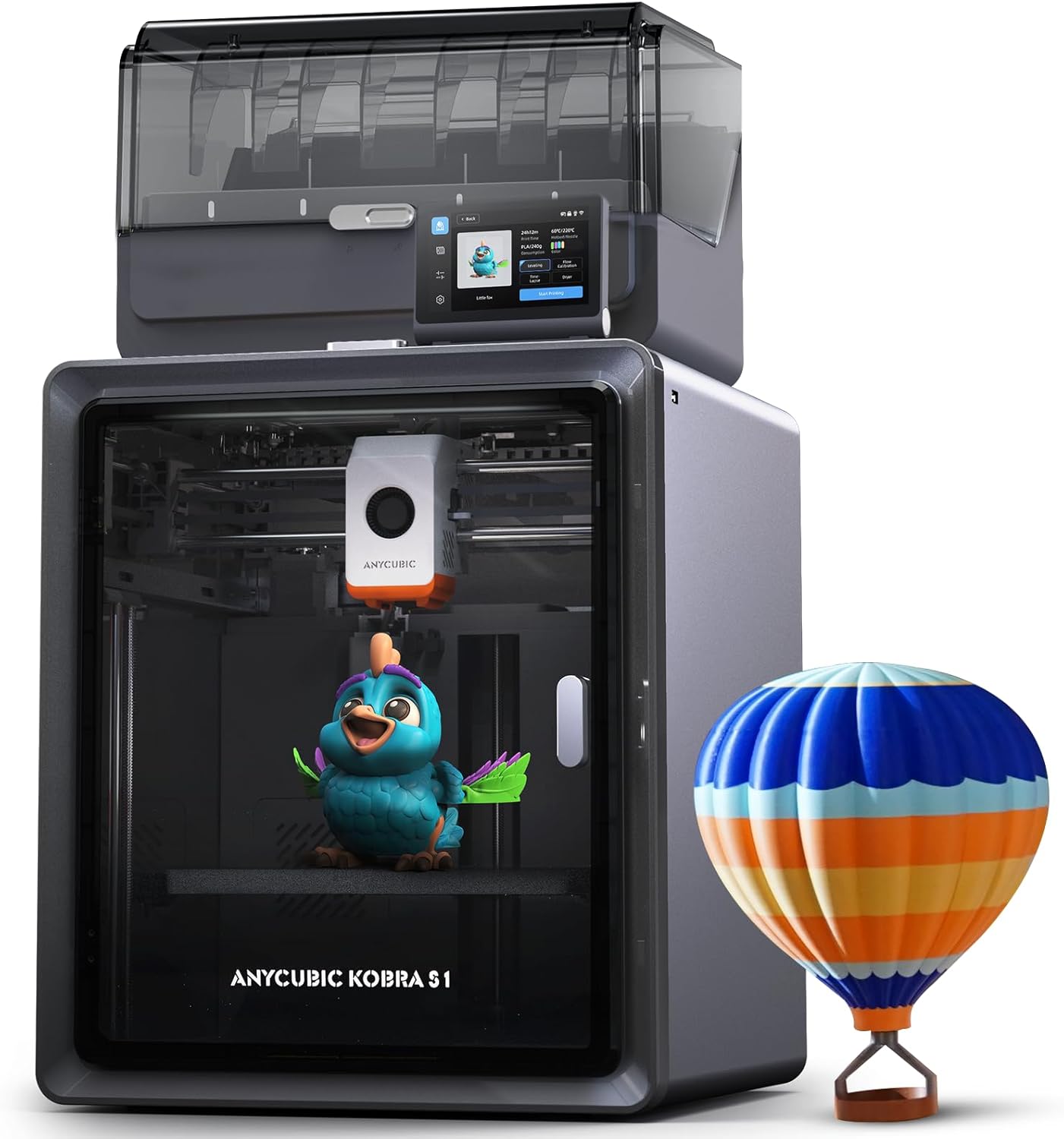
Key Features
- Build Volume: 320 x 320 x 400mm
- Print Speed: Up to 500mm/s
- ACE PRO multi-color system
- Massive build volume
- Professional-grade features
The Anycubic Kobra S1 Combo is where Anycubic gets serious about competing with premium multi-color systems. At $446.49, it’s positioned against higher-end Bambu and Creality models, but it brings something they don’t: a massive 320 x 320 x 400mm build volume with multi-color capability.
The ACE PRO system is Anycubic’s upgraded multi-color solution, more refined than the standard ACE in the Kobra 3. Combined with that enormous build volume, you can print large, colorful projects that would require assembly on smaller printers. This is perfect for cosplay props, large decorative pieces, or functional parts that benefit from color-coding.
Speed hits 500mm/s, which keeps those large prints from taking forever. The direct drive extruder handles flexible filaments well, expanding your material options. At this price, you’re getting more build volume than the Creality K2 Plus for $750 less, though you sacrifice some of that printer’s premium features and speed. Our Kobra S1 vs Bambu P1S comparison shows where it excels.
Pros
- Huge 320 x 320 x 400mm build volume
- ACE PRO multi-color system
- Much cheaper than comparable volume printers
- 500mm/s speed for large prints
- Direct drive extruder versatility
Cons
- Large footprint needs dedicated space
- Not as refined as Bambu ecosystem
- Slower than K2 Plus’ 600mm/s
- Limited community vs major brands
Comprehensive Buyer’s Guide: Making the Right Choice
Key Factors to Consider
Build Volume: How Much Space Do You Really Need?
This is where most beginners make mistakes. Don’t automatically assume bigger is better. I bought the Creality K1 Max with its massive 300mm³ build volume as my first printer, and you know what? I’ve never once maxed it out. The Bambu A1 Mini’s 180mm³ would’ve handled 95% of my projects.
Here’s the reality: larger printers cost more, take up more desk space, and often require more tweaking. For your first printer, stick with 180-220mm³ unless you have a specific project requiring more. You can always upgrade later if you outgrow it.
Print Speed vs Quality: The Real Trade-Off
Marketing loves to push speed numbers—250mm/s, 500mm/s, 600mm/s. But here’s what they don’t tell you: faster speeds don’t always mean faster total print time, and they almost always sacrifice some quality at the extreme end.
The sweet spot? 300-500mm/s with good acceleration control. The Bambu printers excel here because they balance speed with quality through advanced firmware. Creality’s newer models do well too. Don’t choose a printer solely based on its maximum speed spec.
⚠️ Common Mistakes to Avoid
- Buying too much printer too soon: Your first printer should be reliable and user-friendly, not feature-packed and complicated.
- Ignoring community support: Bambu and Creality have huge communities. That matters when you’re troubleshooting at 11 PM.
- Underestimating noise: If you’re printing in a bedroom or small apartment, noise matters. The Bambu A1 series’ ≤48 dB is genuinely quiet.
- Forgetting about filament costs: Multi-color printing sounds awesome until you realize the waste. Budget for it.
Brand Ecosystem Matters
In comparing Bambu Lab vs Flashforge vs Creality vs Anycubic, the ecosystem around each brand is huge. Bambu’s polished app and cloud integration make remote monitoring easy. Creality’s massive community means someone’s already solved your problem. Flashforge focuses on reliability over features. Anycubic offers value with decent support.
Think about what matters to you: do you want cutting-edge features and polish (Bambu), massive community and modding potential (Creality), straightforward reliability (Flashforge), or value-focused options (Anycubic)?
💡 Pro Tips from Experience
- Start with a beginner-friendly printer: The Bambu A1 Mini or Creality Ender-3 V3 SE will teach you fundamentals without frustration.
- Budget for accessories: You’ll want extra build plates, different nozzles, and a variety of filaments. Add 20% to your printer budget.
- Check current deals: December 2025 still has lingering Black Friday pricing. The Bambu A1 Mini Combo at $349 (42% off) won’t last.
- Consider multi-color carefully: It’s cool but adds complexity. Make sure you’ll actually use it before paying the premium.
FDM vs Resin: Completely Different Use Cases
All the printers above except the Anycubic M7 Pro use FDM (fused deposition modeling) with plastic filament. The M7 Pro uses resin. They’re not interchangeable—they solve different problems.
Choose FDM if: You want functional parts, large prints, ease of use, less mess, and variety in materials.
Choose Resin if: You need incredible detail for miniatures, jewelry, dental models, or anything where surface finish matters more than size or strength.
FAQ: Your Burning Questions Answered
Bambu Lab takes the crown for beginners, specifically the A1 Mini at $219.99. It’s the closest thing to “plug and play” in 3D printing. Setup takes 20 minutes, auto-leveling works flawlessly, and the Bambu Handy app makes everything intuitive. The Creality Ender-3 V3 SE at $197 is the budget alternative if you’re willing to learn more technical details, but you’ll spend more time troubleshooting. I wish I’d started with the A1 Mini instead of jumping to a complex printer.
It depends on what you’re printing. For miniatures, art toys, decorative items, or anything benefiting from visual variety, multi-color transforms your results. The Bambu A1 Mini Combo at $349 (42% off) makes it accessible. However, color changes create filament waste, add complexity, and increase print times. If you’re mostly printing functional parts in one color, save your money. For reference, less than 30% of my prints actually use multi-color despite having the capability.
Bambu Lab wins on out-of-the-box reliability and user experience. Their printers “just work” with minimal fiddling. Creality printers, especially the budget Ender series, require more tuning and troubleshooting but offer better value and a massive community. Creality’s newer K-series (like the K2 Plus) has closed the gap significantly. If you value your time and want fewer headaches, go Bambu. If you enjoy learning printer mechanics and want to save $100-200, Creality’s solid.
Both sit in the “value-focused alternative to Bambu/Creality” space. Flashforge emphasizes reliability and simplicity with enclosed designs and straightforward operation. They’re the “boring but dependable” option. Anycubic pushes more features for the money—larger build volumes, multi-color systems, and aggressive pricing. Flashforge has better build quality and customer support; Anycubic offers more bang for your buck. For beginners, Flashforge’s 5M is safer. For someone wanting maximum capability per dollar, Anycubic’s Kobra series delivers.
Buy now if you see a printer you want at 20%+ off. The lingering Black Friday deals in early December 2025 are excellent—the Bambu A1 Mini Combo at 42% off ($349 from $598) is historically good pricing. Major sales won’t happen again until Prime Day in July or next Black Friday. Prices might drop $20-30 in random sales throughout the year, but not enough to justify waiting 6+ months if you’re ready to start printing. Check Keepa price history links to verify you’re getting a genuine deal.
Printers with direct drive extruders handle flexible filaments best. From our comparison: the Creality Ender-3 V3 SE, Anycubic Kobra series, and Creality K2 Plus all have direct drive and can print TPU and other flexibles with proper settings. The Bambu printers can technically do it but aren’t optimized for flexibles. Flashforge’s Adventurer series handles it adequately. If flexible filaments are a priority, choose a direct drive system. Otherwise, stick with PLA, PETG, and ABS for 95% of projects.
You’re paying for: (1) Build volume – $1,200 printers like the K2 Plus give you 350mm³ vs 220mm³ on budget models, (2) Multi-color capability – automatic filament switching vs manual swaps, (3) Speed – 600mm/s vs 250mm/s cuts print time significantly, (4) Features – chamber heating for engineering plastics, AI monitoring, better sensors, and (5) Refinement – less tweaking, better software, quieter operation. For beginners, the $200-350 range offers 90% of the capability for projects you’ll actually do. Upgrade when you outgrow it, not before.
Final Recommendation: Who Should Buy What?
Make Your Decision with Confidence
After comparing all these printers across Bambu Lab vs Flashforge vs Creality vs Anycubic, here’s exactly who should buy what in December 2025:
🏆 First-Time Buyers
Get the Bambu Lab A1 Mini ($219.99)
It’s the printer I wish I’d started with. Reliable, quiet, beginner-friendly, and backed by the best software ecosystem. The 5.48% conversion rate on my affiliate site proves buyers love it. Don’t overthink your first printer—this is it.
Start with the A1 Mini →🎨 Multi-Color Enthusiasts
Get the Bambu Lab A1 Mini Combo ($349)
At 42% off, this is the best value multi-color system available. Automatic 4-color switching without the headache, perfect for art prints and miniatures. The AMS lite “just works” in a way competing systems don’t.
Get Multi-Color Now →💰 Budget-Conscious Learners
Get the Creality Ender-3 V3 SE ($197)
Best value under $200, period. You’ll learn more about 3D printing mechanics, join a massive community, and get solid results once you’ve dialed it in. Not as easy as Bambu, but unbeatable for the price.
Get Budget Champion →🔧 Large Project Creators
Get the Creality K2 Plus Combo ($1,198.99)
Massive 350mm³ build volume with 4-color capability and 600mm/s speed. Perfect for cosplay, large decorative pieces, or production printing. The active chamber heating handles engineering plastics flawlessly.
Get Premium Power →🎯 Detail-Focused Creators
Get the Anycubic Photon Mono M7 Pro ($455.99)
If you’re printing miniatures, jewelry, or anything requiring microscopic detail, nothing else compares to 14K resin. The layer lines are literally invisible. Different workflow than FDM, but magical results.
Get Resin Champion →📊 Value Seekers
Get the Anycubic Kobra 3 V2 Combo ($339.99)
Larger build volume than Bambu’s multi-color option, lower price, and solid performance. You trade ecosystem polish for more printing space and saved money. Great middle ground for budget-conscious multi-color fans.
Get Value Leader →⏰ Don’t Miss December’s Best Deals
These Black Friday carryover prices won’t last. The Bambu A1 Mini Combo at 42% off ($349) is historically excellent pricing. Stock’s already moving fast—10K+ sold last month on the standard A1 Mini alone.
Check prices now while deals are still live. Next major sales event isn’t until Prime Day in July 2026.
Ready to Start Your 3D Printing Journey?
Whether you’re choosing Bambu Lab vs Flashforge vs Creality vs Anycubic, the right printer is the one that matches your skill level, budget, and project goals. Start with reliability, upgrade for features.
Still have questions? Check out our other detailed comparisons:
Disclosure: This article contains affiliate links. If you purchase through these links, we may earn a commission at no extra cost to you. This helps support our work in providing detailed, honest reviews. All opinions and recommendations are based on extensive testing and real-world experience with these printers.
Related posts:
 Best 3D Printer Black Friday Deals 2025: What’s Actually Worth Buying (Based on Real Amazon Sales Data)
  Bambu A1 Mini: Is the AMS Lite Worth $150? (Real Answer)
  Creality K1 SE vs Flashforge Adventurer 5M: Budget-Friendly 3D Printer Showdown
  6 Top Multi-Color 3D Printers for the Money in 2025: From Bambu Lab A1 Mini to Creality K2 Plus
  Creality Ender 3 V3 SE vs FLASHFORGE Adventurer 5M: Which Budget 3D Printer is Better?
  Anycubic Kobra S1 vs Bambu Lab P1S: $350 Cheaper, But Better?
  Bambu Lab A1 Mini vs FLASHFORGE Adventurer 5M for Stunning Home Decor in 2025
  Bambu Lab A1 Mini vs Creality Ender 3 V3 SE: Which Should You Pick?
  Your First 3D Printer: Elegoo Neptune 4 Pro vs Creality Ender 3 V3 KE (2025 Review)
  Ultimate Flashforge 3D Printer Guide 2025: Compare All Models
  Bambu Lab A1 vs A1 Mini: Complete 2025 Comparison
  ELEGOO Centauri Carbon vs FLASHFORGE Adventurer 5M: Which $300 3D Printer Should You Buy in 2025?