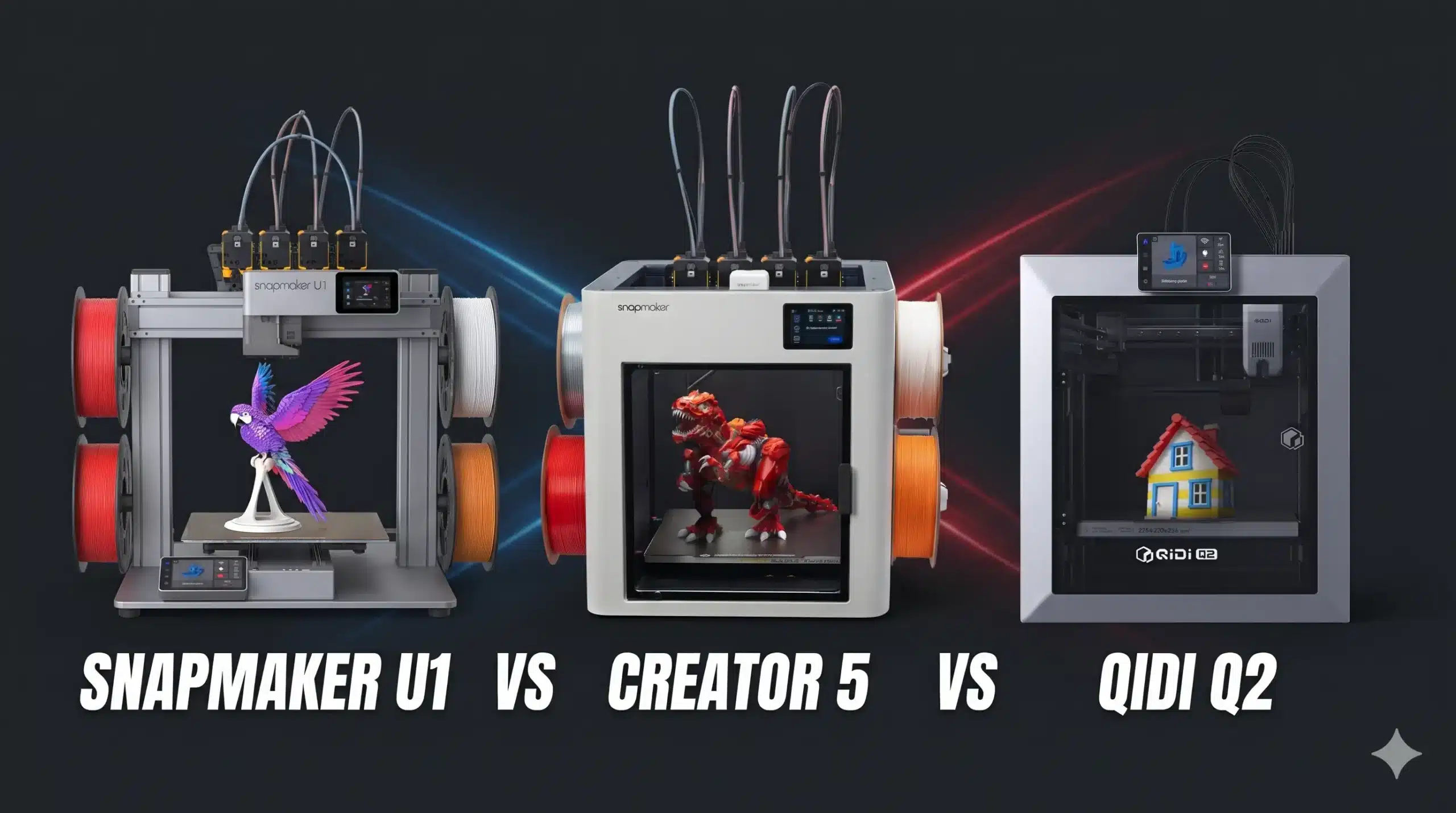
Updated November 26, 2026. Prices below are checked on Amazon every day. Black Friday is Nov 27, Cyber Monday is Nov 30, and the deal badges on the U1 and Creator 5 end on Dec 1.
Quick answer: buy the Snapmaker U1 ($699.00) for the best multicolor printing; buy the Flashforge Creator 5 ($599.00) for the cheapest 4-head tool changer; buy the QIDI Q2 ($449.00) if you want to print ABS, ASA, nylon or carbon fiber instead of colors.
How we compare: published specs, independent reviews, Amazon sales rank, our daily price tracking and owner feedback on r/3DPrinterComparison. We don’t do hands-on testing.
🖤 Black Friday: 3 products in this guide are on sale
Amazon prices checked Nov 26, 09:06 UTC. Deals end Dec 1 and prices can change at any time.
Black Friday Prices Side by Side
| Printer | Now | Was | You save |
|---|---|---|---|
| Snapmaker U1 | $699.00 | $849.00 | Save $150 (18%) |
| Flashforge Creator 5 | $599.00 | $839.00 | Save $240 (29%) |
| QIDI Q2 | $449.00 | $499.00 | Save $50 (10%) |
The Real Choice: Colors or Strong Parts?
The U1 and Creator 5 are tool changers. They have four separate printheads and swap between them, so a 4-color print wastes almost no filament and finishes much faster than on AMS-style printers. They’re made for PLA, PETG and TPU.
The QIDI Q2 has one nozzle, but it reaches 370°C inside a chamber heated to 65°C. That’s what ABS, ASA, nylon and carbon-fiber filaments need to print without warping or cracking. If you print brackets, car parts, drone frames or tool holders, the Q2 makes more sense than either tool changer.
Specs Compared
| Snapmaker U1 | Flashforge Creator 5 | QIDI Q2 | |
|---|---|---|---|
| Type | 4-head tool changer | 4-head tool changer | Single nozzle (QIDI Box optional) |
| Build volume | 270×270×270 mm | 256×256×256 mm | 270×270×256 mm |
| Max nozzle temp | 300°C | 320°C | 370°C |
| Chamber | Open (optional top cover) | Open frame | Enclosed, 65°C active heater |
| Multicolor purge waste | Almost none | Almost none | Yes, with QIDI Box |
| Best materials | PLA, PETG, TPU | PLA, PETG, TPU, CF blends | ABS, ASA, nylon, PC, CF |
| Weight | 18.2 kg | 14 kg | 18.1 kg |
| Slicer | Snapmaker Orca / OrcaSlicer | Orca-Flashforge | QIDI Studio / OrcaSlicer |
Which One Should You Buy?

1. Snapmaker U1
270×270×270 mm · 4 toolheads · 300°C · 500 mm/s · auto filament loading
The U1 is the tool changer most people should buy. Each color has its own nozzle, so there’s almost no purge waste and color prints finish much faster than on AMS-style printers. It has the biggest build volume of the three and the largest owner community, after one of Kickstarter’s biggest-ever 3D printer campaigns.
Good: biggest build volume here; very fast multicolor with near-zero waste; large community and spare-parts list.
Watch out: 300°C stainless nozzles, so not for abrasive or high-temp engineering filaments; open design; ABS/ASA need the optional top cover.
Check price on Amazon →📈 Price history & drop alerts
2. Flashforge Creator 5
256×256×256 mm · 4 toolheads · 320°C · open-frame CoreXY
The Creator 5 gets you true 4-head tool changing for $100 less than the U1 this week. You give up a little build volume and some print speed in exchange.
Good: lowest price for a 4-head tool changer; easy assembly; 320°C nozzles.
Watch out: slightly smaller 256 mm bed; 300 mm/s print speed is slower than the U1; open frame, so no ABS/ASA.
Check price on Amazon →📈 Price history & drop alerts
3. QIDI Q2
270×270×256 mm · 370°C hotend · 65°C actively heated chamber · enclosed · QIDI Box ready
The Q2 isn’t a tool changer. It’s the pick if you care more about strong parts than colors. Its heated chamber and 370°C hotend handle ABS, ASA, nylon and carbon fiber, which neither tool changer is built for, and it’s the cheapest of the three.
Good: heated chamber for warp-free ABS, ASA and nylon; cheapest of the three; Klipper, works with OrcaSlicer.
Watch out: single nozzle; multicolor needs the QIDI Box and purges filament; Amazon listing is from a third-party seller (Feidi 3D Printer).
Check price on Amazon →📈 Price history & drop alertsU1 vs Creator 5: The Tool-Changer Head-to-Head
U1 wins on
- Bigger 270 mm build volume
- Faster printing (500 mm/s vs 300 mm/s)
- Bigger community, more profiles and mods
Creator 5 wins on
- Price: $599.00 vs $699.00 this week
- Hotter 320°C nozzles
- Lighter (14 kg), easier to move
Need ABS or ASA too?
- The Flashforge Creator 5 Pro ($749.00) adds an enclosed, heated chamber to the same 4-head system
- Or add Snapmaker’s optional top cover to the U1
🔔 Waiting for a lower price?
Open our free Telegram bot @printerpricedrops_bot, type the printer’s name and tap Watch. Full price history: Snapmaker U1, Flashforge Creator 5, QIDI Q2. Every daily drop is on our Telegram channel.
Our Verdict
For colorful prints, the Snapmaker U1 is the best of the three and worth the extra $100 over the Creator 5 for most buyers. Pick the Creator 5 if $599.00 is your limit. If your prints are functional parts rather than colorful ones, skip the tool changers and get the QIDI Q2.
Check Snapmaker U1 price →Check Creator 5 price →Check QIDI Q2 price →Prices on these change almost daily. Join our free Telegram channel and get a ping when a printer, filament or laser actually drops in price: only real drops (8%+ or a new 30-day low), no fake "deals".
Get price-drop alerts on Telegram
FAQ
Is the Snapmaker U1 better than the Flashforge Creator 5?
For most people, yes. The U1 has a bigger 270 mm build volume, prints faster and has a much larger owner community. The Creator 5 is the better buy only if the $100 saving matters more to you than those advantages.
Why compare a tool changer with the QIDI Q2?
Because shoppers at this budget often choose between multicolor and engineering materials. The U1 and Creator 5 are best for colorful PLA and PETG prints. The Q2 is best for strong functional parts in ABS, ASA, nylon or carbon fiber.
Can the Snapmaker U1 or Creator 5 print ABS and ASA?
Not well out of the box, because neither has a heated, closed chamber. Snapmaker sells an optional top cover for the U1, and Flashforge sells the enclosed Creator 5 Pro with a heated chamber.
How much filament does a tool changer save?
A lot on multicolor prints. Each color has its own nozzle, so the printer doesn’t flush filament between colors. Snapmaker’s own tests show the U1 using a fraction of the filament a single-nozzle printer uses on the same multicolor model.
Can the QIDI Q2 print in multiple colors?
Yes, with the optional QIDI Box, but it purges filament on every color change like other single-nozzle systems. If multicolor is your main goal, a tool changer is the better choice.
Are these real Black Friday deals?
The U1 and Creator 5 carry Amazon Black Friday badges that end on December 1, and both are below their list prices. The Q2 is about $50 below its list price. Check each printer’s price history on our tracker before buying.
Can I get an alert if one of these drops further?
Yes. Open our free Telegram bot @printerpricedrops_bot, type the printer’s name and tap Watch. It messages you only when that printer drops, or when it goes below your target.
Free 3D printing temperature cheat sheet
Nozzle and bed temperatures for common filaments, in one page.
Keep reading
 ComparisonsAnycubic Kobra S1 Combo vs QIDI PLUS4 3D Printer : Which One Wins for 3D-Printed Decor?Mar 6, 2025
 ComparisonsEnder 3 V3 KE vs Neptune 3 Pro Full ComparisonApr 26, 2025
 ComparisonsSaturn 4 Ultra vs M7 Pro: Best 12K+ Resin Printer in 2025?Jul 4, 2025
 ComparisonsSovol SV08 vs Qidi Max3: A Comprehensive Comparison for 2025Jul 4, 2025
 ComparisonsFLASHFORGE AD5M vs AD5M Pro vs AD5X: Which 3D Printer Should You Buy in 2025?Aug 15, 2025
 ComparisonsElegoo Centauri 2 Combo vs Anycubic Kobra X: Which Should You Buy in 2026?Oct 29, 2026