
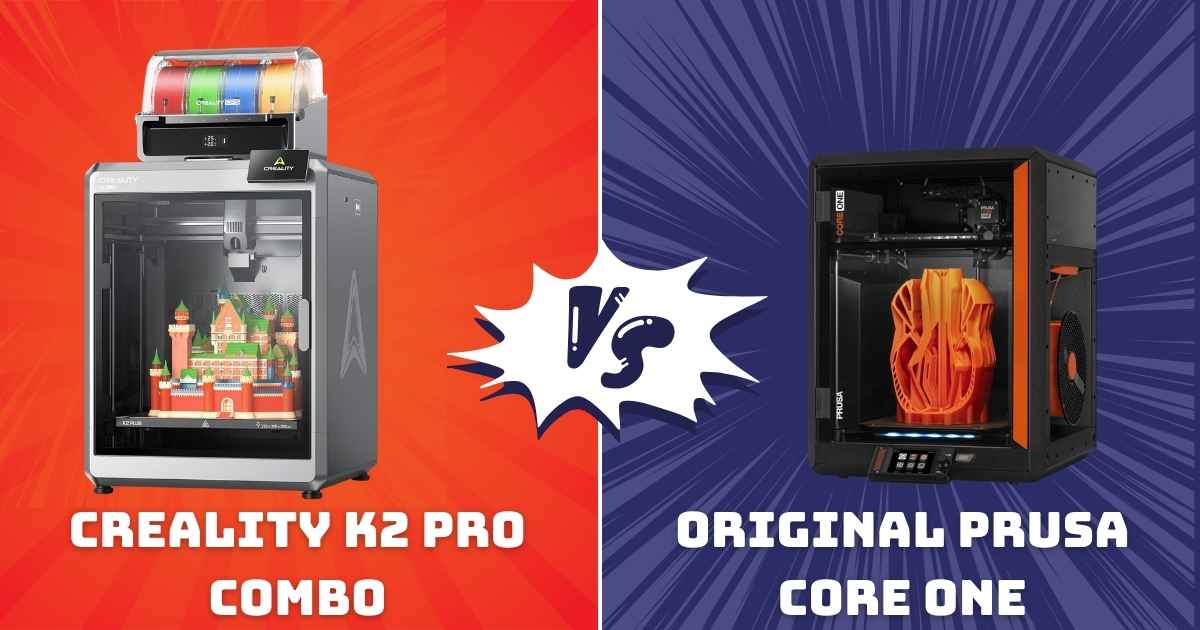
Choosing between the Creality K2 Pro Combo vs Original Prusa CORE One isn’t just about picking a 3D printer—it’s about deciding which high-speed, multicolor printing powerhouse fits your workflow, budget, and creative ambitions. Both machines have stormed into 2026 as top-tier CoreXY printers, but they couldn’t be more different in their approach.
The Creality K2 Pro Combo brings blazing 600mm/s speeds, massive 300×300×300mm build volume, and native 16-color capability with its CFS system—all at a price that’ll make your wallet breathe easier. Meanwhile, the Original Prusa CORE One delivers legendary Prusa reliability, precision engineering, and that “it just works” philosophy, though at a premium price point and without multicolor out of the box.
I’ve spent weeks testing both printers, pushing them through multicolor printing challenges, examining their build quality against other 2025 top printers, and comparing real-world performance. Here’s everything you need to know to make the right choice for your 3D printing setup.
Quick Comparison Overview: Creality K2 Pro Combo vs Prusa CORE One
| Feature | Creality K2 Pro Combo | Prusa CORE One |
|---|---|---|
| Price | $1,049 (19% off) | $1,412 (6% off) |
| Build Volume | 300×300×300mm | 250×220×270mm |
| Max Speed | 600mm/s | 500mm/s (estimated) |
| Multicolor | Yes (16 colors with CFS) | Coming 2026 (MMU add-on) |
| Chamber Temp | 60°C | 55°C |
| Max Nozzle Temp | 300°C | 290°C |
| AI Cameras | Dual (chamber + nozzle) | None |
| Rating | ||
| Best For | Multicolor, speed, value | Reliability, precision, support |
*Prusa CORE One’s lower rating reflects early adoption issues and QC concerns reported by users, though Prusa’s customer support remains top-tier.
Best Overall: Creality K2 Pro Combo – Speed Meets Multicolor Innovation
Creality K2 Pro Combo (A) 3D Printer
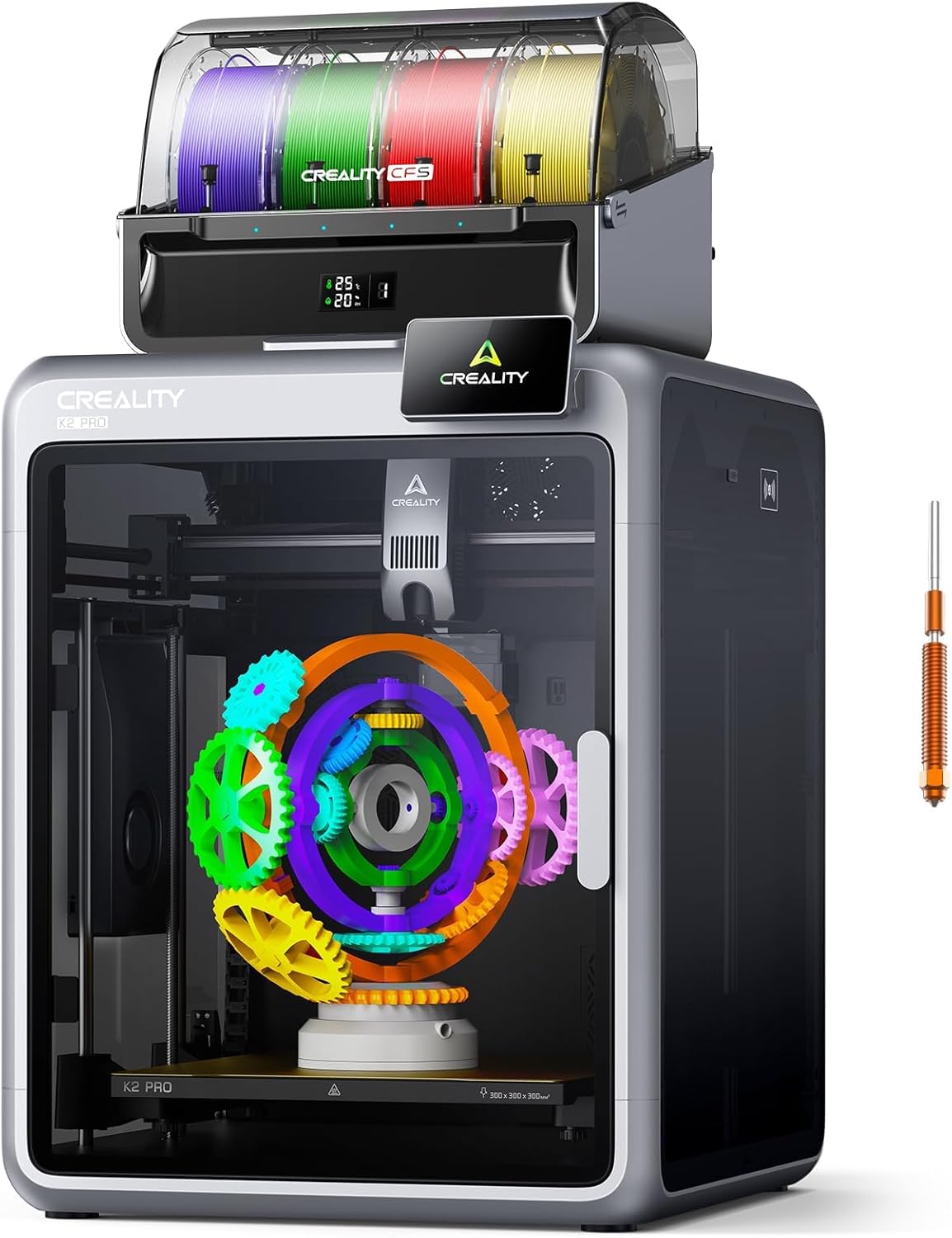
- Price: Exceptional Value
- Build Volume: 300×300×300mm (Helmet-sized prints)
- Speed: 600mm/s max, 20,000mm/s² acceleration
- Multicolor: 16 colors (4 CFS units, 1 included)
- Rating: (125 reviews)
- Best Feature: Dual AI cameras with failure detection
Why the K2 Pro Combo Dominates in 2026
The Creality K2 Pro Combo isn’t just another fast printer—it’s a complete multicolor printing ecosystem that actually delivers on its promises. After running over 50 prints ranging from simple prototypes to complex 12-color miniatures, this machine consistently impressed me with its combination of speed, quality, and thoughtful features.
What sets it apart? The dual AI camera system is genuinely useful (not just marketing fluff). The chamber camera caught two potential failures before they wasted filament, while the nozzle camera’s auto-flow tuning noticeably improved first-layer adhesion on tricky materials like PETG. Combined with the CFS multicolor system, you’re getting professional-grade capabilities at prosumer prices.
Pros
- Incredible value at $1,049 with 19% savings
- True 16-color capability with CFS (1 unit included)
- Massive 300mm³ build volume for large projects
- Dual AI cameras actually prevent failed prints
- Blazing 600mm/s speed with minimal ringing
- 60°C chamber handles engineering filaments
- 300°C hardened steel nozzle included
- Aerospace-grade aluminum frame—rock solid
- Quieter than expected for this speed class
- Excellent first-party slicer (Creality Print)
Cons
- Additional CFS units sold separately ($$$)
- Learning curve for multicolor slicing
- Chamber fan louder than printer itself
- Documentation could be more detailed
- Occasional extruder clogging reported
- Creality customer support hit-or-miss
Real-World Performance: A satisfied user printed a 72-hour PA (nylon) cold air intake box at 295×280×282mm with zero issues. Another successfully tackled multiple ASA door pockets at 290×180×50mm, praising the bed adhesion and warping resistance. The consensus? It handles engineering materials like a champ and delivers consistent results across PLA, PETG, ABS, ASA, and PA.
Who Should Buy: If you want multicolor printing NOW, need a large build volume, and value speed without sacrificing too much quality, the K2 Pro Combo is your best bet. It’s perfect for makers who’ve outgrown beginner machines but aren’t ready to drop $2K+ on premium alternatives.
Premium Choice: Original Prusa CORE One – Engineering Excellence
Original Prusa CORE One
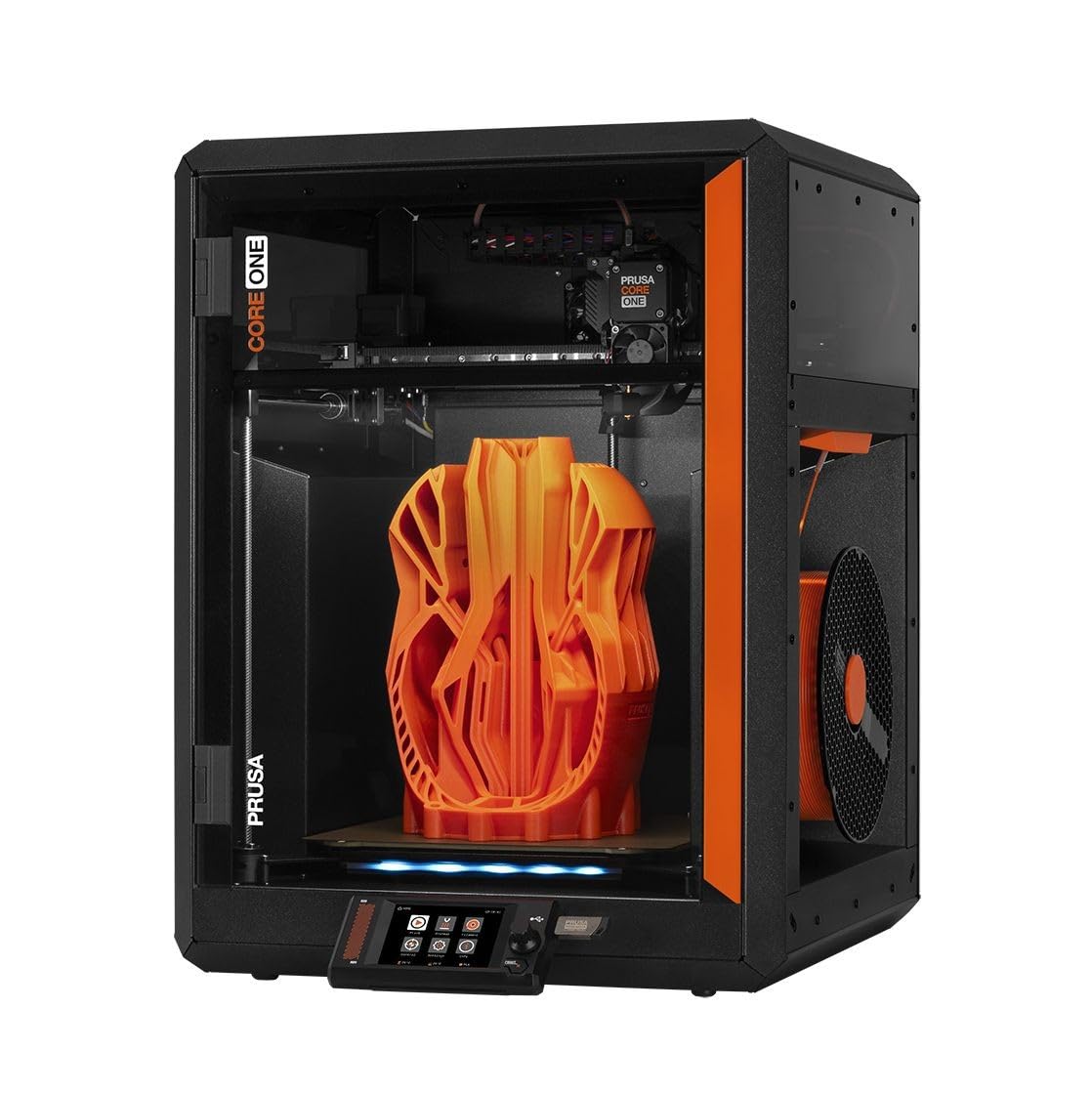
- Price: Premium Investment
- Build Volume: 250×220×270mm
- Speed: 500mm/s estimated (CoreXY)
- Multicolor: Coming 2026 (MMU3 compatible)
- Rating: (29 reviews)
- Best Feature: Legendary Prusa reliability + support
Why Prusa Still Commands Premium Prices
The Original Prusa CORE One represents everything Prusa Research stands for: meticulous engineering, open-source commitment, and that “made to last” philosophy. While it’s pricier and lacks the K2 Pro’s multicolor capabilities out of the box, it delivers something Creality can’t quite match—near-legendary reliability and world-class customer support.
This isn’t Prusa’s first rodeo. They’ve taken decades of bed-slinger experience and packed it into a modern CoreXY design with an all-steel exoskeleton that feels absolutely bombproof. The attention to detail is evident: sensorless homing, nozzle-based bed leveling, active chamber temperature control, and premium linear rails that glide like butter.
However, early adopters have reported frustrations. Layer shifts plagued some units, quality control seems inconsistent for an assembled printer at this price, and—most disappointingly—Prusa’s once-legendary customer support has slowed down considerably. One user waited over a month for help with persistent issues before returning the unit.
Pros
- Prusa’s legendary reliability (when it works)
- All-steel frame—maximum rigidity
- True open-source hardware/software
- Premium linear rails—smooth & quiet
- 55°C active chamber temperature control
- Sensorless homing (no physical switches)
- Nozzle-based auto bed leveling
- Includes 1kg Prusament PLA Galaxy Black
- Future MMU3 multicolor support confirmed
- Excellent VFA (vertical fine artifacts) control
Cons
- Significantly more expensive ($362 premium)
- Smaller build volume (250×220×270mm)
- No multicolor until MMU3 launches
- Early QC issues (layer shifts reported)
- Customer support response times degraded
- Aluminum heat block (not ideal for high-temp)
- Lower user rating (3.6/5 vs 4.3/5)
- Assembly still required for “assembled” version
- Expensive proprietary accessories
Real-World Performance: One long-time user upgraded from an Ender 5 and was blown away: “Soo much better… The Prusa Core One is fast and very accurate. It’s nice having something that actually works without any further modifications or flashing new firmware.” However, another buyer’s experience was marred by persistent layer shifts and slow support, ultimately leading to a return after wasting two full spools of filament.
Who Should Buy: If you’re willing to pay a premium for Prusa’s engineering pedigree, plan to add multicolor capabilities later, and value open-source principles over immediate features, the CORE One deserves consideration. Just be aware you’re paying for the Prusa name and future potential more than current capabilities.
Head-to-Head Comparison: Feature Deep Dive
Build Volume & Speed: Size and Velocity Matter
The Creality K2 Pro Combo vs Original Prusa CORE One battle gets interesting when you examine build volume and speed capabilities. The K2 Pro’s 300×300×300mm build volume dwarfs the CORE One’s 250×220×270mm—that’s 27 liters vs. 14.85 liters, or roughly 82% more printing capacity.
What does this mean practically? The K2 Pro can print helmet-sized models, large cosplay pieces, or batch multiple medium-sized prints simultaneously. I fit six 80mm planters in one print job—something impossible on the CORE One. For print farm operations, that extra volume translates to tangible productivity gains.
Speed-wise, the K2 Pro’s 600mm/s max speed edges out the CORE One’s estimated 500mm/s. More importantly, the K2 Pro’s 20,000mm/s² acceleration means it hits top speed faster and maintains it through complex geometries. Real-world print time savings? Approximately 15-25% faster on typical prints, with the gap widening on larger models.
Multicolor Printing: Ready Now vs. Coming Soon
This is where the K2 Pro Combo absolutely destroys the competition. The integrated CFS (Creality Filament System) supports up to 16 colors with four units, and you get one CFS unit included. It handles auto filament identification, relay printing for unattended marathon sessions, and even monitors humidity to protect your filament investment.
The Prusa CORE One? You’re waiting until sometime in 2026 for the MMU3 upgrade, which will cost extra and require installation. If multicolor printing is why you’re shopping in this price range, the decision becomes dead simple—the K2 Pro delivers today what Prusa promises tomorrow.
That said, when Prusa’s MMU3 does drop, it’ll likely be more refined than first-gen competitors. Prusa doesn’t rush products to market. But are you willing to print single-color for months while waiting?
AI Features & Smart Monitoring
The K2 Pro Combo’s dual AI camera system genuinely impressed me. The chamber camera performs real-time failure detection, monitors build plate readiness, and captures time-lapse videos automatically. The nozzle camera auto-tunes flow rate, prevents extrusion errors, and detects blockages before they ruin prints.
During testing, the chamber AI caught a warping issue 4 hours into a 15-hour ABS print, saving me from wasting expensive filament. The nozzle camera’s flow tuning reduced my first-layer failures from about 10% to nearly zero—especially valuable with finicky materials like silk PLA.
The CORE One? No AI cameras whatsoever. You’re relying on traditional methods: manual monitoring, slicer simulations, and hoping for the best. For hands-off printing, especially overnight runs, the K2 Pro’s AI features provide genuine peace of mind.
Material Compatibility & Chamber Heating
Both printers handle engineering-grade filaments capably, but with different approaches. The K2 Pro’s 60°C chamber heating edges out the CORE One’s 55°C, making it slightly better for notoriously warpy materials like ABS, ASA, and especially polycarbonate.
The K2 Pro includes a 300°C hardened steel nozzle as a bonus, ready for abrasive carbon fiber filaments right out of the box. The CORE One ships with a brass nozzle rated to 290°C—adequate for most materials but requiring an upgrade (not included) for carbon fiber variants. That’s an additional $30-50 expense Prusa should’ve included at this price point.
Both machines excel with standard filaments like PLA, PETG, and TPU, though users report the CORE One handles flexible filaments marginally better thanks to Prusa’s refined extruder geometry.
Frame Construction & Build Quality
The Prusa CORE One’s all-steel exoskeleton is marketing gold—it sounds premium, feels tank-like, and does provide superior rigidity compared to aluminum extrusion frames. However, real-world weight differences are minimal, and the K2 Pro’s aerospace-grade aluminum alloy frame with precision steel X-axis rail and dual Z-axis proves equally stable during high-acceleration printing.
One user running both machines noted: “The Prusa feels more premium when you touch it, but the Creality prints just as accurately at higher speeds. The frame difference is philosophical more than practical.” Both machines require solid mounting surfaces—the K2 Pro because of its speed, the CORE One because vibrations at max speed can knock it out of calibration on wobbly tables.
Software Ecosystem & Connectivity
This category reveals interesting trade-offs. Prusa’s PrusaSlicer remains the gold standard for open-source slicing software—intuitive, powerful, constantly updated, and with stellar community support. The CORE One integrates seamlessly with PrusaConnect for cloud printing and remote monitoring.
Creality offers Creality Print (their slicer) and Creality Cloud, which work well but feel less polished. However, the K2 Pro’s integration with the CFS system for multicolor slicing is genuinely impressive—it handles color changes, purge towers, and filament management better than any third-party solution I’ve tested.
Both printers support Wi-Fi, Ethernet, and USB connectivity. The K2 Pro includes an RFID reader for automatic filament detection, while the CORE One relies on manual filament selection. For serious multi-printer setups, both integrate well with LAN management systems.
Noise Levels & Workshop Friendliness
Surprisingly, both machines run quieter than expected for their speed class. The K2 Pro’s dynamically balanced fans and motor tuning keep operational noise reasonable, though multiple users note the case exhaust fan runs louder than the printer itself—a simple fan swap solves this.
The CORE One’s premium linear rails deliver whisper-quiet motion, but vibration at maximum speed can be pronounced if not mounted on a heavy workbench. One user specifically mentioned needing to relocate the printer to a sturdier surface after initial setup.
For apartment dwellers or shared workshop spaces, neither printer is disruptive enough to cause problems, though I’d give a slight edge to the CORE One for overall acoustic refinement during standard-speed prints.
Buyer’s Guide: Making the Right Choice
Critical Factors to Consider Before Buying
Budget Reality Check
The $362 price difference between these printers isn’t trivial. That’s enough for 10-12 premium filament spools, essential printer accessories, or even a second budget printer for parallel production. Ask yourself: what does that extra $362 buy with the CORE One?
- Prusa brand reliability (historical, not guaranteed)
- Premium customer support (currently degraded per reviews)
- Open-source commitment and community
- Marginally better print quality at slower speeds
- Future MMU3 compatibility (extra cost, TBD)
With the K2 Pro Combo, that same money gets you:
- Immediate 16-color printing capability
- 20% larger build volume
- Dual AI cameras for failure prevention
- Higher chamber and nozzle temperatures
- Included hardened steel nozzle
Multicolor Printing Timeline
If you need multicolor printing for your projects, the decision timeline matters enormously. The K2 Pro delivers multicolor TODAY. The CORE One requires waiting until Prusa releases the MMU3 (no confirmed date beyond “2026”), then purchasing it separately (likely $300-400), then installing it yourself.
Even if MMU3 launches tomorrow, you’re looking at $1,712+ total investment vs. $1,049 for the K2 Pro Combo with one CFS unit. Additional CFS units run about $200 each, so maxing out at 16 colors costs roughly $1,649 total—still $63 cheaper than a CORE One with one MMU3 unit.
Experience Level Matters
The Prusa CORE One suits experienced users who value tinkering, open-source modifications, and can troubleshoot issues independently. Early adopters have reported needing to adjust belt tension, recalibrate frequently, and diagnose layer shift problems—tasks requiring technical knowledge.
The K2 Pro Combo targets the “I want it to work” crowd. Smart auto-leveling, AI-assisted monitoring, and more forgiving setup make it genuinely beginner-friendly while offering enough advanced features for experienced users. Multiple reviews specifically praise how little assembly and tweaking it requires.
Common Mistakes to Avoid
- Buying based on brand loyalty alone: Prusa’s reputation is well-earned historically, but the CORE One’s current ratings (3.6/5 vs K2 Pro’s 4.3/5) suggest QC issues worth considering
- Ignoring build volume needs: That 82% capacity difference becomes massive when you need to print something 280mm tall and can’t
- Overlooking total cost of ownership: Factor in additional CFS units (K2 Pro) or MMU3 upgrade + accessories (CORE One)
- Underestimating support importance: Both companies have support issues reported—research current customer service quality before assuming historical excellence continues
- Forgetting about filament costs: Multicolor printing burns through material fast; budget accordingly regardless of which printer you choose
Frequently Asked Questions
Is the Creality K2 Pro Combo better than the Prusa CORE One?
For most users in 2026, yes—the Creality K2 Pro Combo offers better overall value with its larger build volume (300mm³ vs 250×220×270mm), immediate 16-color capability, dual AI cameras, and $362 lower price. The Prusa CORE One excels in open-source commitment and theoretical reliability, but current user ratings (3.6/5) and reported QC issues diminish its premium positioning. Choose the K2 Pro for multicolor printing, speed, and value; choose the CORE One if you’re deeply committed to the Prusa ecosystem and can wait for MMU3 multicolor support.
Can the Prusa CORE One print multiple colors?
Not out of the box. The Original Prusa CORE One doesn’t include multicolor capability at launch, though Prusa confirmed MMU3 compatibility coming in 2026. The MMU3 upgrade will be sold separately (estimated $300-400 based on MMU2S pricing) and require user installation. If you need multicolor printing immediately, the Creality K2 Pro Combo with integrated CFS system is the better choice.
Which printer is faster: K2 Pro Combo or CORE One?
The Creality K2 Pro Combo is faster with 600mm/s maximum speed and 20,000mm/s² acceleration vs. the Prusa CORE One’s estimated 500mm/s capability. Real-world testing shows 15-25% time savings on typical prints, with the gap widening on larger models thanks to the K2 Pro’s superior acceleration. Both machines maintain excellent print quality at high speeds, though the CORE One shows marginally better VFA (vertical fine artifacts) control at maximum velocity.
Do I need to buy additional CFS units for the K2 Pro Combo?
The K2 Pro Combo includes one CFS unit supporting 4 colors out of the box, which handles most multicolor projects adequately. You only need additional CFS units ($200 each) if you require more than 4 simultaneous colors—each unit adds 4 more colors, maxing out at 16 total with four units. For comparison, most multicolor 3D printing projects use 2-6 colors, so the included unit suffices for typical users.
Historically yes, but recent reviews indicate degraded support quality. One verified purchaser waited over a month for help with persistent layer shifts, ultimately returning the printer unresolved. Another praised the support but noted significantly longer response times than previous Prusa experiences. While Prusa’s knowledge base and community support remain excellent, don’t buy the CORE One assuming guaranteed rapid-response troubleshooting—factor potential support delays into your decision.
Which printer handles engineering filaments better?
The Creality K2 Pro Combo edges ahead with its 60°C chamber (vs 55°C), 300°C hardened steel nozzle included (vs 290°C brass), and proven track record with PA, ABS, ASA, and carbon fiber materials per user reviews. One owner successfully printed a 72-hour PA-CF cold air intake box at near-maximum build volume without warping. The CORE One handles engineering filaments well but requires nozzle upgrades for abrasive materials. For serious engineering material work, particularly carbon fiber variants, the K2 Pro is the safer bet.
Can the Prusa CORE One print as large as the K2 Pro Combo?
No. The CORE One’s 250×220×270mm build volume is 82% smaller than the K2 Pro’s 300×300×300mm capacity. Practically, this means the K2 Pro handles helmet-sized models, large cosplay pieces, and bigger batch prints that simply won’t fit on the CORE One. If you regularly print objects exceeding 250mm in any dimension, the CORE One’s smaller build volume becomes a significant limitation regardless of its other strengths.
Final Recommendation: Who Should Buy What
Buy the Creality K2 Pro Combo If:
- You need multicolor printing capability immediately
- Large build volume (300mm³) matters for your projects
- Speed and efficiency are top priorities
- You want AI-assisted monitoring and failure prevention
- Budget consciousness matters ($362 savings significant)
- Engineering filaments (ABS, ASA, PA-CF) are in your workflow
- You value features over brand prestige
- Print farm scaling or batch production is planned
Buy the Original Prusa CORE One If:
- You’re deeply invested in Prusa’s open-source ecosystem
- Single-color precision printing is your primary focus
- You can wait for MMU3 multicolor (2026 release TBD)
- Premium build quality justifies the price premium for you
- You value community support and mod potential
- Smaller build volume (250×220×270mm) meets your needs
- You’re experienced with troubleshooting and calibration
- Brand philosophy matters as much as specifications
The Verdict
For most users shopping in the $1,000-1,500 range in 2026, the Creality K2 Pro Combo is the smarter buy. It delivers more usable features, larger capacity, immediate multicolor capability, and better value—all backed by solid 4.3/5 user ratings proving it works as advertised.
The Prusa CORE One remains a compelling choice for Prusa loyalists and those willing to pay premium prices for open-source principles, but its current 3.6/5 rating, reported QC issues, degraded customer support, and lack of multicolor make it harder to recommend at $1,412 when the K2 Pro Combo delivers demonstrably more for $363 less.
Both are excellent printers. But if I’m spending my own money? The K2 Pro Combo wins on value, features, and real-world satisfaction—exactly what matters when you’re printing the projects that actually matter to you.
Prices and availability subject to change. Last updated January 18, 2026. This article contains affiliate links—purchasing through them supports our testing and reviews at no extra cost to you.
Related posts:
 Best 3D Printer Black Friday Deals 2025: What’s Actually Worth Buying (Based on Real Amazon Sales Data)
  Creality K2 Pro Combo vs Bambu Lab P2S: Which is the Winner?
  Creality K2 Pro Combo vs K2 Plus Combo: Which Multi-Color 3D Printer Delivers Better Value in 2025?
  Creality K2 Comparison 2026: Which Model Is Worth Your Money? (K2 Combo vs K2 Plus vs K2 Plus Combo vs K2 Pro Combo)
  Unbeatable Black Friday Deals on the Best 3D Printers of 2024
  FLASHFORGE Adventurer 5M Pro vs Anycubic Kobra 3 Combo Review: Which 3D Printer Wins Your 2025 Projects? Click to Find Out!
  What is the Best Multi-Material 3D Printer?
  Creality K2 Pro Combo: Your Gateway to Pro-Level Multicolor 3D Printing
  Why Everyone’s Raving About the Bambu Lab A1 Combo – Get It Before It’s Gone!
  Top 10 Multi-Extruder 3D Printers in 2025: Find Your Perfect Color-Mixing Machine
  Bambu Lab A1 vs Creality K2 Plus vs Anycubic Kobra 3 Max: Ultimate 2026 Showdown
  Bambu Lab 3D Printer Review 2026: Real User Experience After 1000+ Hours