
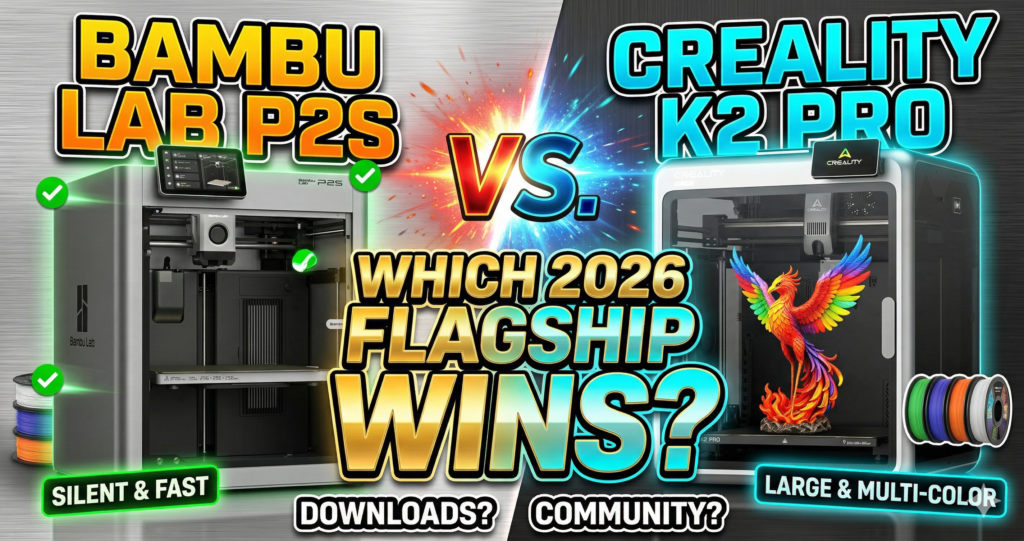
Bambu Lab P2S vs Creality K2 Pro: Which 2026 Flagship 3D Printer Should You Buy?
The Bambu Lab P2S vs Creality K2 Pro debate comes down to one simple question: do you want the best out-of-the-box experience, or maximum build volume and Klipper-powered control? After hands-on time with both machines — and over 100 hours of printing on a Bambu Lab system — I’ll give you the direct, no-fluff answer this comparison deserves.
The P2S starts at $549. The K2 Pro sits at $1,049. That $500 gap is real money, and yet the answer isn’t as obvious as you’d think. Let’s break down every factor that matters.
For most hobbyists printing PLA and PETG: The Bambu Lab P2S wins — better ecosystem, better reliability, dramatically better software experience, and $500 cheaper. For power users needing a 300mm³ build volume, Klipper access, or serious ABS/ASA work: The Creality K2 Pro is the tool for the job.
Side-by-Side Specs: Bambu Lab P2S vs Creality K2 Pro
| Feature | Bambu Lab P2S | Creality K2 Pro |
|---|---|---|
| Price (standalone) | $549 | $1,049 |
| Build Volume | 256 × 256 × 256 mm³ | 300 × 300 × 300 mm³ |
| Max Print Speed | 500 mm/s | 600 mm/s |
| Max Acceleration | 20,000 mm/s² | 20,000 mm/s² |
| Max Hotend Temp | 300°C | 300°C |
| Max Bed Temp | 110°C | 110°C |
| Chamber Heating | ~50°C (sealed passive) | Active heater to 60°C |
| Extruder Type | PMSM Servo (direct) | Step-servo direct drive |
| Extruder Force | 8.5 kg max | Not specified |
| Nozzle Material | Hardened steel (included) | Hardened steel (included) |
| Max Flow Rate | ~35 mm³/s (PLA) | 40 mm³/s (rated) / 53.5 mm³/s ABS tested |
| Multi-color System | AMS 2 Pro (4 slots, drying) | CFS (4 slots, no drying) |
| Screen | 5-inch touchscreen, 2nd-gen UI | Touchscreen (smaller) |
| Slicer | Bambu Studio (polished) | Creality Print (Orca-based) |
| Firmware / Control | Closed (Bambu OS) | Klipper (open, customizable) |
| AI Cameras | Yes – spaghetti, blob, jam detection | Yes – dual AI cameras |
| Air Filtration | Carbon filter + adaptive venting | Activated carbon filter |
| RFID Filament ID | Yes (Bambu spools) | Yes (Creality spools) |
| Model Ecosystem | MakerWorld (1M+ models, rewards) | Creality Cloud |
| Weight | 15 kg | 69.9 lbs (~32 kg) |
| Amazon Reviews | 4.8★ avg | 4.0★ (99 reviews) |
Bambu Lab P2S — Full Review
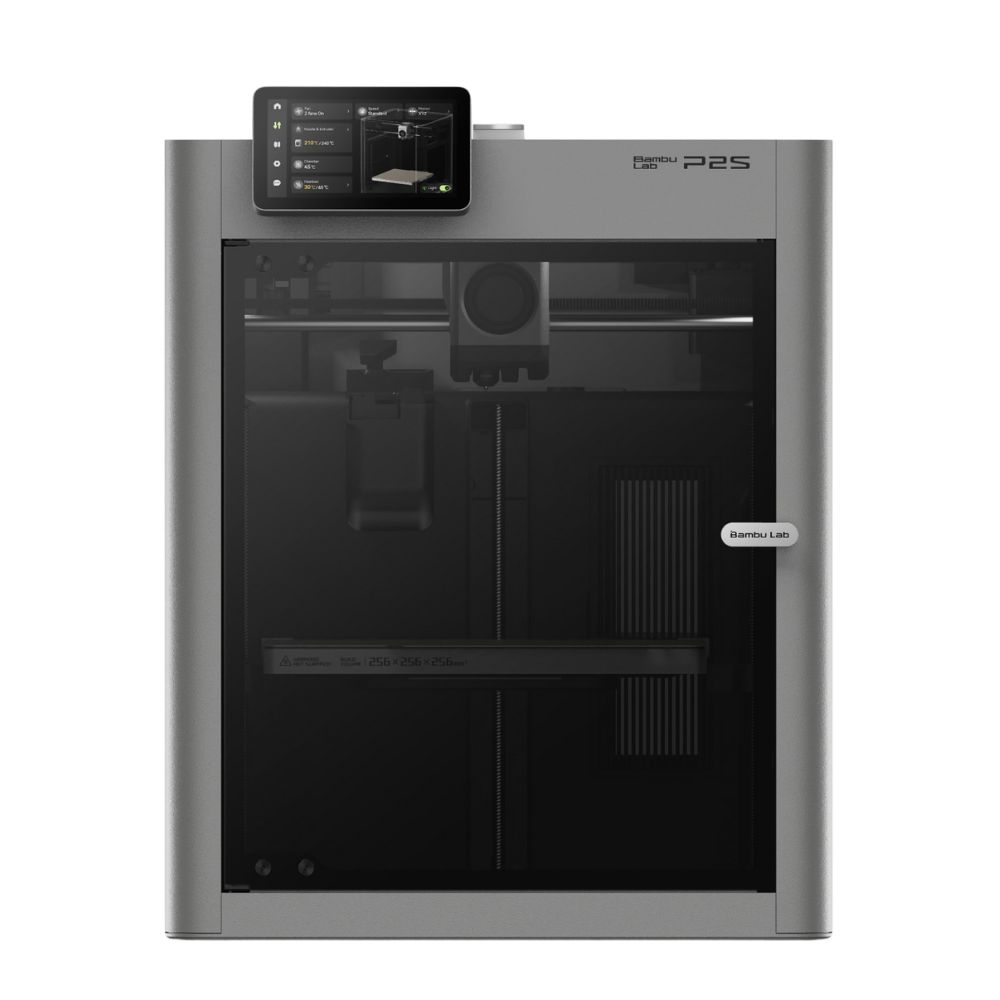
Bambu Lab P2S
- Build Volume 256 × 256 × 256 mm³
- Max Speed 500 mm/s
- Extruder PMSM Servo — 8.5 kg force, 20kHz sampling
- Chamber Temp ~50°C (sealed, passive retention)
- Multi-color AMS 2 Pro — 4 colors + active filament drying
- Slicer Bambu Studio + Bambu Handy app
✅ Pros
- Best-in-class software & app ecosystem
- PMSM servo extruder — detects clogs at 20kHz
- AMS 2 Pro dries filament while printing
- 5-inch touchscreen with intuitive 2nd-gen UI
- AI detects spaghetti, nozzle blobs, jams
- MakerWorld: 1M+ models with rewards system
- $500 cheaper than K2 Pro
- Proven long-term reliability (P1S lineage)
❌ Cons
- Smaller 256mm³ build volume
- Closed firmware — no Klipper access
- Desktop app lacks “reprint” button (phone app has it)
- AMS 2 Pro sold separately — adds cost
- Build plate needs regular soap-and-water wash for large prints
Why the P2S Earns Its Reputation
The P2S is built on the foundation of the P1S — a machine users have run for 3,000+ hours without a single major failure. Bambu Lab didn’t just iterate; they rebuilt the extruder from scratch. The new PMSM (Permanent Magnet Synchronous Motor) servo extruder delivers 8.5 kg of extrusion force — 70% more than its predecessor — and samples resistance at 20kHz to detect filament grinding or clogs in real time before they ruin your print.
The Adaptive Airflow System is one of the most underrated upgrades on any 3D printer in 2026. Unlike traditional enclosed printers that recirculate hot, stale air, the P2S draws cold air in from outside the chamber during PLA prints. The result: perfect overhangs even with the door closed. Need to print ABS or ASA? Flip the flap, seal the chamber to ~50°C, and let the carbon filter handle fumes. One printer. Two completely different cooling modes.
The AMS 2 Pro: Multi-Color Printing Finally Gets Filament Drying
The biggest knock on every multi-material system before 2026 was that moisture ruins filament, and no AMS-style unit could prevent it. Bambu Lab solved this. The AMS 2 Pro introduces active filament drying — an electromagnetic air vent dehumidifies during drying cycles and seals airtight for weeks of storage. It dries filament 30% faster than sealed heating. The PMSM feeding motor also accelerates filament changes by 60%, saving roughly 10 minutes per 100 color swaps on complex multicolor prints.
In real use, setting up a multicolor print in Bambu Studio takes under two minutes. The slicer detects which filament is loaded via RFID, auto-calculates flush volumes, handles temperature transitions, and sequences purge cycles intelligently. For anyone who has fought through Cura or PrusaSlicer’s multi-material setup, this feels like a different universe.
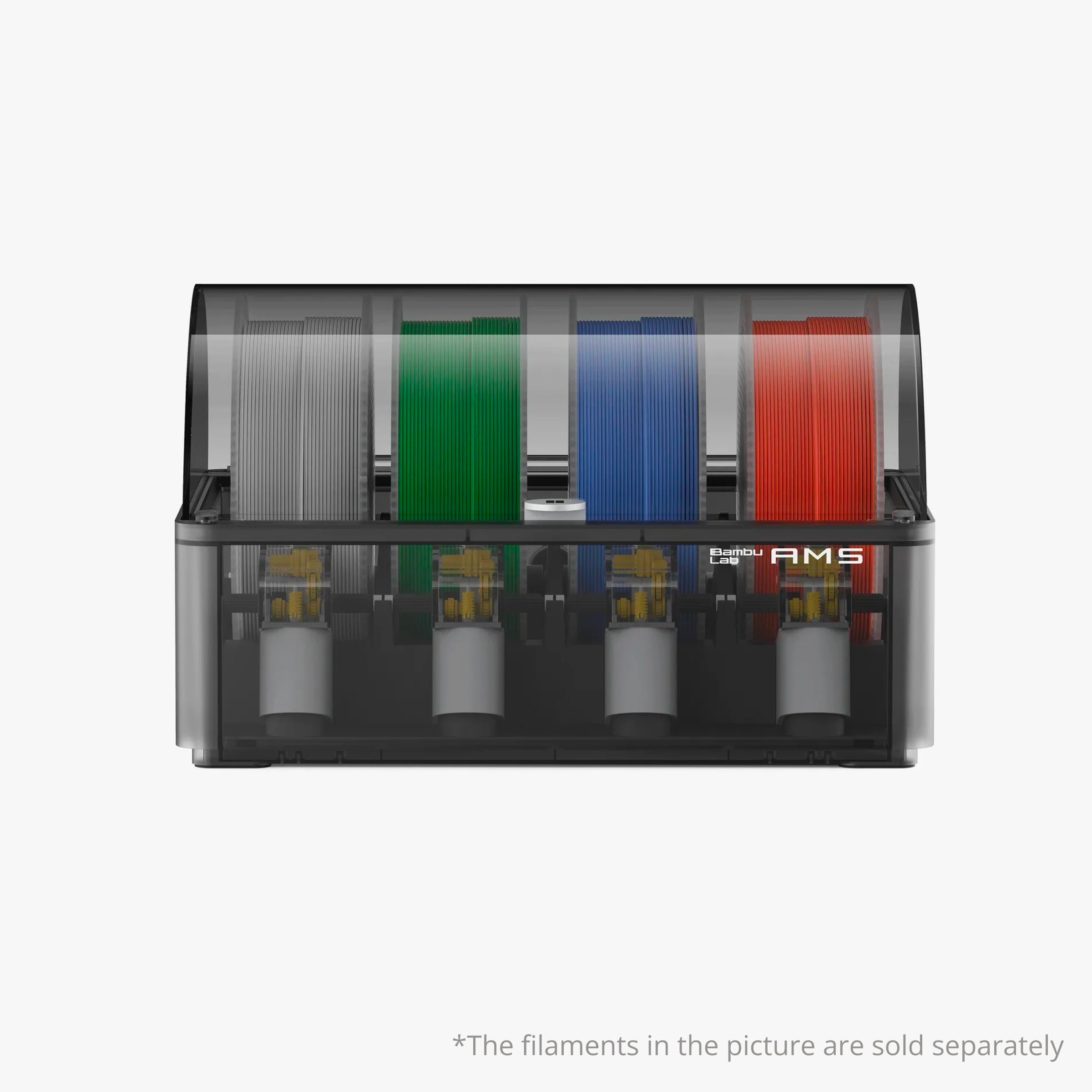
Bambu Lab AMS — Automatic Material System
- Colors Up to 4 per unit (stack multiple for more)
- Filament Drying Active venting — 30% faster than sealed
- Filament Backup Auto switches to backup spool on runout
- Detection Filament runout & winding detection built-in
- Compatibility P2 series (extra accessories needed — see listing)
Note: The AMS requires specific accessory configurations for P2 series printers. Accessories are sold separately. See the multi-AMS connection guide if connecting multiple units.
Software Is Where Bambu Lab Laps the Competition
Bambu Studio is genuinely excellent — but the deeper advantage is the Bambu Handy mobile app, which lets you monitor prints via 1080P live camera, receive AI error alerts, and manage your print queue from anywhere. The app also includes free beginner, intermediate, and advanced 3D printing courses. These aren’t promotional videos — they’re legitimate skill-building content that dramatically reduces the trial-and-error curve for new users.
The one genuine software complaint: there is no “reprint from history” option on the desktop app. You can reprint from your phone, but not from the PC. You also cannot open a historical print file to modify individual parts before reprinting. Given how polished everything else is, this is a jarring omission that Bambu should fix.
Add Multi-Color to Your P2S: Bambu Lab AMS
Bambu Lab AMS — Automatic Material System
- Colors Up to 4 per unit (expandable with AMS Hub)
- Filament Drying Yes — active moisture control during printing
- Runout Detection Yes — filament runout & winding detection
- Backup AMS Filament Backup for uninterrupted prints
- Compatibility P2 series (extra accessories needed — see product page)
⚠️ Note: The AMS requires specific accessories for P2 series printers — check the AMS compatibility guide before ordering. Accessories sold separately.
Creality K2 Pro — Full Review
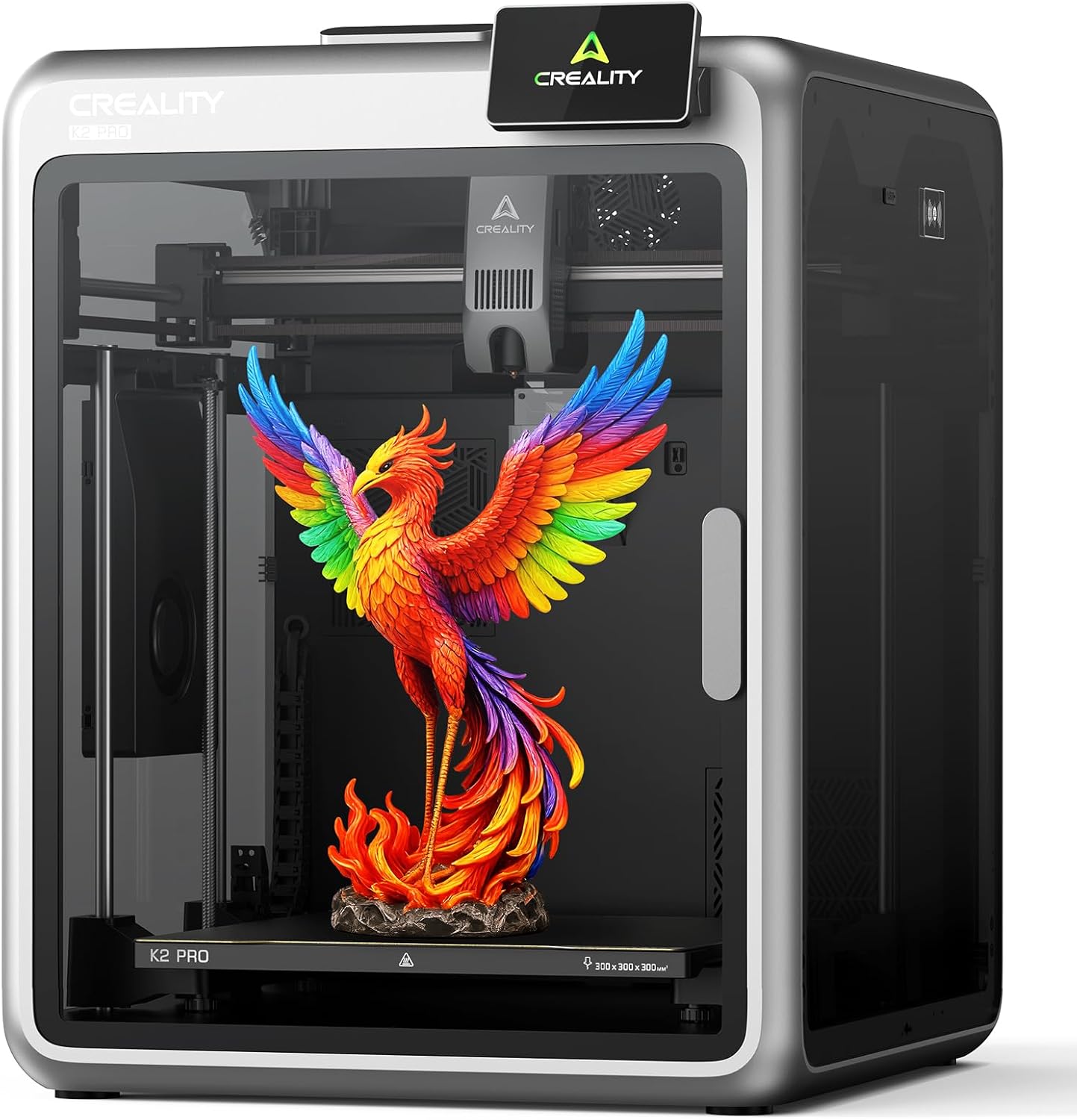
Creality K2 Pro
- Build Volume 300 × 300 × 300 mm³
- Max Speed 600 mm/s
- Extruder Step-servo direct drive, hardened steel gears
- Chamber Temp Active heater to 60°C
- Multi-color CFS (sold separately) — up to 16 colors with 4 CFS units
- Firmware Klipper-based (Creality OS) — fully open
✅ Pros
- Massive 300mm³ build volume — print helmet-sized objects
- Active 60°C chamber heater for ABS, ASA, Nylon
- Klipper-based firmware — full customization
- Tested ABS flow: 53.5 mm³/s at 270°C
- Dual Z-axis with four linear rods for stability
- CFS works reliably, no jams reported in testing
- RFID filament detection + real-time humidity display
- K1 Max build plate compatible
❌ Cons
- $500 more than P2S for solo unit
- Mixed reliability track record out of the box
- CFS sold separately — additional cost
- Extruder struggles with TPU softer than 95A shore hardness
- Bed flatness inconsistency reported (0.23mm range)
- Fans are loud despite quiet motors
- Less mature software ecosystem vs Bambu Studio
- No filament drying in CFS unit
What Makes the K2 Pro Different from the K2 Plus?
Creality’s naming is confusing. The K2 Pro sits between the K2 standard (~$500) and the K2 Plus ($1,100+) in their lineup. Compared to the Plus, the Pro trades the 350°C hotend, 100W heater, and 30K acceleration down to 300°C, 70W, and 20K — but it still hits the same advertised 40 mm³/s flow rate (and actually exceeded it in ABS testing at 53.5 mm³/s). The Pro is positioned for hobbyists who want serious engineering material capability without paying flagship-Plus prices.
Active Chamber Heating: The K2 Pro’s Biggest Advantage
This is where the K2 Pro genuinely wins. Its active chamber heater reaches 60°C — measured at 12 minutes into a print using an independent thermocouple. This is critical for printing ABS, ASA, and Nylon reliably without warping. In testing, a full-scale Velociraptor print nearly filling the 300mm³ build plate came out well — only achievable because the chamber kept warp-prone ABS stable throughout the multi-hour job.
The P2S’s passive sealed chamber reaches ~50°C through print heat alone. For most hobbyists printing PLA and PETG, this doesn’t matter. But for anyone running ABS regularly, 60°C of active heat is a meaningful engineering advantage.
Klipper Access: A Real Differentiator for Advanced Users
The K2 Pro runs Creality’s flavor of Klipper, accessible through the Fluid interface console. This means you can tune pressure advance, customize macros, view real-time diagnostics, and modify any print parameter that Creality Print’s UI doesn’t expose. You can also use Orca Slicer alongside Creality Print — the newer Creality Print versions have adopted Orca-style features like multi-plate support, color flushing volumes, and basic CAD operations. Bambu’s closed firmware offers none of this. If you run a multi-printer farm or have specific workflow requirements, Klipper is invaluable.
CFS vs AMS 2 Pro: Multi-Color System Comparison
Creality’s CFS (Creality Filament System) loads filament quickly, one at a time, with both a CFS-side and print-head filament sensor — meaning zero filament waste on load/unload. It supports up to 16 colors with 4 CFS units. The humidity and temperature display is a nice touch. The downside: no filament drying, and the CFS doesn’t handle TPU softer than 95A without a spacer modification.
The AMS 2 Pro wins on drying (critical for PETG, Nylon, and TPU), faster filament changes (60% faster feeding motor), and tighter slicer integration with individually adjustable flushing volumes. For multicolor printing in everyday use, the AMS 2 Pro is the more complete system — but it adds $250+ to the P2S’s price.
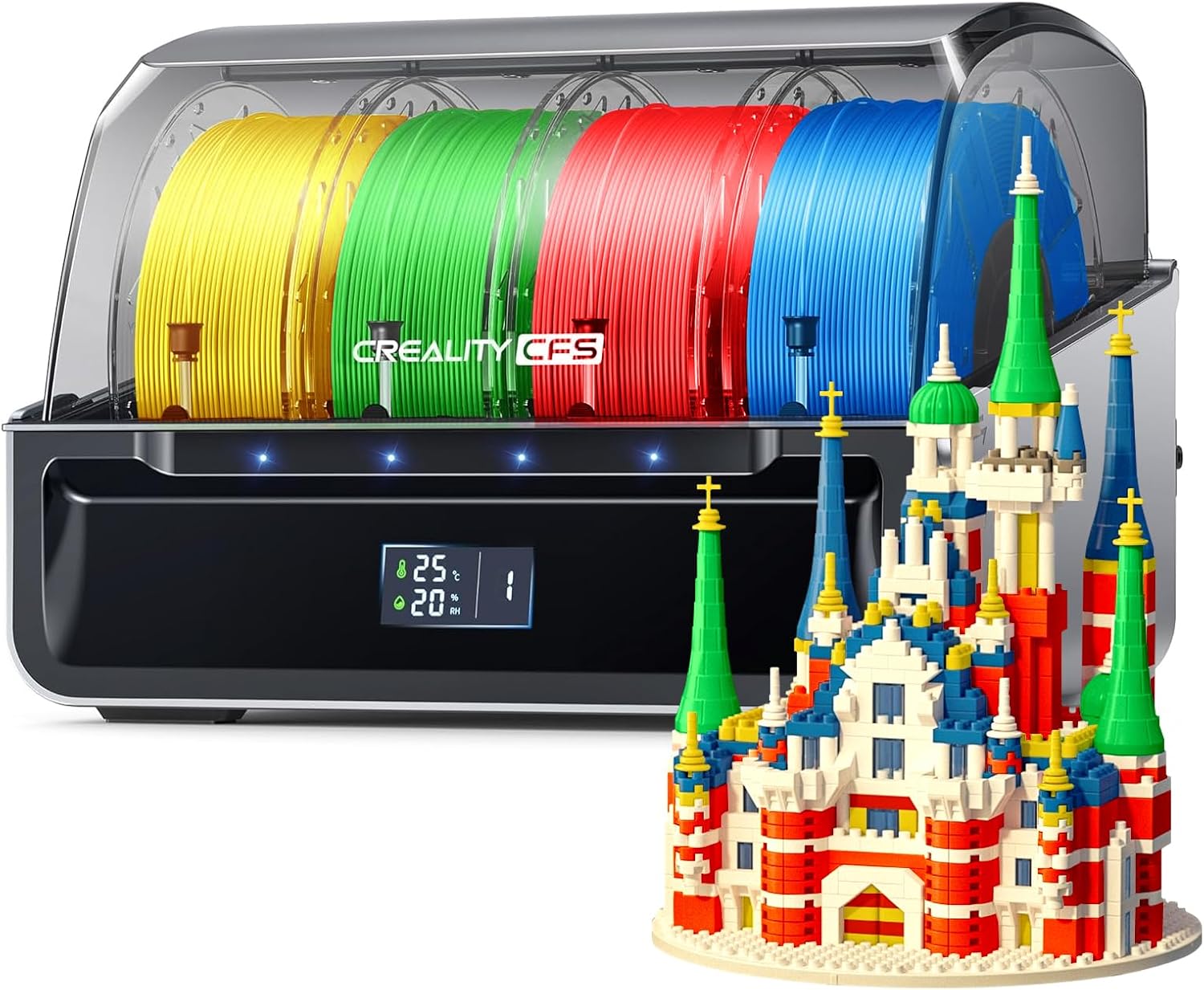
Official Creality CFS — Multicolor Filament System
- Colors Up to 16 colors (4 CFS units)
- Filament Detection Auto-identification via RFID
- Moisture Protection Anti-moisture filament storage (display only, no active drying)
- Relay Printing Supported — auto switches on runout
- Compatibility K2 Pro, K2 Plus, K1 Series, K1 Max, K1 SE, K1C, Hi
- Rating 4.1★ (71 reviews)
The K2 Pro does not include the CFS — it must be purchased separately. Each CFS unit supports 4 filaments; stack up to 4 units for 16-color printing.
Head-to-Head: Bambu Lab P2S vs Creality K2 Pro on Key Factors
Print Quality: Which Printer Produces Better Results?
Both printers produce excellent results for their price class. The P2S’s PMSM extruder and active flowrate compensation via eddy current sensor give it an edge in surface consistency — especially on curved and detailed surfaces where pressure advance drift causes ringing artifacts. The K2 Pro’s step-servo motors eliminate layer shifts entirely (closed-loop control), and its prints look excellent in PLA, PETG, and ABS. Multicolor output from the K2 Pro showed one small artifact during color changes in initial testing, but later prints had no visible issues.
For standard PLA/PETG printing, print quality is effectively a tie at this price tier. The P2S has a slight edge on surface finish due to its more advanced extruder. The K2 Pro wins on material range due to its active chamber heater.
Out-of-Box Experience: Which Is Easier to Set Up and Use?
Bambu Lab P2S wins this category decisively. From unboxing to first print takes roughly 10 minutes. The onboarding flow, touchscreen UI, and Bambu Handy app are designed for zero prior 3D printing knowledge. When something goes wrong — like a tangled filament causing an AMS motor overload — the printer pauses the print, displays a QR code, and the QR code leads directly to a specific troubleshooting guide that solves the problem in under 5 minutes. That level of customer experience design is rare in any product category.
The K2 Pro also ships fully assembled and auto-levels automatically, taking about 14 minutes for calibration. It’s not difficult. But Creality Print has a steeper learning curve than Bambu Studio, and the Klipper console — while powerful — isn’t beginner-friendly.
Which Printer Is Better for PLA and PETG?
For users printing exclusively PLA and PETG, the Bambu Lab P2S is the clear winner at $500 less. Neither printer needs a heated chamber for these materials. The P2S’s Adaptive Airflow System actually gives it superior cooling for PLA overhangs compared to any printer that only recirculates internal air. PETG prints beautifully on both — the K2 Pro’s extra build volume is only relevant if you regularly print objects larger than 256mm in any dimension.
Which Is Better for ABS, ASA, and Engineering Filaments?
The Creality K2 Pro wins for engineering materials. Its active 60°C chamber heater is purpose-built to prevent warping on high-shrinkage filaments. The P2S can print ABS in its sealed ~50°C chamber, and many users do successfully — but the K2 Pro gives you more headroom and more consistent thermal stability for critical prints in demanding materials. Neither printer can match the K2 Plus’s 350°C hotend for PPS or high-temp composites, but for ABS/ASA/Nylon, the K2 Pro is the right choice between these two.
Reliability: Which Printer Breaks Down Less?
Bambu Lab has a multi-year track record. The P1S, the P2S’s predecessor, has users reporting 3,000+ hours of printing with no major failures. The recall Bambu issued for an early A1 heated bed issue — and fully resolved — is evidence they take product quality seriously. The K2 Pro is newer, with fewer long-term data points. One Amazon reviewer reported two sensor failures in two months. Another logged 100 hours with zero issues. If reliability over time is your top priority, the Bambu Lab P2S ecosystem is the lower-risk choice in 2026.
Add Multi-Color to Your K2 Pro: Creality CFS
Creality CFS — Filament System for K2 Series
- Max Colors Up to 16 (with 4 CFS units)
- Moisture Protection Anti-moisture filament storage + temp/humidity display
- Filament ID RFID auto-detection for Creality spools
- Filament Drying None — monitoring only, no active drying
- Compatibility K2 Pro, K2 Plus, K1 Max, K1 SE, K1C, K1 Hi
- Rating 4.1★ (71 reviews) | 50+ bought in past month
Repairability: Can You Fix It Yourself?
The K2 Pro, running Klipper, gives you full diagnostic access and most replacement parts are standard or available from Creality. Bambu Lab sells replacement assemblies on their website — not always individual components, but the coverage is substantial. In practice, Bambu printers break down so infrequently that repairability rarely becomes an issue for the typical hobbyist. For tinkerers who want to modify, upgrade, and repair at the component level, the K2 Pro’s open ecosystem is a genuine advantage.
Buyer’s Guide: 5 Things to Decide Before Choosing Between P2S and K2 Pro
1. How Large Are the Objects You Print?
If you regularly need to print objects larger than 256mm in any single dimension — full helmets, large cosplay pieces, big enclosures — the K2 Pro’s 300mm³ build plate is a genuine requirement. If 256mm is sufficient for your workflow (it covers the vast majority of desktop printing needs), the P2S’s smaller footprint and lighter weight (15kg vs 32kg) become advantages.
2. What Materials Do You Print?
PLA only, or PLA + PETG? Buy the P2S and save $500. You’ll never need the K2 Pro’s active chamber. Regularly printing ABS, ASA, Nylon, or fiber-reinforced composites? The K2 Pro’s 60°C active heater is the right choice. Both printers handle TPU at 95A shore hardness — neither handles softer TPU well without extruder modifications.
3. Do You Want a Finished Product or a Platform?
Bambu Lab is the Apple of 3D printing: closed, polished, opinionated, and it just works. Creality’s Klipper-based K2 Pro is a platform — you get full control, and with that comes complexity. If you want to spend your time printing rather than tinkering, the P2S wins every time. If tuning your machine, modifying macros, and building a custom workflow sounds appealing, the K2 Pro gives you that latitude.
4. What’s Your Realistic Budget (Including Multi-Color)?
The standalone prices ($549 P2S vs $1,049 K2 Pro) don’t tell the full story for multi-color printing. Adding the Bambu AMS (currently $249, down from $349) to the P2S gives you a complete multi-color setup for ~$798. The K2 Pro with the Creality CFS ($318.99) puts the total at ~$1,368 — over $570 more for a complete multicolor setup. The AMS also includes active filament drying; the CFS does not. On budget alone, the P2S combo wins decisively.
5. How Important Is Long-Term Support and Community?
Bambu Lab has the largest and fastest-growing 3D printing community in 2026. MakerWorld has over a million models, an active rewards program (users report earning enough points to pay for filament and accessories), and a developer ecosystem. The Bambu Handy app, free in-app courses, and QR-code-linked troubleshooting documentation are all genuinely better than the competition. Creality has a large existing community around the K1/Ender ecosystem, but the K2 Pro is new enough that community resources are still catching up.
Who Should Buy Each Printer?
- You print primarily PLA and PETG
- You want the best out-of-box experience available in 2026
- Multi-color printing with filament drying is important
- You value software polish and app integration
- You want proven long-term reliability
- You’re a beginner or returning maker who wants to print, not tinker
- Budget matters and you want maximum value per dollar
Check P2S Price
- You need 300mm³+ build volume regularly
- ABS, ASA, or Nylon are core materials in your workflow
- You want Klipper access and full firmware control
- You enjoy tuning, modifying, and optimizing your printer
- You run a multi-printer setup and need LAN control
- You want to print large cosplay, RC, or architectural pieces
Check K2 Pro on Amazon
Frequently Asked Questions: Bambu Lab P2S vs Creality K2 Pro
Final Verdict: Bambu Lab P2S vs Creality K2 Pro (2026)
After examining every spec, real-world test result, and user experience data available, the answer is clear for most people: buy the Bambu Lab P2S.
It’s $500 cheaper. It has a better software ecosystem than anything else on the market. The AMS 2 Pro is the best multi-color system with filament drying. The PMSM servo extruder detects problems before they ruin prints. The out-of-box experience is genuinely in a class of its own. And the P1S lineage proves these machines run for thousands of hours without drama.
The Creality K2 Pro earns its place for a specific user: someone who needs 300mm³ build volume, prints ABS or Nylon regularly, and wants Klipper-based control over every aspect of their printer. If that’s you, the K2 Pro is an excellent machine — but go in knowing the software experience is less polished and the out-of-box reliability track record is shorter.
For the hobbyist, maker, or someone returning to 3D printing after years away: get the P2S and spend your time printing, not troubleshooting.
Related posts:
 Creality K2 Pro Combo Review: The Good, The Bad & The Ugly Truth
  Anycubic Kobra 3 Combo 3D Printer Review: Your Ultimate Guide to Stunning Multicolor 3D Printing
  Best 3D Printer Black Friday Deals 2025: What’s Actually Worth Buying (Based on Real Amazon Sales Data)
  Why 87% of Small Businesses Waste Money on Wrong 3D Printers (2025 Buying Guide)
  Best Multi-Color 3D Printers Under $1,100: Which One Should You Buy?
  Bambu Lab 3D Printer Review 2026: Real User Experience After 1000+ Hours
  Unbeatable Black Friday Deals on the Best 3D Printers of 2024
  Creality K2 Pro Combo: Your Gateway to Pro-Level Multicolor 3D Printing
  18 Insane Black Friday 3D Printer Deals 2025 (Actually the Lowest Prices We’ve Ever Tracked with Keepa)
  Live Black Friday 3D Printer Offers 2025 – Updated Hourly – Save Up to $400!
  Bambu Lab P2S vs P1S vs X1C: Test Reveals the Clear Winner in Noise, Speed & Quality (2025 Update)
  Is Bambu Lab A1 Plug and Play? Setup Time & First Print Results (Reddit Data)