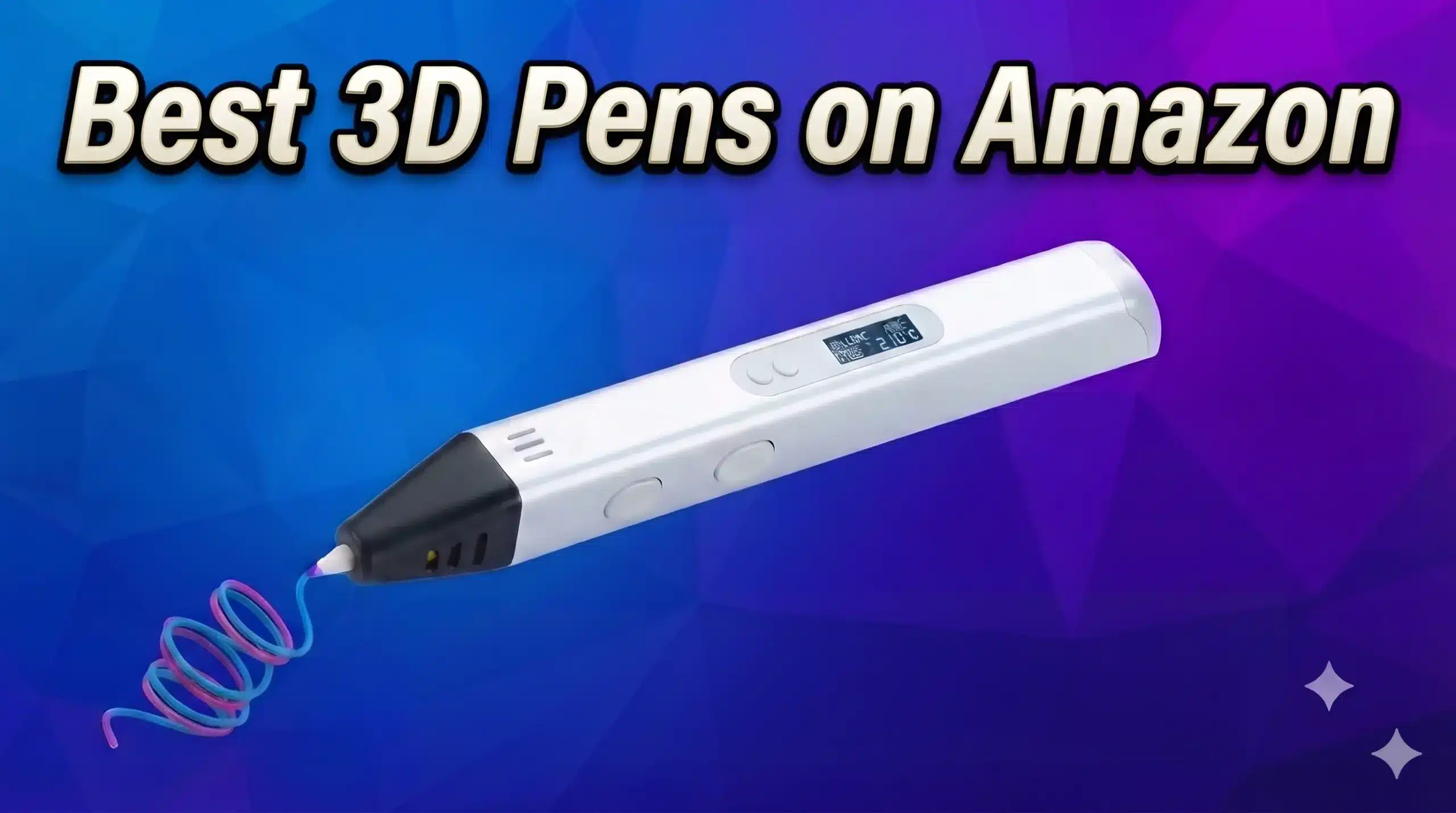
Short answer: the SCRIB3D P1 is the best 3D pen for most people. It’s Amazon’s best-selling 3D pen and costs about $30. Pick the MYNT3D Professional for precise temperature control, or the 3Doodler Start+ for younger kids, because it has no hot parts.
We compared the most popular 3D printing pens on Amazon by price, ratings, features, safety and filament cost. This guide is based on Amazon listings, manufacturer specs and thousands of customer reviews, not hands-on testing.
Updated November 22, 2026. Five of the seven pens below have an Amazon Black Friday Deal badge right now. Prices update automatically (last checked: Nov 22, 2026, 15:25 UTC). Shopping for a maker? See our gift guide and the live deals page.
Best 3D Pens at a Glance
| 3D Pen | Price | Rating | ||
|---|---|---|---|---|
 | SCRIB3D P1 3D Printing Pen Best overall | $29.74 | ★ 4.4 (25K) | Check price → |
 | MYNT3D Super 3D Pen Best SCRIB3D alternative | $29.99 | ★ 4.3 (22.1K) | Check price → |
 | MYNT3D Professional 3D Pen Best for adults and detail work | $44.99 | ★ 4.4 (13.2K) | Check price → |
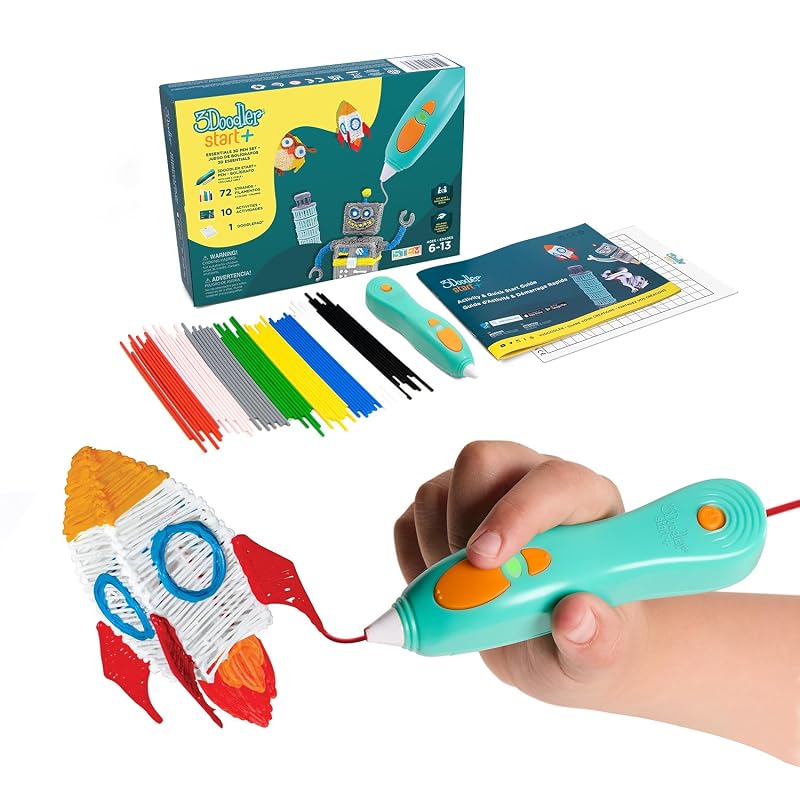 | 3Doodler Start+ Essentials Best for kids | $39.99 | ★ 4.4 (11.7K) | Check price → |
 | SCRIB3D Advanced 3D Printing Pen Best SCRIB3D upgrade | $39.99 | ★ 4.3 (3.4K) | Check price → |
 | 3Doodler Flow 3D Printing Pen Best 3Doodler for teens and adults | $74.98 | ★ 4.2 (534) | Check price → |
 | SCRIB3D PRO 3D Printing Pen Set Best for prototyping | $199.99 | ★ 4.1 (13) | Check price → |
The 7 Best 3D Pens on Amazon
SCRIB3D P1 3D Printing Pen
Best for: Beginners, families, gifts. The best-selling 3D pen on Amazon and the easiest one to recommend. The P1 has a stepless speed slider, so you can slow down for detail or speed up for infill, plus adjustable temperature and a small display. The kit includes three colors of PLA (30 feet), a power adapter and a stencil guide.
Pros
- Lowest price of the big-name pens
- Stepless speed slider
- Adjustable temperature for PLA and ABS
- Huge review base
Cons
- Nozzle gets hot, so it isn’t for young kids
- Corded, not battery powered
- Only 30 feet of filament in the box
MYNT3D Super 3D Pen
Best for: Beginners who want a clog-resistant nozzle. MYNT3D’s budget pen costs about the same as the SCRIB3D P1. It also has a stepless speed slider, and MYNT3D says its ultrasonically sealed nozzle is nearly clog-proof. It’s PLA and ABS compatible and comes with three colors of PLA.
Pros
- Ultrasonic sealed nozzle resists clogs (per MYNT3D)
- Stepless speed control
- Slim, light body
- PLA and ABS compatible
Cons
- Simpler controls, no temperature screen listed
- Hot nozzle, adult supervision for kids
- Corded
MYNT3D Professional 3D Pen
Best for: Artists, crafters, repairs. The pen to buy if you want full control. Temperature adjusts in 1°C steps from 140 to 230°C, and the OLED display shows the exact temperature, so you can tune it for different PLA, ABS and specialty filaments. The speed and flow are adjustable too.
Pros
- 1°C temperature control, 140-230°C
- OLED temperature display
- Handles more filament types
- Long track record on Amazon
Cons
- Costs $15 more than the P1 or Super
- More settings than a beginner needs
- Corded
3Doodler Start+ Essentials
Best for: Kids ages 6+. The only pen here designed with no hot parts: 3Doodler says the nozzle and plastic can be touched without burn risk. It uses 3Doodler’s own low-temperature Start plastic and comes with a DoodlePad and stencils, so it’s the safest pick for younger children.
Pros
- No hot parts, safe for younger kids
- Slim pen that’s easy for small hands
- Includes plastics and stencils
- Screen-free creative activity
Cons
- Only works with 3Doodler Start plastic
- Refills cost more than standard PLA
- Not as strong as PLA or ABS prints
SCRIB3D Advanced 3D Printing Pen
Best for: Hobbyists who want a temperature screen. The step up from the P1. It adds a larger LCD screen with buttons for loading, unloading and adjusting the temperature, and variable speed control. It comes with 20 feet of filament.
Pros
- LCD shows temperature
- Load and unload buttons
- Variable speed control
- Adjustable temperature
Cons
- Only 20 feet of filament included
- Costs $10 more than the P1
- Fewer reviews than the P1
3Doodler Flow 3D Printing Pen
Best for: Teens and adults in the 3Doodler ecosystem. 3Doodler’s pen for teens and adults has an integrated LCD for real-time temperature and works with more than 75 3Doodler plastics, including PLA, ABS and wood, according to the listing. It comes with eight colors of plastic.
Pros
- LCD temperature readout
- Wide range of 3Doodler plastics
- Eight colors included
- Well-known brand with good support
Cons
- Most expensive mainstream pen here
- Designed for 3Doodler Flow plastic
- No Black Friday discount right now
SCRIB3D PRO 3D Printing Pen Set
Best for: Makers, prototyping, ages 14+. SCRIB3D’s new professional pen uses standard 1.75mm filament spools and supports PLA, PHA, wood, metal-fill and carbon-fiber filaments, per the listing. It shows temperature and speed on the pen. It’s new, so there are very few reviews yet.
Pros
- Works with standard 1.75mm spools
- Wide material support, including carbon fiber
- Temperature and speed display
- Built for longer sessions
Cons
- Expensive for a 3D pen
- Very few reviews so far
- Ages 14+: the nozzle gets hot
SCRIB3D vs MYNT3D: Which Should You Buy?
SCRIB3D and MYNT3D make the two most popular pen lines on Amazon, and their entry pens cost almost the same.
| Feature | SCRIB3D P1 | MYNT3D Super | MYNT3D Professional |
|---|---|---|---|
| Price (Nov 22) | $29.74 | $29.99 | $44.99 |
| Amazon rating | 4.4 (25K) | 4.3 (22.1K) | 4.4 (13.2K) |
| Speed control | Stepless slider | Stepless slider | Adjustable feed |
| Temperature | Adjustable | Not detailed in listing | 140-230°C in 1°C steps |
| Display | Yes | Not listed | OLED temperature display |
| Standout feature | Lowest price, best seller | Ultrasonic sealed nozzle | Fine temperature control |
| Filament in box | 3 colors PLA (30 ft) | 3 colors PLA | 3 colors PLA |
| Best for | Beginners and gifts | Beginners worried about clogs | Adults and detail work |
Our take: buy the SCRIB3D P1 if you want the best value and the most proven pen. Buy the MYNT3D Super if clogs worry you more than features. Spend the extra on the MYNT3D Professional if you’ll use different filaments or want exact temperature control. For a deeper side-by-side that also covers the 3Doodler Start+, see our full SCRIB3D P1 vs 3Doodler Start+ vs MYNT3D Super comparison and our SCRIB3D P1 review.
Best 3D Pen Bundles and Gift Sets
Bundles add extra filament, mats or accessories and usually cost less than buying them separately.

SCRIB3D P1 Ultimate Creative Bundle
The P1 with extra filament and accessories, a good gift set.
Check price on Amazon →
MYNT3D Super 3D Pen + 10 Color PLA + DesignPad
The Super pen with ten PLA colors and MYNT3D’s drawing mat.
Check price on Amazon →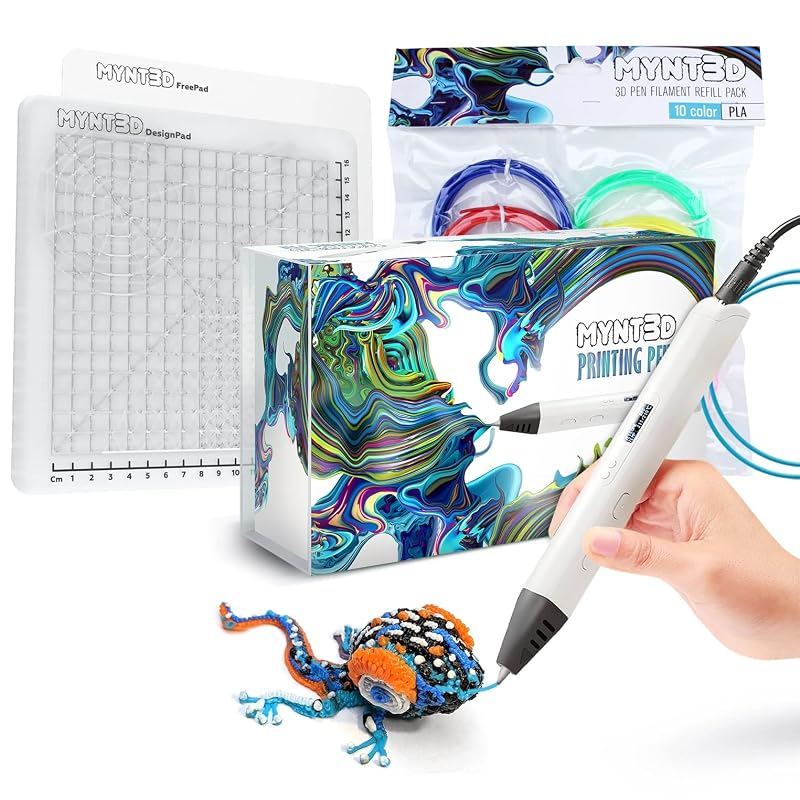
MYNT3D Pro 3D Pen + 10 Color PLA + DesignPad
The Professional pen with ten PLA colors and a mat kit.
Check price on Amazon →3D Pen Accessories Worth Buying

MYNT3D 3D Pen Mat Kit (DesignPad + FreePad)
A heat-resistant mat with templates. Prints peel off easily.
Check price on Amazon →
Hard Case for SCRIB3D P1 / MYNT3D / 3Doodler
Keeps the pen, adapter and filament together. Fits the popular pens.
Check price on Amazon →How to Choose a 3D Pen
1. Who will use it?
For kids under about 8, choose a low-temperature pen with no hot parts, like the 3Doodler Start+. Teens and adults get more out of a hot pen that melts PLA or ABS.
2. Filament type and cost
Pens that use standard 1.75mm PLA or ABS (SCRIB3D, MYNT3D) are cheaper to run. 3Doodler pens need 3Doodler’s own plastic, which costs more per foot.
3. Temperature control
Adjustable temperature lets you use different filaments and fixes most flow problems. A display, like on the MYNT3D Professional or SCRIB3D Advanced, makes it easier.
4. Speed control
A stepless speed slider gives you smoother lines than fixed speeds. Slow for detail, fast for filling in shapes.
5. Comfort
A slim, light pen is easier for long sessions and smaller hands. Heavier pro pens are fine for adults.
6. What’s in the box
Check how much filament is included. Starter kits often have only 20-30 feet, so budget for refills or choose a bundle.
3D Pen vs 3D Printer
A 3D pen is a freehand tool: you draw in the air, trace stencils, decorate objects and repair plastic parts. It’s cheap, portable and great for kids and crafts. A 3D printer builds accurate parts from a digital model, layer by layer, with no drawing skill needed. Many makers own both: the pen is handy for fixing gaps, welding parts and touching up prints. If you’re ready for a printer, see our best 3D printers under $300.
Tips for Better 3D Pen Results
Get started the right way:
- Start with stencils on paper or a silicone mat, then build up in layers.
- Use the temperature printed on your filament, and slow down for fine lines.
- Unload the filament before turning the pen off to prevent clogs.
- Keep the pen on its stand when hot, and supervise children with hot pens.
- Work in a ventilated room, especially with ABS.
- Store filament sealed so it stays dry. See how to store filament.
Best 3D Pens: FAQ
Which is better, SCRIB3D or MYNT3D?
For most beginners the SCRIB3D P1 is the better buy: it’s the best-selling 3D pen on Amazon, costs about the same as the MYNT3D Super and adds adjustable temperature and a display. Choose the MYNT3D Super if you want its clog-resistant ultrasonic nozzle, or the MYNT3D Professional if you want exact 1°C temperature control.
What is the best 3D pen for kids?
The 3Doodler Start+ Essentials. It’s designed with no hot parts and uses low-temperature plastic, so younger children can use it safely. Pens that melt PLA or ABS, like the SCRIB3D and MYNT3D models, have hot nozzles and need adult supervision.
What filament do 3D pens use?
Most 3D pens, including SCRIB3D and MYNT3D, use standard 1.75mm PLA or ABS. 3Doodler pens use their own branded plastics. See our guide to the best filaments for 3D printing pens.
Is PLA or ABS better for a 3D pen?
PLA is the better default. It melts at a lower temperature, has almost no smell and sticks well to paper and templates. ABS is tougher and more heat resistant but smells more, so use it in a ventilated room.
Are 3D pens safe?
Pens that melt PLA or ABS reach roughly 180-230°C at the nozzle, so they can burn skin. Use them with adult supervision for children, keep the pen on a stand when hot, and work in a ventilated room. The 3Doodler Start+ is the exception, with no hot parts.
Can a 3D pen replace a 3D printer?
No. A 3D pen is a freehand drawing and repair tool. It can make small models, fix broken prints and fill gaps, but it can’t produce accurate parts from a digital file. If you want that, see our best 3D printers under $300.
Why does my 3D pen keep clogging?
Usually because the temperature is too low for the filament, filament was left in the hot pen, or the plastic is old or damp. Use the temperature your filament recommends, unload the filament before switching off, and keep spare filament sealed.
More 3D Pen and Gift Guides
Last updated: November 22, 2026 | How we research: Picks are based on Amazon listings, manufacturer specifications and customer reviews, not hands-on testing. Ratings and “bought last month” figures are from Amazon on November 22, 2026. Prices update automatically and can change at any time.
Affiliate disclosure: This article contains Amazon affiliate links. As an Amazon Associate I earn from qualifying purchases, at no extra cost to you.
Free 3D printing temperature cheat sheet
Nozzle and bed temperatures for common filaments, in one page.
Keep reading
 3D Printed Home DecorCreality K1C 3D Printer Review: Is This the Best 3D Printer Under $600 in 2025?Jul 21, 2025
 3D Printed Home DecorLive Black Friday 3D Printer Deals 2026: Updated Daily, Ranked by DiscountNov 26, 2025
 3D Printed Home DecorJafanda JF888 vs JF999 vs JF1500 Air Purifier Review 2026 (Which Should You Buy?)Mar 18, 2026
 3D Printed Home DecorAnycubic Kobra X vs ELEGOO Centauri Carbon Review: Best 3D Printer Under $400 in 2026?May 20, 20263D Printed Home DecorBest 3D Printer for a 14-Year-Old: A Parent’s 2026 GuideSep 14, 2026
 3D Printed Home DecorBest Bambu Lab Accessories 2026: Upgrades for A1, A1 mini, P1S, P2S & X1CNov 19, 2026