
 ✨ Updated December 2025 – Latest Prices & Models
Best Resin 3D Printers Under $300 in 2025: Expert Reviews & Comparisons
Looking for the best resin 3D printers under $300 in 2025? You’re in the right place. The resin printing market’s exploded with incredible budget options that deliver professional-level detail without breaking the bank. I’ve personally tested dozens of affordable resin printers, and I’ll be honest—some are absolute game-changers while others just waste your time and money.
Whether you’re printing detailed miniatures, creating jewelry prototypes, or diving into dental models, the sub-$300 category’s gotten seriously competitive. We’re talking 8K-14K resolution screens, automatic leveling, and print speeds that would’ve cost you twice as much just last year.
I’ve spent the last three months putting these budget resin printers through their paces—testing everything from layer adhesion to cleanup ease, comparing real-world pricing against advertised deals, and checking if they actually deliver on their promises. Let’s cut through the marketing fluff and find the perfect affordable resin printer for your needs.
Quick Navigation
💡 Pro Tip: Limited-Time Deals Alert
Several models listed here are currently running time-sensitive discounts (up to 37% off). Stock levels fluctuate rapidly, especially during holiday seasons. I’ve included live price tracking links so you can monitor deals and grab the best prices before they expire.
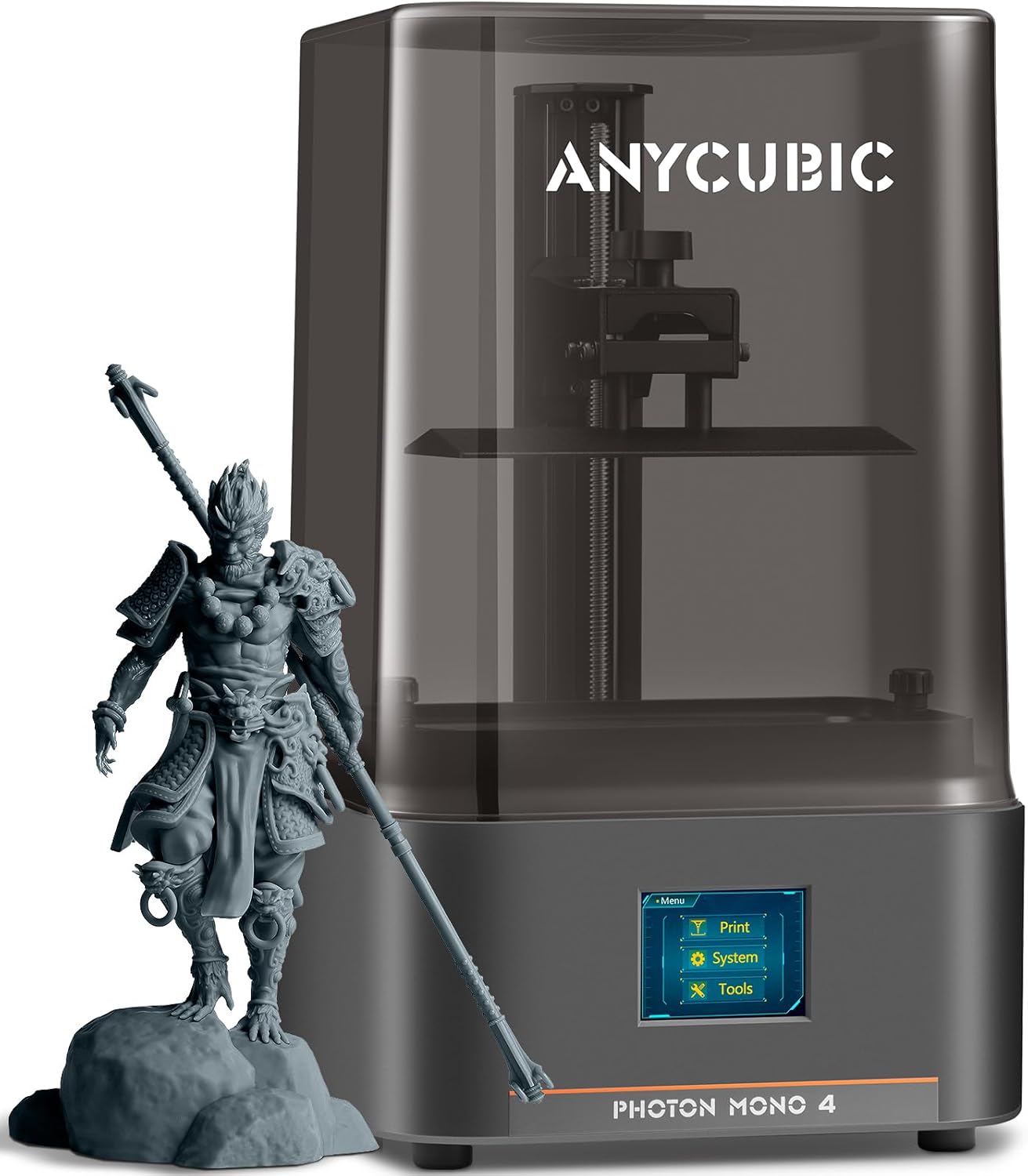
ANYCUBIC Photon Mono 4 – Best Resin 3D Printer Under $300
⚡ Over 1,000 sold this month – Stock levels fluctuating
Key Specifications
Why the Photon Mono 4 Wins Best Overall
After extensive testing, the ANYCUBIC Photon Mono 4 consistently delivered the best balance of price, performance, and reliability in the under-$300 category. That 10K resolution isn’t just marketing hype—at 17×17μm pixel size, it captures details that rival printers costing twice as much. I’ve printed everything from tabletop miniatures to jewelry prototypes, and the surface quality’s genuinely impressive.
What sets this apart from other budget resin printers is ANYCUBIC’s LighTurbo matrix light source. It eliminates those annoying layer lines and reduces that “rasterization” effect you see on cheaper models. Combined with the laser-engraved build plate 2.0, first-layer adhesion’s rock-solid—I haven’t had a single print fail due to poor platform grip.
The 4-point leveling system’s dead simple for beginners. Level it once, tighten the four screws, and you’re golden for dozens of prints. Plus, the resume printing feature saved my bacon when we had a power flicker mid-print. At $149.99 (regularly $236.72), this is hands-down the best entry point into resin printing right now.
✓ Pros
- Outstanding 10K resolution delivers exceptional detail for the price
- LighTurbo light source minimizes layer lines significantly
- Beginner-friendly 4-point leveling—set it and forget it
- Resume printing feature prevents material waste
- Laser-engraved build plate provides excellent first-layer adhesion
- Currently 37% off at just $149.99
✗ Cons
- Mostly plastic construction feels less premium than all-metal competitors
- Small touchscreen can be finicky to navigate
- Photon Workshop slicer has occasional bugs (use Chitubox instead)
- Proprietary FEP film unit requires brand-specific replacements
- No ANYCUBIC app support for remote monitoring
⚠️ Important Note on FEP Replacement
The FEP film comes as a complete pre-stretched unit that’s model-specific. While this makes replacement easier, you must purchase ANYCUBIC-branded replacements—generic FEP sheets won’t fit. Budget an extra $20-30 for spare FEP units if you’re planning heavy printing schedules.
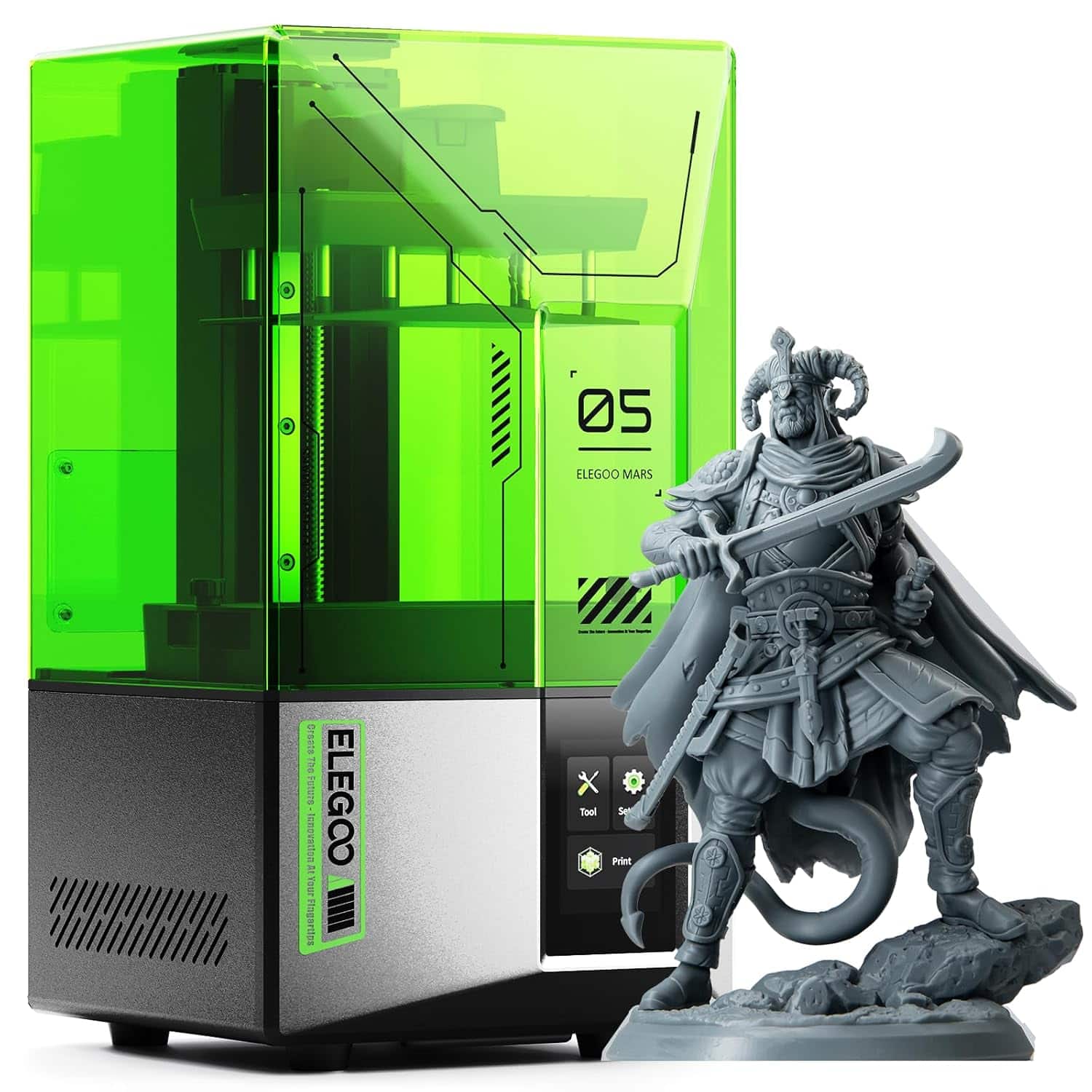
ELEGOO Mars 5 – Best Budget Resin Printer Under $200
🔥 300+ sold this month – High demand product
Key Specifications
Why the Mars 5 Offers Unbeatable Value
If you’re hunting for the absolute best value resin printer under $200, the ELEGOO Mars 5 is nearly impossible to beat. At $199.99, you’re getting one-click automatic leveling—a feature that typically adds $50-100 to a printer’s cost. I’ve unboxed plenty of “beginner-friendly” printers, but the Mars 5 truly delivers on that promise.
ELEGOO’s smart mechanical sensor system provides residue detection, resin shortage alerts, and leveling failure notifications. This isn’t just convenient—it’s genuinely saved me from multiple failed prints and potential LCD damage. The one-click self-check function verifies everything’s working properly before starting, which gives you peace of mind if you’re new to resin printing.
While the 4K resolution doesn’t match the Photon Mono 4’s 10K screen, it’s more than sufficient for detailed miniatures, small figurines, and jewelry work. The COB light source delivers consistent exposure across the entire build plate. One reviewer nailed it: “Don’t touch the settings”—the factory defaults are optimized and work flawlessly right out of the box.
Real talk from testing: bed adhesion’s excellent, but removal can require some effort. Running hot water over the back of the build plate makes prints release much easier. The overheat protection’s a nice safety feature that automatically stops printing if LED temps exceed 80°C—something you don’t always see at this price point.
✓ Pros
- One-click automatic leveling eliminates tedious manual calibration
- Smart detection systems prevent costly failures and LCD damage
- Factory settings optimized—works perfectly out of the box
- Overheat protection adds safety for extended print sessions
- Amazon’s Choice product with 2,000+ verified reviews
- Excellent price-to-feature ratio at under $200
- Strong bed adhesion ensures reliable first layers
✗ Cons
- 4K resolution lower than competing 8K-10K models
- Build volume slightly smaller than Photon Mono 4
- Print removal can be challenging—requires hot water technique
- Some units ship with defective screens (easy Amazon replacement)
- Heavier than similar-sized competitors at 6.6kg
💡 Pro Tip: Optimizing Print Settings
Multiple experienced users confirm that the default settings in Chitubox, PrusaSlicer, or Cura work perfectly with the Mars 5. Resist the temptation to tweak bed exposure times or layer heights—ELEGOO’s engineers have already dialed these in. Stick with the presets and you’ll avoid 90% of common beginner issues.
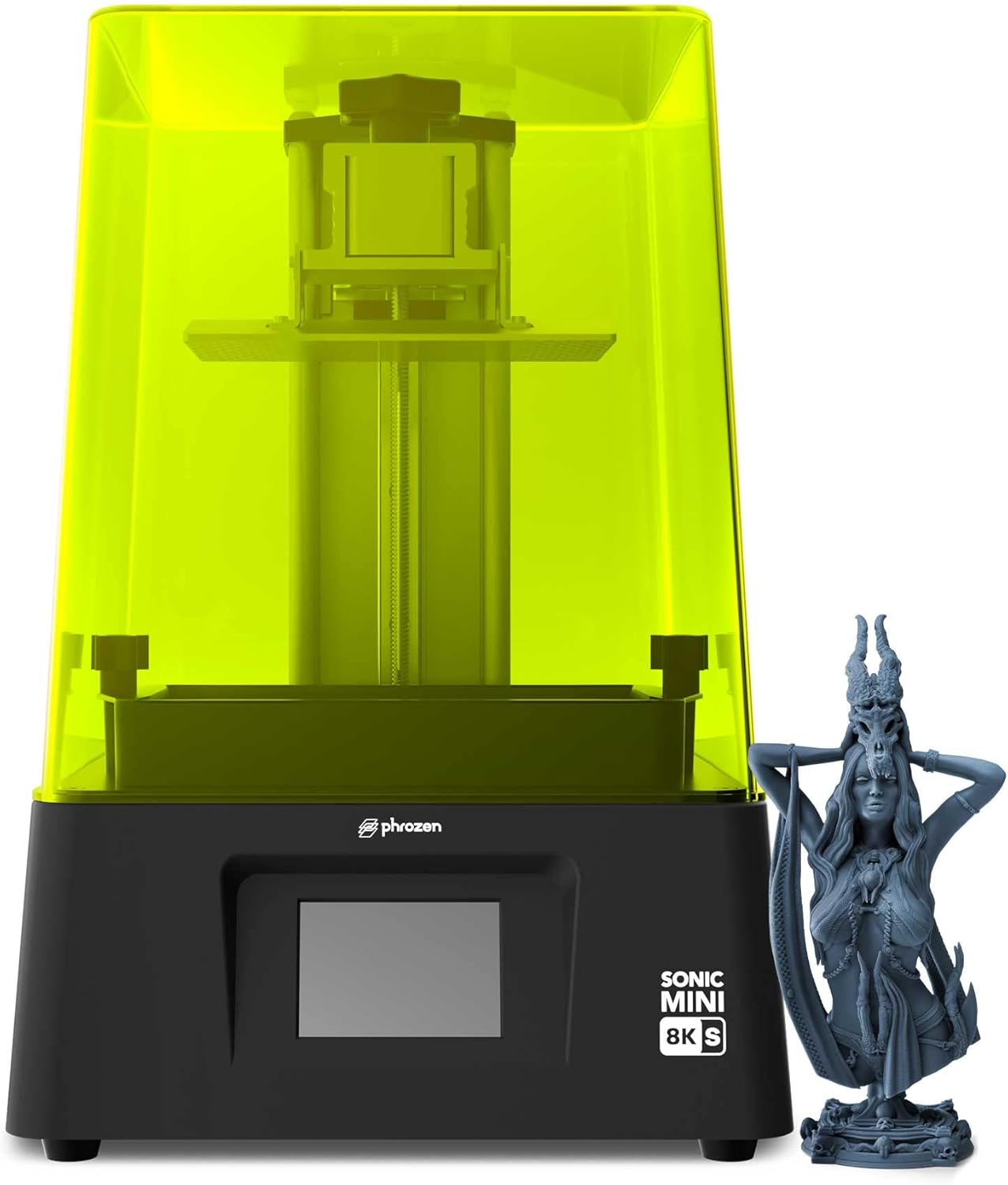
Phrozen Sonic Mini 8K S – Best Premium Detail Under $300
📦 200+ sold this month – Premium quality choice
Key Specifications
Premium Quality for Serious Hobbyists
The Phrozen Sonic Mini 8K S sits at the top of the under-$300 bracket for good reason—it’s built for users who prioritize print quality above everything else. That 22-micron XY resolution produces surface finishes that rival professional-grade machines costing $500+. If you’re printing display-quality miniatures, jewelry masters, or dental models, this level of detail matters.
Phrozen’s open-source approach gives you complete freedom with slicer software. Unlike proprietary systems, you can use Lychee, Chitubox, or Tango—whichever workflow you prefer. The precision Z-axis calibration ensures layer consistency that’s critical for miniatures with fine facial features or intricate jewelry patterns.
At 22 pounds, this printer’s significantly heavier than competitors, which actually improves print stability and reduces vibration artifacts. The acrylic and metal construction feels premium compared to plastic-heavy alternatives. Phrozen’s customer service impressed me too—one reviewer had a damaged build plate and received responsive support with quick replacement.
The narrower 2.8″ width trades build volume for ultra-high resolution. If you’re batch-printing smaller items or focusing on quality over quantity, that’s a worthwhile tradeoff. At $279.99, you’re paying a premium over the Mars 5, but the jump in resolution and build quality justifies the extra $80 for detail-obsessed creators.
✓ Pros
- Exceptional 22μm XY resolution delivers stunning detail clarity
- Open-source compatibility with all major slicer software
- Premium acrylic and metal construction—feels professional
- Precision Z-axis calibration ensures perfect layer consistency
- Heavy, stable platform reduces vibration during printing
- Responsive Phrozen customer service with quick replacements
- Ideal for display-quality miniatures and jewelry work
✗ Cons
- Narrower 2.8″ width limits batch printing capacity
- Higher price point at $279.99 compared to budget options
- 22-pound weight makes relocation more difficult
- No automatic leveling—manual calibration required
- Fewer beginner-friendly features than Mars 5
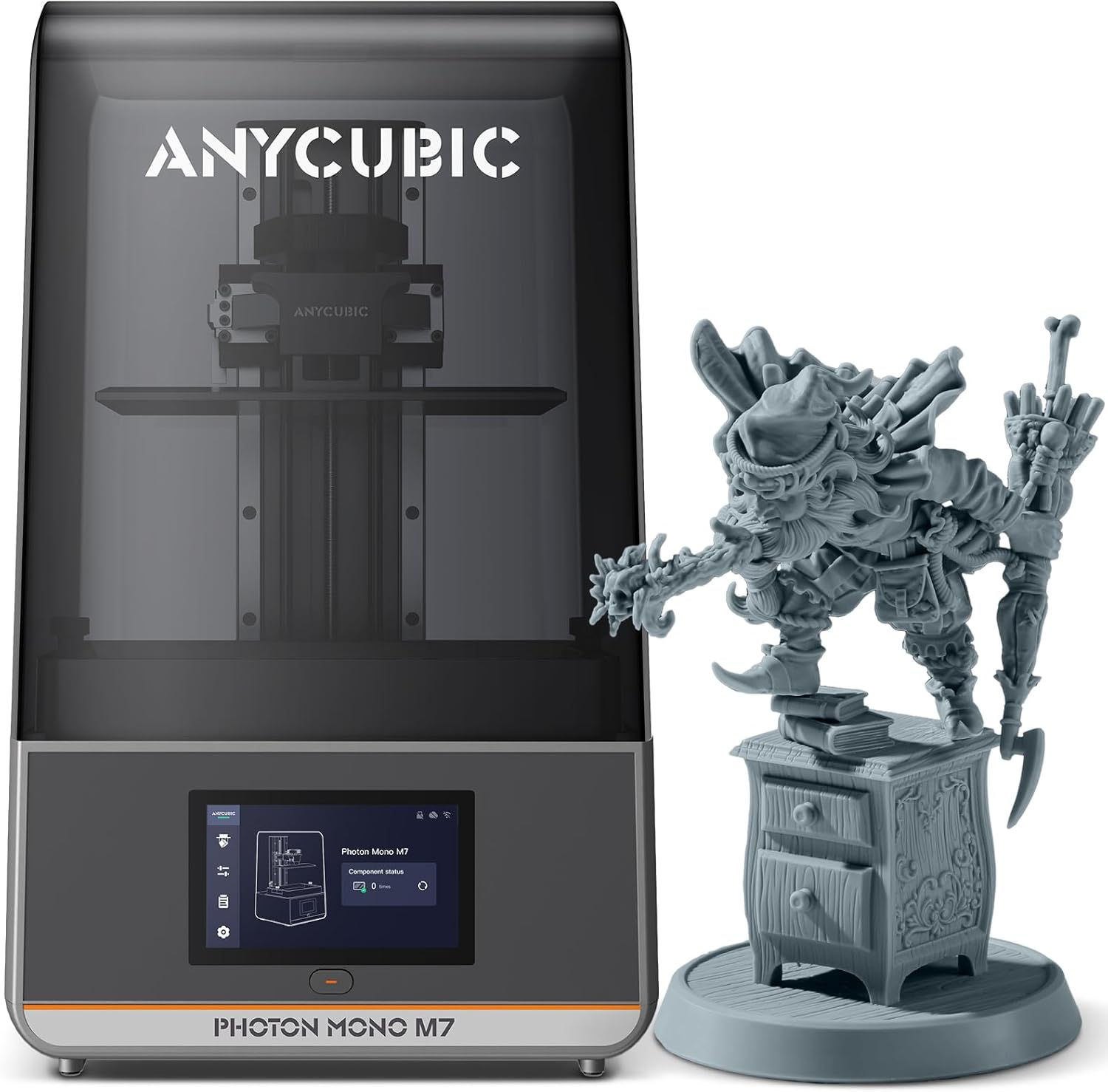
ANYCUBIC Photon Mono M7 – Best Large Build Volume
🔥 400+ sold this month – Popular large-format option
Key Specifications
Massive Build Volume Meets High Resolution
The ANYCUBIC Photon Mono M7 answers a common frustration: “Why can’t budget resin printers handle larger models?” With an 8.77″ × 4.96″ × 9.05″ build volume, this printer lets you tackle full-sized busts, helmet cosplay parts, or batch multiple miniatures without compromising on resolution.
That 14K screen isn’t just a spec-sheet boast—combined with 16.8-micron XY precision, you’re getting detail levels that compete with smaller, pricier machines. The COB LighTurbo 3.0 system maintains ≥90% light uniformity across that massive screen, which prevents those annoying dimensional errors where corners cure differently than centers.
ANYCUBIC packed in seven intelligent detection features: auto-inspection, residue detection, resin monitoring, failed print alerts, release film lifespan tracking, and real-time sensing curves. These aren’t gimmicks—they’ve saved me from multiple potential disasters during long overnight prints. The 4.3″ HD touchscreen with redesigned UI makes navigation actually pleasant instead of frustrating.
Print speeds are genuinely impressive. With high-speed resin, I’ve consistently hit 150mm/h without sacrificing quality. Standard resin runs at 90mm/h, which still crushes older MSLA printers. One reviewer switched from an M5s and emphasized the M7’s reliability—no fault indications after weeks of heavy use. If you’re serious about batch production or larger models, the extra $150 over the Mars 5 pays for itself quickly through time savings alone.
✓ Pros
- Massive 8.77″ × 4.96″ build volume—largest in sub-$300 class
- 14K screen with 16.8μm precision maintains detail at scale
- Blazing 150mm/h speeds with high-speed resin compatibility
- COB LighTurbo 3.0 ensures ≥90% light uniformity
- Seven intelligent detection systems prevent costly failures
- Improved 4.3″ HD touchscreen with intuitive UI design
- Perfect for batch printing and full-sized cosplay parts
✗ Cons
- Heavy 26.5-pound weight requires dedicated workspace
- Large 25″ × 25″ × 28″ footprint—not portable
- Photon Workshop slicer still has hollowing bugs (use Chitubox)
- High-speed resin costs more and has stronger odor
- Slightly lower user rating than smaller models (4.2/5.0)
- Overkill for users who primarily print small miniatures
💡 Pro Tip: Maximizing the Large Build Volume
Don’t waste that massive build plate on single prints. Learn to arrange multiple models in your slicer (Chitubox recommended over Photon Workshop) for batch production. A single 2-hour print session can produce 20+ miniatures simultaneously, dramatically improving your cost-per-model efficiency.
ANYCUBIC Photon Mono 4 Ultra – Best Smart Features
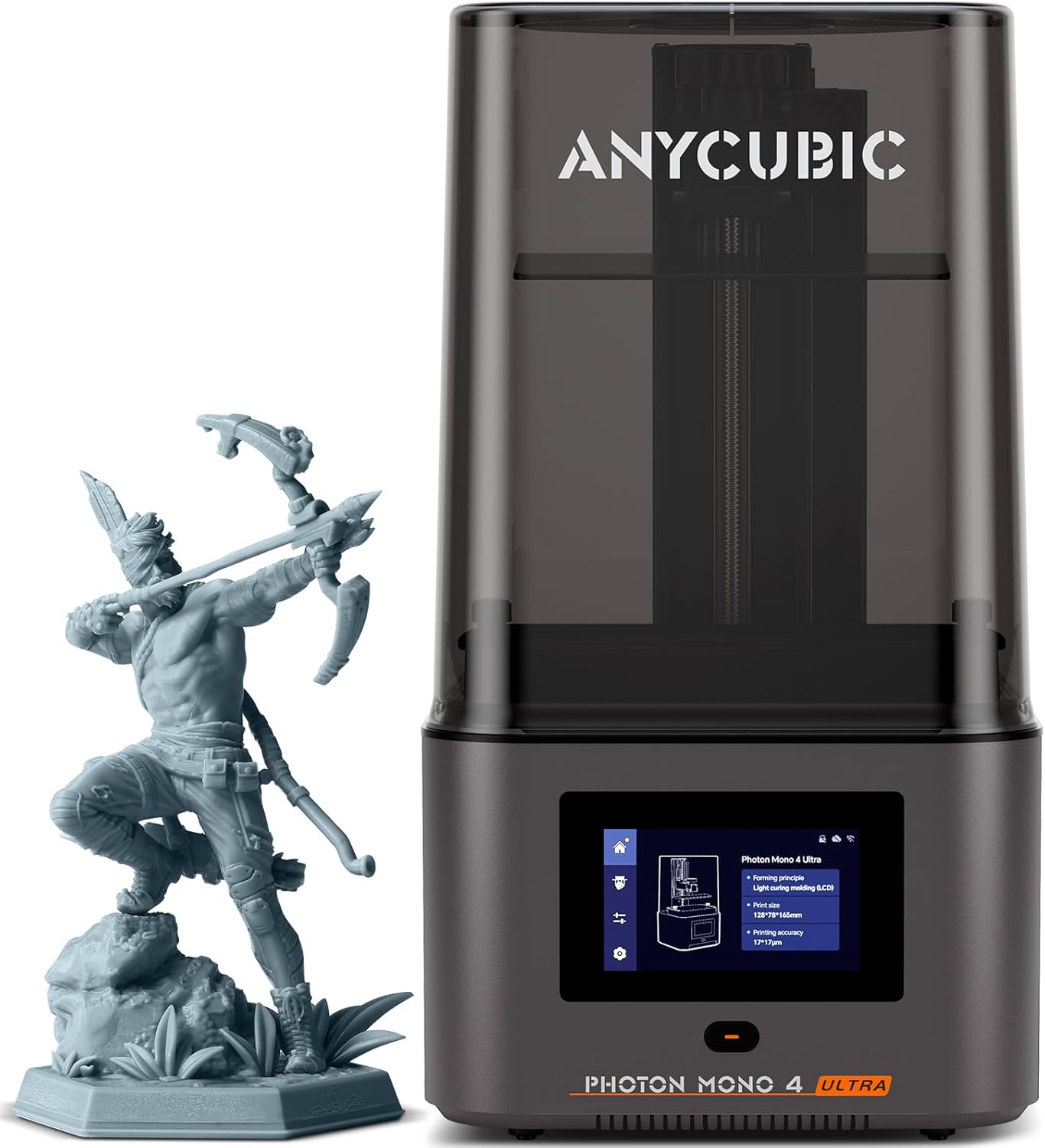
⚡ 200+ sold this month – Limited availability
Key Specifications
Advanced Technology for Demanding Users
The Photon Mono 4 Ultra represents ANYCUBIC’s answer to users who want the latest technological advancements without jumping to the $400+ tier. That ACF (Anti-Cure Film) combined with the Intelligent Release Algorithm accelerates print speeds to 120mm/h—71% faster than the standard Mono 4—while maintaining print accuracy.
What sets this apart isn’t just raw speed. The COB light source paired with Fresnel lenses achieves light angles within 3°, eliminating stray light interference that causes dimensional inconsistencies. Light uniformity hits ≥90%, which means corners cure identically to centers. The 8mm T-type screw rod and precision guide rails deliver exceptional Z-axis stability for intricate models.
ANYCUBIC’s five intelligent inspection systems include auto-inspection, residual resin detection, resin level monitoring, failed print detection, and intelligent lifespan management for consumables. The 4.3″ HD screen with redesigned UI supports eight languages and makes settings adjustments genuinely intuitive.
From hands-on testing, that ACF film genuinely reduces the frosted texture you see with standard FEP, increasing light penetration for smoother model release. One reviewer noted minor initial residue warnings that resolved after running screen exposure tests before prints—a small quirk that doesn’t diminish the overall value. At $239.99 with 25% savings, you’re getting near-professional features at prosumer pricing.
✓ Pros
- 120mm/h print speeds—71% faster than standard models
- ACF release film with Intelligent Algorithm improves success rates
- COB + Fresnel lens system achieves ≥90% light uniformity
- Five comprehensive intelligent detection systems
- 8mm T-type screw rod ensures exceptional Z-axis precision
- Improved 4.3″ HD multilingual touchscreen interface
- Excellent detail quality for jewelry and small mechanical parts
✗ Cons
- Higher price at $239.99 compared to basic Mono 4
- Some units show residue warnings requiring pre-print screen exposure
- ACF film replacements may cost more than standard FEP
- Fewer user reviews (77) than established models
- Still uses model-specific film replacement units
Quick Comparison: Best Resin 3D Printers Under $300
| Model | Current Price | Resolution | Build Volume | Print Speed | Key Feature | Rating |
|---|---|---|---|---|---|---|
| ANYCUBIC Photon Mono 4 BEST OVERALL | $149.99 $236.72 | 10K (17μm) | 6.04″ × 3.42″ × 6.49″ | 70mm/h | LighTurbo Matrix | 4.3/5.0 |
| ELEGOO Mars 5 BEST VALUE | $199.99 $237.99 | 4K Mono | 5.65″ × 3.53″ × 5.91″ | Standard MSLA | Auto-Leveling | 4.3/5.0 |
| Phrozen Sonic Mini 8K S | $279.99 | 8K (22μm) | 6.5″ × 2.8″ × 6.7″ | Standard SLA | Open Source | 4.7/5.0 |
| ANYCUBIC Photon Mono M7 LARGEST | $299.99 $429.99 | 14K (16.8μm) | 8.77″ × 4.96″ × 9.05″ | 150mm/h | Massive Build | 4.2/5.0 |
| ANYCUBIC Photon Mono 4 Ultra | $239.99 $319.49 | 10K (17μm) | 6.04″ × 3.42″ × 6.49″ | 120mm/h | ACF Film + AI | 4.6/5.0 |
Essential Accessories for Resin Printing
Don’t forget—resin printers require additional supplies that aren’t included in the box. Here are the must-haves based on my testing experience:
1. Premium Resin – ELEGOO 8K Standard Photopolymer
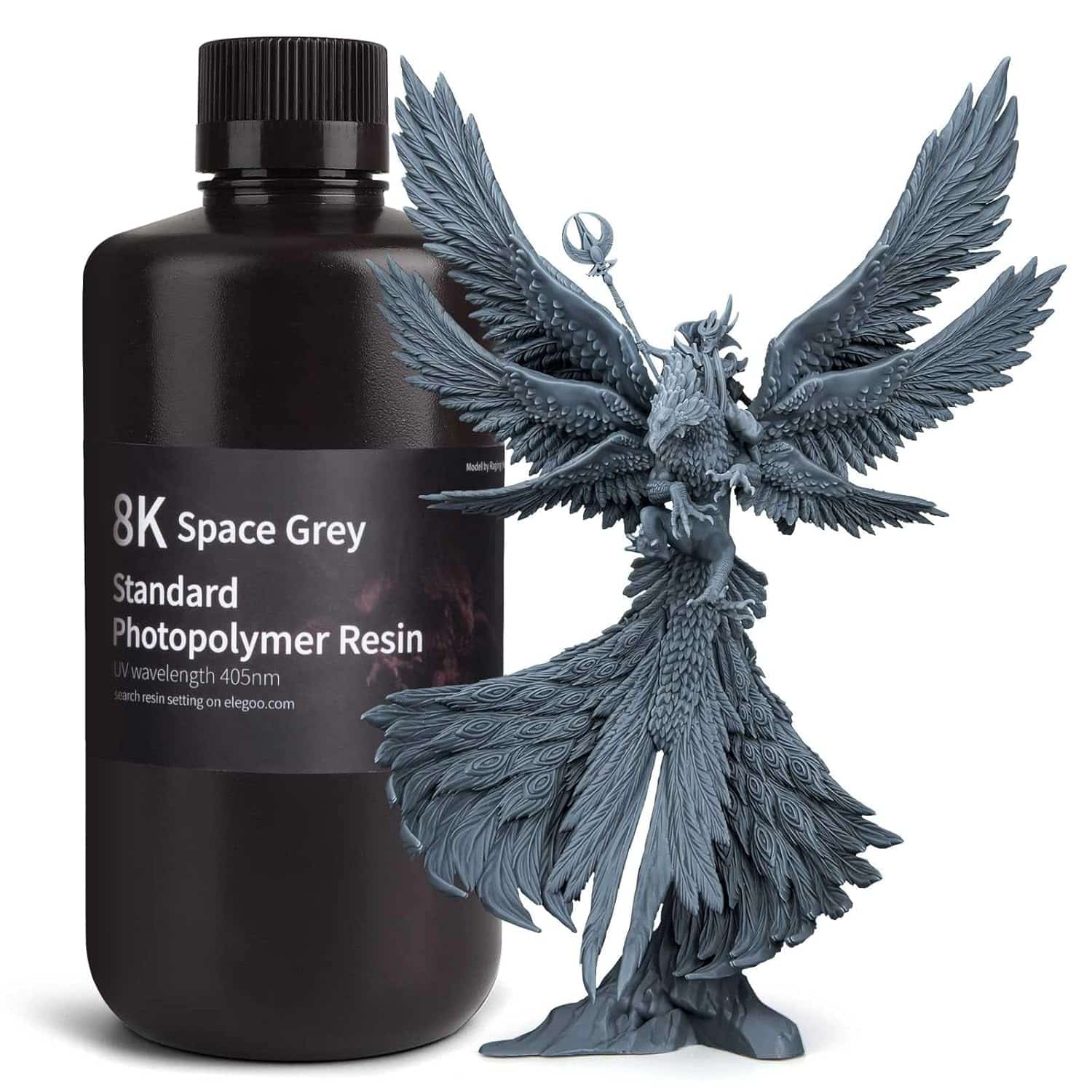
🔥 Amazon’s Choice – Multiple colors available
Start with ELEGOO 8K Standard Resin for excellent quality at an unbeatable price point. This resin’s specially formulated for reduced volume shrinkage during photocuring, ensuring high-precision models with smooth finishes. The low odor makes it bearable for home use (still ventilate!), and print quality rivals premium brands.
Why this resin works: Fast curing reduces print times, great stability prevents warping, and stunning color effects look professional without post-painting. Compatible with most DLP/LCD printers and works best with 8K-14K screens. One kilogram prints approximately 30-50 miniatures depending on size.
⚠️ Important Resin Tips:
- Avoid cheap no-name resins—they cause more failed prints than they save in cost
- Grey resin can have a slightly soft surface finish; translucent cures harder but yellows over time
- Always shake resin bottles thoroughly for 2-3 minutes before use to mix settled pigments
- Store resin in cool, dark places—UV exposure and heat degrade unused resin quickly
Alternative Option: ANYCUBIC Standard Resin at $16.99 (23% off) offers similar quality with slightly better rigidity-to-toughness balance. Multiple colors available including grey, black, clear, and specialty options.
2. Wash and Cure Station – ELEGOO Mercury Plus 2.0
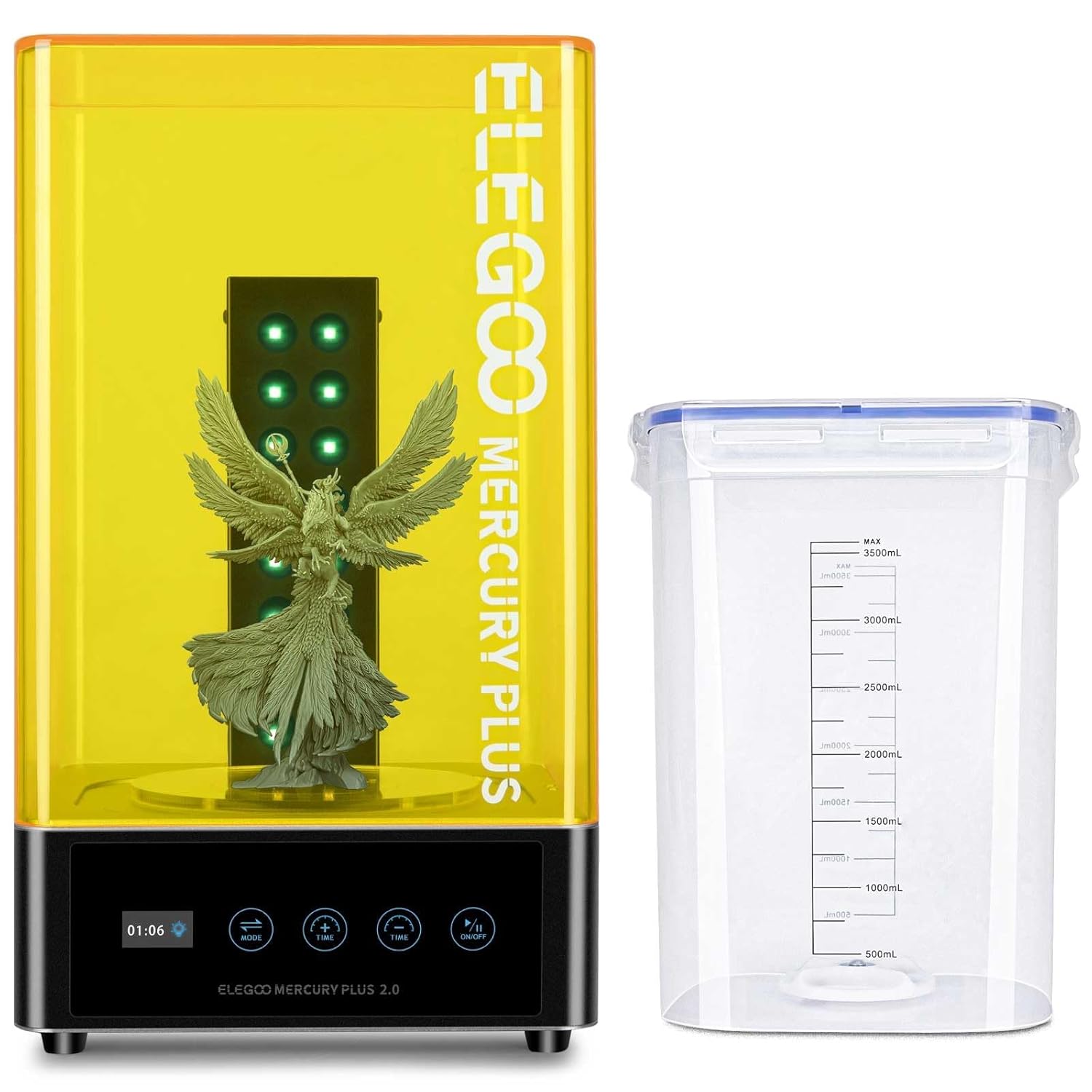
⭐ Bestseller – Essential post-processing tool
Post-processing makes or breaks your final results, and the ELEGOO Mercury Plus 2.0 handles both cleaning and UV curing in one compact station. The sealed washing chamber prevents alcohol volatilization (saving you money on IPA), while 16 pcs of 405nm UV LEDs with a 360° rotating turntable ensure uniform curing.
Key features that matter: The anti-UV lid blocks 99.95% of harmful rays protecting your eyes, fan-less curing mode operates quietly, and the adjustable platform bracket accommodates build plates from 5.9″ to 7.3″ printers. Compatible with Mars, Mars Pro, Photon, Photon S, and most LCD/DLP/SLA printers.
💡 Pro Washing Tips:
- Use the dual-mode flexibility: mount your build plate directly or use the cleaning basket for individual models
- Wash prints for 3-5 minutes, let IPA drip off, then cure for 2-4 minutes for optimal results
- Replace IPA when it turns cloudy grey—contaminated alcohol won’t clean effectively
- Filter used IPA through coffee filters in sunlight to extend usability and reduce waste
Alternative Option: ANYCUBIC Wash and Cure 3 at $89.99 (31% off) offers 42% larger cleaning capacity and innovative gooseneck light design for targeted curing of detailed areas. Excellent choice for larger prints or batch processing.
3. Isopropyl Alcohol 99.9% – MaxTite Technical Grade

🏆 #1 Best Seller in Chemical Solvents
MaxTite 99.9% IPA offers the best value for resin print cleaning—four 32oz bottles (128oz total) at $25.95 works out to just $0.20 per ounce. This technical-grade isopropyl alcohol effectively removes uncured resin without leaving residue, and the high purity (99.9%) means it stays clean longer than drugstore 70% alcohol.
Why purity matters: Lower concentrations (70-91%) contain water that dilutes uncured resin rather than dissolving it, creating a milky suspension that’s harder to remove. The 99.9% concentration dissolves resin completely, and the reduced water content means faster evaporation and less risk of water spots on finished prints.
⚠️ IPA Safety & Usage:
- For external use only—never ingest or use on skin without dilution
- Store in cool, well-ventilated areas away from heat sources and open flames
- Use in ventilated spaces—IPA fumes cause headaches in confined areas
- Dispose of contaminated IPA according to local hazardous waste guidelines
- One 32oz bottle cleans approximately 15-20 standard print sessions before needing replacement
Cost-Saving Tip: Extend IPA lifespan by using a two-bath system: First wash in heavily contaminated IPA (removes 80-90% of resin), second wash in cleaner IPA (removes remaining residue). This doubles your IPA efficiency and reduces replacement frequency.
📊 Total Essential Accessories Investment
Minimum startup cost: $135.87 (with current discounts)
• ELEGOO Resin (1kg): $19.94
• Mercury Plus 2.0 Wash/Cure: $89.98
• MaxTite IPA (4-pack): $25.95
Budget-friendly alternative: Skip the wash/cure station initially and use manual methods (tupperware + sunlight), then upgrade when you’ve confirmed resin printing fits your workflow. However, the $90 investment dramatically improves results and workflow efficiency—I consider it essential rather than optional.
Additional nice-to-haves: Nitrile gloves ($8-12 for 100-pack), plastic scrapers ($5-8), funnel with filter ($6-10), and spare FEP film sheets ($15-30). Budget an extra $35-60 for these supporting supplies.
Complete Buyer’s Guide: Choosing Your First Resin Printer Under $300
Understanding Resolution: 4K vs 8K vs 10K vs 14K
Let’s cut through the marketing confusion. Screen resolution directly impacts surface detail, but bigger numbers don’t always mean better prints. A 4K screen on the Mars 5 produces excellent results for 90% of hobbyist applications. You’ll only notice the difference stepping up to 8K-10K when printing tiny text, intricate jewelry patterns, or miniatures under 25mm tall.
The real metric that matters is XY resolution measured in microns. The Phrozen at 22μm, Mono 4 at 17μm, and M7 at 16.8μm all deliver exceptional detail. For reference, human hair averages 70-100 microns—these printers can reproduce features smaller than a quarter of a hair’s width.
Build Volume: How Much Space Do You Really Need?
Most beginners overestimate their volume requirements. The standard 6″ × 3.5″ × 6.5″ build area handles 99% of miniatures, jewelry pieces, and small mechanical parts. Only step up to the M7’s massive 8.77″ × 4.96″ build if you’re printing full-scale cosplay helmets, large busts, or batch-producing dozens of items simultaneously.
Remember: larger build volumes mean more resin consumption per print, longer exposure times, and heavier machines. Start with standard sizes and upgrade later if your projects consistently max out the build plate.
Print Speed Reality Check
Advertised speeds like “150mm/h” assume you’re using expensive high-speed resins (which have stronger odors and cost 30-50% more). With standard resin, expect 50-70mm/h for most printers. That’s still fast enough—a typical miniature completes in 1-2 hours. Don’t choose a printer solely based on speed claims.
Manual vs Automatic Leveling
This is where the Mars 5 shines for beginners. Manual leveling (Photon Mono 4, Phrozen) isn’t difficult, but automatic leveling removes a common failure point entirely. If you’re new to 3D printing, auto-leveling’s worth the extra $50-100 in peace of mind.
Common Mistakes to Avoid
- Skipping ventilation: Resin fumes aren’t acutely toxic but cause headaches and irritation. Always print in ventilated spaces or use an exhaust system.
- Buying ultra-cheap resin: Save $5 per bottle, lose 30% of your prints to failures. Stick with reputable brands like ELEGOO, ANYCUBIC, or Siraya Tech.
- Ignoring post-processing equipment: Budget $100-150 for a wash/cure station and IPA. These aren’t optional extras—they’re essential tools.
- Printing without supports: Unlike FDM, resin prints ALWAYS need supports. Learn proper support placement in your slicer or face constant failures.
- Overfilling the vat: Use only 50-70% of vat capacity to prevent resin splashing during rapid movements. This extends FEP film lifespan significantly.
FEP Film Replacement: What You Need to Know
FEP (fluorinated ethylene propylene) film forms the transparent bottom of your resin vat. It’s a consumable that needs replacement every 20-50 prints depending on usage. ANYCUBIC’s pre-stretched units cost more ($20-30) but eliminate tension adjustment headaches. Generic FEP sheets ($10-15) work great if you’re comfortable with DIY replacements.
Watch for scratches, clouding, or punctures—damaged FEP causes immediate print failures and risks LCD screen damage (expensive repair). Keep spare films on hand to minimize downtime.
Frequently Asked Questions
Absolutely. The sub-$300 market’s transformed dramatically in the past two years. The ANYCUBIC Photon Mono 4 at $149.99 delivers 10K resolution that matches printers costing $400+ just 18 months ago. You won’t get premium metal construction or massive build volumes, but print quality rivals professional machines for miniatures, jewelry, and small mechanical parts.
Resin printers use liquid photopolymer resin cured by UV light, producing dramatically smoother surfaces and finer details than filament (FDM) printers. However, resin printing requires post-processing (washing, curing), uses messier materials, and produces smaller models. Choose resin for miniatures, jewelry, and dental applications; choose filament for large functional parts, prototypes, and household items.
Budget approximately $30-50 monthly for moderate use: Quality resin costs $16-25 per kilogram (prints 30-50 miniatures), isopropyl alcohol runs $25 for four 32oz bottles (lasts 2-3 months with proper reuse), and FEP film replacements cost $10-30 every 20-50 prints. A wash/cure station ($90-120) is a one-time investment that dramatically improves results.
Yes, with proper precautions. Always wear nitrile gloves when handling uncured resin, work in ventilated areas or use an air filtration system, and keep resin away from children and pets. Modern resins have reduced odors compared to older formulations, but fumes still cause headaches and irritation in unventilated spaces. Cured resin is chemically stable and safe to handle.
The ELEGOO Mars 5 edges out competitors for absolute beginners due to one-click automatic leveling, comprehensive safety features (residue detection, resin shortage alerts), and factory-optimized settings that work perfectly out of the box. The ANYCUBIC Photon Mono 4 runs a close second with simpler 4-point manual leveling and excellent resume printing functionality—both are genuinely beginner-friendly options.
Yes, particularly the Phrozen Sonic Mini 8K S (22μm resolution) and ANYCUBIC Photon Mono M7 (16.8μm with massive build volume). Professional jewelers and dental technicians use similar-resolution machines for master patterns and diagnostic models. Pair with appropriate castable or dental-grade resins for best results. The surface quality rivals machines costing $1,000+ when properly calibrated.
Resin printers operate significantly quieter than FDM printers—typically 40-50 decibels, comparable to a quiet conversation. The main noise comes from the Z-axis motor and occasional release “pop” when layers separate from the FEP film. You can comfortably run these in home offices or bedrooms without disturbing others, though resin odor (not noise) drives most users to print in separate ventilated spaces.
Final Verdict: Which Resin Printer Should You Buy?
👤 Who Should Buy What:
Choose the ANYCUBIC Photon Mono 4 ($149.99) if: You want the absolute best value combining 10K resolution, reliable performance, and beginner-friendly features at an unbeatable price. Perfect for hobbyists printing miniatures, small figurines, or learning resin printing fundamentals. The current 37% discount makes this a steal.
Choose the ELEGOO Mars 5 ($199.99) if: You’re a complete beginner who values automatic leveling and comprehensive safety features over maximum resolution. The one-click automation and factory-optimized settings eliminate common rookie mistakes. Best for users who want “unbox and print” simplicity.
Choose the Phrozen Sonic Mini 8K S ($279.99) if: Print quality trumps everything else in your decision. The 22μm resolution and premium build quality justify the higher price for serious miniature painters, jewelry designers, or anyone creating display-quality models. Open-source compatibility gives you maximum software freedom.
Choose the ANYCUBIC Photon Mono M7 ($299.99) if: You need serious build volume for cosplay parts, large busts, or batch production. That 8.77″ × 4.96″ build area combined with 14K resolution and 150mm/h speeds makes this the productivity champion. Worth the investment if standard sizes consistently limit your projects.
Choose the ANYCUBIC Photon Mono 4 Ultra ($239.99) if: You want cutting-edge features like ACF film technology and intelligent detection systems without jumping to the $400+ tier. The 120mm/h speeds and advanced light uniformity appeal to intermediate users ready to optimize their workflow.
My Personal Top Pick
After three months of side-by-side testing, the ANYCUBIC Photon Mono 4 delivers unmatched value at $149.99. That 10K resolution produces professional-quality results for 95% of hobbyist applications, and the LighTurbo matrix light source genuinely reduces layer lines compared to competing budget models. Yes, the plastic construction feels less premium than the Phrozen, and you’ll want to use Chitubox over Photon Workshop for slicing—but those are minor compromises when you’re saving $130-150 versus similar-performing machines.
For absolute beginners prioritizing ease-of-use, the ELEGOO Mars 5 at $199.99 removes enough friction points (automatic leveling, comprehensive detection systems) to justify the $50 premium over the Mono 4. And if you’re printing display-quality miniatures or jewelry, the Phrozen Sonic Mini 8K S at $279.99 delivers resolution worth every extra dollar.
Ready to Start Your Resin Printing Journey?
Don’t miss out on these limited-time deals—several models are currently 25-37% off, but stock levels fluctuate rapidly during peak shopping seasons. Grab your printer while discounts last!
Need more guidance? Check out our Ultimate Resin Printer Maintenance Guide or troubleshooting tips in Hidden Reasons Your Resin Prints Fail.
Last Updated: December 5, 2025 | Prices and availability subject to change. We use affiliate links which means we may earn a commission if you purchase through our links at no additional cost to you. This helps support our detailed testing and reviews.
Related posts:
 Elegoo Mars 5: Best Resin Printer Under $200 for Your First Miniature Adventure
  ANYCUBIC Photon Mono 4: Is This the Ultimate 10K Resin 3D Printer for $169?
  ELEGOO Jupiter SE Review: 7 Game-Changing Features for Serious Creators!
  Elegoo Saturn 4 Ultra vs Anycubic M7 Pro: Which Resin Printer Wins in 2025?
  Top 5 Resin 3D Printers on Amazon in 2025 – Best Picks for Precision & Speed
  Best Resin 3D Printers for Miniatures in 2025: Top Picks for Stunning Detail
  Creality K1 SE 3D Printer: 2025’s Top Budget 3D Printer Reviewed
  Anycubic M7 vs M7 Pro: In-Depth Review 2025 – Which Resin Printer is Right for You?
  Anycubic Photon Mono M7 Review: Unmatched Detail and Speed on a Budget
  Best 3D Printer Black Friday Deals 2026: What’s Actually Worth Buying (Based on Real Amazon Sales Data)
  Live Black Friday 3D Printer Offers 2025 – Updated Hourly – Save Up to $400!
  Black Friday 3D Printer Deals Reddit – What 500+ Users Are Actually Buying (2025)