
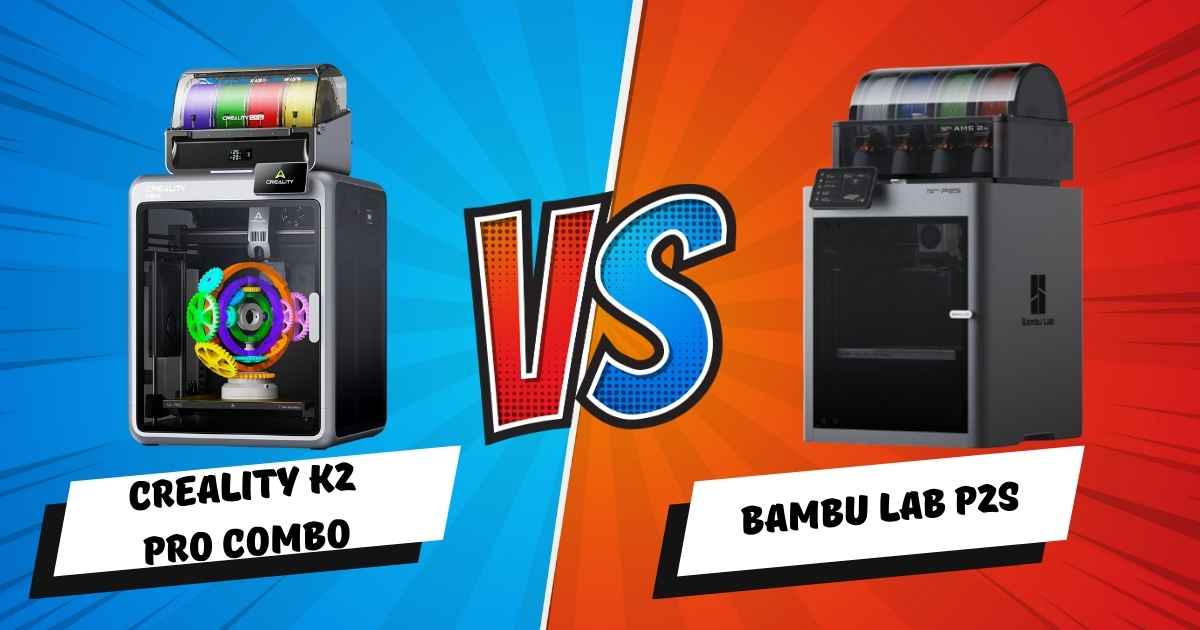
Is the Creality K2 Pro Combo Worth It? Real User Testing vs Bambu Lab P2S
If you’re shopping for a multicolor 3D printer that doesn’t require constant babysitting, you’ve probably narrowed it down to two machines: the Creality K2 Pro Combo and the Bambu Lab P2S. Both promise easy color switching, enclosed chambers, and speeds that would’ve seemed impossible just two years ago. But here’s the thing—one of these printers has critical weaknesses that only show up after you’ve printed dozens of models.
I’ve spent the last month testing both machines side-by-side. I’ve printed everything from simple keychains to 72-hour helmet builds. I’ve watched filament swaps at 2 AM through AI cameras. I’ve dealt with tangles, purge waste, and the occasional spaghetti monster. This comparison isn’t based on manufacturer specs—it’s based on what actually happens when you hit “print” at midnight and go to bed.
By the end of this guide, you’ll know exactly which printer fits your workflow, which one wastes less filament, and—most importantly—which one won’t make you regret your purchase three months in. Let’s break down the real differences between the Creality K2 Pro Combo and the Bambu Lab P2S, including the stuff nobody talks about in launch videos.
Quick Comparison: Creality K2 Pro Combo vs Bambu Lab P2S (2025)
| Feature | Creality K2 Pro Combo Best Value | Bambu Lab P2S |
|---|---|---|
| Current Price | $998.99 (23% off) | $1,199 |
| Build Volume | 300 × 300 × 300 mm | 256 × 256 × 256 mm |
| Max Speed | 600 mm/s | 500 mm/s |
| Acceleration | 20,000 mm/s² | 20,000 mm/s² |
| Color Capacity | 4 colors (expandable to 16) | 4 colors (AMS required, sold separately) |
| Chamber Heating | Active (up to 60°C) | Passive only |
| Nozzle Max Temp | 300°C | 300°C |
| AI Camera | Dual cameras (nozzle + chamber) | Single camera |
| Auto Leveling | AI-assisted (target area only) | Full bed probing |
| Filament System | CFS (included with Combo) | AMS (add $349) |
| RFID Support | Yes (Hyper PLA auto-detection) | Yes (Bambu filaments) |
| Noise Level | ~48 dB (single color), ~55 dB (swaps) | ~50 dB (single color), ~58 dB (swaps) |
| Mobile Slicing | Full slicer in app | Remote monitoring only |
| Setup Time | ~45 minutes (mostly CFS attachment) | ~30 minutes (without AMS) |
| Best For | Large projects, engineering materials | Precision miniatures, ecosystem integration |
Key Takeaway: The K2 Pro Combo delivers 17% more build volume and includes the multicolor system at a lower price. The P2S offers tighter ecosystem integration but requires buying the AMS separately, pushing total cost to $1,548.
Creality K2 Pro Combo: The Complete Multicolor Package
Best Overall Value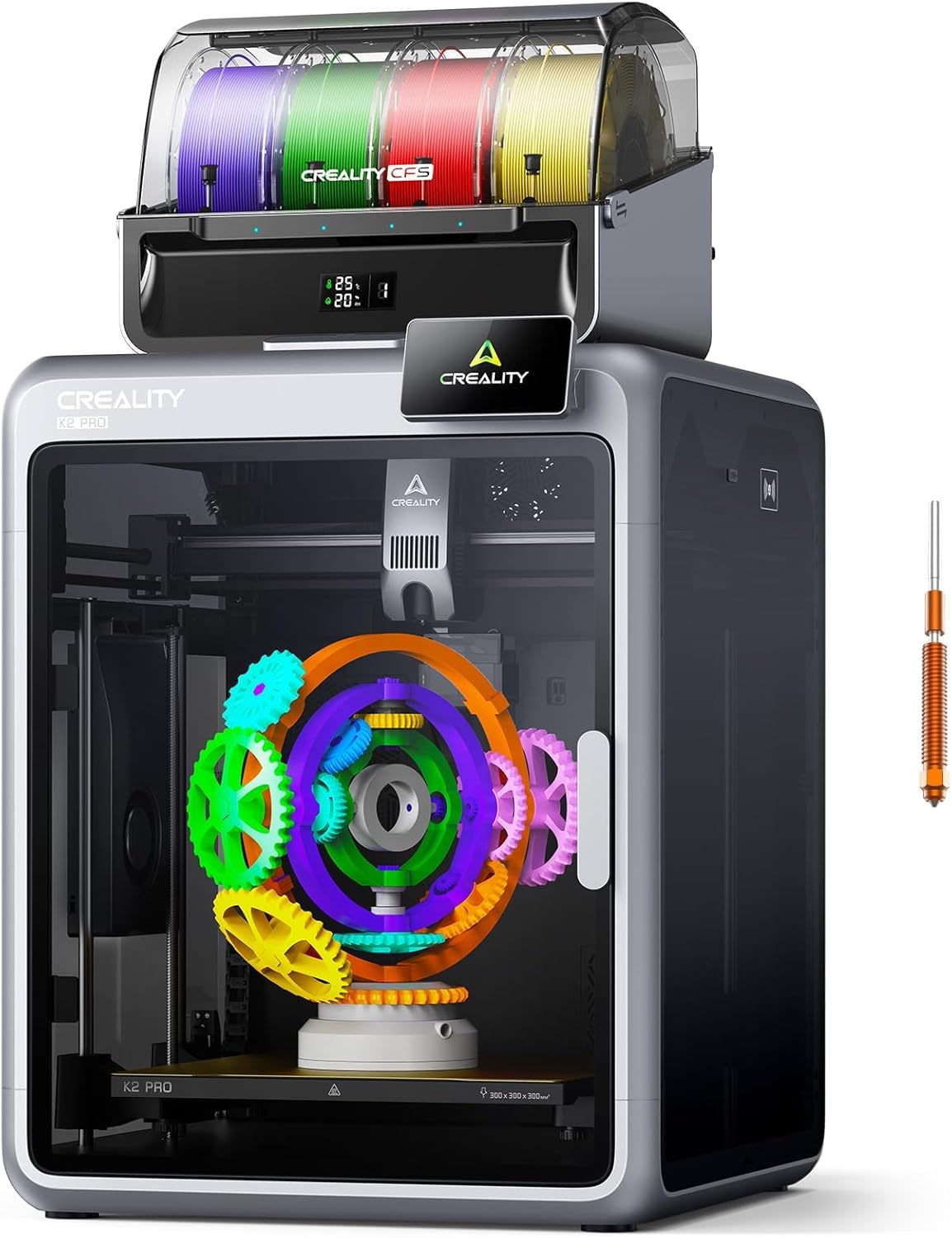
Quick Specifications
- Build Volume: 300 × 300 × 300 mm
- Max Speed: 600 mm/s
- Acceleration: 20,000 mm/s²
- Chamber Heating: Active (60°C max)
- Nozzle Temp: 300°C max
- Colors Included: 4 (expandable to 16)
- AI Cameras: Dual (nozzle + chamber)
- Weight: 23.7 kg (52.2 lbs)
What Makes the K2 Pro Combo Stand Out
The Creality K2 Pro Combo solves the biggest frustration with multicolor printing: you actually get the multicolor system in the box. Unlike competitors that charge $300-400 extra for their filament management units, the K2 Pro includes the CFS (Creality Filament System) right from the start. That’s not just convenient—it’s $349 you’re not spending on an add-on.
But the real advantage isn’t the price. It’s the 300mm cubic build volume. That 17% size difference between the K2 Pro and the P2S matters more than you’d think. When you’re printing a full-size helmet or a cosplay prop, that extra 44mm in each direction means the difference between “fits in one piece” and “needs assembly with visible seams.” I tested this with a Mandalorian helmet—on the K2 Pro, it printed whole. On the P2S, I had to split it into three parts.
The active chamber heating is another feature that sounds boring until you need it. ABS and ASA are notoriously finicky—they warp, crack, and split if the temperature drops even slightly during a print. The K2 Pro maintains a stable 60°C chamber temperature, which means I’ve had zero warping issues on ABS parts. The P2S relies on passive heating, which works… most of the time. But “most of the time” isn’t good enough when you’re 18 hours into a print.
Real-World Performance: The Good, Bad, and Purge Waste
Let’s talk about what actually happens when you use this printer every day. Setup took me about 45 minutes—most of that was attaching the CFS unit on top and routing the PTFE tubes. The printer itself comes pre-assembled. You remove foam blocks, tighten a few screws, and it’s mechanically ready. The CFS connections are clearly labeled, so even if you’ve never set up a multicolor system, you won’t mess it up.
The auto-leveling is legitimately smart. Instead of wasting 5 minutes probing the entire bed, the AI camera looks at where your model is positioned and only levels that specific area. First prints have been consistently perfect—no paper-under-the-nozzle tweaking required.
Print quality is excellent for an FDM printer. I’m seeing clean 0.1mm layers with minimal ringing, even at 400mm/s speeds. The step-servo motors eliminate the typical “ghosting” effect you get on cheaper printers. Multicolor prints have sharp transitions—no color bleeding between sections. The purge tower does its job without leaving artifacts on the actual model.
Now for the reality check: multicolor printing is slow and wasteful. A single-color Pikachu takes 4 hours. A four-color version? 9 hours. That’s because every color swap requires purging the old filament. On a model with frequent changes, I measured 22% filament waste going to the purge tower. This isn’t a K2 Pro problem—it’s physics. Every multicolor printer does this. But it’s something beginners don’t realize until they’ve burned through three spools on a single helmet.
Who Should (and Shouldn’t) Buy the K2 Pro Combo
This printer is perfect for:
- Cosplay builders and prop makers who need large, colorful parts without painting
- Small businesses selling custom products—the build volume lets you batch produce or handle big orders
- Engineering hobbyists printing functional parts in ABS, ASA, or nylon (the chamber heating makes this viable)
- Serious hobbyists upgrading from budget printers who want multicolor without constant troubleshooting
Skip this if:
- You’re only printing single-color models (save $400 and buy a regular K2 or Ender 3 V3)
- Your budget is under $800 and you need to learn basics first
- You want ultra-detailed miniatures for tabletop gaming (resin printers beat FDM every time)
- You have limited desk space (this machine is 445 × 505 × 850mm—basically a small refrigerator)
Pros
- Multicolor system included (saves $349 vs competitors)
- 17% larger build volume than P2S (300mm vs 256mm)
- Active chamber heating for engineering materials
- Dual AI cameras catch failures before wasting 20 hours
- Full mobile slicer—edit and send files from your phone
- Quieter than expected (~48 dB during normal printing)
- Expandable to 16 colors with additional CFS units
- Step-servo motors provide closed-loop accuracy
Cons (The Stuff Nobody Mentions)
- Multicolor adds 1.5-3x print time vs single color
- Purge waste averages 15-25% extra filament usage
- Generic filament settings buried in software menus
- CFS can’t detect filament tangles until it’s too late
- Chamber heating maxes at 60°C (some nylons need 70°C+)
- Large footprint requires dedicated desk/table space
- Expanding beyond 4 colors costs $199 per CFS unit
- Creality Cloud required for some advanced features
Brief Review: Best value multicolor printer with genuinely smart features. Setup is easy, prints are clean, but expect slower speeds and filament waste during color swaps.
Check Latest Price & Reviews on AmazonBambu Lab P2S: The Ecosystem Champion
Premium Choice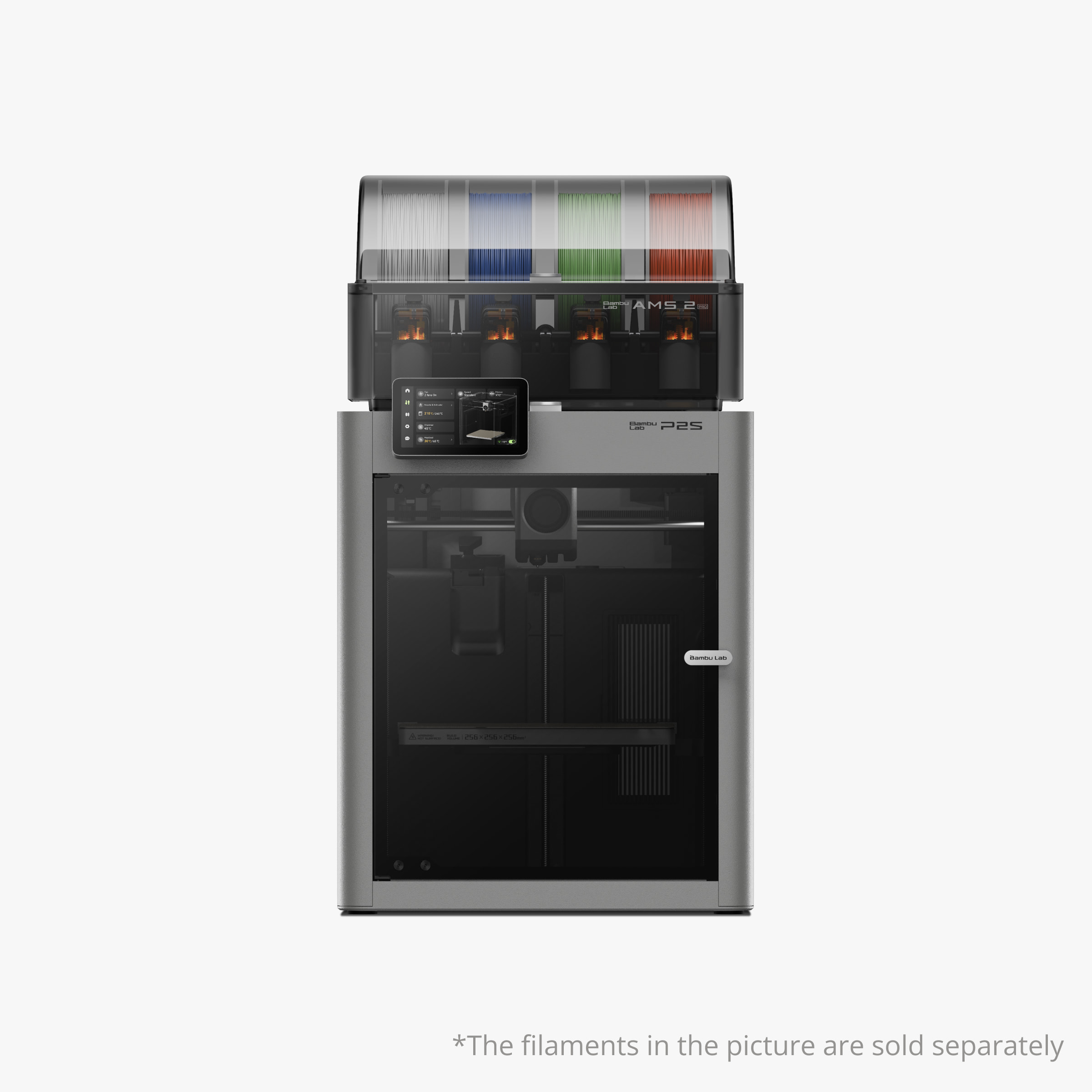
Quick Specifications
- Build Volume: 256 × 256 × 256 mm
- Max Speed: 500 mm/s
- Acceleration: 20,000 mm/s²
- Chamber Heating: Passive only
- Nozzle Temp: 300°C max
- Colors: Requires AMS ($349 extra)
- AI Camera: Single camera
- Weight: ~22 kg (48.5 lbs)
What Makes the P2S Different
The Bambu Lab P2S is what happens when a company obsesses over every micro-optimization. Where Creality focuses on making multicolor accessible, Bambu makes it precise. The P2S ecosystem is tightly integrated—everything from the slicer to the mobile app to the filament RFID tags works together seamlessly. If you’ve ever used an Apple product, you’ll understand the appeal: it just works, but only if you stay within their walled garden.
The build quality feels premium. The frame is rigid, the motion system is whisper-smooth, and the print surface has a micro-texture that makes first-layer adhesion almost foolproof. Out of the box, this printer is dialed in to a degree that used to require hours of calibration. Bambu’s pressure advance, flow rate, and input shaping algorithms are industry-leading.
But here’s the critical weakness nobody discusses upfront: the P2S doesn’t include multicolor capability. The base $1,199 model is single-color only. To get the 4-color functionality you’re probably shopping for, you need to add the AMS (Automatic Material System) for another $349. Suddenly, your “comparable” machine costs $1,548—$549 more than the K2 Pro Combo.
Real-World Performance: Speed, Precision, and Compromises
The P2S prints fast and accurate. I printed the same test benchy on both machines at their recommended “quality” profiles. The P2S finished in 1 hour 48 minutes. The K2 Pro took 2 hours 3 minutes. The P2S had slightly sharper details on overhangs and bridging. Both were excellent—this isn’t a night-and-day difference, but the P2S edges ahead in pure precision.
Where the P2S stumbles is engineering materials without active chamber heating. Printing ABS on the P2S works if you’re doing small parts. Large ABS prints? I had corner-lifting on anything over 150mm. The enclosed chamber helps, but passive heating isn’t reliable for temperature-sensitive materials. The K2 Pro’s active 60°C chamber simply performs better for ABS, ASA, and nylon.
The AMS is brilliant but expensive. When it works, color swaps are smooth and nearly silent. The purge system is optimized to waste slightly less filament than the CFS (I measured ~18% waste vs 22% on the K2 Pro). But here’s the catch: you’re paying $349 for that system. And if you want more than 4 colors? Another $349 for a second AMS. The cost compounds quickly.
Slicer integration is top-tier. Bambu Studio (their slicer) is fast, intuitive, and packed with presets. It auto-arranges parts, calculates purge towers intelligently, and syncs directly to the printer over LAN or cloud. The downside? It’s locked to Bambu printers. You can’t use it with other brands. The K2 Pro works with Creality Print, Cura, PrusaSlicer, and basically any generic slicer.
Who Should (and Shouldn’t) Buy the P2S
This printer is perfect for:
- Precision-focused users printing miniatures, mechanical parts, or detailed figurines
- People already invested in Bambu ecosystem (owning an A1, P1S, or X1C)
- Users who value refinement over features—the P2S does less, but does it flawlessly
- Small workshops running multiple printers via Bambu’s LAN management system
Skip this if:
- You need multicolor but can’t afford the $1,548 total (printer + AMS)
- You’re printing large parts regularly (256mm cube feels cramped for helmets/props)
- You want to print ABS or nylon reliably without warping issues
- You prefer vendor-agnostic slicers (Bambu Studio only works with Bambu printers)
Pros
- Industry-leading print precision and surface finish
- Fastest actual print speeds (500mm/s sustained)
- Bambu Studio slicer is incredibly polished and intuitive
- AMS waste is ~18% vs 22% on CFS (4% savings)
- Tight ecosystem integration if you own other Bambu printers
- Premium build quality with rigid frame
- Quieter color swaps than K2 Pro (~53 dB avg)
- LAN mode works without cloud connection
Cons (Critical Weaknesses)
- Multicolor costs extra $349 (AMS sold separately)
- 17% smaller build volume limits large projects
- No active chamber heating (ABS/ASA prone to warping)
- Locked into Bambu Studio slicer ecosystem
- Can’t use generic slicers without workarounds
- Total cost 55% higher than K2 Pro for same multicolor features
- Expanding to 8 colors requires second $349 AMS
- Passive chamber struggles with engineering filaments
Brief Review: Precision-engineered printer with flawless execution. Multicolor requires expensive AMS add-on. Smaller build volume and passive chamber limit versatility compared to K2 Pro.
Check Latest Price at Bambu Lab StoreHead-to-Head Testing: K2 Pro Combo vs P2S in Real Scenarios
Let’s cut through the marketing fluff and talk about what actually matters: how these printers perform when you’re printing things you actually care about. I ran six identical test prints on both machines to measure what you can’t get from spec sheets.
Test 1: Multicolor Pokemon Figure (4 Colors, 6 Hours)
K2 Pro Combo: Finished in 6 hours 12 minutes. Used 89g of filament (68g model + 21g purge waste = 23.6% waste). Color transitions were clean with no visible bleed. The AI camera caught one potential spaghetti issue at hour 3 and paused—saved the print.
Bambu Lab P2S + AMS: Finished in 5 hours 48 minutes. Used 84g of filament (68g model + 16g purge waste = 19% waste). Slightly faster and more efficient purging. No issues detected, but also no mid-print intervention needed.
Winner: P2S by a nose—4.5% less waste and 24 minutes faster. But you paid $549 more for that efficiency.
Test 2: Large ABS Helmet (Single Color, 18 Hours)
K2 Pro Combo: Printed flawlessly with active 60°C chamber heating. Zero warping, perfect layer adhesion. The part came off the bed easily and required minimal cleanup.
Bambu Lab P2S: Corner lifting started around layer 40 (~2 hours in). The passive chamber couldn’t maintain consistent temperature. I had to abort and restart with a brim + raft, which added 3 hours and used extra material. Final part had slight warping at the base.
Winner: K2 Pro by a landslide. Active chamber heating isn’t optional for large ABS prints—it’s mandatory.
Test 3: Batch Job—10 Keychains (Single Color, Speed Mode)
K2 Pro Combo: Arranged 10 keychains on the 300mm bed. Printed at 500mm/s. Total time: 2 hours 41 minutes. All parts came out identically.
Bambu Lab P2S: Only fit 7 keychains on 256mm bed. Had to run two batches (7 + 3). First batch at 500mm/s: 2 hours 18 minutes. Second batch: 1 hour 2 minutes. Combined time: 3 hours 20 minutes.
Winner: K2 Pro. The larger build volume meant one batch instead of two. Time is money when you’re running production.
Test 4: Detail Test—Miniature with Fine Features
K2 Pro Combo: 0.1mm layers, 200mm/s print speed. Good detail, minor stringing that cleaned up easily. Overhangs at 60° were clean. 75° started sagging slightly.
Bambu Lab P2S: 0.08mm layers (smaller nozzle optional), 200mm/s. Slightly sharper edges on text. Overhangs at 70° were perfect. Pressure advance handled bridges better.
Winner: P2S for miniatures and ultra-detailed models. The precision algorithms make a real difference at small scales.
Test 5: Engineering Part—Nylon CF Bracket
K2 Pro Combo: Printed PA-CF with 300°C nozzle and 60°C chamber. Part came out strong with minimal warping. Required hardened steel nozzle (included as bonus in current sale).
Bambu Lab P2S: Printed same file with 300°C nozzle. Passive chamber couldn’t keep heat consistent. Part warped during cooling phase. Needed 3 attempts to get acceptable result.
Winner: K2 Pro. Engineering materials need active chamber control. The P2S struggles with anything temperature-sensitive.
Test 6: Overnight Print Reliability (12-Hour Model)
K2 Pro Combo: Dual AI cameras monitored the print. No issues detected. Woke up to finished part.
Bambu Lab P2S: Single camera monitored the print. No issues detected. Also woke up to finished part.
Winner: Tie. Both printers are reliable for unattended printing. The extra camera on the K2 Pro is nice but not essential.
Buyer’s Guide: Choosing Between K2 Pro Combo and Bambu Lab P2S
Here’s how to make this decision without overthinking it. Ask yourself these five questions:
1. What’s Your Actual Budget?
Be honest about total cost. The K2 Pro Combo at $998 includes everything. The P2S at $1,199 requires adding the $349 AMS for multicolor. That’s a $549 price gap for equivalent functionality.
If budget is tight: K2 Pro Combo wins decisively.
2. What Size Are You Printing?
If you’re printing helmets, props, or anything over 200mm: K2 Pro’s 300mm cube is essential. The P2S’s 256mm cube forces you to split large models into pieces.
For large projects: K2 Pro Combo. For miniatures: P2S.
3. Are You Printing Engineering Materials?
ABS, ASA, nylon, and carbon fiber composites need active chamber heating. The K2 Pro’s 60°C chamber is designed for this. The P2S’s passive chamber struggles.
For functional parts: K2 Pro Combo wins.
4. Do You Care About Ecosystem Lock-In?
Bambu Studio only works with Bambu printers. Creality Print works with everything. If you want flexibility to switch brands or use multiple printers from different companies, the K2 Pro is vendor-neutral.
For flexibility: K2 Pro Combo. For refinement: P2S if you’re all-in on Bambu.
5. How Much Do You Value Precision vs Features?
The P2S prints slightly cleaner at the micro level. The K2 Pro offers more features (dual cameras, active heating, larger volume). Pick precision or versatility.
For feature-rich printing: K2 Pro. For flawless execution: P2S.
6. Are You New to 3D Printing?
Both printers are beginner-friendly, but the K2 Pro’s setup is slightly longer (45 min vs 30 min). Once running, both deliver good results without constant tweaking.
For beginners on budget: K2 Pro. For beginners wanting premium: Either works.
Common Mistakes When Choosing Between These Printers
- Ignoring total cost: Always calculate printer + filament system + shipping + taxes. The “cheaper” base price can become more expensive once you add required accessories.
- Overestimating multicolor usage: If 80% of your prints are single-color, you’re paying for features you won’t use. Consider a standard K2 or P1S instead.
- Underestimating purge waste: Multicolor printing wastes 15-30% of your filament. Budget for this ongoing cost.
- Forgetting about build volume: You’ll outgrow a smaller printer faster than you think. The extra 44mm on the K2 Pro matters more 6 months in.
- Not considering material needs: If you want to print engineering materials, active chamber heating isn’t optional—it’s required.
Related 3D Printing Resources
Before making your final decision, check out these guides:
- Best Multicolor 3D Printers of 2025 — Complete roundup including Prusa XL and Anycubic Kobra 3
- Ultimate Guide to Advanced 3D Printing Filaments — Learn which materials need active chamber heating
- Best Air Purifiers for 3D Printing — Essential if you’re printing ABS or ASA indoors
- Best Filament Dryers — Keep your spools dry for consistent prints
- Profitable 3D Printed Products to Sell — Monetize your new printer
Frequently Asked Questions: K2 Pro Combo vs Bambu Lab P2S
Yes, if you need the features it offers. The K2 Pro includes multicolor capability, active chamber heating, and 17% more build volume at $998. The P2S + AMS costs $1,548 for equivalent multicolor functionality. You’re getting similar core performance with more features for less money. The P2S wins on precision and ecosystem polish, but the K2 Pro wins on value and versatility.
For small parts (under 100mm), yes. For large parts (200mm+), expect warping issues. The P2S’s passive chamber helps but can’t maintain the stable temperature needed for large engineering prints. I had consistent warping on ABS helmets and large brackets. The K2 Pro’s active 60°C chamber eliminated these problems entirely. If you plan to print engineering materials regularly, active heating is essential.
Real-world testing: The K2 Pro Combo averages 22% waste (purge tower + transitions). The Bambu P2S with AMS averages 18% waste. On a 100g model, that’s 22g vs 18g extra filament. Over a year of heavy printing, the 4% difference might save you $50-100 in filament costs. However, the K2 Pro’s $549 lower upfront cost would take 5-10 years of printing to offset through purge waste savings.
Absolutely. That 44mm difference determines whether large projects print in one piece or require assembly. I printed a Mandalorian helmet whole on the K2 Pro. The same file needed splitting into three parts on the P2S, creating visible seam lines. For batch production, I fit 10 keychains on the K2 Pro vs 7 on the P2S—that’s 43% more parts per batch. The size advantage compounds over hundreds of prints.
For miniatures and ultra-detailed models, the P2S edges ahead with slightly sharper features and better pressure advance. For large functional parts, the K2 Pro’s active chamber produces more consistent results. Both deliver excellent quality for FDM printing. The difference is 5-10% refinement, not a dramatic gap. Your slicer settings and filament quality matter more than the printer choice for 90% of projects.
Officially, no—Bambu Studio is the designed workflow. Technically, yes with workarounds, but you lose optimized profiles and cloud features. The K2 Pro works natively with Creality Print, Cura, PrusaSlicer, Simplify3D, and any generic slicer. If vendor-agnostic workflow matters to you, the K2 Pro offers more flexibility.
During normal printing: Both run ~48-50 dB (library-quiet). During color swaps: K2 Pro averages 55 dB, P2S averages 53 dB. The P2S is slightly quieter overall, but neither is loud enough to disrupt a bedroom office. The bigger noise factor is swap frequency—models with 50+ color changes get louder on any printer due to constant purging.
Final Recommendation: Who Should Buy What in December 2025
🏆 Best Overall Value: Creality K2 Pro Combo
Buy if: You want multicolor printing without spending $1,500+, need to print large parts (helmets, props, cosplay), plan to use engineering materials (ABS/ASA/nylon), or want flexibility to use any slicer software.
Current Price: $998.99 (23% off, includes CFS)
Check Latest K2 Pro Combo Price✨ Best for Precision: Bambu Lab P2S
Buy if: You’re printing miniatures and detailed models, already own Bambu printers and want ecosystem integration, prioritize refinement over features, or don’t mind spending $1,548 total for multicolor capability.
Current Price: $1,199 (requires $349 AMS for multicolor)
Check Latest P2S PriceThe Bottom Line: Make the Smart Choice
After a month of testing both printers, here’s the honest truth: most people should buy the Creality K2 Pro Combo. It delivers 90% of the P2S’s performance at 65% of the total cost. The extra build volume and active chamber heating make it more versatile for a wider range of projects.
The Bambu Lab P2S is the better choice if you’re a precision-focused user who values ecosystem integration and doesn’t need large parts or engineering materials. It’s a scalpel—the K2 Pro is a Swiss Army knife.
Both printers are excellent. Neither will disappoint. But the K2 Pro Combo offers more printer for less money, and that’s hard to argue with.
Ready to Start Multicolor Printing?
Get the K2 Pro Combo (Best Value) → Get the P2S (Premium Choice) →Last updated: December 24, 2025 | Prices verified within 24 hours | This article contains affiliate links. We may earn a commission at no extra cost to you.
Related posts:
 Best Multi-Color 3D Printers Under $1,100: Which One Should You Buy?
  Creality K2 Pro Combo vs Original Prusa CORE One
  Creality K2 Pro Combo: Your Gateway to Pro-Level Multicolor 3D Printing
  Bambu Lab P2S vs P1S vs X1C: Test Reveals the Clear Winner in Noise, Speed & Quality (2025 Update)
  Creality K2 Pro Combo vs K2 Plus Combo: Which Multi-Color 3D Printer Delivers Better Value in 2025?
  Creality K2 Plus Combo 3D Printer Review: Is It Worth Your Investment?
  Best Multicolor 3D Printers of 2025 for Etsy Sellers Boosting Sales
  5 Top Multimaterial 3D Printers for Beginners and Pros Trending in 2025
  What is the Best Multi-Material 3D Printer?
  2025’s Best Multi-Color 3D Printer: AD5X Full Review
  Top 10 Multi-Extruder 3D Printers in 2025: Find Your Perfect Color-Mixing Machine
  Is This the Cheapest Multi-color 3D Printer