
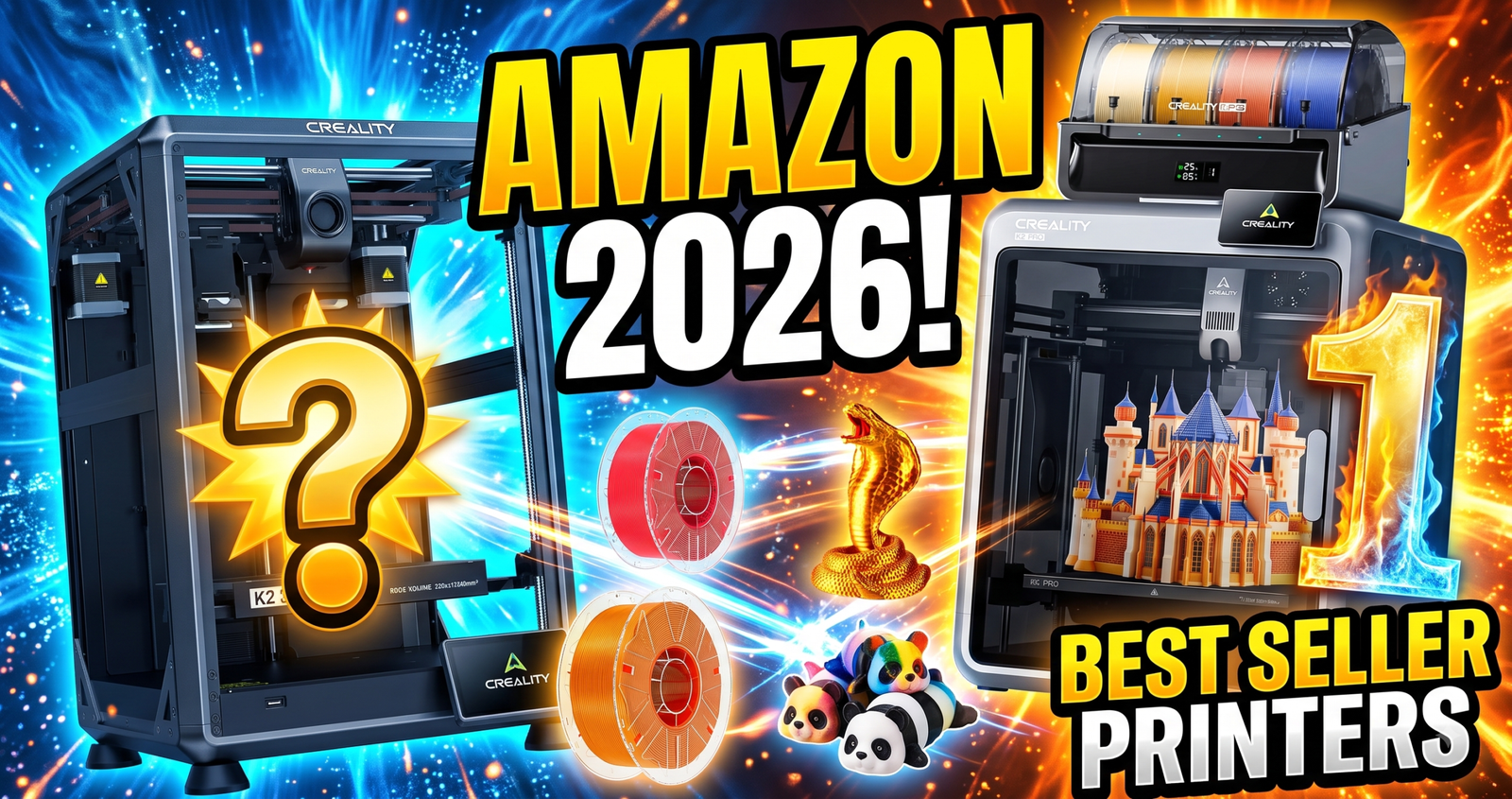
Fourteen 3D printing products, three categories — printers, filament, and accessories — all pulled from what’s actually selling on Amazon right now.
The Bambu Lab P1S Combo is the best-selling 3D printer on Amazon this month — 3,000+ bought at $549. But printers are only a third of the picture. SUNLU’s basic black PLA has racked up 11,269 ratings. A $14 tube of gap-filling super glue has 3,447 ratings and 8,000+ monthly buyers. This roundup covers all fourteen best-selling 3D printing products on Amazon right now: six printers, four filaments, and four accessories.
Every price, rating, and review count below is pulled straight from the live Amazon listings — nothing here is estimated.
Quick Picks — 2026
- Best Overall Printer: Bambu Lab P1S Combo — full AMS multi-color included, safest buy for most people.
- Best Budget Printer: ELEGOO Centauri Carbon 2 — multi-color CoreXY printing under $400.
- Best Proven Filament: SUNLU PLA, Black 1KG — 11,269 ratings, the most review-tested spool on this list.
- Best Bulk Filament Value: ANYCUBIC PLA 10KG Bundle — ~$12.18/kg across 10 colors (see link note below).
- Best Cheap Fix-It Accessory: 3D Printing Super Glue Gel — 8,000+ bought last month, gap-filling formula for failed prints.
Category 1 · 3D Printers
Bambu Lab P1S Combo: Why It’s Outselling Everything Else
The P1S Combo bundles the printer with a full AMS unit, so you get 4-color-plus printing without buying a separate module later. That’s the single biggest reason it’s moved 3,000+ units in a month at $549.
Real-world implication: the AMS bundle matters more than the CoreXY speed spec for most buyers. Multi-color printing without buying add-ons later is what actually saves money and hassle over the printer’s lifespan — the raw speed number is secondary for anyone not printing production runs.
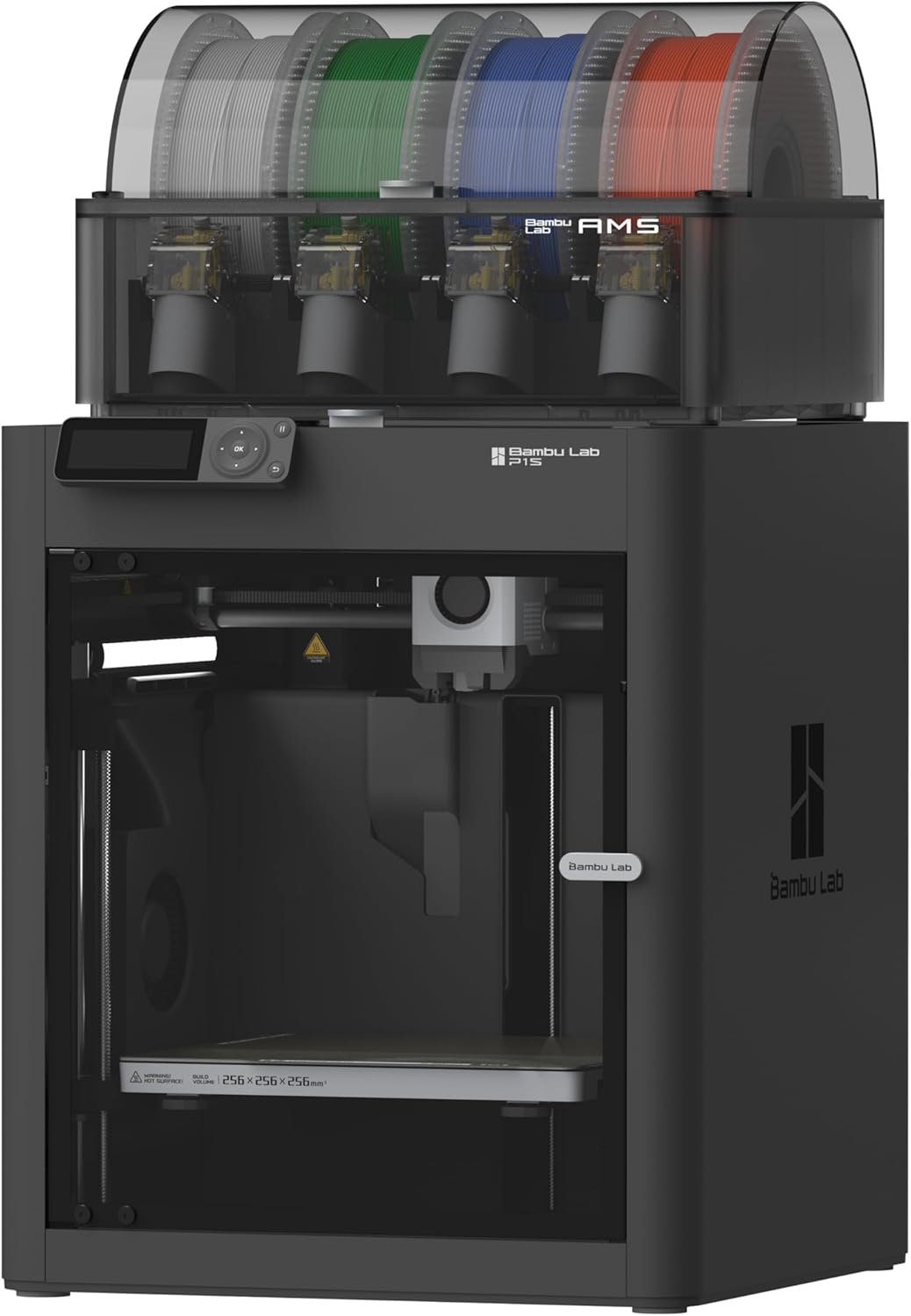
The AMS unit (right side) is what lets the P1S switch between four filament spools mid-print without manual swaps.
↗ Check Bambu Lab P1S Combo — $549.00 on AmazonELEGOO Centauri Carbon 2: Is the Budget Option Worth It?
Yes, if you can live with a 265-rating sample size instead of Bambu’s 630. The Centauri Carbon 2 hits 500mm/s and includes 1-click auto leveling for $150 less than the P1S.
Real-world implication: the 350°C nozzle means this one can actually run engineering filaments like ABS or nylon blends, not just PLA — that’s a meaningful upgrade path for a sub-$400 machine. The lower star rating relative to Bambu tracks with it being a newer release with less review volume, not necessarily a reliability gap.
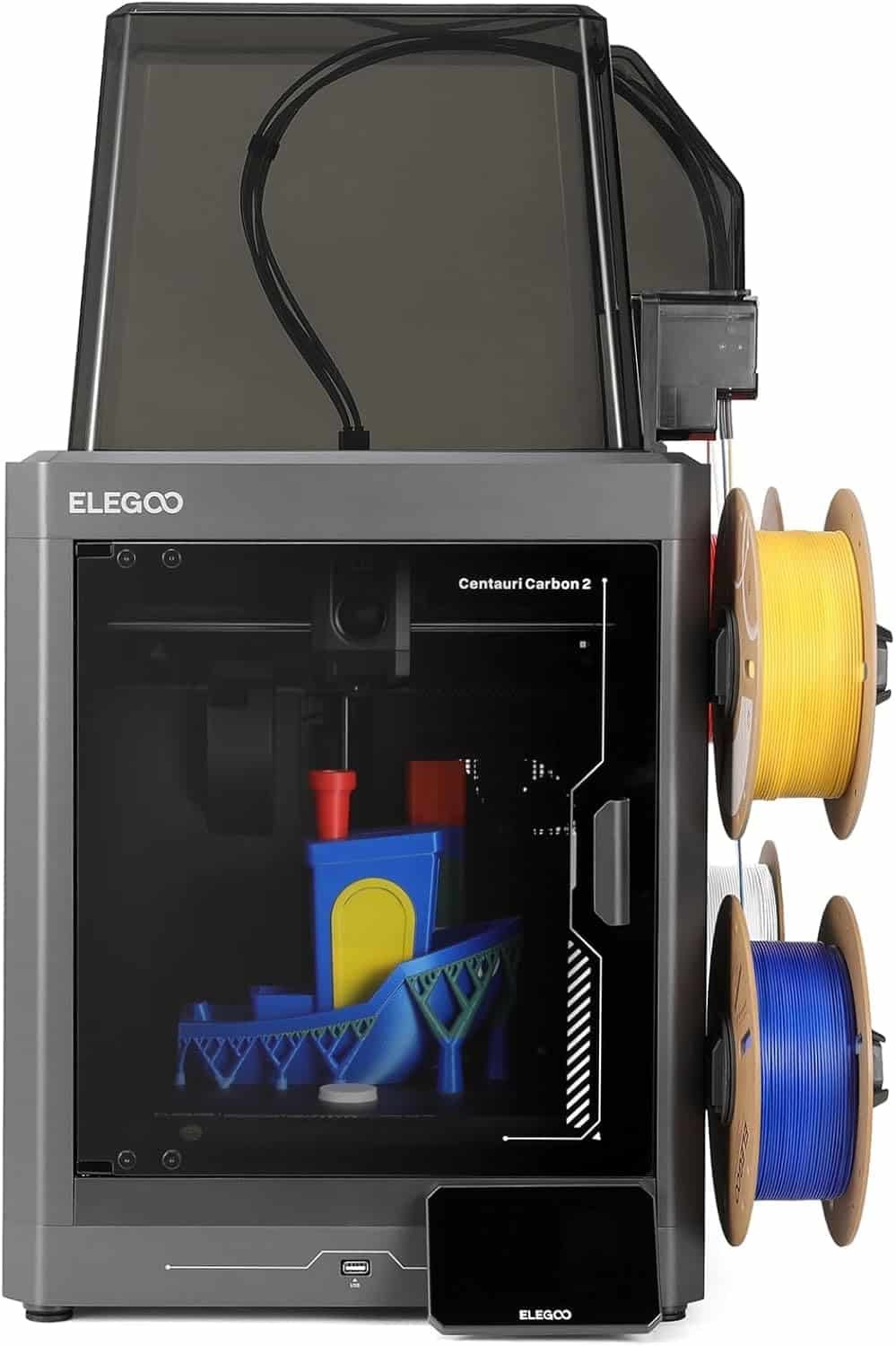
The enclosed frame helps with ABS warping — something open-frame budget printers in this price range usually skip.
↗ Check ELEGOO Centauri Carbon 2 — $399.99 on AmazonFLASHFORGE Creator 5: Does the 4-Toolhead System Actually Help?
Yes — the toolhead changer swaps physical nozzles in about 7 seconds instead of purging filament through one nozzle, which is the main reason multi-color prints on cheaper machines waste so much material.
Real-world implication: near-zero purge waste directly cuts filament cost on multi-color models — over a few months of regular printing, that savings starts to offset the higher upfront price versus a single-nozzle AMS-style system. The 63-rating sample is thin, so treat this one as a newer, less battle-tested pick.
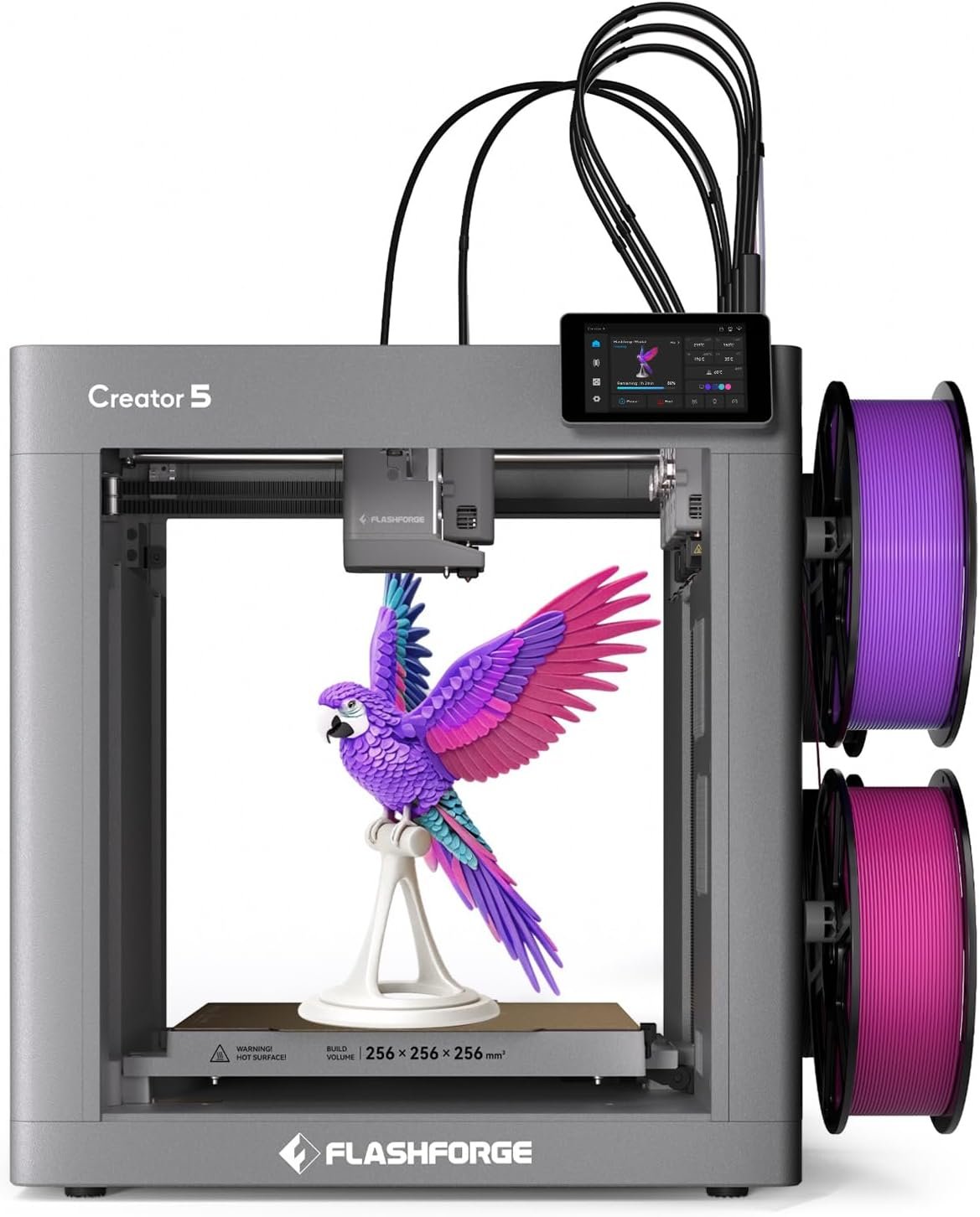
Four physical toolheads dock at the rear — each holds its own filament and nozzle, so colors swap without purging.
↗ Check FLASHFORGE Creator 5 — $699.00 on AmazonSnapmaker U1: Worth Paying More for a 5-Second Toolchanger?
The U1 has the highest buyer rating of any printer on this list — 4.6/5 across 91 ratings — and a 5-second toolchange is genuinely faster than anything else here.
Real-world implication: minimal purge plus a fast toolchanger means multi-color batch jobs finish noticeably sooner than on a slower AMS-style system — worth the premium if you’re printing multi-color pieces regularly rather than occasionally. It’s the priciest printer on this list, so it’s a harder sell for someone who mostly prints single-color functional parts.
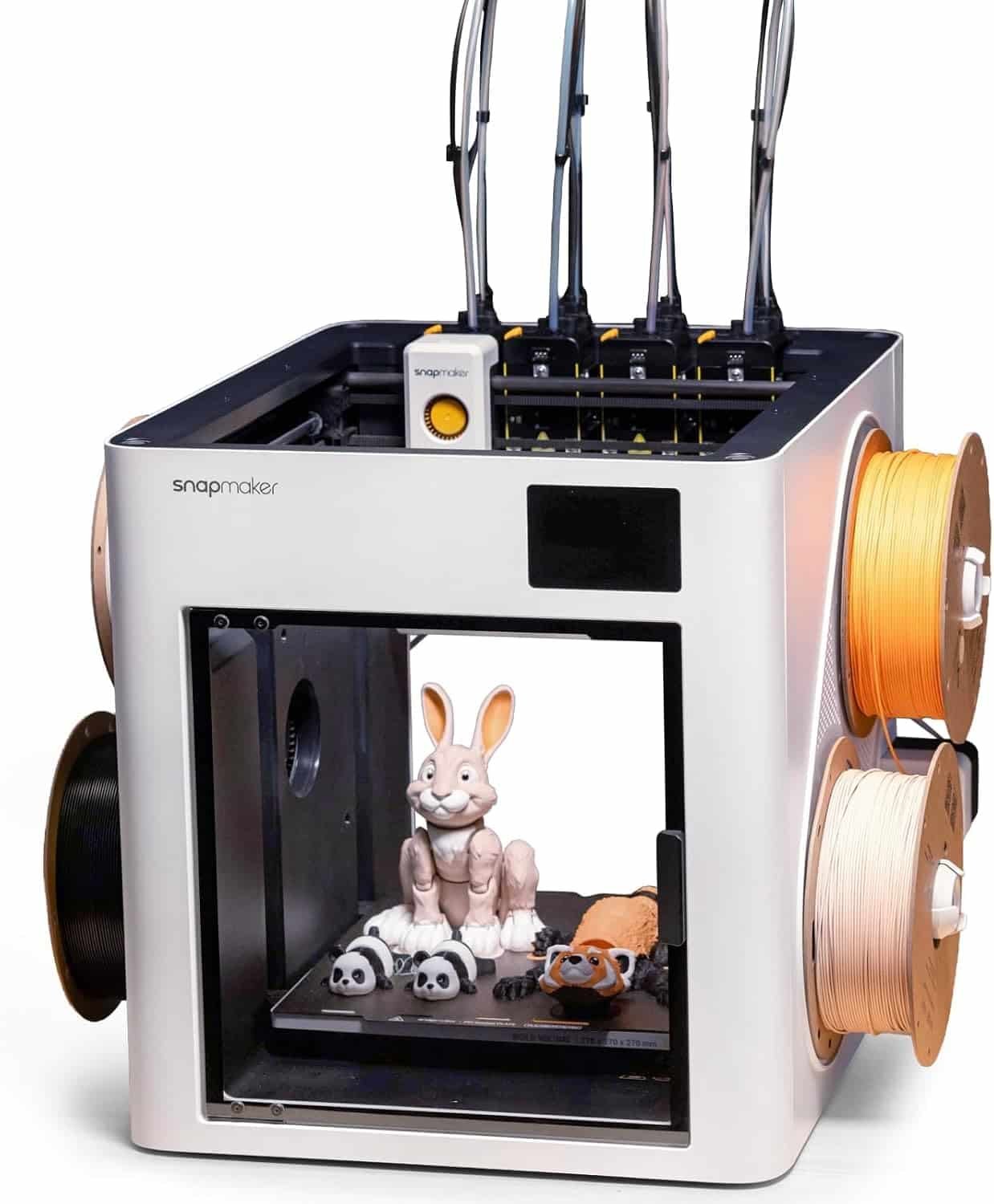
The auto filament system (top) feeds all four toolheads without manual spool changes between colors.
↗ Check Snapmaker U1 — $849.00 on AmazonCreality K2 Pro Combo: Best for Large or Batch Prints?
At 300×300×300mm, the K2 Pro has the biggest build volume on this list, and the active heated chamber makes it the strongest choice for warping-prone materials at scale.
Real-world implication: an actively heated chamber (not just a passive enclosure) is what actually lets you print large ABS or ASA parts without corner lifting — that’s the real differentiator over cheaper “enclosed” printers that just add walls. Combined with dual AI cameras for print monitoring, this one’s built for people running multiple jobs unattended, not casual single-part printing.
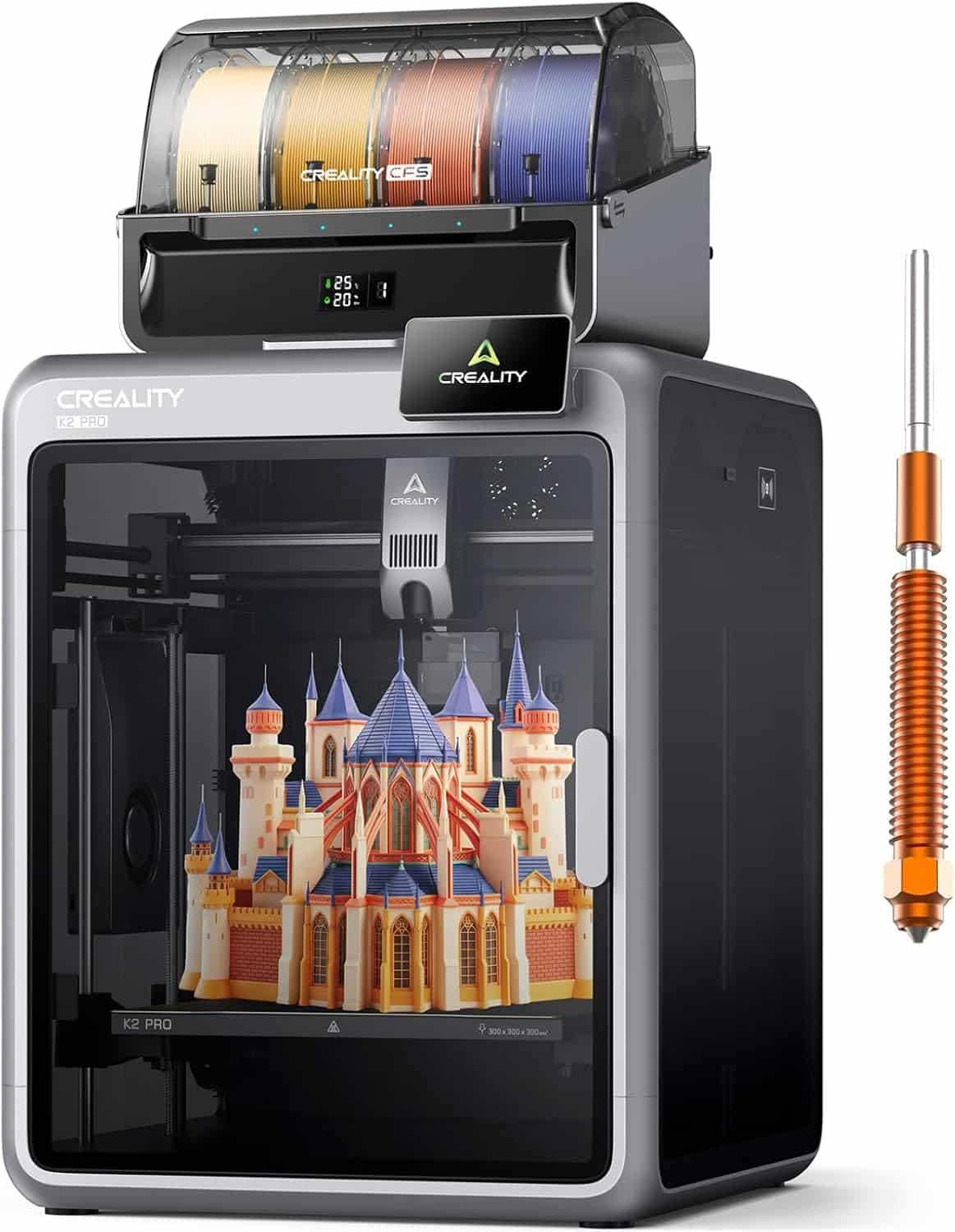
The dual AI camera module (top) flags failed prints early — useful when running large jobs overnight.
↗ Check Creality K2 Pro Combo — $849.00 on AmazonFLASHFORGE AD5X: The Sleeper Pick With 1,000+ Monthly Buyers?
The AD5X quietly outsells the Creator 5 and Snapmaker U1 combined — 1,000+ bought in the past month at just $409, with the highest review count of the six printers (1,014 ratings).
Real-world implication: a 1,014-rating sample at 4.0/5 is statistically more trustworthy than a smaller printer’s 4.6/5 — this is the safest data point on the whole list, even if the average score is lower. The smaller 220mm build volume is the real tradeoff for the price, not print quality.
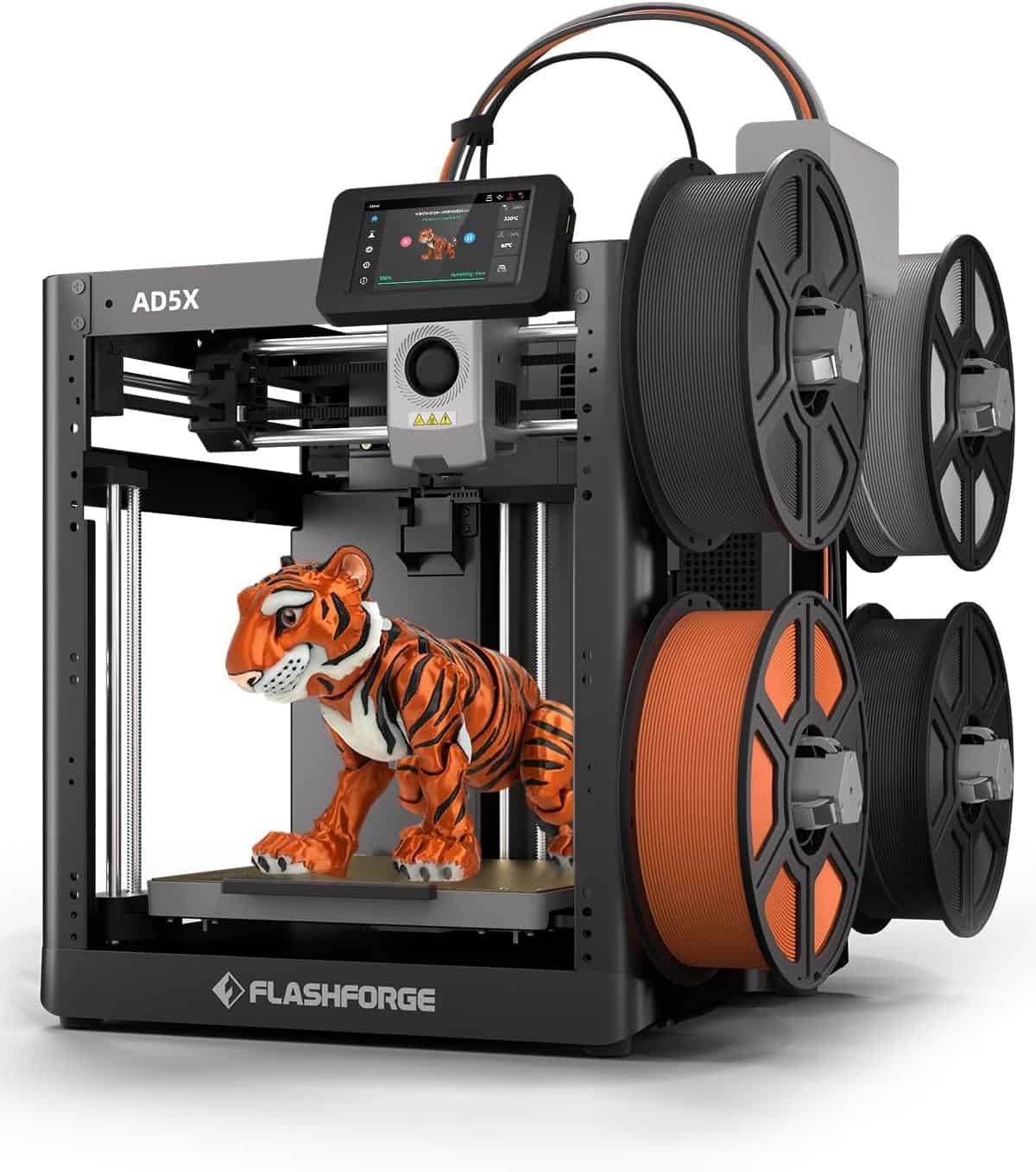
The direct drive extruder (mounted on the gantry) handles flexible filaments better than Bowden-style setups at this price.
↗ Check FLASHFORGE AD5X — $409.00 on AmazonCategory 2 · Filament
ANYCUBIC PLA Filament Bundle: Is 10KG for $121.82 a Good Deal?
At $121.82 for 10 x 1kg spools across 10 colors, this bundle works out to roughly $12.18/kg — competitive with single-spool premium PLA pricing, but with a full color range in one order.
Real-world implication: buying a 10-color bundle up front removes the “reorder every time I want a new color” friction that drives most people back to Amazon anyway. Best for manual color-swap printing on single-nozzle machines, or anyone stocking up for gifts and prototypes rather than one specific project.
No product image available for this listing in the current image set — add one before publishing.
↗ Check ANYCUBIC PLA Filament Bundle — $121.82 on Amazon⚠ Link check: this URL currently resolves to the ELEGOO Centauri Carbon 2 printer listing (ASIN B0G4TPZPZM), not an Anycubic filament product. Used as-supplied — verify and replace before publishing.
SUNLU PLA Filament, Black: Why Does a Basic Spool Have 11,269 Ratings?
Because it’s the safest possible default — no gimmicks, just consistently wound PLA that doesn’t jam, backed by the largest review sample of any product on this list.
Real-world implication: 11,269 ratings at 4.4/5 is a large enough sample that the score is close to statistically bulletproof — this is the spool to buy when you just need something that works on the first try, no research required.
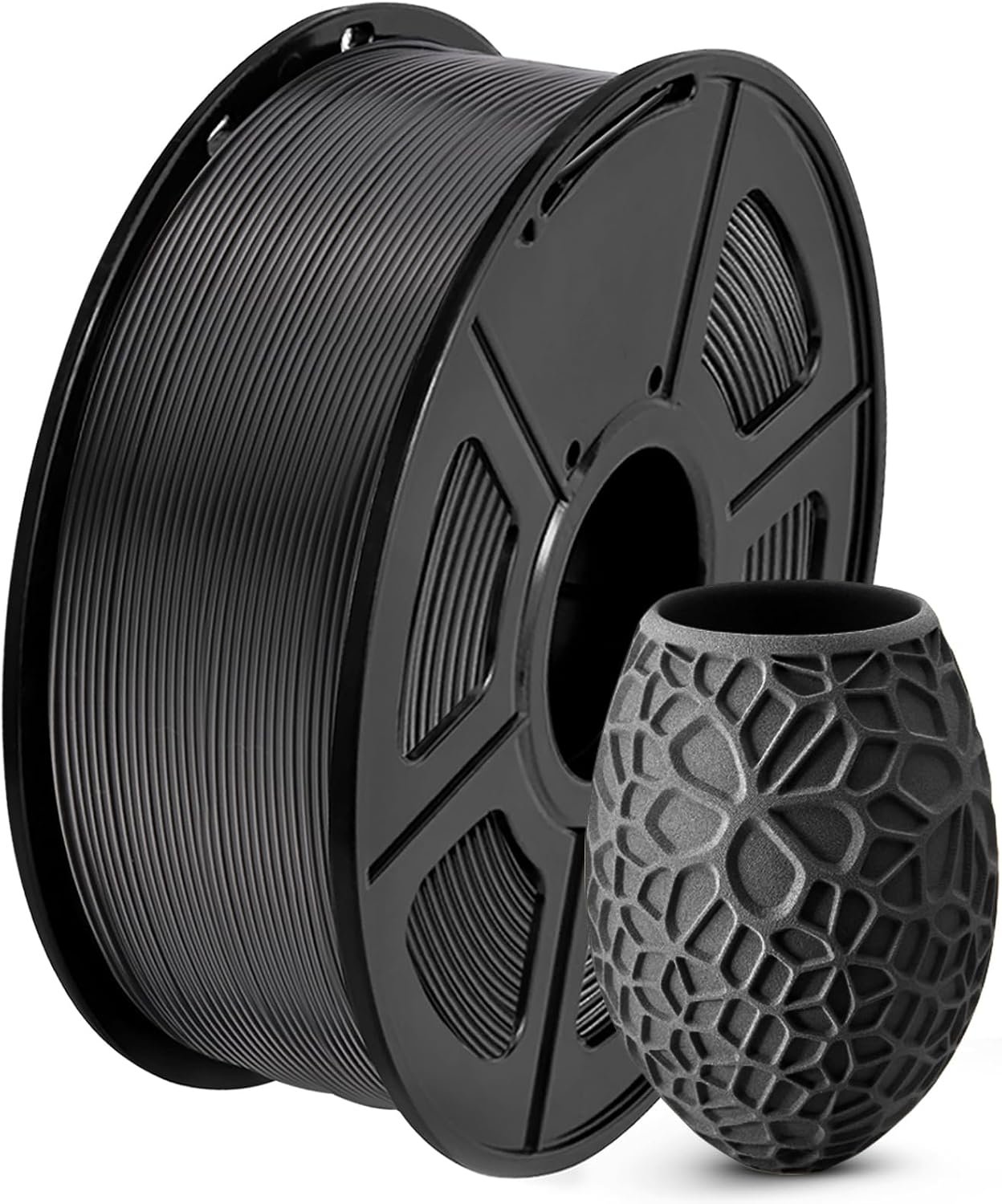
A reliable, tightly wound spool matters more than brand loyalty — tangled or damp filament causes more failed prints than the printer itself.
↗ Check SUNLU PLA Filament, 1KG — $13.99 on AmazonERYONE Silk PLA, Liquid Gold: Does Silk Filament Need Different Settings?
Yes — silk PLA needs slightly higher nozzle temps and slower print speeds than standard matte PLA to develop its shine, so don’t expect it to behave identically to your default profile.
Real-world implication: this is a decorative/display filament first — the metallic sheen looks great on vases and figurines, but it’s not the pick for functional parts where layer strength matters more than finish. Nearly 5,400 ratings back the consistency claim.
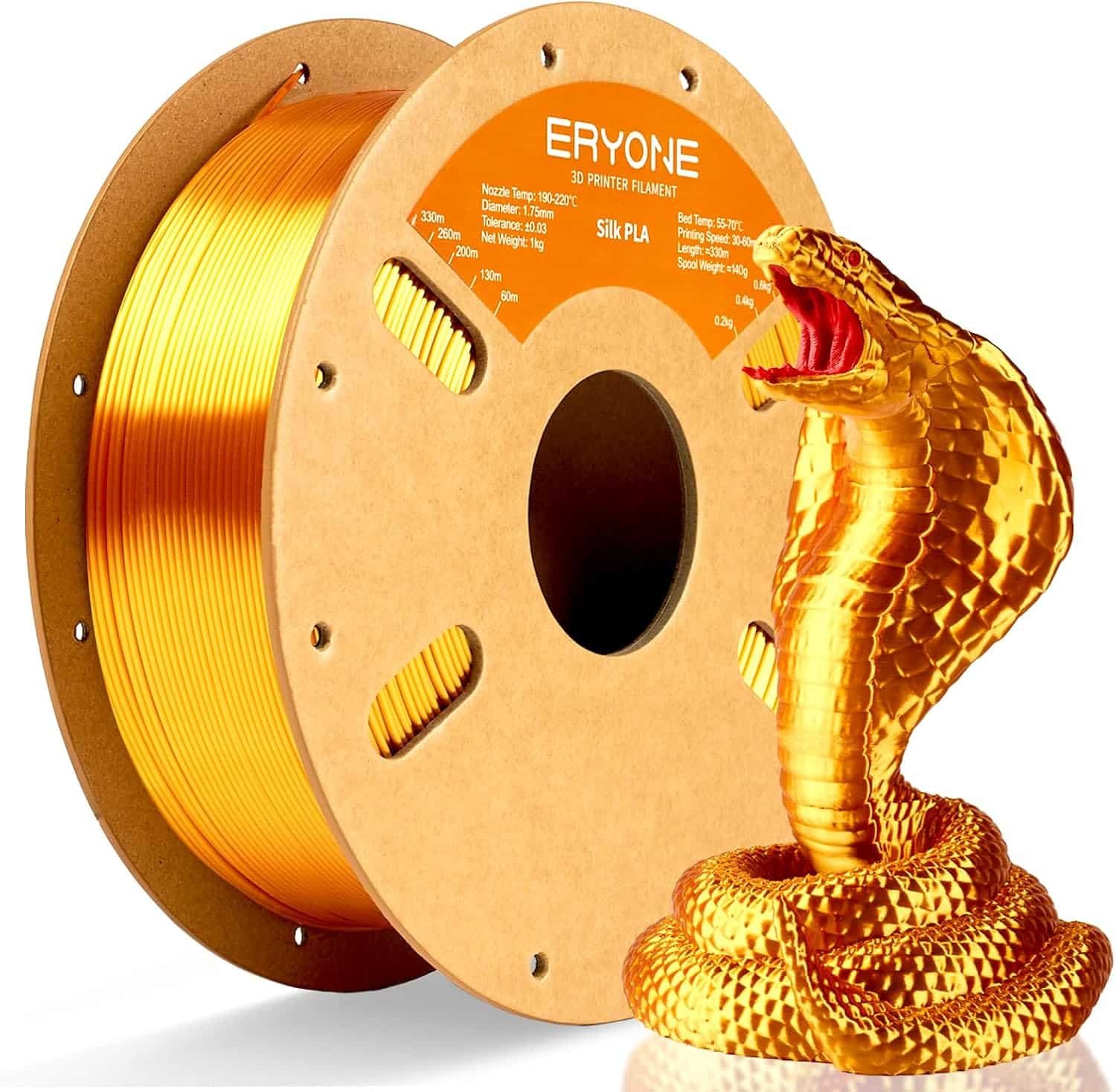
The metallic sheen only shows up correctly with slower print speeds — rushing it flattens the shine into a duller finish.
↗ Check ERYONE Silk PLA, Liquid Gold — $16.99 on AmazonCreality PLA Filament for K2 Plus Combo: Do You Need the RFID Version?
Only if you own a Creality printer with a CFS (Color Filament System) — the RFID tag lets the printer auto-detect material and color, which non-Creality machines can’t read anyway.
Real-world implication: this is Hyper PLA rated for high-speed printing up to 600mm/s, so it’s built specifically to keep up with fast CoreXY machines like the K2 Pro rather than being a generic all-purpose spool. If you don’t own a compatible Creality system, the RFID feature is dead weight — buy standard PLA instead.

The RFID chip on the spool core is what lets Creality’s CFS auto-detect color and material — it won’t do anything on other brands’ printers.
↗ Check Creality PLA Filament (Red) — $23.99 on AmazonCategory 3 · Accessories & Upgrades
3D Printing Super Glue Gel: Why Do 8,000+ Buyers Grab It Monthly?
Because failed and split prints are inevitable, and this gel-formula glue fills gaps instead of running everywhere like thin liquid CA glue.
Real-world implication: a gap-filling gel (not thin liquid CA glue) is what actually holds on rough layer lines — thin CA glue tends to wick away without bonding on textured print surfaces. The anti-clog cap is a small detail that matters a lot once the bottle’s been opened a few times.
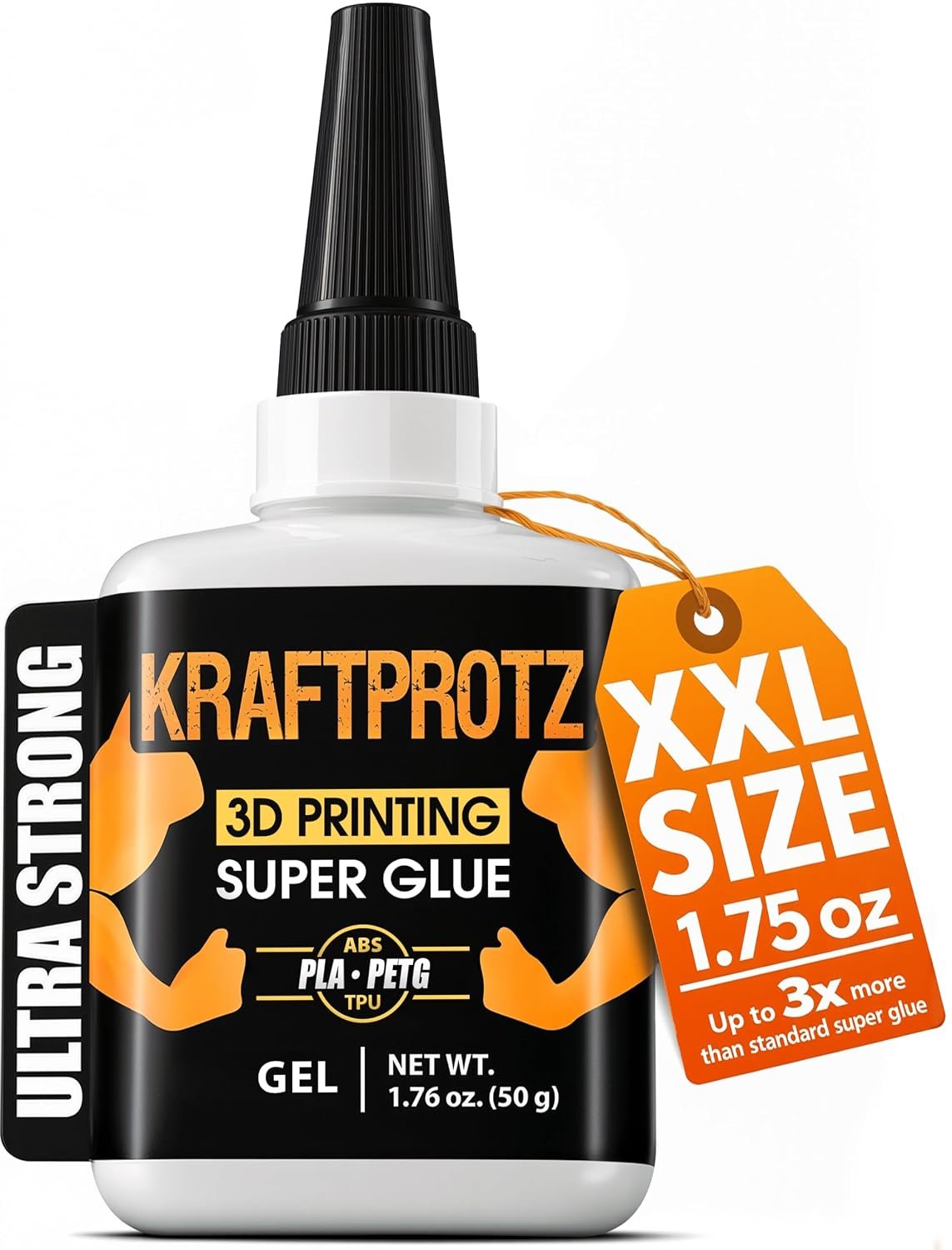
Gap-filling gel formula holds better on layer lines than thin liquid CA glue when a print needs a quick fix.
↗ Check 3D Printing Super Glue Gel — $13.99 on AmazonBIQU CryoGrip Pro Glacier Build Plate (235x235mm): Worth It for Adventurer/Ender Owners?
Yes, if you switch between low-temp PLA and high-temp ABS or PETG on the same printer — a double-sided swap plate skips the wait for bed temp to fully cycle between materials.
Real-world implication: keeping a second plate dedicated to low-temp materials means you’re not constantly re-leveling or waiting on bed temp swings between print jobs — a real time-saver for anyone running mixed-material queues.
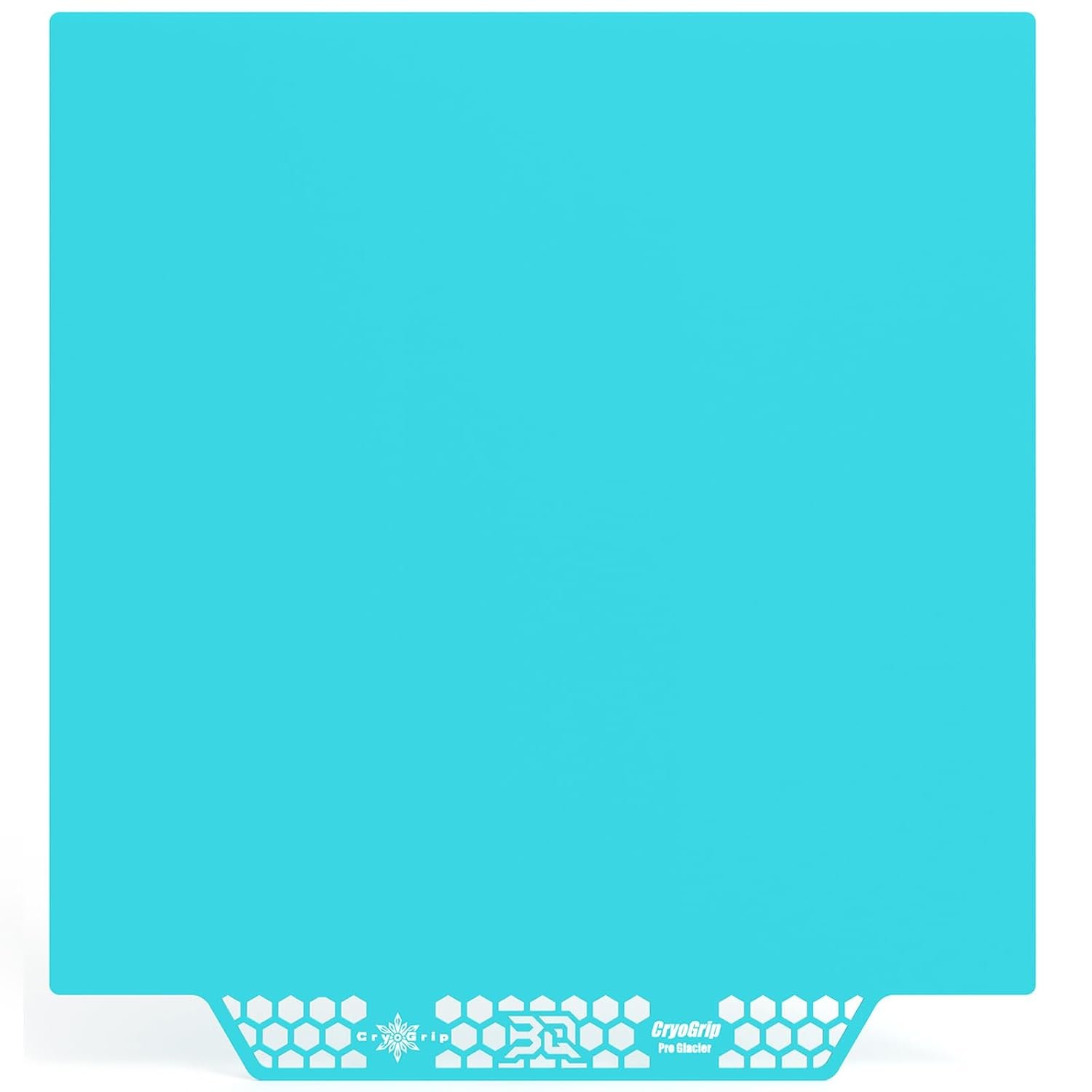
A dedicated low-temp plate means fewer bed-temp cycle waits when switching between PLA and higher-temp materials.
↗ Check BIQU CryoGrip Build Plate — $25.99 on Amazon4PK Snapmaker U1 Hotend Nozzles: Do You Need All Four at Once?
Yes — the U1’s 4-toolhead design means one worn nozzle throws off consistency across your multi-color prints, so replacing all four together keeps wear even.
Real-world implication: a 0.2mm nozzle is a fine-detail size, not a general-purpose swap — good for miniatures and detailed models, not fast bulk prints. Only 14 ratings so far, so treat this as an early-adopter accessory rather than a proven staple.
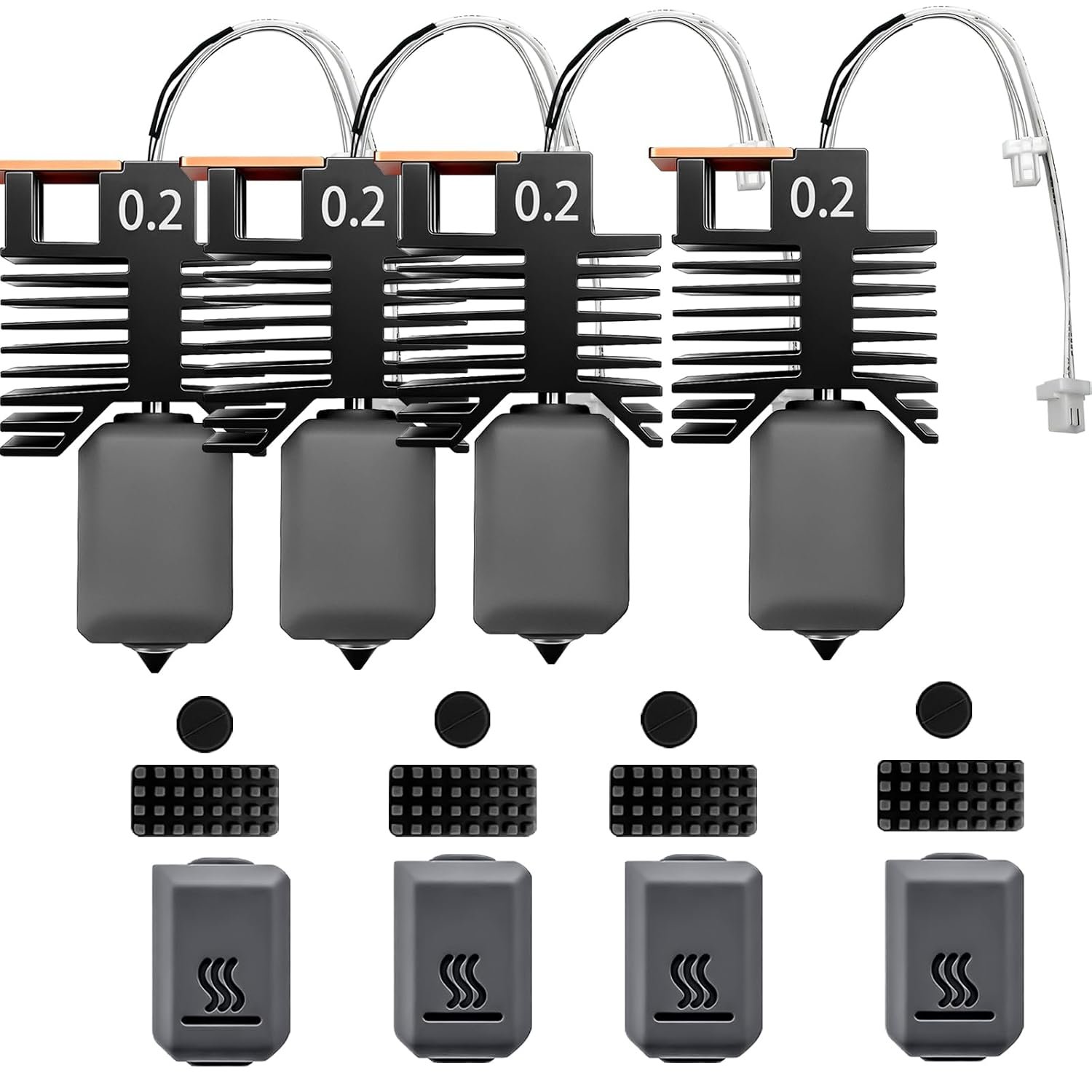
Matching all four toolhead nozzles to the same wear level keeps layer height consistent across colors on the U1.
↗ Check 4PK Snapmaker U1 Nozzles — $41.99 on AmazonBIQU CryoGrip Panda Build Plate for Snapmaker U1: Fix for Popping Prints?
It can be — a double-sided, removable surface sized exactly for the U1’s 276×304.5mm bed addresses the part-popping complaints that show up in early U1 owner reviews.
Real-world implication: a direct-fit replacement plate sized to the exact bed dimensions avoids the leveling headaches that come with generic “universal fit” plates — worth the $30 if your stock plate is struggling with adhesion.
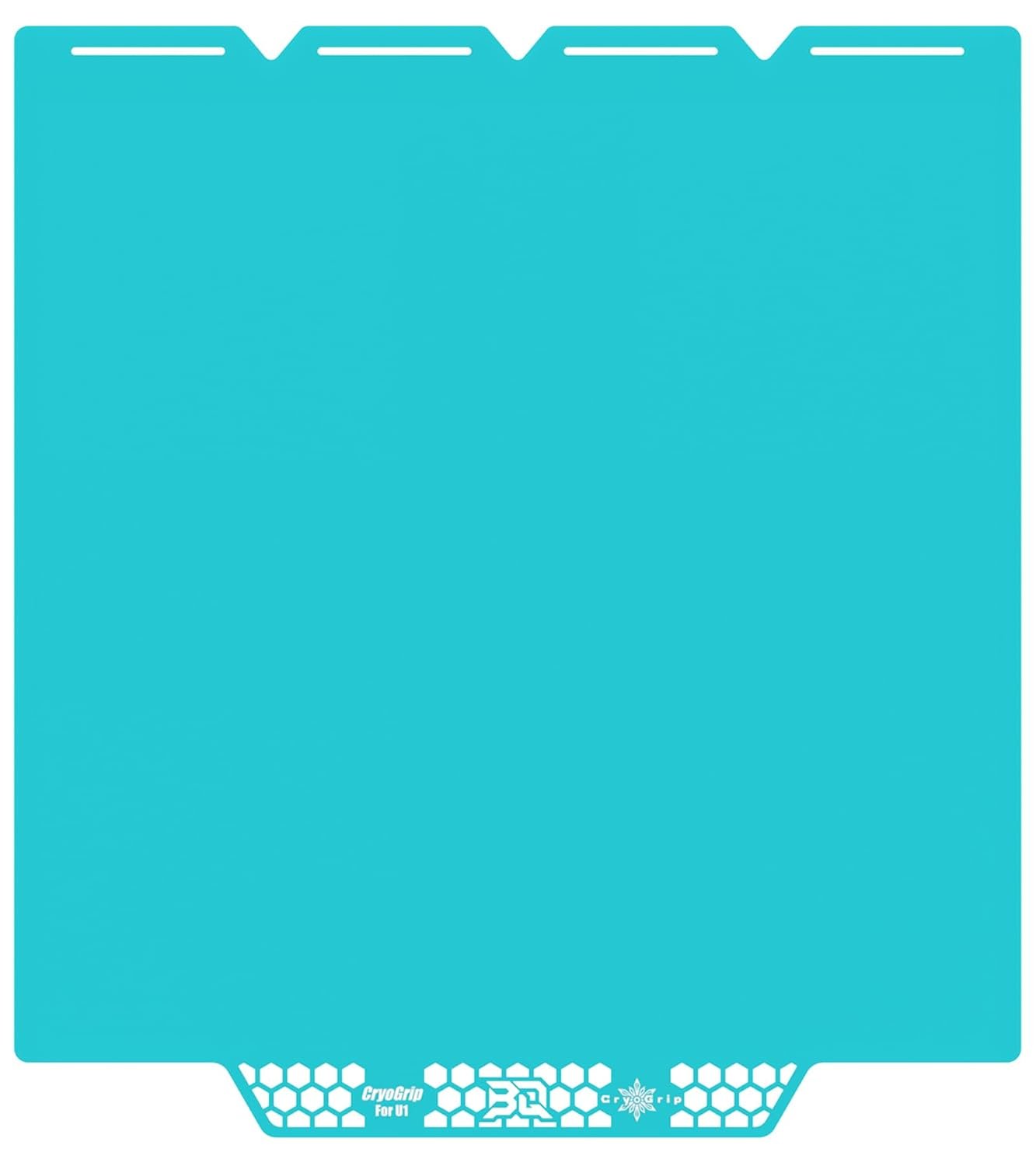
Sized to the U1’s exact bed dimensions — no trimming or re-leveling workarounds needed like with universal-fit plates.
↗ Check BIQU CryoGrip Panda Build Plate — $29.99 on AmazonThe Reality of Long-Term Ownership
Multi-color printers, in particular, share the same weak points once the “new printer” phase wears off. Here’s what tends to surface after a few months of regular use.
Maintenance & Wear
AMS and toolchanger systems both introduce moving parts that single-nozzle printers don’t have — filament path rollers on AMS units, and toolhead docking mechanisms on the Creator 5 and Snapmaker U1. Both need occasional cleaning to avoid jams; neither is a dealbreaker, but budget 10 minutes a month for it.
Hidden Costs
Enclosed, heated-chamber machines like the K2 Pro and Centauri Carbon 2 pull noticeably more power during heat-up than open-frame printers. Multi-color systems also burn more filament on purge towers unless you’re on a low-waste toolchanger design like the U1 or Creator 5 — factor that into your per-print filament budget.
Bambu P1S vs. ELEGOO Centauri Carbon 2: Which One Actually Wins on Value?
These two get compared constantly because they sit at opposite ends of the price range for the same core feature: multi-color CoreXY printing. Here’s how they stack up head-to-head.
| Feature | Bambu Lab P1S Combo | ELEGOO Centauri Carbon 2 | Winner | Why It Won |
|---|---|---|---|---|
| Price | $549.00 | $399.99 | ELEGOO | $150 cheaper for a comparable multi-color feature set. |
| Multi-color system | AMS, included | Canvas system, included | Bambu | AMS has a longer track record and larger community mod support. |
| Max nozzle temp | Not specified in listing | 350°C | ELEGOO | Opens up ABS, nylon, and other engineering filaments. |
| Amazon rating | 4.2/5 (630) | 3.8/5 (265) | Bambu | Higher score across more than double the review volume. |
| Monthly sales volume | 3K+ bought/month | 700+ bought/month | Bambu | Far higher sales volume signals broader market trust. |
| Build volume | Standard CoreXY frame | 256×256×256mm | Tie | Comparable working volume for most hobbyist prints. |
| Best for | First-time multi-color buyers wanting the safest option | Budget-conscious buyers who print ABS/engineering filament | Depends on budget | Both solve multi-color printing — price and material needs decide it. |
Bambu Lab P1S Combo: Pros and Cons
Pros
- AMS multi-color unit included, no separate purchase
- Highest review volume of any printer on this list
- Auto bed leveling out of the box
- Strong community and MakerWorld model library support
Cons
- $150–$450 more expensive than other options here
- AMS filament path needs periodic cleaning
- No listed max nozzle temp for engineering filaments
Frequently Asked Questions
Which 3D printer is actually the best seller on Amazon in 2026?
The Bambu Lab P1S Combo, with 3,000+ units bought in the past month at $549 — more than any other printer in this roundup.
What’s the best-selling filament on this list?
SUNLU’s basic black PLA, with 11,269 ratings — the largest review sample of any product covered here, printer or accessory.
Is the ELEGOO Centauri Carbon 2 as good as the Bambu Lab P1S?
Not quite on review volume or score, but it’s $150 cheaper and includes a 350°C nozzle for engineering filaments the P1S listing doesn’t specify.
Do I need silk PLA or is regular PLA fine?
Regular PLA (like SUNLU’s) is fine for functional or everyday prints. Silk PLA (like ERYONE’s) is for decorative pieces where the metallic finish matters more than layer strength.
Which printer on this list is best for large prints?
The Creality K2 Pro Combo, with a 300x300x300mm build volume and an active heated chamber for large ABS or ASA parts.
What’s the cheapest 3D printer in this roundup?
The FLASHFORGE AD5X at $409, followed closely by the ELEGOO Centauri Carbon 2 at $399.99.
Is the FLASHFORGE AD5X reliable despite the lower rating?
Its 4.0/5 rating comes from 1,014 reviews — the largest sample size of any printer here — which makes that average more statistically reliable than smaller-sample scores.
Bottom Line
For most buyers, the Bambu Lab P1S Combo is the safest, best-supported printer at $549. Round it out with SUNLU PLA for everyday prints and a tube of super glue gel for the inevitable failed print — those three cover most of what a new multi-color setup actually needs.
↗ Check Bambu Lab P1S Combo — $549.00 on AmazonRelated posts:
 Best Affordable Bulk PLA Filament on Amazon for Stunning 3D Prints
  Comgrow SH02 Filament Dryer Box Review: Does it Really Work?
  Creality CFS Multicolor Filament System Review: Worth $319 in 2025?
  Creality K2 Plus 3D Printer: Worth $1,299 for Multi-Color Prints?
  8 Top 3D Printer Picks for Beginners in 2025: Budget, Mid-Range, and Premium Options
  Best 3D Printer Black Friday Deals 2025: What’s Actually Worth Buying (Based on Real Amazon Sales Data)
  18 Insane Black Friday 3D Printer Deals 2025 (Actually the Lowest Prices We’ve Ever Tracked with Keepa)
  Live Black Friday 3D Printer Offers 2025 – Updated Hourly – Save Up to $400!
  Best Cyber Monday 3D Printer Deals 2025: Save Up to 45% on Bambu Lab, Creality & ANYCUBIC (Live Deals)
  Why 87% of Small Businesses Waste Money on Wrong 3D Printers (2025 Buying Guide)
  Is Bambu Lab A1 Plug and Play? Setup Time & First Print Results (Reddit Data)
  Best 3D Printer 2026: 14 Models Tested and Compared